
Kit de substitución do módulo de joystick 3D AOLION AOLION
Kit de substitución do módulo de joystick 3D AOLION para o controlador de PS5
Manual de instrucións
Introdución
O kit de substitución do módulo de joystick 3D de AOLION está deseñado para solucionar problemas comúns como a desviación do joystick, o movemento lento, as tartamudeadas, os puntos cegos, as zonas mortas e os joysticks que non responden no teu mando DualSense de PlayStation 5. Este kit completo proporciona os compoñentes e as ferramentas necesarias para restaurar a funcionalidade do joystick analóxico do teu mando, garantindo unha entrada precisa e fiable para unha experiencia de xogo óptima.
Este manual ofrece instrucións detalladas para a instalación, o mantemento e a resolución de problemas dos módulos de joystick e os accesorios que os acompañan.
Contido do paquete
Verifique que todos os elementos que se indican a continuación estean incluídos no seu kit:
- 27 x Parafusos
- 10 aneis de protección
- 4 módulos de joystick
- 4 x sticks para o polgar
- 2 x Tapas para joystick (empuñaduras para o polgar)
- 1 x pinza
- 1 x Ferramenta de palanca triangular
- 1 x Palanca
- 1 desaparafusador cruzado

Imaxe: Detallada view dos 51 compoñentes incluídos no kit de substitución, dispostos para unha identificación clara.
Guía de instalación
Nota importante: A instalación dos módulos do joystick require soldadura. Se non tes experiencia coa soldadura de compoñentes electrónicos, recoméndase encarecidamente que busques axuda profesional ou consultes titoriais en vídeo detallados. Unha instalación incorrecta pode danar o teu controlador.
Ferramentas necesarias (non incluídas):
- Soldador
- Fío de Soldadura
- Bomba ou trenza desoldadora
- Pistola de calor (opcional, para soldaduras resistentes)
Instalación paso a paso:
- Desmontar o controlador: Usa o destornillador e as ferramentas de palanca fornecidas para abrir con coidado o mando DualSense da PS5. Consulta as guías ou os vídeos en liña para obter os pasos específicos de desmontaxe para o modelo do teu mando.
- Localizar e desoldar joysticks antigos: Identifica os módulos do joystick na placa de circuítos do controlador. Desolda con coidado todos os pines que conectan o módulo do joystick defectuoso á placa. Asegúrate de retirar toda a soldadura para evitar danar as almofadas.
- Limpar as almofadas: Usa alcohol isopropílico e un hisopo de algodón para limpar calquera fluxo ou soldadura residual das almofadas da placa de circuíto.
- Instalar o novo módulo de joystick: Aliña os pines do novo módulo de joystick 3D AOLION cos orificios correspondentes da placa de circuíto. Asegúrate de que estea enrasado coa placa.
- Soldar un novo joystick: Solda con coidado cada pin do novo módulo de joystick á placa de circuíto. Asegúrate de que as unións de soldadura sexan fortes e limpas sen puentear ningún pin.
- Substituír os joysticks e as tapas: Unha vez que o módulo do joystick estea soldado de forma segura, coloca as novas manetas nos eixes do joystick. Se o desexas, engade as tapas do joystick para un mellor agarre.
- Volver montar o controlador: Volva montar o controlador con coidado, asegurándose de que todos os cables e compoñentes estean conectados e fixados correctamente. Use os parafusos proporcionados para a montaxe.
- Funcionalidade de proba: Despois de volvelo montar, conecta o mando á consola PS5 e proba a funcionalidade do joystick. Verifica que non haxa desviación do joystick e que todos os movementos se rexistren con precisión.

Imaxe: Un usuario realizando o procedemento de substitución nun controlador de PS5, demostrando a natureza práctica da instalación.
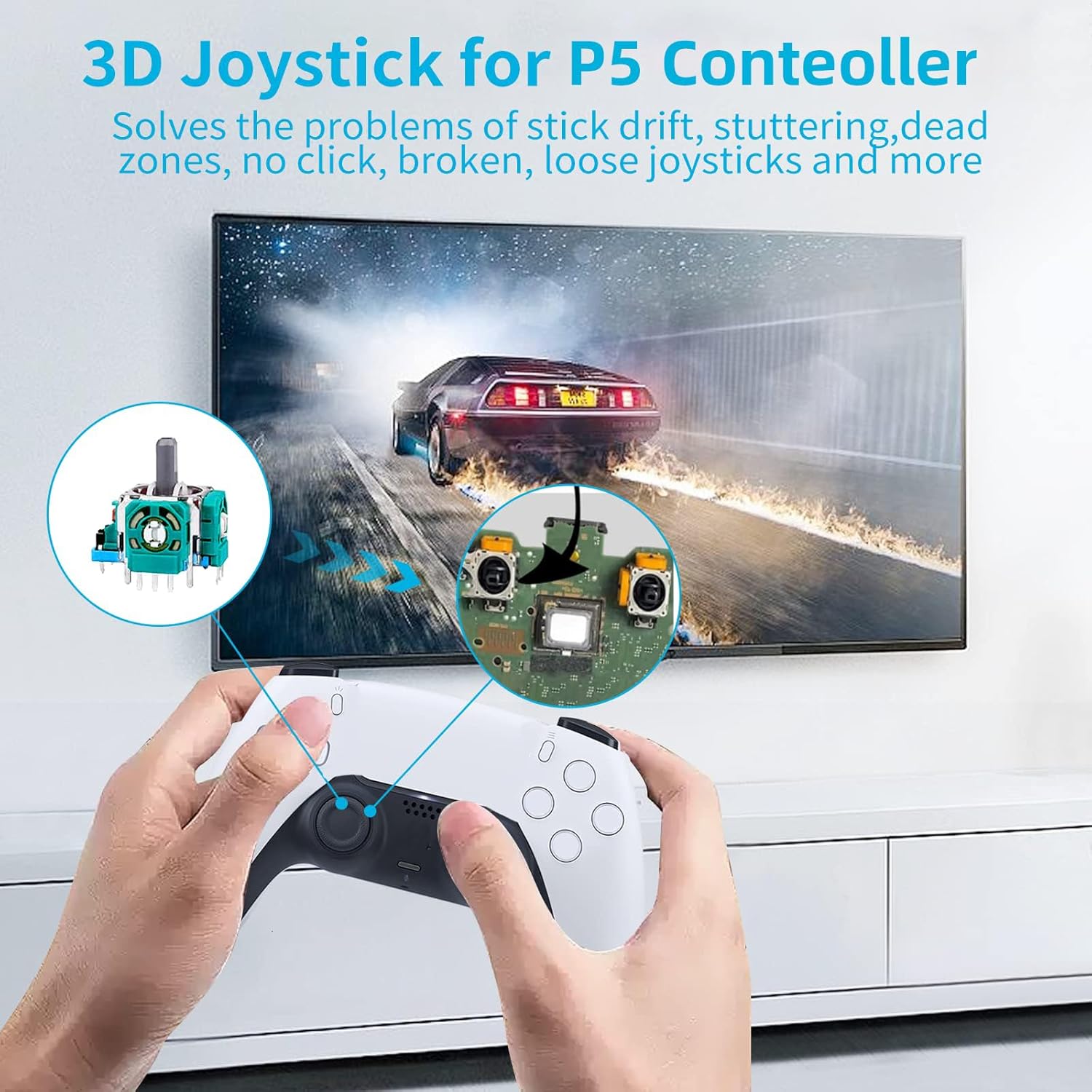
Imaxe: Representación visual da localización do módulo do joystick dentro do controlador da PS5, que axuda na súa identificación durante a instalación.
Mantemento
Un mantemento axeitado pode prolongar a vida útil do controlador e dos módulos de joystick de substitución.
Aneis de protección:
Os aneis protectores ultrafinos de 0.1 mm incluídos están deseñados para evitar o desgaste nos eixes do joystick e na carcasa do controlador. Tamén axudan a minimizar a acumulación de po e residuos arredor da base do joystick.
- Instalación: Deslice con coidado un anel protector na base de cada joystick antes de colocar este no módulo do joystick.
- Limpeza: Retire periodicamente os joysticks e limpe os aneis protectores e a zona que rodea a base do joystick cun pano suave e seco para eliminar o po acumulado.

Imaxe: O anel protector ultrafino instalado nun controlador de PS5, que demostra como protexe o mecanismo do joystick.

Imaxe: Os aneis protectores son compatibles cunha ampla gama de controladores, como PS5, PS4, Switch e Xbox, o que ofrece unha protección versátil.
Resolución de problemas
Se tes problemas despois de instalar os módulos do joystick, ten en conta os seguintes pasos para solucionalo:
- A deriva da vara persiste:
- Asegúrese de que todas as unións de soldadura estean sólidas e libres de unións frías ou pontes.
- Verifique que o módulo do joystick estea asentado correctamente e aliñado coa placa de circuítos.
- Realiza unha calibración do controlador a través da configuración da consola, se está dispoñible.
- O joystick non responde:
- Comprobe se hai algún cable plano ou fío desconectado durante a montaxe.
- Inspeccione o módulo do joystick para detectar calquera pines dobrados ou danados.
- Confirme que se mantivo a orientación correcta do módulo do joystick durante a soldadura.
- Ferramentas que faltan ou están danadas:
- Se falta algún accesorio ou está danado á súa chegada, póñase en contacto co servizo de atención ao cliente para obter axuda.
Se os problemas persisten despois de intentar estes pasos, pode indicar un problema máis complexo ou que requira máis asistencia técnica.
Especificacións
| Marca | AOLION |
| Dispositivos compatibles | Mando DualSense de PlayStation 5 |
| Tipo de controlador | Módulo Joystick |
| Dimensións do paquete | 6.69 x 4.29 x 0.98 polgadas |
| Peso do elemento | 2.82 onzas |
| Primeira data dispoñible | 9 de febreiro de 2023 |
Garantía e Soporte
Para calquera dúbida sobre o kit de substitución do módulo de joystick 3D AOLION, incluíndo axuda para a instalación, compoñentes que faltan ou defectos do produto, póñase en contacto directamente co vendedor a través da plataforma onde se realizou a compra. Proporcione os detalles do seu pedido para obter unha asistencia rápida.
Aínda que non se proporcionan detalles específicos da garantía neste manual, a maioría dos produtos inclúen unha política estándar de devolución ou substitución. Consulta o recibo de compra ou a listaxe do produto para coñecer os termos de garantía aplicables.
Ask a question about this manual
Ask about setup, troubleshooting, compatibility, parts, safety, or missing instructions. Manuals+ will review the question and use this page’s manual context to help answer it.