
Introdución
The DIZO Earphones with HD Mic (Model DA2106) are designed to provide a clear audio experience for music listening and calls. Featuring an 11.2mm dynamic driver for enhanced bass and a built-in HD microphone for clear communication, these wired in-ear earphones are equipped with a tangle-free cable and a 90-degree angle audio jack for durability and ease of use.
Contido do paquete
Comprobe que todos os elementos estean presentes no paquete:
- DIZO Earphones (Model DA2106)
- Manual de usuario (este documento)
Produto rematadoview
Familiarize yourself with the components of your DIZO Earphones.

Imaxe 1: Acabadoview of DIZO Earphones, illustrating the earbuds, in-line remote control, and 3.5mm audio jack.
- Auriculares: Designed for in-ear comfort and sound delivery.
- Control remoto en liña: Integrated into the cable for easy access to functions.
- Micrófono HD: Located on the in-line remote for clear voice capture during calls.
- Cable antienredos: Durable cable designed to resist tangling.
- 90-Degree Angle Audio Jack: A 3.5mm connector designed for reduced strain and enhanced durability when plugged into devices.

Imaxe 2: Detallado view of the in-line remote control and the 90-degree 3.5mm audio jack.

Imaxe 3: Focus on the 90-degree angle audio jack, highlighting its design for durability.
Configuración
Connecting your DIZO Earphones is a straightforward process:
- Identifica o porto de audio: Locate the 3.5mm audio jack on your device (e.g., smartphone, laptop, tablet). This port is typically marked with a headphone icon.
- Insert the Jack: Gently insert the 3.5mm audio jack of the DIZO Earphones into your device's audio port until it is fully seated. The 90-degree angle design helps reduce stress on the cable.
- Adjust Earphones: Place the earbuds comfortably into your ears. Ensure a snug fit for optimal sound quality and bass response.
- Audio de proba: Play some audio from your device to confirm that the earphones are working correctly. Adjust the volume on your device as needed.
Instrucións de funcionamento
The in-line remote control allows for easy management of audio playback and calls.

Imaxe 4: Various angles of the earphones, highlighting the in-line remote for control.
- Reproducir/pausar música: Press the multi-function button on the in-line remote once to play or pause the current audio track.
- Próxima pista: Prema o botón multifunción dúas veces rapidamente para saltar á seguinte pista.
- Pista anterior: Press the multi-function button three times quickly to go back to the previous track.
- Responder/Finalizar chamada: Press the multi-function button once to answer an incoming call or end an active call.
- Rexeitar a chamada: Manteña premido o botón multifunción durante aproximadamente 2 segundos para rexeitar unha chamada entrante.
- Activar o asistente de voz: Press and hold the multi-function button for approximately 2 seconds (when not on a call) to activate your device's voice assistant (e.g., Google Assistant, Siri).
Nota: Volume control is managed directly through your connected device.
Mantemento
Proper care ensures the longevity and performance of your earphones.
- Limpeza:
- Limpe con coidado os auriculares e o cable cun pano suave, seco e sen fiapos.
- For ear tips, remove them and clean with a mild soap solution if necessary, then rinse thoroughly and ensure they are completely dry before reattaching.
- Non empregue produtos químicos agresivos, produtos de limpeza abrasivos nin disolventes.
- Almacenamento:
- Garde os auriculares nun lugar limpo e seco cando non os estea a usar.
- Evite temperaturas extremas e luz solar directa.
- Do not wrap the cable too tightly to prevent damage. The tangle-free design helps with neat storage.
- Manexo:
- Avoid pulling the cable forcefully when disconnecting from a device; always grasp the 3.5mm jack.
- Do not expose the earphones to water or excessive moisture. While they have some water repellency, they are not waterproof.
Resolución de problemas
Se tes algún problema, consulta os seguintes problemas e solucións comúns:
| Problema | Solución |
|---|---|
| Sen son dos auriculares. |
|
| O micrófono non funciona durante as chamadas. |
|
| A calidade do son é deficiente ou distorsionada. |
|
Especificacións
Key technical specifications for the DIZO Earphones (Model DA2106):
| Característica | Detalle |
|---|---|
| Número de modelo | DA2106 |
| Tamaño do controlador | Controlador dinámico de 11.2 mm |
| Colocación do oído | En Orella |
| Conectividade | Con cable (conector de 3.5 mm) |
| Impedancia | 28 ohmios |
| Resposta en frecuencia | 20000 kHz |
| Sensibilidade | 106 dB |
| Micrófono | HD Microphone Included |
| Características do cable | Libre de enredos |
| Audio Jack Angle | 90 graos |
| Peso | 14 gramos |
| Material | Plástico |
| Dispositivos compatibles | Cellphones, Laptops, Telephones |
| Nivel de resistencia á auga | Repelente de auga |
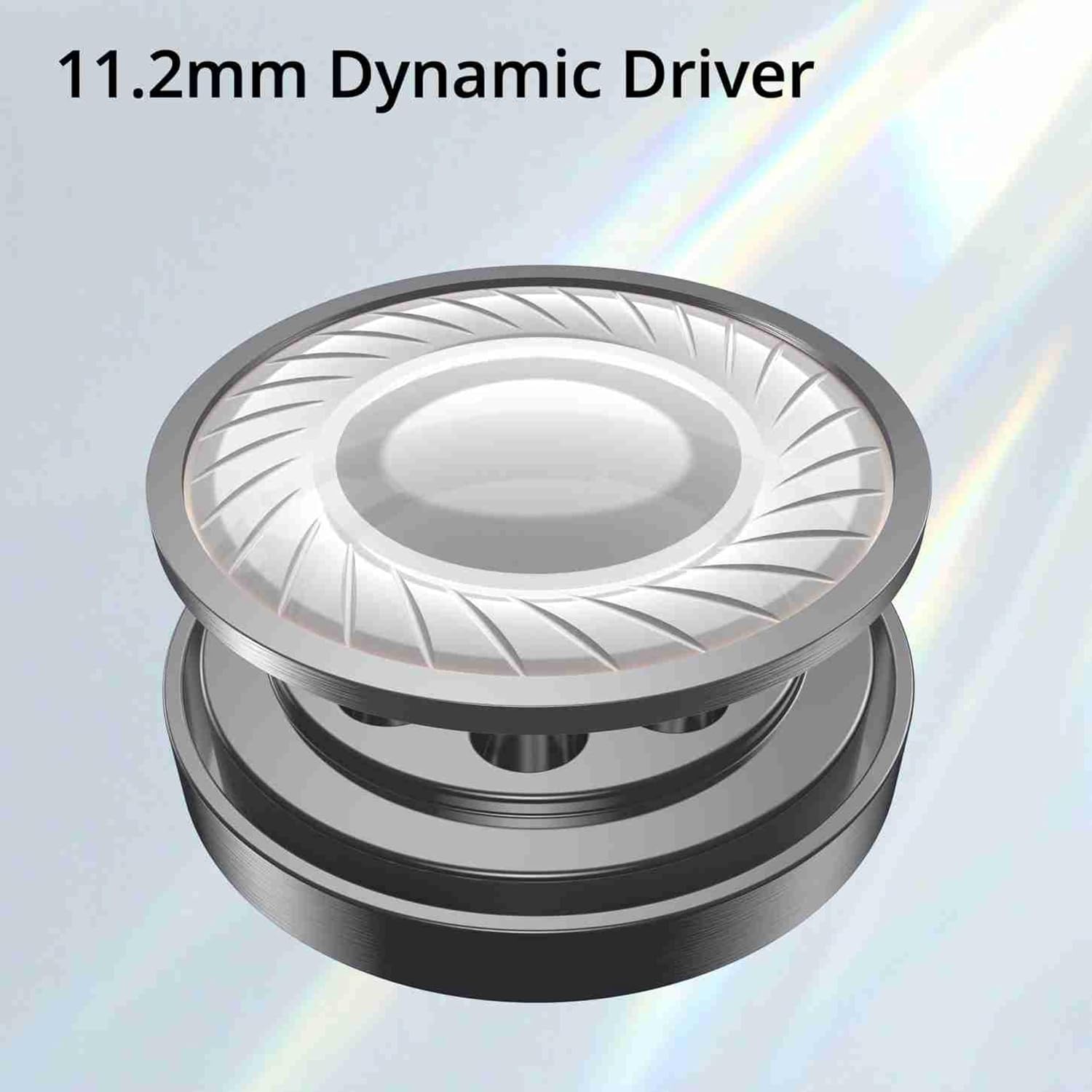
Imaxe 5: Illustration of the 11.2mm Dynamic Driver, responsible for audio output.

Imaxe 6: Visual representation of the earphones' capability for excellent bass performance.

Imaxe 7: Detail of the tangle-free cable, designed for durability and ease of use.
Garantía e Soporte
DIZO provides a limited warranty for this product.
- Período de garantía: 12 meses desde a data de compra.
- Servizo de garantía: For warranty claims or technical support, please carry the product to an authorized service center.
- Información de contacto:
- Correo electrónico: service.in@dizo.net
- Número gratuíto: 1800 843 3030
Garde o comprobante de compra para validar a garantía.


