
PTHTECHUS Kids Smart Watch (1f9f36b4-c9ca-47b6-ae4b-f98b0507f43e)
PTHTECHUS Kids Smart Watch User Manual
Model: Kids Smart Watch (1f9f36b4-c9ca-47b6-ae4b-f98b0507f43e)
Introdución
The PTHTECHUS Kids Smart Watch is designed to provide a comprehensive communication and safety solution for children aged 4-12 years. This smartwatch functions similarly to a smartphone, offering a range of features including 4G network connectivity, WiFi, two-way calls, video calls, GPS location tracking, and various safety functions. This manual provides detailed instructions to help you set up, operate, and maintain your child's smartwatch.

Image: The PTHTECHUS Kids Smart Watch in pink, showcasing its video call capability on the display.
Características clave
The PTHTECHUS Kids Smart Watch is equipped with a variety of features to ensure connectivity, safety, and convenience:
- 4G Network & WiFi Connectivity: Enables fast and reliable communication.
- Two-way Calls & Video Calls: Allows communication with pre-approved contacts.
- GPS Locator: Provides accurate real-time location tracking for peace of mind.
- Función SOS: A dedicated button for emergency calls to pre-set contacts.
- HD Camera & Album: For capturing photos and storing memories.
- School Mode (Do Not Disturb): Limits watch functions during school hours to prevent distractions.
- Podómetro: Tracks daily steps to encourage physical activity.
- Alarm Clock & Class Timetable: Helps children manage their schedule.
- Voice Message: Quick and easy communication.
- Rexeitar chamadas descoñecidas: Enhances safety by blocking calls from unapproved numbers.

Image: A visual representation of the various functions available on the PTHTECHUS Kids Smart Watch, including communication, tracking, and utility features.
Guía de configuración
1. Instalación da tarxeta SIM
The watch requires a 4G Nano SIM card for full functionality, including calls and network features. Ensure the SIM card is activated and has a data plan. Carefully open the SIM card slot cover on the side of the watch. Insert the Nano SIM card with the gold contacts facing up and the notched corner aligned correctly. Gently push until it clicks into place. Close the cover securely to ensure water resistance.
2. Carga inicial
Before first use, fully charge the smartwatch. Connect the magnetic charging cable to the charging port on the watch and plug the USB end into a compatible power adapter (not included). A full charge typically takes 2-3 hours. The battery indicator on the screen will show charging status.
3. Descarga da aplicación e emparellamento
To manage the watch and access its features, download the companion application on your smartphone. Scan the QR code provided in the watch's packaging or search for the recommended app in your device's app store. Once installed, create an account and follow the in-app instructions to bind the watch to your account. This usually involves scanning a QR code displayed on the watch screen or entering a unique device ID.
Instrucións de funcionamento
Realización e recepción de chamadas
Once the SIM card is installed and the watch is paired with the app, you can make and receive calls. Parents can set up a whitelist of contacts through the app. The child can initiate calls to these pre-approved numbers directly from the watch's contact list. For video calls, select the video call option from the menu and choose a contact.

Image: The smartwatch and a smartphone demonstrating a live video call, highlighting the convenience of communication between parent and child.
Seguimento GPS
The watch utilizes GPS, WiFi, and LBS positioning for accurate location tracking. Through the companion app on your smartphone, you can view your child's real-time location, set up geofences (electronic fences) for safe zones, and review rutas históricas.
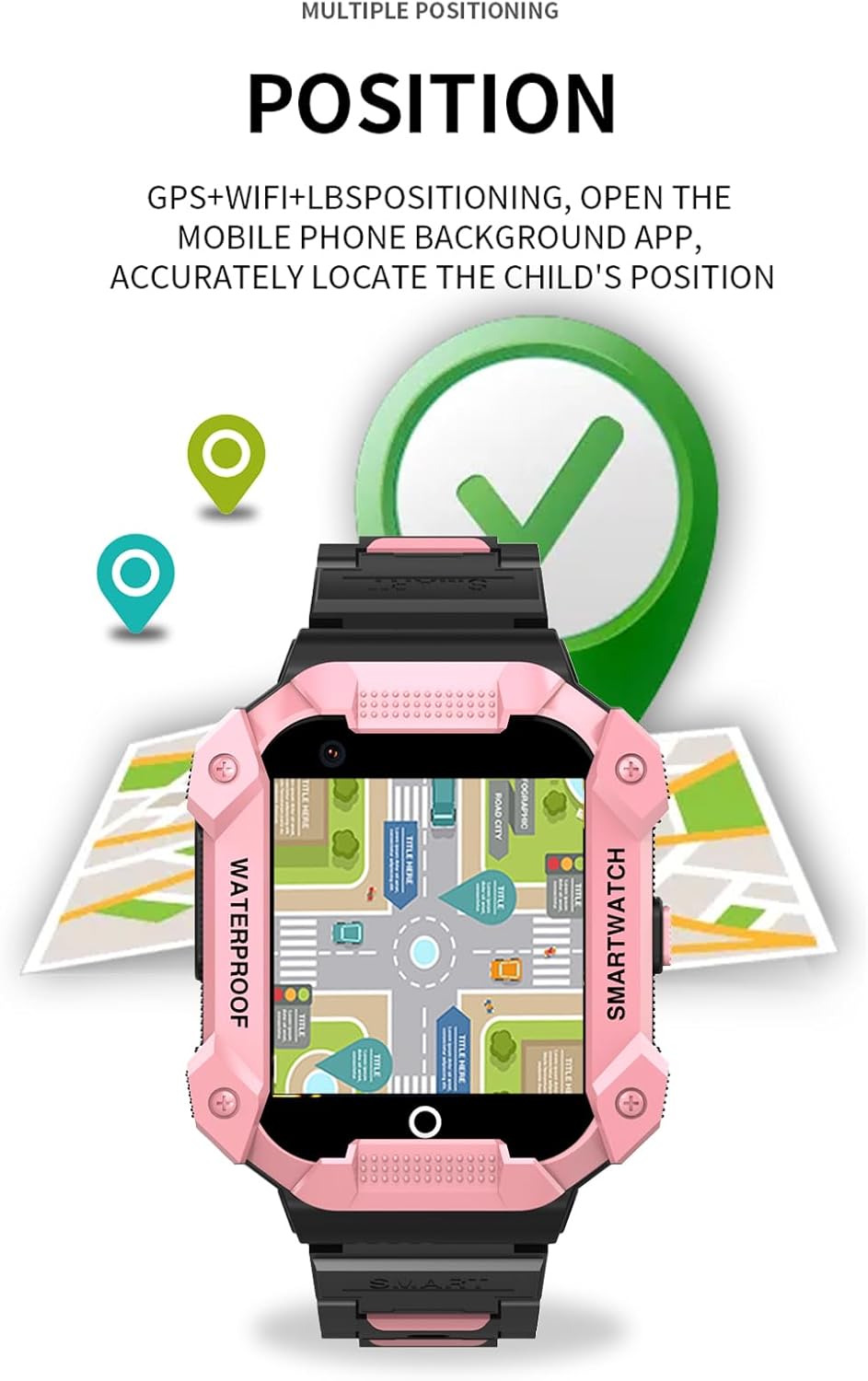
Image: The smartwatch screen showing a map with location markers, demonstrating its precise positioning feature.
Función SOS
In an emergency, the child can press and hold the SOS button (typically located on the side of the watch) for 3 seconds. The watch will automatically dial pre-set emergency contacts in a loop until one answers, and also send location alerts to these contacts.
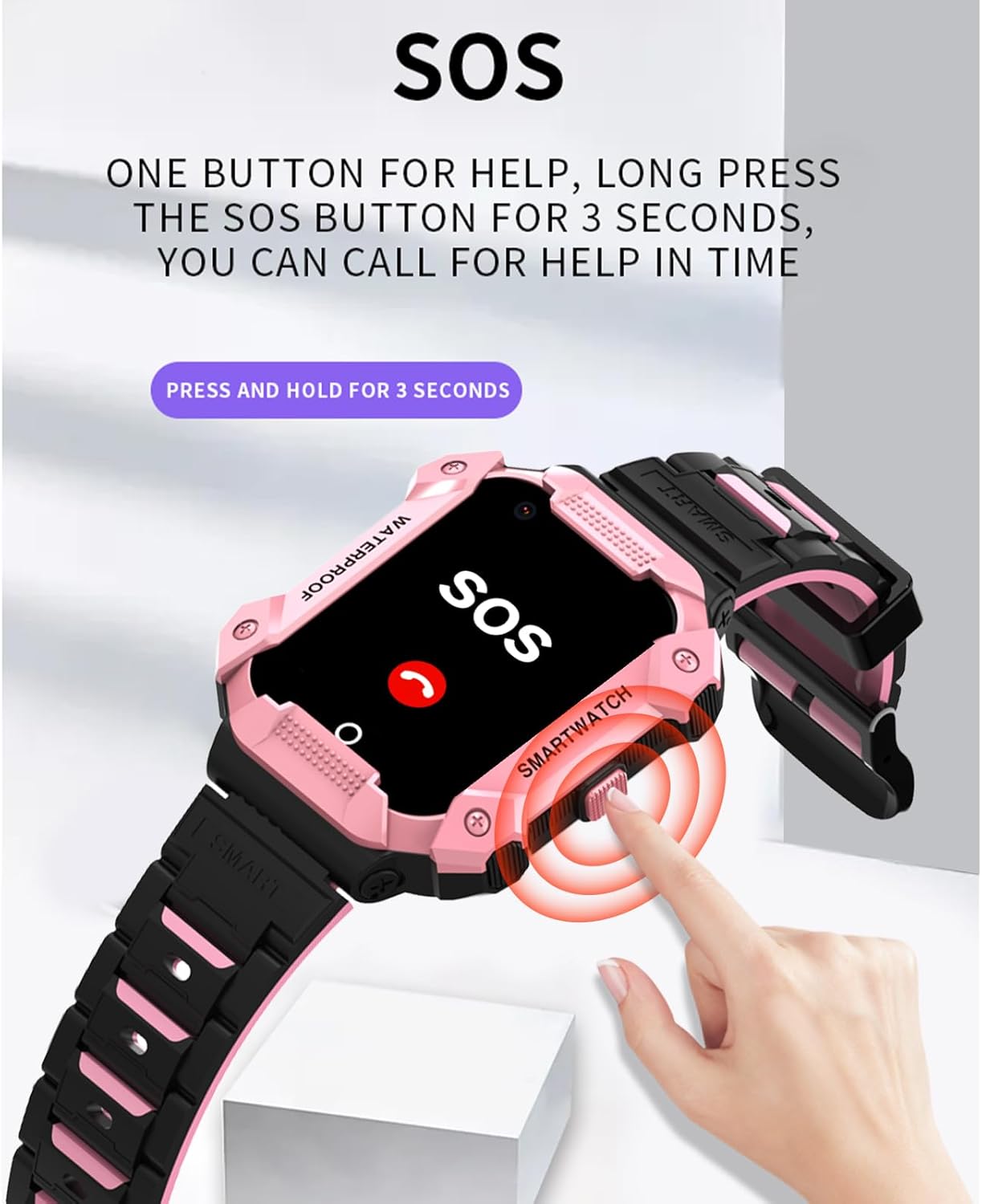
Image: A visual guide showing how to activate the SOS function by pressing and holding the dedicated button on the watch.
Using the HD Camera
The watch features a built-in HD camera. Children can take photos directly from the watch and view them in the album. Parents can also remotely control the camera via the app to take pictures.

Imaxe: A presentación dos reloxos intelixentesasing a photo on its screen, demonstrating the functionality of its integrated HD camera.
School Mode and Alarm Clock
The School Mode (Do Not Disturb) feature can be set via the parent app to disable most watch functions during specific times, ensuring the child is not distracted during class. Only SOS calls remain active. The alarm clock function allows setting multiple alarms for reminders like waking up or homework time.

Image: Illustrations depicting the alarm clock feature for timely reminders and the class mode for undisturbed learning.
Mantemento
To ensure the longevity and optimal performance of your PTHTECHUS Kids Smart Watch, follow these maintenance guidelines:
- Limpeza: Limpa o reloxo regularmente cun pano suave e seco. Para a sucidade persistente, dóao lixeiramenteamp cloth can be used, but ensure no moisture enters the charging port or SIM slot.
- Resistencia á auga: The watch is designed to be waterproof, but avoid prolonged submersion in water, hot water, or steam. Ensure the SIM card slot cover is always securely closed.
- Coidado da batería: Avoid fully discharging the battery frequently. Charge the watch regularly, even if not completely depleted, to prolong battery life. Use only the provided charging cable.
- Almacenamento: Garda o reloxo nun lugar fresco e seco, lonxe da luz solar directa e de temperaturas extremas.
- Evitar impacto: While durable, avoid dropping the watch or subjecting it to strong impacts, which can damage internal components or the screen.
Resolución de problemas
If you encounter issues with your PTHTECHUS Kids Smart Watch, refer to the following common problems and solutions:
| Problema | Causa posible | Solución |
|---|---|---|
| Watch won't turn on or charge. | Low battery; faulty charging cable/adapter; watch bricked. | Ensure the watch is fully charged using the original cable and a working adapter. Try a different USB port or adapter. If still unresponsive, contact customer support. |
| Sen sinal de rede / Non se poden facer chamadas. | SIM card not inserted correctly; SIM card not activated; no signal in area; incorrect APN settings. | Reinsert the SIM card. Verify the SIM card is active and has a data plan. Check network coverage. Ensure APN settings are correct via the app or watch settings. |
| GPS location is inaccurate or not updating. | Poor satellite signal (indoors/dense areas); LBS/WiFi positioning active; app not refreshing. | Move to an open outdoor area. Ensure WiFi is enabled on the watch for better indoor positioning. Refresh the location in the companion app. |
| Cannot hear audio during calls / Microphone not working. | Volume too low; microphone blocked; software issue. | Increase call volume on the watch. Ensure the microphone opening is clear. Restart the watch. If the issue persists, it may indicate a hardware fault. |
| Watch screen is frozen or unresponsive. | Fallo de software; batería baixa. | Perform a force restart (refer to specific model instructions, usually by holding the power button for 10-15 seconds). Ensure the watch is charged. |
Especificacións
- Nome do modelo: Reloxo intelixente para nenos
- Marca: PTHTECUS
- Tamaño da pantalla: 1.54 polgadas
- Forma: Rectangular
- GPS: GPS incorporado
- Composición da pila da batería: Polímero de litio
- Estándar de comunicación sen fíos: 802.11g 54 Mbps (Wi-Fi)
- Tecnoloxía de conectividade: Wi-Fi
- Sistema operativo: Android Wear 2.9
- Fabricante: PTHTECUS
- País de orixe: China
- Baterías: Requírese 1 batería non estándar
Garantía e Soporte
For warranty information and customer support, please refer to the documentation included with your purchase or visit the official PTHTECHUS website. Warranty terms and conditions may vary by region and retailer. Keep your proof of purchase for any warranty claims.
For technical assistance or further inquiries, please contact PTHTECHUS customer service directly through their official channels.