
HP 15-fc0010nr
HP 15 Laptop 15-fc0010nr User Manual
Model: 15-fc0010nr
1. Introdución
This manual provides essential information for setting up, operating, and maintaining your HP 15 Laptop, model 15-fc0010nr. Please read this guide thoroughly to ensure proper use and to maximize the lifespan of your device.
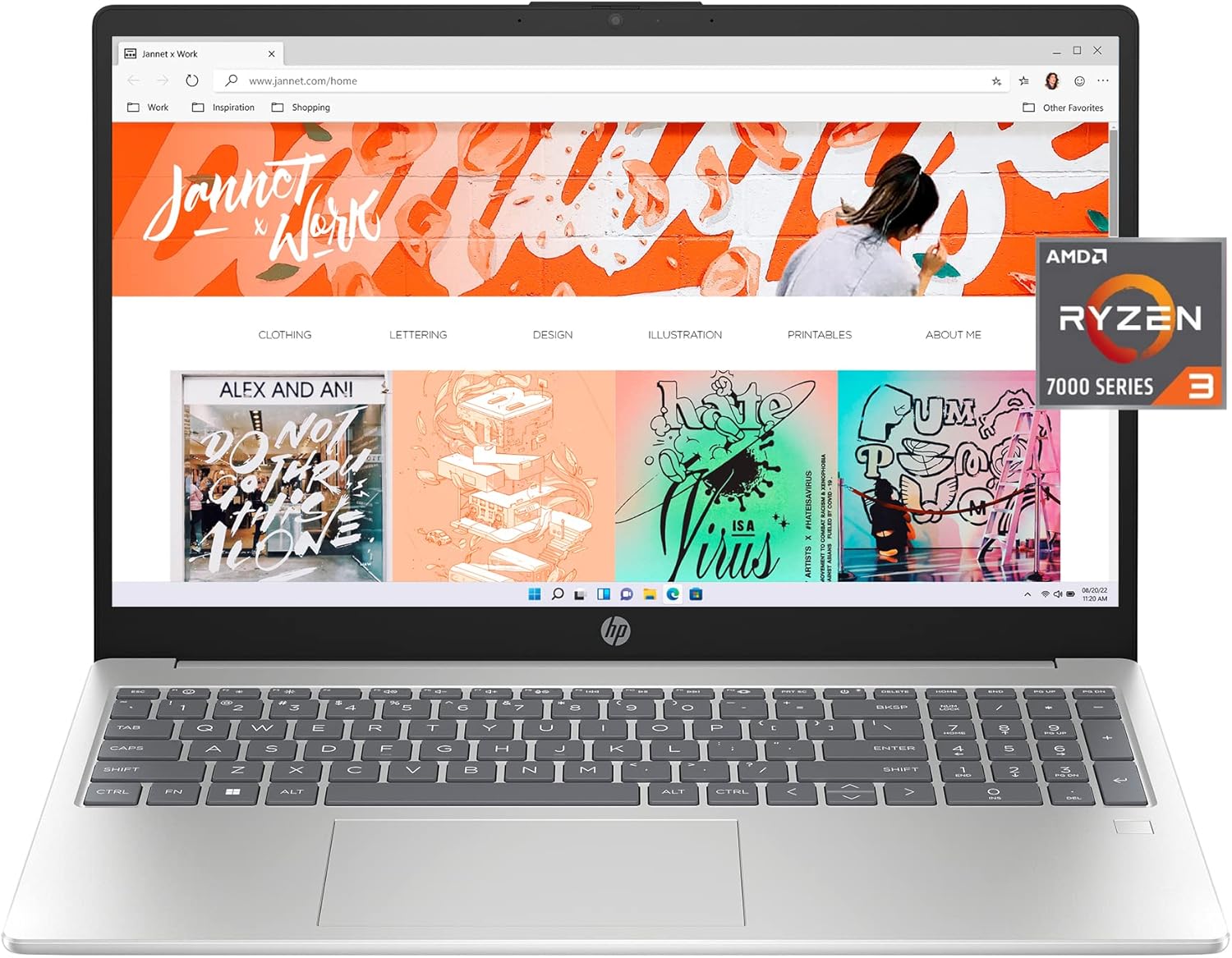
Image 1.1: The HP 15 Laptop 15-fc0010nr, showcasina súa pantalla e o seu teclado.
2. Que hai na caixa
Comprobe que todos os elementos estean presentes na embalaxe:
- HP 15.6 inch Laptop PC 15-fc0010nr
- Adaptador de alimentación (cargador)
- Documentación de garantía

Image 2.1: Packaging contents, including the laptop and its accessories.
3. Configuración
3.1 Encendido inicial
- Conecta o adaptador de corrente ao portátil e a unha toma de corrente.
- Abre a tapa do portátil e preme o botón de acendido, que normalmente se atopa na parte superior dereita do teclado.
- Follow the on-screen instructions to complete the Windows 11 Home in S Mode setup. This includes selecting your region, connecting to a Wi-Fi network, and creating a user account.
3.2 Conexión de periféricos
Your HP 15 Laptop includes various ports for connecting external devices:
- Portos USB: For connecting USB devices such as mice, keyboards, or external storage.
- Porto HDMI: Para conectar a pantallas ou proxectores externos.
- Conector de auriculares/micrófono: Para entrada/saída de son.
- Porto USB-C: For data transfer and potentially charging (check specifications for power delivery).

Imaxe 3.1: Lateral view illustrating the available ports on the laptop.
4. Instrucións de funcionamento
4.1 Xestión de enerxía
- Botón de encendido: Press to turn on the laptop. Press briefly to put it to sleep. Press and hold for several seconds to force a shutdown.
- Duración da batería: O portátil ofrece ata 11 horas de duración da batería.
- Carga rápida HP: The laptop can charge from 0% to 50% in approximately 45 minutes using the provided 45W Smart AC power adapter.

Image 4.1: Laptop in use, demonstrating its capability for various tasks.
4.2 Pantalla e gráficos
The laptop features a 15.6-inch Full HD (1920x1080) IPS anti-glare display with micro-edge bezels, providing a wide viewing experience. It is equipped with AMD Radeon Graphics for visual processing.

Image 4.2: The laptop screen displaying high-definition content.
4.3 Communication and Audio
- Webleva: Integrated HP True Vision HD camera with temporal noise reduction.
- Micrófonos: Dual array digital microphones with noise reduction software for clear audio during calls.
- Audio: Tuned stereo speakers for enhanced sound.
- Microphone Mute Key: A dedicated key on the keyboard allows for quick microphone muting, indicated by an LED light.

Image 4.3: Laptop in use for a video conference.
4.4 Características de seguridade
- Lector de pegadas dixitais: For secure login and data protection.
- Obturador da cámara: Provides physical privacy when the weba cámara non está en uso.
4.5 HP QuickDrop
HP QuickDrop allows for wireless transfer of photos, videos, and documents between your laptop and Android or iOS phone without the need for cables.
5. Mantemento
5.1 Limpeza
- Use un pano suave e sen pelusa lixeiramente dampenxugado con auga ou cun limpador de pantallas para limpar a pantalla.
- Para o teclado e o chasis, use un pano suave. Evite produtos químicos agresivos ou materiais abrasivos.
- Asegúrate de que o portátil estea apagado e desconectado antes de limpalo.
5.2 Coidado coa batería
- Avoid extreme temperatures when storing or operating the laptop.
- Para un estado óptimo da batería, evite descargala completamente de forma continua ou manteña ao 100 % de carga durante períodos prolongados.
6 Solución de problemas
If you encounter issues with your HP 15 Laptop, consider the following basic troubleshooting steps:
- Sen enerxía: Asegúrate de que o adaptador de corrente estea conectado correctamente tanto ao portátil como a unha toma de corrente que funcione. Proba cunha toma diferente.
- Pantalla en branco: Connect an external monitor to check if the display issue is with the laptop screen or the graphics output. Restart the laptop.
- Rendemento lento: Close unnecessary applications. Check for available Windows updates. Ensure sufficient free space on the SSD.
- Problemas de conectividade: Restart your Wi-Fi router. Check network settings on the laptop.
Para problemas máis complexos, consulte o soporte de HP websitio ou póñase en contacto co soporte técnico.
7. Especificacións
Detailed technical specifications for the HP 15 Laptop 15-fc0010nr:

Imaxe 7.1: Acabadoview of key laptop specifications.
| Característica | Especificación |
|---|---|
| Número de modelo | 15-fc0010nr |
| Procesador | AMD Ryzen 3 7320U (4.1 GHz) |
| RAM | 8 GB de RAM LPDDR5 |
| Almacenamento | Unidade de estado sólido (SSD) M.2 NVMe PCIe de 256 GB |
| Gráficos | Gráficos AMD Radeon (integrados) |
| Mostrar | 15.6-inch FHD (1920 x 1080) IPS Anti-Glare |
| Sistema Operativo | Windows 11 Home en modo S |
| Conectividade sen fíos | 802.11bgn |
| Portos USB 2.0 | 1 |
| Portos USB 3.0 | 2 |
| Duración da batería (media) | 11 horas |
| Dimensións (LxWxH) | 14.17 x 0.73 x 9.29 polgadas |
| Peso | 4.99 libras |
| Cor | Prata |

Image 7.2: Physical dimensions of the laptop.
8. Garantía e soporte
Your HP 15 Laptop includes:
- Garantía limitada de hardware de 1 ano.
- 90-days limited technical support for software and initial setup.
Support is available 24 hours a day, 7 days a week via web support. For detailed warranty terms and support options, please visit the official HP support websitio.
9. Información ambiental
The HP 15 Laptop is designed with environmental considerations:
- EPEAT Gold registered.
- ENERGY STAR certified.
- Contains sustainable, post-consumer recycled plastics.

Image 9.1: Environmental certifications of the HP 15 Laptop.
Ask a question about this manual
Ask about setup, troubleshooting, compatibility, parts, safety, or missing instructions. Manuals+ will review the question and use this page’s manual context to help answer it.