
1. Introdución
Thank you for choosing the Gearlab G220 Wireless Keyboard. This manual provides detailed instructions for setting up, operating, and maintaining your new keyboard. The Gearlab G220 is designed for convenience and efficiency, featuring a US/International layout, wireless connectivity via Bluetooth, and an ergonomic design for comfortable use. Please read this manual thoroughly before using the product to ensure proper functionality and longevity.
2. Contido do paquete
Comprobe o contido do paquete ao desembalar. Se falta algún artigo ou está danado, póñase en contacto co seu vendedor.
- Gearlab G220 Wireless Keyboard
- Cable de carga USB
- Manual de usuario
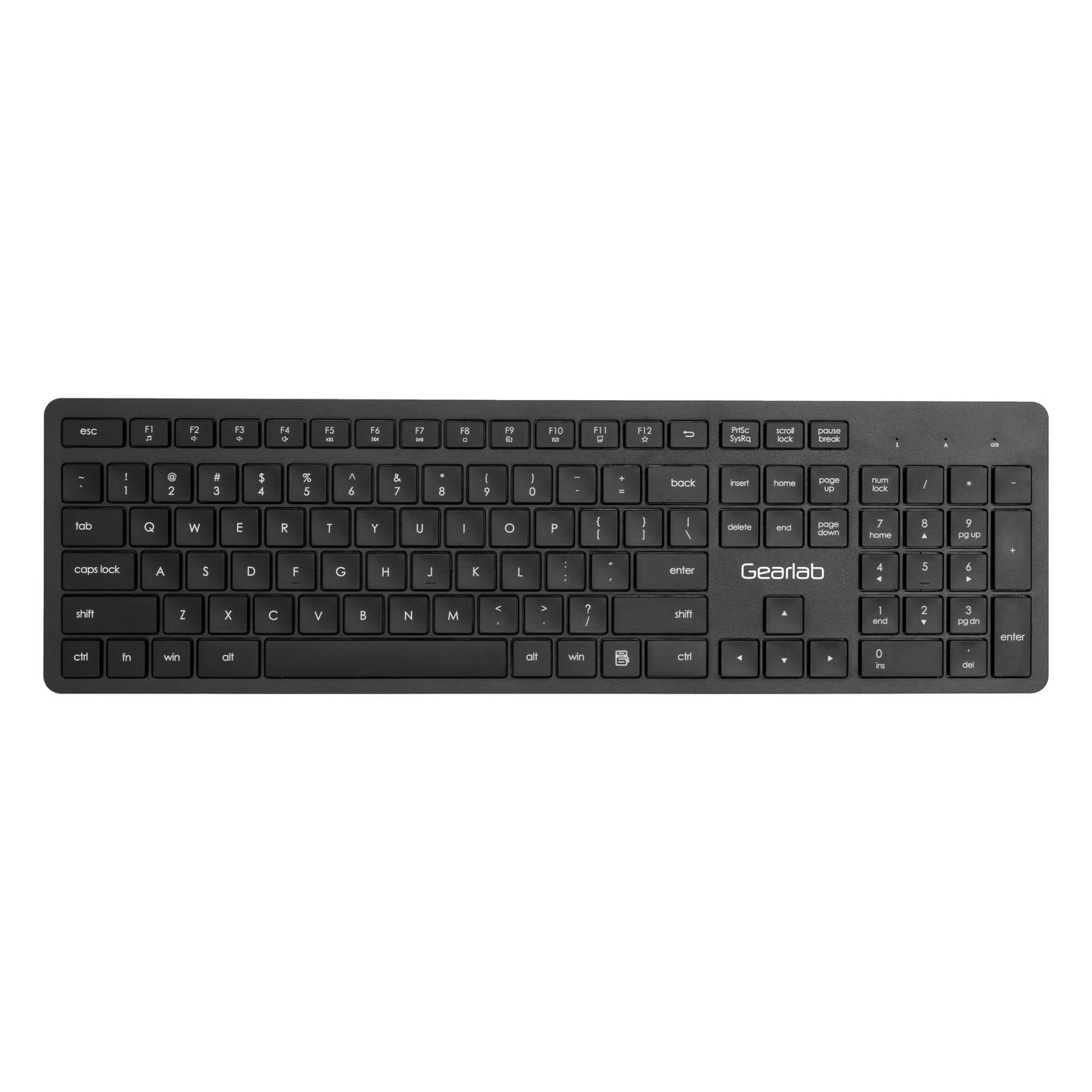
Image: The Gearlab G220 Wireless Keyboard, showcasing its US/International layout and compact design.
3. Configuración
3.1 Carga do teclado
The Gearlab G220 keyboard is rechargeable. Before first use, ensure the keyboard is fully charged.
- Connect the supplied USB charging cable to the charging port on the keyboard.
- Conecta o outro extremo do cable USB a un porto USB con alimentación (por exemplo, un ordenador ou un adaptador de parede USB).
- A luz indicadora de carga acenderase. Unha vez cargada completamente, a luz indicadora pode cambiar de cor ou apagarse.
3.2 Connecting to a Device (Bluetooth)
The Gearlab G220 uses Bluetooth for wireless connectivity. It is compatible with laptops and other devices supporting Bluetooth input.
- Turn on the keyboard using the power switch, usually located on the side or back of the keyboard.
- Activate Bluetooth pairing mode on the keyboard. This typically involves pressing and holding a dedicated Bluetooth pairing button or a function key combination (e.g., Fn + C or a specific Bluetooth icon key) until an indicator light flashes, signifying it's discoverable.
- On your device (e.g., laptop), go to the Bluetooth settings.
- Enable Bluetooth on your device if it's not already on.
- Busca new devices. The keyboard should appear as "Gearlab G220" or a similar name.
- Seleccione o teclado da lista para iniciar o emparellamento.
- If prompted, enter a pairing code on the Gearlab G220 keyboard and press Entra, or confirm the connection on your device.
- Once successfully paired, the indicator light on the keyboard will stop flashing and remain solid, or turn off.
4. Instrucións de funcionamento
After successful connection, the Gearlab G220 Wireless Keyboard is ready for use.
4.1 Funcións básicas do teclado
- Escritura: Use the keys as you would a standard keyboard. The layout is US/International English.
- Teclas de función: The top row of keys (F1-F12) may have secondary functions (e.g., media control, volume, brightness). These are typically accessed by holding down the Fn e premendo a tecla de función desexada. Consulte as lendas das teclas para coñecer as funcións específicas.
- Aforro de enerxía: The keyboard may enter a sleep mode after a period of inactivity to conserve battery. Press any key to wake it up.
4.2 Estado da batería
The keyboard features a rechargeable battery. A low battery indicator light (if present) will typically flash or change color when the battery level is low, signaling that it needs to be recharged.
5. Mantemento
5.1 Limpeza
- Apague o teclado antes de limpalo.
- Use un pano suave e sen pelusa lixeiramente dampenxugado con auga ou unha solución de limpeza suave para limpar a superficie do teclado.
- Do not use harsh chemicals, abrasive cleaners, or spray liquids directly onto the keyboard.
- Para limpar entre as teclas, use aire comprimido ou un cepillo pequeno.
5.2 Coidado coa batería
- Para prolongar a duración da batería, evite descargar completamente o teclado con frecuencia.
- Garde o teclado nun lugar fresco e seco cando non o use durante períodos prolongados.
- Recharge the keyboard regularly, even if not used daily, to maintain battery health.
6 Solución de problemas
If you encounter issues with your Gearlab G220 Wireless Keyboard, refer to the following common solutions:
| Problema | Posible Solución |
|---|---|
| O teclado non se acende. | Ensure the keyboard is charged. Connect it to a power source using the USB charging cable. |
| O teclado non se conecta por Bluetooth. |
|
| As teclas non responden ou escríbense incorrectamente. |
|
| O teclado desconéctase con frecuencia. |
|
7. Especificacións
| Característica | Detalle |
|---|---|
| Marca | Gearlab |
| Modelo | W126339682 |
| Dispositivos compatibles | Portátil |
| Tecnoloxía de conectividade | Bluetooth, Sen fíos |
| Descrición do teclado | Ergonómico |
| Característica especial | Recargable |
| Linguaxe | inglés |
| Orientación das mans | Ambidiestro |
| Número de botóns | 78 |
| Dimensións do produto | 25.4 x 5.08 x 6.86 cm; 560 g (approximately 10 x 2 x 2.7 inches; 1.23 lbs) |
| ASIN | B0BXM1MFCZ |
| Primeira data dispoñible | 7 de marzo de 2023 |
8. Garantía e soporte
The Gearlab G220 Wireless Keyboard comes with a standard manufacturer's warranty. Please refer to the warranty card included in your package or contact your retailer for specific warranty terms and conditions.
For technical support, troubleshooting assistance beyond this manual, or inquiries regarding parts and service, please contact Gearlab customer support through their official websitio ou a información de contacto proporcionada coa súa compra.