
CelsusSound S100
CelsusSound S100 Bone Conduction Headphones User Manual
Model: S100-GreyUS
Marca: CelsusSound
Introdución
This manual provides detailed instructions for the safe and effective use of your CelsusSound S100 Bone Conduction Headphones. Please read this manual thoroughly before operating the device and retain it for future reference.
O que hai na caixa
Verifica que todos os elementos estean presentes no paquete:
- 1 x CelsusSound S100 Bone Conduction Headphones
- 1 x cable de carga tipo C
- 1 x Manual de instrucións (este documento)
- 1 x Headphone Box (Carrying Case)

Image: The CelsusSound S100 Bone Conduction Headphones, showcasing their sleek, over-ear design.
Configuración
1. Carga dos auriculares
Before first use, fully charge your S100 headphones. The headphones feature a Type-C charging port.
- Conecta o cable de carga tipo C fornecido ao porto de carga dos auriculares.
- Connect the other end of the cable to a compatible USB power source (e.g., computer USB port, wall adapter).
- Unha carga completa leva aproximadamente 2 horas.
- The LED indicator will change color or turn off once charging is complete.

Image: Close-up of the CelsusSound S100 headphones showing the Type-C charging port and an indicator light, illustrating the charging process.
2. Emparellamento Bluetooth
The S100 headphones utilize Bluetooth 5.2 for a fast and stable connection up to 33 feet (10 meters).
- Asegúrese de que os auriculares estean apagados.
- Manteña premido o botón de acendido/apagado ata que o indicador LED parpadee en azul e vermello, o que indica o modo de emparellamento.
- On your device (smartphone, tablet, PC, smart watch), enable Bluetooth and search for available devices.
- Select "S100" from the list of found devices.
- Unha vez conectado, o indicador LED normalmente amosará unha luz azul fixa ou parpadeará lentamente.
- The headphones are compatible with iOS and Android phones, tablets, PCs, and TVs.

Image: A graphic illustrating the Bluetooth 5.2 connection process between the S100 headphones and a mobile phone, highlighting the wireless signal.
Instrucións de funcionamento
Controis
The S100 headphones feature multi-function buttons for easy control:
- Botón de encendido: Manter premido para acender/apagar. Premer brevemente para reproducir/pausar música ou responder/finalizar chamadas.
- Subir volume (+): Prema curta para aumentar o volume. Prema longa para a seguinte pista.
- Baixar o volume (-): Prema curta para baixar o volume. Prema longa para volver á pista anterior.
- Control de voz: Double-tap the Power button to activate your device's voice assistant.

Image: A diagram showing the location and function of the control buttons on the CelsusSound S100 headphones, including volume, power, and Type-C charging port.
Open-Ear Comfort and Awareness
Designed with an innovative open-ear structure, the S100 headphones allow you to enjoy high-quality audio while remaining aware of your surroundings. This is particularly beneficial for outdoor activities like running, cycling, or working, where situational awareness is crucial for safety.

Image: A person wearing the CelsusSound S100 headphones, demonstrating the open-ear design that allows for environmental awareness, along with icons for lightweight, stable design, built-in mic, and 360° foldable.
Waterproof and Sweatproof Design
The S100 headphones are IP54 rated, making them resistant to sweat and light rain. This design ensures durability and reliable performance during various sports and outdoor activities such as fitness, running, cycling, rock climbing, and yoga.

Image: The CelsusSound S100 headphones shown with water droplets, emphasizing their IP54 waterproof and sweatproof capabilities, suitable for various outdoor sports.
Audio Quality and Microphone
Experience high-fidelity stereo audio with the S100's bone conduction technology and speaker unit. The sound profile is balanced with clear highs, soft mids, and deeper bass. The built-in dual microphones feature advanced ENC (Environmental Noise Cancellation) technology, reducing ambient noise for clear high-definition voice calls.
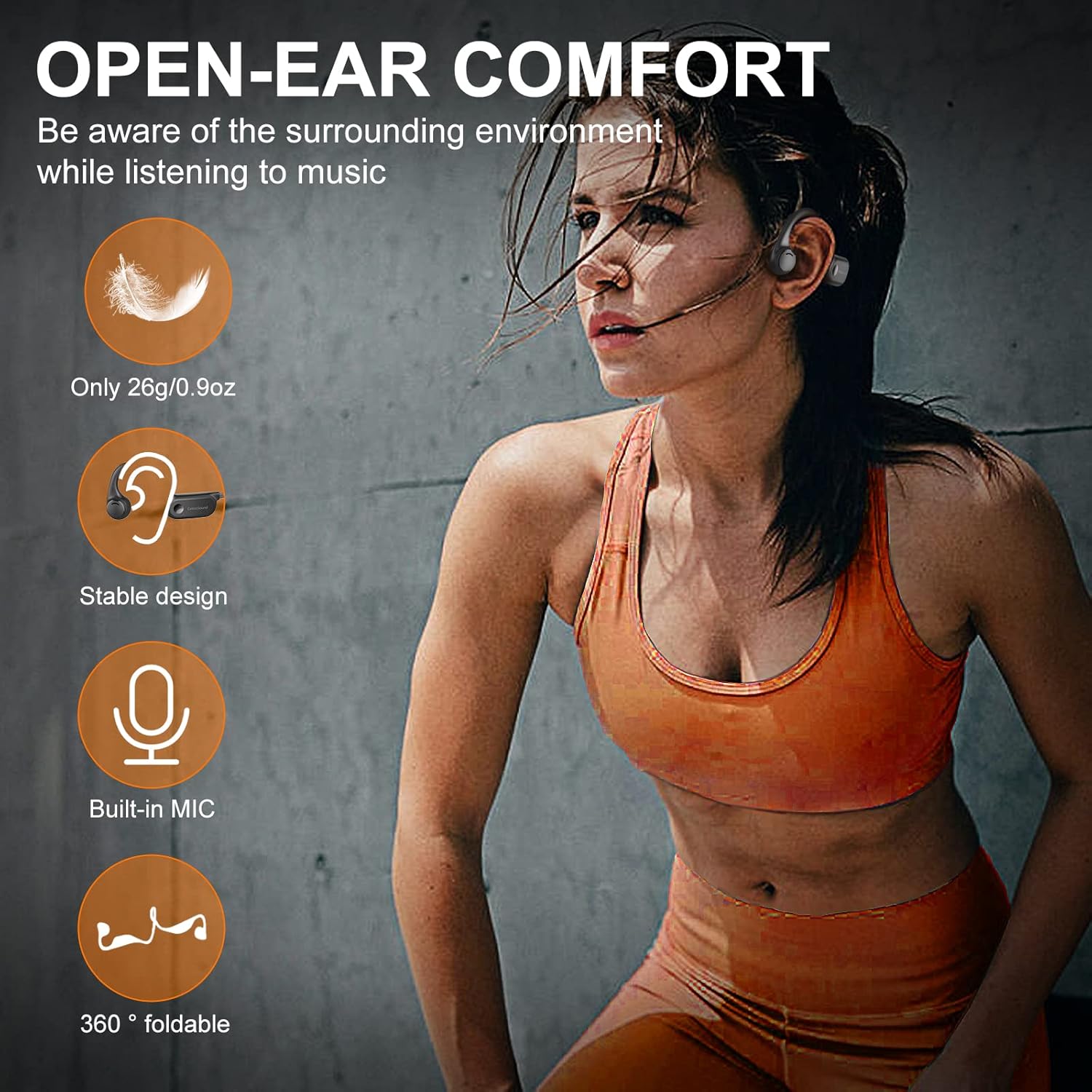
Image: A visual representation of the internal components of the CelsusSound S100 headphones, highlighting the innovative combination of bone conduction technology and speaker unit for Hi-Fi stereo sound, with a graph showing "Better Sound Effects" compared to others.
Rendemento da batería
The S100 headphones are equipped with a 220mAh high-quality lithium battery, providing up to 10 hours of continuous music playback and call time. The standby time is up to 360 hours.
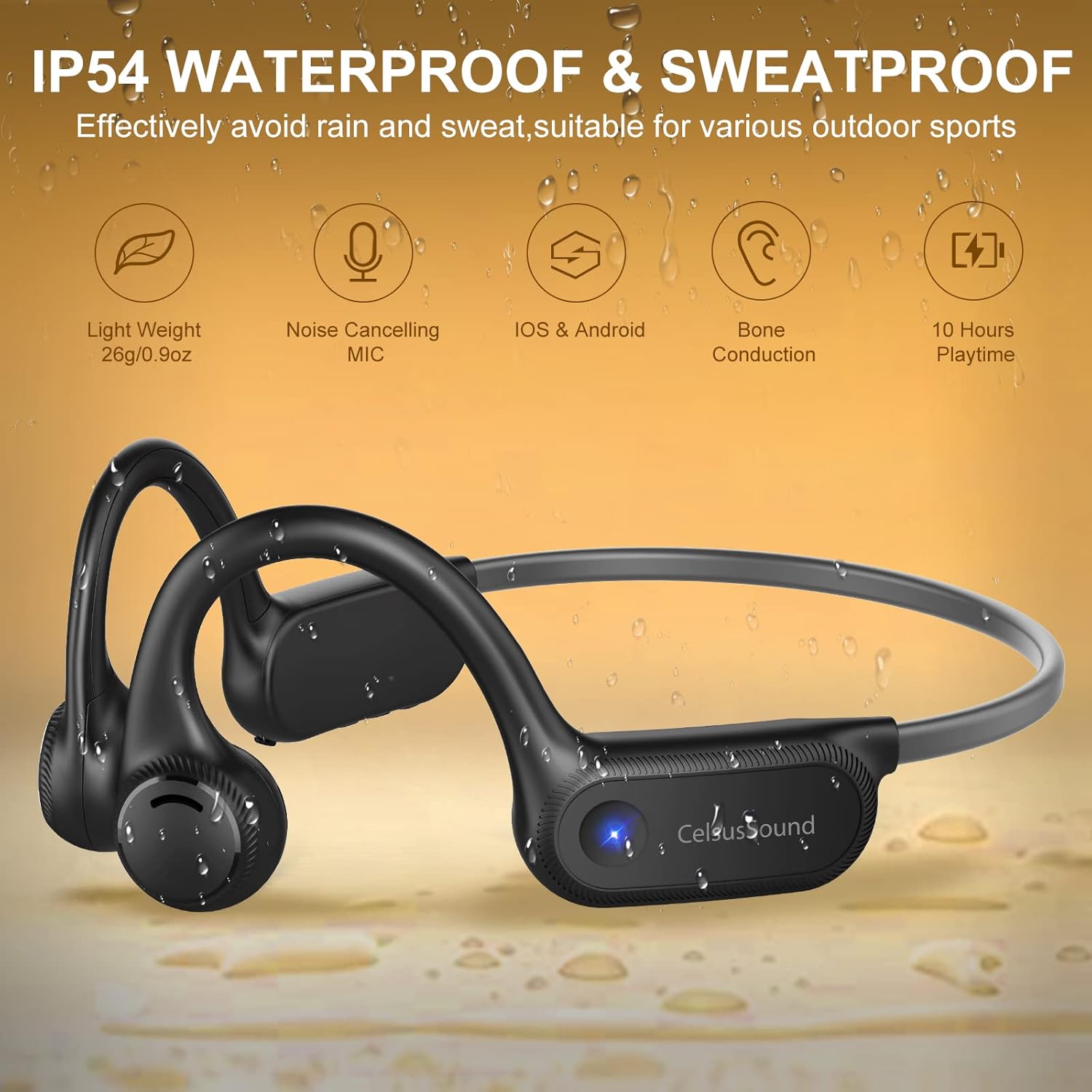
Image: A graphic illustrating the battery performance of the CelsusSound S100 headphones, showing 360 hours standby, 10 hours playtime, and 2 hours charging time, with a battery icon indicating 10H Music Play.
Mantemento
- Limpa os auriculares regularmente cun pano suave e seco.
- Evite o uso de limpadores abrasivos ou disolventes.
- Asegúrate de que a tapa do porto de carga estea ben pechada cando non esteas a cargar para manter a resistencia á auga IP54.
- Garda os auriculares nun lugar fresco e seco, lonxe de temperaturas extremas e da luz solar directa.
- The memory titanium material allows for 360° bending; however, avoid excessive force to prevent damage.
Resolución de problemas
| Problema | Causa posible | Solución |
|---|---|---|
| Non se pode acender | Batería baixa | Cargue os auriculares completamente. |
| Non se pode emparellar co dispositivo | Os auriculares non están en modo de emparellamento; Bluetooth desactivado no dispositivo; dispositivo demasiado lonxe. | Asegúrate de que os auriculares estean en modo de emparellamento (azul/vermello intermitente). Activa o Bluetooth no dispositivo. Achega o dispositivo aos auriculares. |
| Sen son nin baixo volume | Volume demasiado baixo; auriculares non conectados; saída de audio incorrecta seleccionada no dispositivo. | Aumenta o volume dos auriculares e do dispositivo. Volve emparellar os auriculares. Comproba a configuración da saída de audio do dispositivo. |
| Mala calidade do micrófono | Environmental noise; microphone obstructed. | Ensure microphone is clear. Move to a quieter environment if possible. |
Especificacións
| Característica | Detalle |
|---|---|
| Nome do modelo | S100 |
| Tecnoloxía de conectividade | Sen fíos (Bluetooth 5.2) |
| Alcance Bluetooth | Ata 33 pés (10 metros) |
| Duración da batería | Ata 10 horas de xogo |
| Tempo de espera | Ata 360 horas |
| Tempo de carga | Aprox. 2 horas |
| Nivel de resistencia á auga | IP54 (resistente á suor) |
| Tipo de controlador de audio | Condutor de condución ósea |
| Micrófono | Built-in with ENC Noise Reduction |
| Material | Silicone and Memory Titanium |
| Peso do elemento | 0.9 oz (26g) |
| Colocación do oído | Orella aberta |
Garantía e Soporte
CelsusSound stands behind the quality of its products. For warranty information, technical support, or any inquiries, please refer to the contact details provided on the product packaging or visit the official CelsusSound websitio.
Conserve o comprobante de compra para reclamacións de garantía.
Ask a question about this manual
Ask about setup, troubleshooting, compatibility, parts, safety, or missing instructions. Manuals+ will review the question and use this page’s manual context to help answer it.