
1. Introdución
Thank you for choosing the LFF DAB/FM Digital Radio YT81107. This manual provides essential information for the safe and efficient use of your new radio. Please read these instructions carefully before operating the device and retain them for future reference.
Información de seguridade
- Non expoña a unidade á choiva nin á humidade para evitar incendios ou descargas eléctricas.
- Non abras a c.asing. Encomende todo o mantemento a persoal cualificado.
- Empregue só o adaptador de corrente ou as baterías especificadas.
- Evitar temperaturas extremas, luz solar directa e ambientes poeirentos.
2. Produto rematadoview
The LFF DAB/FM Digital Radio YT81107 offers versatile listening options with DAB+ and FM radio, Bluetooth connectivity, and convenient features like a dual alarm and sleep timer. Its compact design and dual power options make it suitable for various environments.
Características clave
- DAB+ and FM Digital Radio Tuner
- Bluetooth Connectivity for Audio Streaming
- Pantalla LCD a todo color
- 60 Preset Stations (30 DAB+, 30 FM)
- Función de reloxo despertador dual
- Temporizador de suspensión axustable
- Conector para auriculares de 3.5 mm
- AC Power Adapter or Battery Operated (4x AA batteries, not included)

Figura 2.1: Fronte view of the LFF DAB/FM Digital Radio highlighting its main features.
Controis e compoñentes
Familiarize yourself with the buttons and ports on your radio:

Figura 2.2: Parte dianteira e superior view of the radio with labeled controls.
- Botón de alimentación / modo: Turns the radio on/off and switches between modes (DAB, FM, Bluetooth).
- Botón de menú/información: Accesses menu settings or displays station information.
- Botón de alarma: Configura e xestiona alarmas.
- Botóns predefinidos (1-5): Accede rapidamente ás emisoras favoritas gardadas.
- Volume Knob/Select: Rotates to adjust volume or navigate menus; press to confirm selection.
- Tuning/Scroll Buttons: Navigates through stations or menu options.
- Visualización: Full-color LCD screen.
- Relator: Saída de audio integrada.
- Antena: Antena telescópica extensible para recepción de radio.
- Porto DC IN: Para conectar o adaptador de corrente alterna.
- Jack para auriculares: Saída de 3.5 mm para escoita privada.
- Compartimento de batería: Located on the back for 4x AA batteries.
3. Configuración
Alimentando a Radio
Your radio can be powered by the included AC adapter or by batteries for portable use.
- Potencia CA: Connect the supplied AC adapter to the DC IN port on the back of the radio and plug it into a standard wall outlet.
- Potencia da batería: Open the battery compartment on the back and insert 4x 1.5V AA (LR6) batteries (not included), ensuring correct polarity. Close the compartment securely.

Figure 3.1: Power options and physical dimensions of the radio.
Axuste da antena
Para unha recepción de radio óptima, estenda completamente a antena telescópica. Axuste a súa posición para obter a mellor calidade de sinal.
4. Instrucións de funcionamento
Turning On/Off and Mode Selection
- Preme o Potencia/Modo botón para acender ou apagar a radio.
- While on, press the Potencia/Modo button repeatedly to cycle through available modes: DAB, FM, and Bluetooth.
DAB/FM Radio Operation
Ensure the antenna is fully extended for best reception.

Figure 4.1: Radio reception ranges and preset capacity.
- Escaneado automático: No modo DAB ou FM, manteña premido o botón Menú/Información button to initiate an automatic scan for available stations. The radio will store them automatically.
- Sintonización manual: Usa o Tuning/Scroll botóns para axustar manualmente a frecuencia.
- Seleccionando estacións: Xire o Volume Knob/Select to browse through available stations. Press the knob to select a station.
- Gardando presets: To save a station, tune to the desired station, then press and hold one of the Botóns predefinidos (1-5) until the display confirms it's saved. You can save up to 30 DAB+ and 30 FM stations.
- Recordando presets: Prema brevemente un dos Botóns predefinidos (1-5) to recall a saved station.
Modo Bluetooth
Connect your smartphone, tablet, or other Bluetooth-enabled device to stream audio wirelessly.
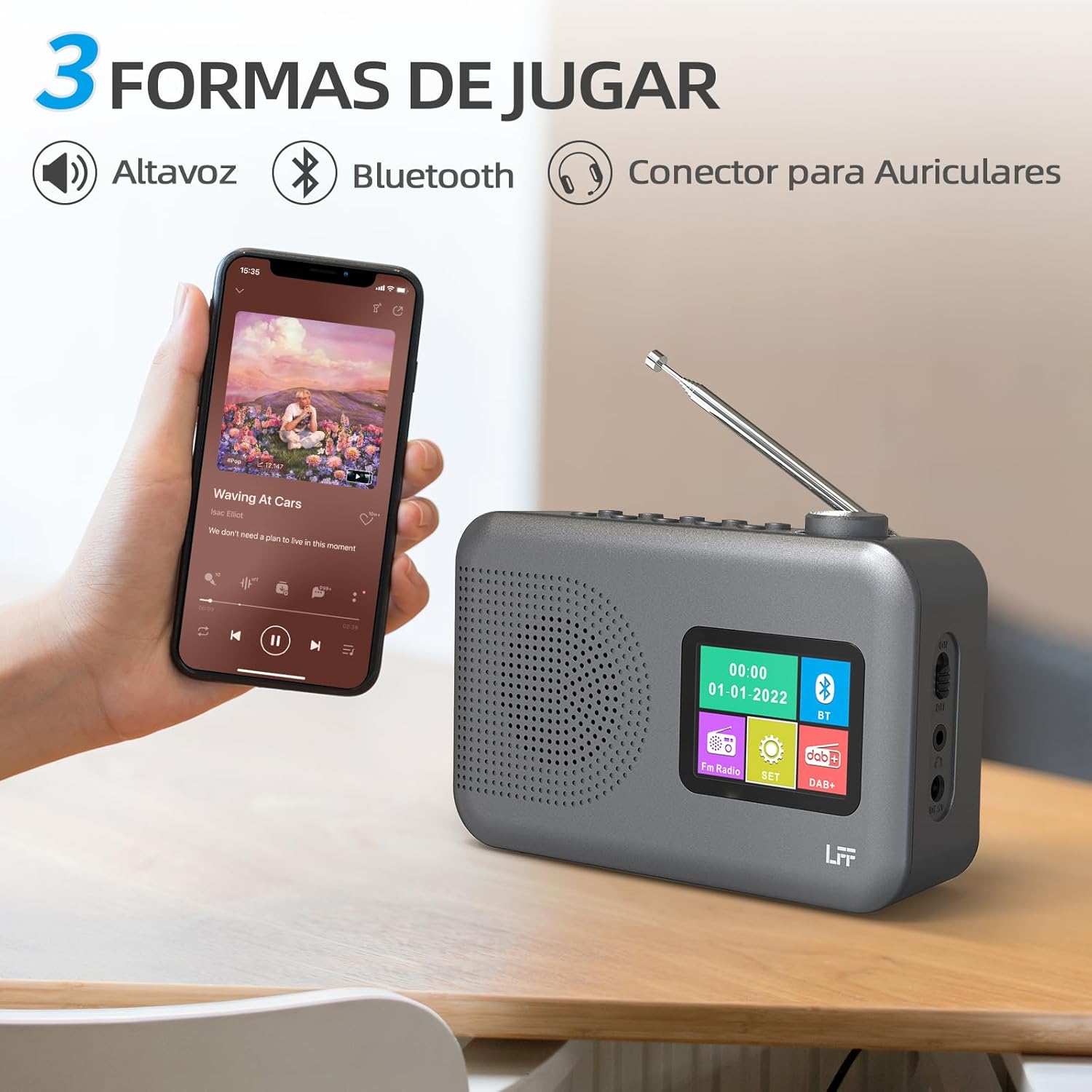
Figure 4.2: Bluetooth connectivity and audio playback options.
- Cambia a radio ao modo Bluetooth usando o botón Potencia/Modo botón. A pantalla mostrará "Emparellamento Bluetooth" ou similar.
- On your device, enable Bluetooth and search for "LFF YT81107" (or similar).
- Select the radio to pair. Once connected, you can play audio from your device through the radio's speaker.
- Adjust volume using the radio's Botón de volume or your connected device.
Función de alarma
Configura ata dúas alarmas independentes.
- Preme o Alarma botón para introducir a configuración da alarma.
- Usa o Tuning/Scroll botóns e Volume Knob/Select to set the alarm time, source (DAB, FM, or buzzer), and frequency (daily, weekdays, weekends, once).
- Preme o Alarma de novo o botón para confirmar e activar a alarma.
- When an alarm sounds, press any button (except Power) to snooze, or press the Potencia/Modo botón para apagalo.
Temporizador de suspensión
O temporizador de sono permite que a radio se apague automaticamente despois dun período de tempo definido.

Figure 4.3: Sleep timer function in use.
- Preme o Menú/Información botón para acceder ao menú principal.
- Navigate to the "Sleep Timer" option using the Tuning/Scroll botóns e prema Volume Knob/Select.
- Select your desired duration (15, 30, 45, 60, 90, or 120 minutes) and confirm. The radio will automatically turn off after the selected time.
Uso de auriculares
For private listening, connect standard 3.5mm headphones to the headphone jack on the side of the radio. The internal speaker will be muted automatically.
Note: This radio does not support Bluetooth headphones. The 3.5mm headphone jack is for wired headphones only.
5. Mantemento
- Limpeza: Limpe a radio cun pano suave e seco. Non empregue produtos de limpeza abrasivos nin disolventes.
- Substitución da batería: If using batteries, replace all four AA batteries when the low battery indicator appears on the display or when performance degrades. Ensure proper disposal of old batteries.
- Almacenamento: Se garda a radio durante un período prolongado, retire as pilas para evitar fugas.
6 Solución de problemas
| Problema | Causa posible | Solución |
|---|---|---|
| Sen poder | AC adapter not connected or faulty; batteries depleted or incorrectly inserted. | Check AC adapter connection and power outlet. Replace batteries or ensure correct polarity. |
| Mala recepción de radio | Antena non estendida; zona de sinal débil; interferencias. | Estenda e axuste completamente a antena telescópica. Probe a mover a radio a unha localización diferente. |
| Bluetooth non se conecta | Radio not in Bluetooth mode; device not in pairing mode; radio already connected to another device. | Ensure radio is in Bluetooth mode. Put your device in pairing mode. Disconnect from other Bluetooth devices. |
| A alarma non soa | Alarm not activated; volume too low; incorrect alarm settings. | Check alarm settings and ensure it is enabled. Increase volume. Verify alarm time and source. |
7. Especificacións
| Característica | Detalle |
|---|---|
| Número de modelo | YT81107 |
| Marca | LFF |
| Tecnoloxía de afinación | DAB+, FM |
| Bandas de radio admitidas | DAB+ (174.928 - 239.2 MHz), FM (87.5 - 108 MHz) |
| Conectividade | Bluetooth, 3.5mm Headphone Jack |
| Fonte de enerxía | AC Adapter (included), 4x 1.5V AA (LR6) Batteries (not included) |
| Dimensións (L x W x H) | 16.1 cm x 5.9 cm x 10.9 cm |
| Cor | Gris |
| Características especiais | DAB Radio, DAB Plus Radio, DAB+ Radio, FM Radio, Color Display, Bluetooth, Dual Alarm, Sleep Timer |
| Dispositivos compatibles | Headphones, MP3 Player, Smartphone, Laptop, Speaker, Tablet |
8. Garantía e soporte
LFF is committed to providing high-quality products. If you encounter any quality issues with your LFF DAB/FM Digital Radio YT81107, please contact us directly. Our customer support team is available to assist you and resolve any problems you may experience.
Consulta a documentación da túa compra para obter as condicións específicas da garantía e a información de contacto.