
1. Introdución
This manual provides detailed instructions for the safe and efficient operation of your Zebronics Zeb-Buddy 100 Portable Bluetooth Speaker. Please read this manual thoroughly before using the device and retain it for future reference.
2. Produto rematadoview e Características
The Zebronics Zeb-Buddy 100 is a portable Bluetooth v5.0 speaker designed for versatile audio playback. It features a compact design with an integrated handle for easy transport and a mobile holder for hands-free use. Key features include:
- Conectividade Bluetooth v5.0: Para a transmisión de audio sen fíos.
- Función TWS: Allows pairing of two Zeb-Buddy 100 speakers for stereo audio.
- Micrófono con cable: Includes a 6.3mm wired microphone for karaoke.
- Múltiples opcións de reprodución: Supports AUX, micro SD card, and USB input.
- Radio FM integrada: For listening to radio stations.
- Controis multimedia: Integrated buttons for easy control of playback.
- Batería recargable: Provides up to 5 hours of playback time.
- Modos de luz RGB: Multiple light modes for enhanced ambiance.
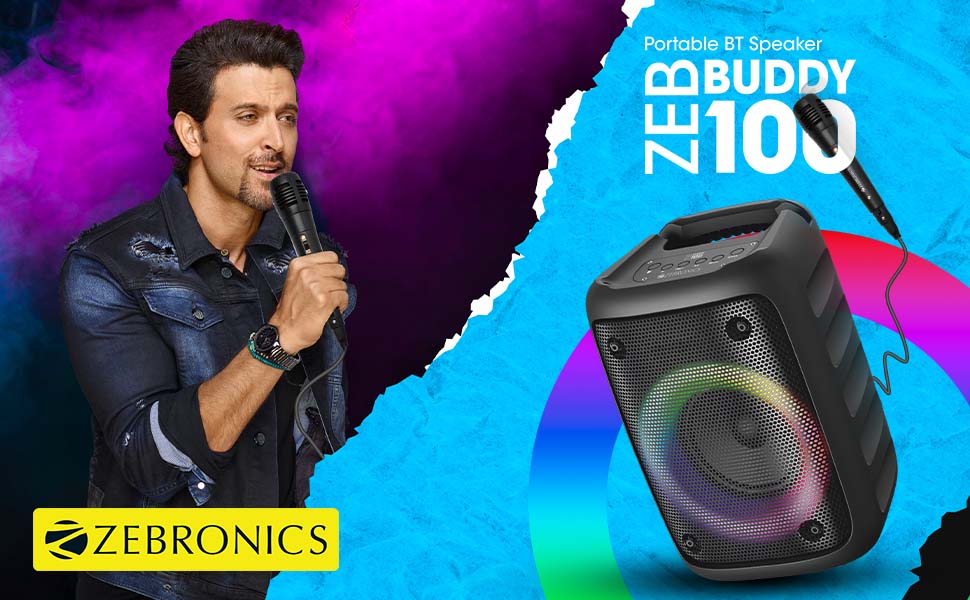
Image: The Zeb-Buddy 100 speaker shown with its included wired microphone, highlighting its portable design and control panel.
Imaxe: Un ángulo view of the Zeb-Buddy 100 speaker, showcasing its compact form factor and side details.
3. Configuración
3.1 Carga do altofalante
- Conecta o cable de carga ao porto de carga do altofalante.
- Conecta o outro extremo do cable a un adaptador de corrente USB axeitado (non incluído).
- O indicador de carga acenderase. Unha carga completa tarda aproximadamente 4 horas.
3.2 Emparejamento Bluetooth
- Acende o altofalante mantendo premido o botón de acendido.
- The speaker will enter Bluetooth pairing mode, indicated by a flashing LED.
- No teu dispositivo móbil, activa o Bluetooth e busca os dispositivos dispoñibles.
- Select "Zeb-Buddy 100" from the list to pair.
- Once paired, the speaker will confirm the connection, and the LED will stop flashing.
Emparellamento de auriculares TWS (estéreo sen fíos verdadeiro) 3.3
To experience stereo audio, you can pair two Zeb-Buddy 100 speakers together:
- Ensure both Zeb-Buddy 100 speakers are powered on and not connected to any Bluetooth device.
- On one speaker (this will be the primary speaker), press and hold the TWS button.
- O falante principal buscará o falante secundario.
- Once connected, both speakers will indicate a successful TWS pairing.
- Now, connect your mobile device to the primary speaker via Bluetooth as described in section 3.2. Audio will play in stereo through both speakers.

Image: Three Zeb-Buddy 100 speakers demonstrating their multiple RGB light modes, illustrating the TWS capability.
4. Instrucións de funcionamento
4.1 Selección de modo
Press the 'M' (Mode) button on the speaker to switch between Bluetooth, AUX, Micro SD, USB, and FM Radio modes.
4.2 Reprodución de audio
- Reproducir/Pausa: Preme o botón Reproducir/Pausa.
- Próxima pista: Press the 'Next' button.
- Pista anterior: Press the 'Previous' button.
- Subir volume: Press and hold the 'Next' button.
- Baixar volume: Press and hold the 'Previous' button.
4.3 Función de karaoke
- Connect the wired microphone to the 6.3mm microphone input port on the speaker.
- Adjust the microphone volume using the dedicated knob on the speaker (if available) or through the main volume controls.
- Ensure music is playing from your chosen source (Bluetooth, AUX, etc.) for background audio.
4.4 Funcionamento da radio FM
- Cambia ao modo de radio FM usando o botón "M".
- Press the Play/Pause button once to auto-scan and save available FM channels.
- Use the 'Next' and 'Previous' buttons to navigate between saved channels.
5. Mantemento
To ensure the longevity and optimal performance of your Zeb-Buddy 100 speaker:
- Keep the speaker away from water, moisture, and direct sunlight.
- Limpa o altofalante cun pano suave e seco. Non empregues produtos químicos agresivos nin produtos de limpeza abrasivos.
- Evite deixar caer ou someter o altofalante a fortes impactos.
- Almacene nun lugar fresco e seco cando non se use durante períodos prolongados.
6 Solución de problemas
| Problema | Causa posible | Solución |
|---|---|---|
| O altofalante non se acende. | Batería baixa ou sen carga. | Cargue o altofalante completamente. |
| Non se pode emparellar por Bluetooth. | O altofalante non está en modo de emparellamento; o Bluetooth do dispositivo está desactivado; está demasiado lonxe do altofalante. | Ensure speaker is in pairing mode. Turn Bluetooth on/off on your device. Move device closer to speaker. |
| Sen son. | Volume too low; incorrect mode selected; faulty cable (AUX/USB). | Increase volume. Select correct input mode. Check/replace cables. |
| Fallou o emparellamento de TWS. | Os altofalantes xa están conectados a outro dispositivo; demasiado lonxe. | Disconnect speakers from other devices. Ensure speakers are close to each other. |
| O micrófono non funciona. | Microphone not fully plugged in; volume too low. | Ensure microphone is securely connected. Adjust microphone volume. |
7. Especificacións
- Marca: ZEBRÓNICA
- Nome do modelo: Zeb-Buddy 100
- Tecnoloxía de conectividade: Auxiliar, Bluetooth, USB, Sen fíos
- Versión Bluetooth: v5.0
- Potencia de saída máxima do altofalante: 15 vatios
- Resposta en frecuencia: 100 Hz - 20 kHz
- Modo de saída de audio: Estéreo (con TWS)
- Tamaño do altofalante: 52 Millimetres (Driver)
- Fonte de enerxía: Alimentado por batería
- Tempo de carga da batería: 4 horas
- Tempo de reprodución: 5 horas
- Método de control: Control táctil
- Dispositivos compatibles: Smartphone, Tablet
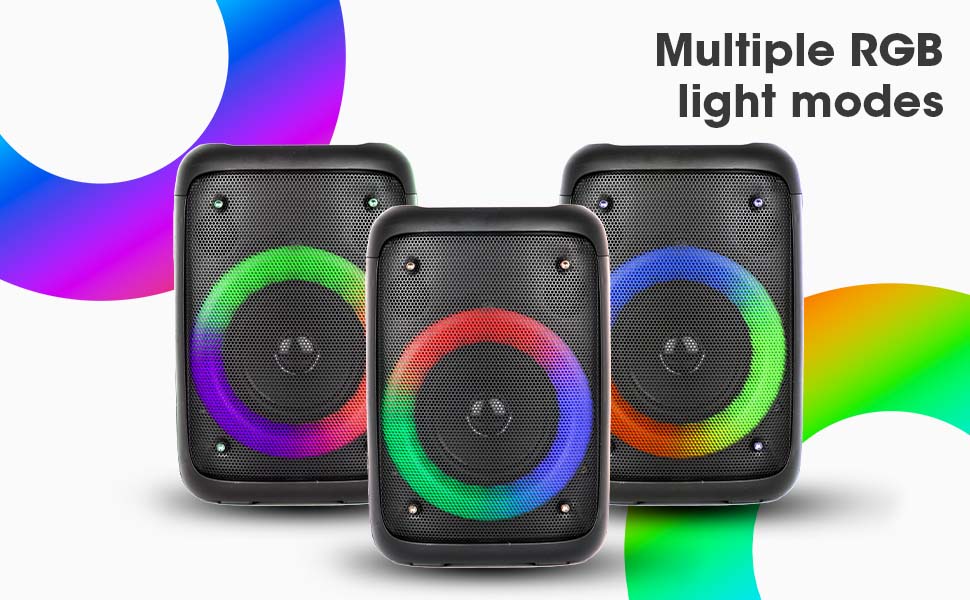
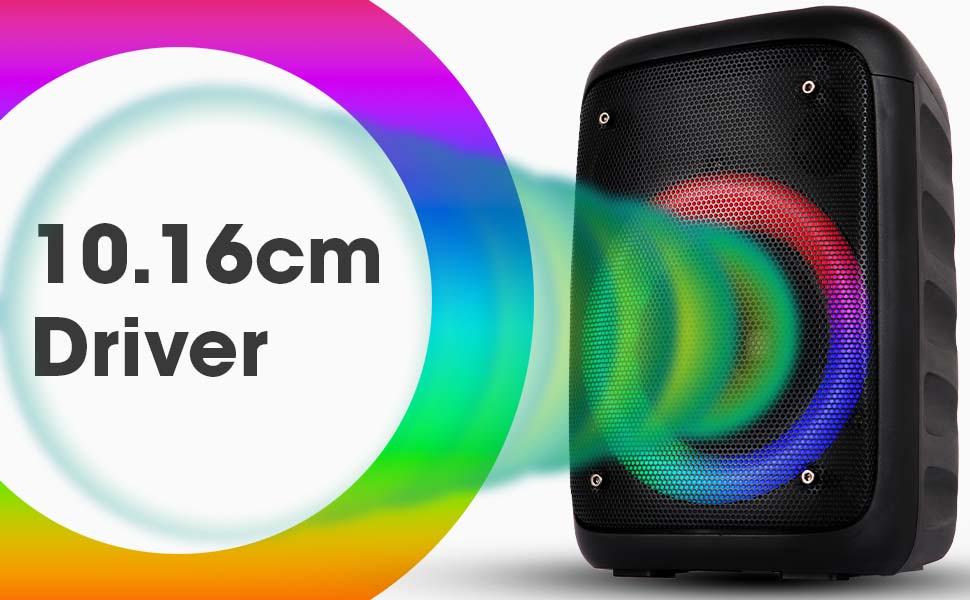
Image: The Zeb-Buddy 100 speaker with an overlay indicating its 10.16cm (4-inch) driver size.
8. Garantía e soporte
The Zebronics Zeb-Buddy 100 comes with a 1-year carry-in warranty to the service center. For any support, service, or warranty claims, please contact Zebronics customer support or visit their official website for service center locations and contact information.
Conserve o recibo de compra para validar a garantía.