
1. Introdución
The ACTIVA Gracia 1200MM BLDC Ceiling Fan is engineered for energy efficiency and quiet operation. It features an integrated LED light and a smart remote control for convenient use. This manual provides essential information for the safe installation, operation, and maintenance of your fan, ensuring optimal performance and longevity.
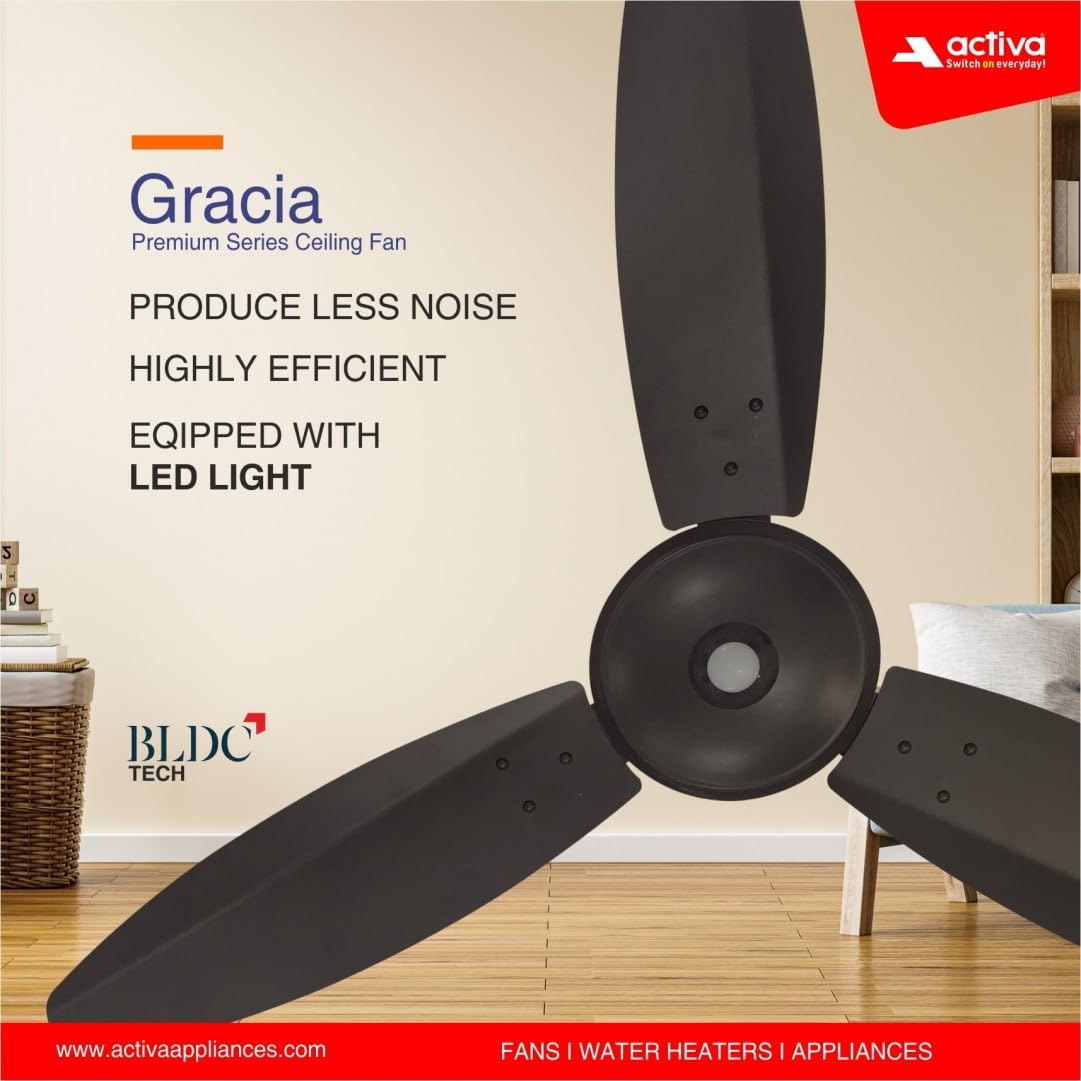
Image 1.1: ACTIVA Gracia BLDC Ceiling Fan highlighting key features.
2. Información de seguridade
- Always disconnect power at the circuit breaker before installing, cleaning, or servicing the fan.
- Ensure the fan is securely mounted to a ceiling structure capable of supporting its weight.
- Non introduza os dedos nin ningún obxecto nas aspas do ventilador mentres este estea en funcionamento.
- Manteña os nenos e as mascotas lonxe do ventilador durante o funcionamento.
- Do not attempt to repair or modify the fan yourself. Contact authorized service personnel for assistance.
- Asegúrese de que todas as conexións eléctricas cumpran cos códigos e regulamentos locais.
3. Contido do paquete
Verifica que todos os compoñentes estean presentes no paquete:
- 48" Fan Motor
- Blades Set (3 blades)
- Canopy Set (Top and Bottom)
- Barra abaixo
- Grillete
- Control remoto
- Tarxeta de garantía
- Parafusos e arandelas para a montaxe
4. Configuración e instalación
Mandatory Step: Disconnect the regulator from the connection before installing the ACTIVA fan to ensure seamless performance.
Step 1: Unpacking the Motor
Open the box and carefully remove the fan motor. Place it on a soft surface to prevent any scratches or damage to the body.

Image 4.1: Fan motor and components.
Step 2: Attaching the Down Rod and Shackle
Place the canopy inside the down rod. Fix the shackle to the ceiling hook using the screws provided in the box. Securely fasten the nut, washer, and R pin to prevent any slippage. Position the top canopy to cover both the assembly and electrical connections.

Image 4.2: Down rod and shackle assembly.
Paso 3: Instalación das láminas
Make uniform holes on the blade shank to align with the motor holes. Attach each blade to the motor using the provided screws and washers. Ensure all blades are securely tightened.

Image 4.3: Blade installation.
Step 4: Hanging the Fan and Final Assembly
Insert the screws to assemble the shaft and the down rod. Insert the washer, nut, and R-pin in the sequence depicted in the illustration. Pull down the canopy to cover the motor/PCB box and complete the installation.
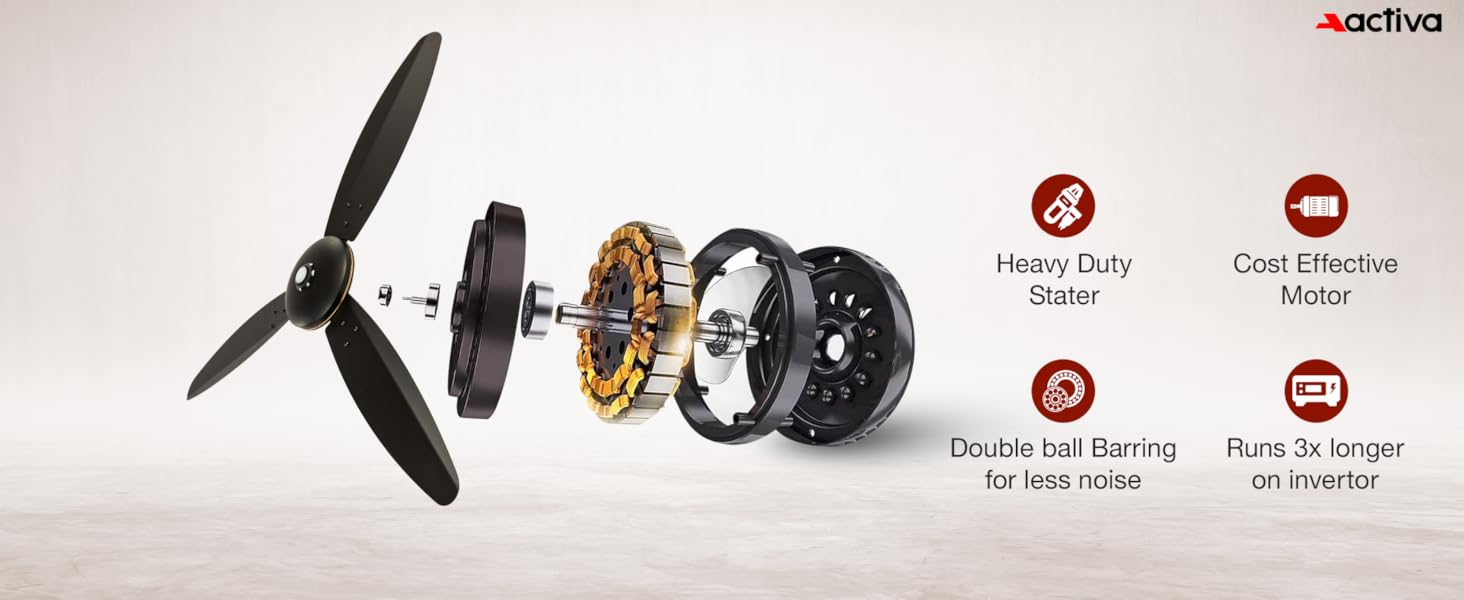
Image 4.4: Final fan assembly and hanging.
Note: It is recommended to have a qualified technician remove any previous fan regulator before installing this BLDC fan.
5. Instrucións de funcionamento
Usando o mando a distancia
The ACTIVA Gracia fan comes with a smart IR remote control for convenient operation. Point the remote directly towards the fan's receiver for optimal functionality.

Image 5.1: Remote control functions.
- Encendido/apagado: Prema o botón de acendido para acender ou apagar o ventilador.
- Control de velocidade: Use buttons 1-6 to select your desired fan speed.
- Modo de aumento: Activates a one-touch high-speed setting for maximum air delivery.
- Temporizador: Configura o ventilador para que se apague automaticamente despois de 2, 4 ou 8 horas.
- Luz LED: Press the LED light button to turn the integrated light on or off. This also functions as a night lamp.
- Rotación inversa: Reverses the blade rotation, useful for circulating warm air in cooler conditions.
- Modo natureza: Automatically adjusts fan speed to simulate a natural breeze.
Controlling Fan Speed Without Remote
The fan's main switch can also be used to control its speed. To turn the fan ON, quickly toggle the main switch ON and OFF twice (you will hear a long buzzer sound). To adjust the speed, toggle the main switch ON and OFF repeatedly with approximately a 1-second delay between toggles to cycle through the speed settings. If toggling is too fast or too slow, this function may not work correctly.
6. Mantemento
The ACTIVA Gracia BLDC Ceiling Fan is designed for low maintenance with an anti-rust coating. Follow these guidelines to ensure its continued performance:
- Limpeza: Regularly clean the fan blades and motor housing with a soft, dry cloth to prevent dust accumulation.
- Evitar produtos químicos: Do not use harsh chemicals, abrasive cleaners, or solvents, as these can damage the fan's finish and components.
- Apretar conexións: Periodically check and ensure all screws and connections, especially those on the blades and mounting, remain tight.
- Lubricación: The fan's double ball bearings are factory-lubricated and generally do not require additional lubrication.
7 Solución de problemas
If you encounter any issues with your ACTIVA Gracia BLDC Ceiling Fan, refer to the following common troubleshooting steps:
| Problema | Causa posible | Solución |
|---|---|---|
| O ventilador non se acende | Sen fonte de alimentación Batería do control remoto baixa/descargada Interruptor principal apagado | Comprobe o disxuntor e o interruptor de parede Substitúe as pilas do control remoto Ensure main switch is ON |
| O ventilador fai un ruído inusual | Láminas soltas ou montaxe Problema motor interno | Check and tighten all blade and mounting screws Se o ruído persiste, póñase en contacto co servizo de atención ao cliente |
| O control remoto non funciona | Batería baixa / descargada Obstruction between remote and fan receiver Incorrect pairing (if applicable) | Substitúe as pilas do control remoto Garantir unha liña de visión clara Refer to remote pairing instructions (if provided separately) |
| A luz LED non funciona | Light switch off on remote Fallo do compoñente LED | Press the LED light button on the remote Póñase en contacto co servizo de atención ao cliente |
For issues not listed above or if troubleshooting steps do not resolve the problem, please refer to the Warranty and Support section for assistance.
8. Especificacións
Detailed technical specifications for the ACTIVA Gracia BLDC Ceiling Fan:

Image 8.1: Key specifications and features.
- Marca: ACTIVA
- Nome do modelo: Graica BLDC Ceiling Fan
- Tamaño: 1200 mm (48 Inches Blade Length)
- Wattage: 28 vatios
- Tipo de motor: Brushless DC (BLDC)
- Número de follas: 3
- Velocidade: 380 RPM
- Número de velocidades: 6 (with Boost Mode)
- Voltage: 220 voltios
- Características especiais: BEE 5 Star Rated, Inbuilt LED Light with Night Lamp Mode, Silent High Speed Air Delivery, Smart Remote Control Operation, Double Ball Bearing, Anti-Dust Coating
- Material: Aluminium (Blades and Body)
- Peso do artigo: 3.9 quilogramos
- Dimensións do produto (P x A x A): 52P x 23L x 18H centímetros
- Uso en interiores e exteriores: Interior
- Tipo de controlador: Control remoto
- Tipo de instalación: Autoinstalación
- Certificación: CE
9. Garantía e soporte
Información da garantía
The ACTIVA Gracia BLDC Ceiling Fan comes with a 3 Year Assured Replacement Warranty of Motor. This warranty is valid only from our Authorized Service Center.
Instalación e Servizo
- Product installation is to be done by the customer.
- For repairs, the customer is required to send the product to an authorized service center.
- All repairs will be conducted exclusively at our service center.
Información de contacto
For warranty claims or any product-related issues, please contact us:
- Correo electrónico: info@activaappliances.com
- Teléfono: 9999427599
- Fabricante: TECHVISION INTERNATIONAL PVT. LTD. INDIA