
1. Produto rematadoview
The TP-Link ER707-M2 is an Omada Multi-Gigabit VPN Router designed for high-performance networking environments. It features dual 2.5 Gigabit WAN ports, a Gigabit SFP WAN/LAN port, and multiple Gigabit RJ45 WAN/LAN ports, providing flexible connectivity and high-bandwidth aggregation. This router integrates seamlessly with the Omada SDN Controller for centralized management and offers robust security features including an SPI Firewall and various VPN protocols.
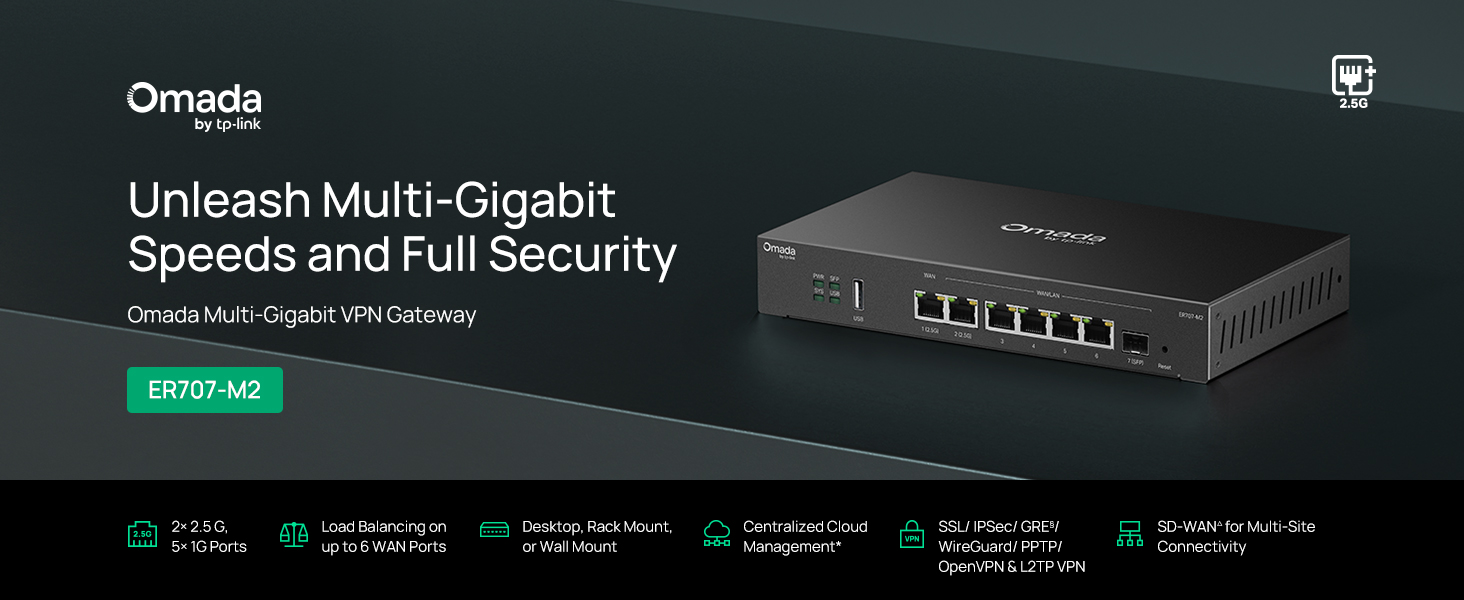
Figura 1: Fronte view of the ER707-M2 router, highlighting its ports and indicators.
Características principais:
- Configuración de porto flexible: Includes 1x 2.5Gigabit WAN Port, 1x 2.5Gigabit WAN/LAN Port, 4x Gigabit WAN/LAN Ports, 1x Gigabit SFP WAN/LAN Port, and 1x USB 2.0 Port.
- High-Performance Network Capacity: Supports up to 500,000 concurrent sessions and over 1000 clients.
- Acceso á nube: Centralized cloud management via Omada app and web interface.
- Highly Secure VPN: Supports up to 100 LAN-to-LAN IPsec, 66 OpenVPN, 60 L2TP, and 60 PPTP VPN connections.
- Seguridade avanzada: Features SPI Firewall, Policy-based Firewall, Static Routing, Policy Routing, Multi-net DHCP, Guest Portal, and VLAN support.
- Load Balance & Link Backup: Optimizes multi-line broadband efficiency and reliability.
- Porto USB 2.0: Supports USB storage and LTE backup with a compatible LTE dongle.
2. Contido do paquete
Verifique que o seu paquete conteña os seguintes elementos:
- TP-Link ER707-M2 Omada Multi-Gigabit VPN Router
- Adaptador de alimentación
- Guía de instalación rápida
If any item is missing or damaged, please contact your reseller or TP-Link support.
3. Configuración
3.1 Instalación de hardware
- Conexión de alimentación: Connect the provided power adapter to the router's power input and then to a power outlet.
- Conexión WAN: Connect your modem or internet service provider's device to one of the WAN ports (e.g., WAN1 2.5G or WAN/LAN2 2.5G) using an Ethernet cable. For fiber connections, use the SFP port with a compatible SFP module.
- Conexión LAN: Connect your local network devices (e.g., computers, switches, Omada Access Points) to the LAN ports (WAN/LAN2-6) using Ethernet cables.
- Dispositivo USB (opcional): If using a USB storage device or an LTE dongle for backup, insert it into the USB 2.0 port.
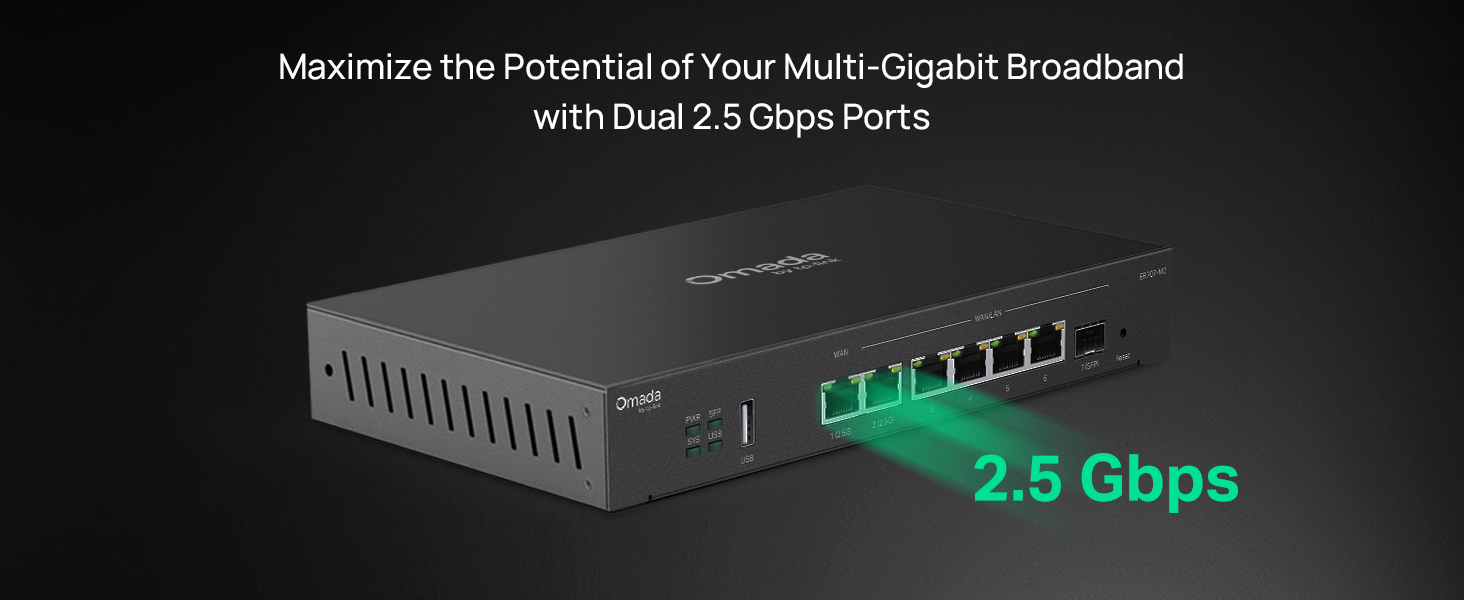
Figure 2: Illustration of the router's 2.5 Gbps ports for high-speed connectivity.
3.2 Configuración inicial
The ER707-M2 can be managed via the Omada SDN Controller or through its local web interface.
- Conectar ao enrutador: Asegúrate de que o teu ordenador estea conectado a un dos portos LAN do enrutador.
- Acceso Web Interface: Abrir a web navegador e introduza o enderezo IP predeterminado (normalmente
192.168.0.1or192.168.1.1) in the address bar. Refer to the Quick Installation Guide for the exact default IP and login credentials. - Siga o asistente de configuración: The first time you log in, a setup wizard will guide you through basic internet connection settings, changing the default password, and configuring Wi-Fi (if applicable).
- Integración SDN de Omada (opcional): For centralized management, adopt the router into your Omada SDN Controller. This allows for remote management and unified control of your network devices.
4. Instrucións de funcionamento
4.1 Configuración de rede
The router offers extensive configuration options for your network:
- Configuración da WAN: Configure WAN ports for different connection types (Dynamic IP, Static IP, PPPoE).
- Configuración da LAN: Manage IP addresses, DHCP server, and VLANs for your local network segments.
- Multi-WAN Load Balancing: Distribute internet traffic across multiple WAN connections to optimize bandwidth and provide redundancy.
- Link Backup: Configure a secondary WAN connection (e.g., via LTE dongle) to automatically take over if the primary connection fails.
4.2 VPN Functionality
The ER707-M2 supports various VPN protocols for secure remote access and site-to-site connectivity.
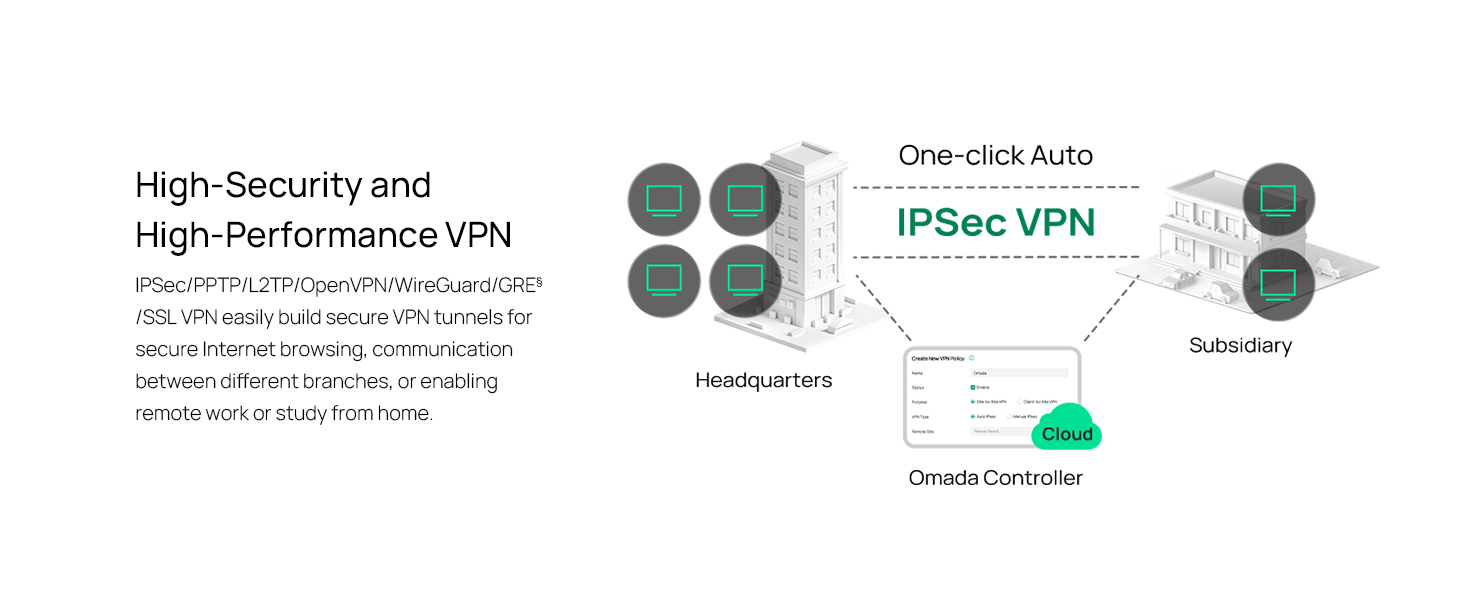
Figure 3: Visual representation of a secure VPN tunnel setup.
- VPN IPsec: Establish secure tunnels between networks (e.g., office to branch office).
- OpenVPN/SSL VPN: Provide secure remote access for individual users.
- PPTP/L2TP VPN: Legacy VPN protocols for various client connections.
4.3 Características de seguridade
The router includes advanced security measures to protect your network:
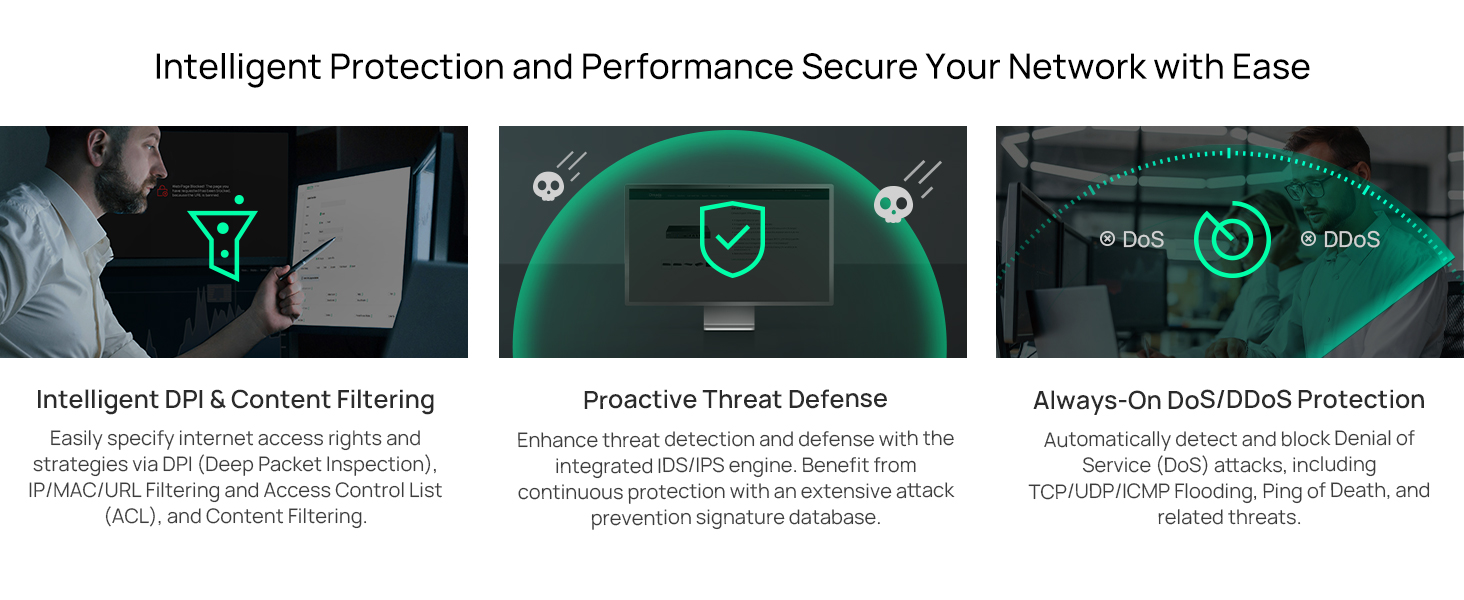
Figura 4: Máisview of intelligent protection and performance features.
- Firewall SPI: Stateful Packet Inspection firewall for network protection.
- Policy-based Firewall: Define rules to control network traffic based on specific criteria.
- Protección contra DoS/DDoS: Defend against Denial of Service and Distributed Denial of Service attacks.
- Lista de control de acceso (ACL): Manage network access for specific devices or users.
4.4 Integración de Omada SDN
The ER707-M2 is part of the Omada Software-Defined Networking (SDN) solution, allowing for centralized management of your entire network.

Figure 5: How the ER707-M2 integrates into an Omada SDN network.
- Xestión centralizada: Manage the router, access points, and switches from a single interface via the Omada Controller (hardware or software).
- Acceso remoto: Access and manage your network from anywhere using the Omada app or cloud portal.
- Seamless Scalability: Easily expand your network by adding more Omada devices.
5. Mantemento
To ensure optimal performance and security of your ER707-M2 router, regular maintenance is recommended:
- Actualizacións de firmware: Consulta periodicamente a información oficial de TP-Link website for the latest firmware versions. Updating firmware can improve performance, add new features, and fix security vulnerabilities.
- Copia de seguranza da configuración: Regularly back up your router's configuration settings. This allows for quick restoration in case of accidental changes or system issues.
- Inspección física: Ensure the router is placed in a well-ventilated area, free from dust and obstructions. Check cable connections for secure fit.
- Seguridade Review: Periódicamente review your firewall rules, VPN settings, and access control lists to ensure they meet your current security requirements.
6 Solución de problemas
If you encounter issues with your ER707-M2 router, consider the following troubleshooting steps:
- Sen acceso a Internet:
- Check all cable connections (WAN, LAN, Power).
- Verify your modem or ISP device is working correctly.
- Confirm WAN settings in the router's web interface son correctas.
- Restart the modem, then the router, and then your connected devices.
- Non se pode acceder Web Páxina de xestión:
- Asegúrate de que o teu ordenador estea conectado a un porto LAN do enrutador.
- Verify your computer's IP address is in the same subnet as the router (e.g., if router is 192.168.0.1, computer should be 192.168.0.x).
- Tenta limpar a caché do teu navegador ou usar un navegador diferente.
- If the issue persists, perform a factory reset (see below).
- Velocidade de rede lenta:
- Comproba a velocidade do teu provedor de servizos de internet.
- Ensure all cables are Cat5e or higher for Gigabit/2.5Gig connections.
- Supervisar o uso da rede para identificar aplicacións ou dispositivos que requiren moito ancho de banda.
- Verify duplex settings on connected devices and router ports.
- Restablecemento de fábrica: If all else fails, you can restore the router to its factory default settings. Locate the Reset button on the router (often a small pinhole button), press and hold it for about 5-10 seconds until the system LED blinks, then release. This will erase all custom configurations.
7. Especificacións
| Característica | Detalle |
|---|---|
| Marca | TP-Link |
| Nome do modelo | ER707-M2 |
| Tecnoloxía de conectividade | Ethernet |
| Número de portos | 6 (1x 2.5G WAN, 1x 2.5G WAN/LAN, 4x Gigabit WAN/LAN, 1x Gigabit SFP WAN/LAN, 1x USB 2.0) |
| Ancho de banda do porto LAN | 10/100/1000/2500 Mbps |
| Taxa de transferencia de datos | 2500 megabits por segundo |
| Maximum Upstream Data Transfer Rate | 5000 megabits por segundo |
| Protocolo de seguridade | SSL, IPSec, GRE, SSH, IKEv1/v2, PPTP, L2TP, OpenVPN |
| Método de control | aplicación, Web Interface |
| Sistema Operativo | ZyNOS (TP-Link Omada) |
| Peso do elemento | 1.1 quilogramos |
| Dimensións do artigo (L x W x H) | 12.9 cm de longo x 3.1 cm de ancho x 9.5 cm de alto |
8. Información da garantía
The TP-Link ER707-M2 Omada Multi-Gigabit VPN Router is backed by an industry-leading 5 anos de garantía do fabricanteEsta garantía cobre defectos de materiais e fabricación en condicións normais de uso. Conserve o comprobante de compra para reclamacións de garantía.
9. Apoio
For technical assistance, product information, or warranty inquiries, please contact TP-Link support:
- Asistencia telefónica: (866) 225-8139 (Dispoñible de luns a venres, de 6:00 a 18:00 PST)
- Produto Websitio: os meus produtos.tp-link.com/us
- Soporte por correo electrónico: soporte.USA@tp-link.com