
HOCO HC5
Hoco HC5 Cool Enjoy Sports Wireless Speaker User Manual
Modelo: HC5
Introdución
Grazas pola compraasing the Hoco HC5 Cool Enjoy Sports Wireless Speaker. This manual provides important information regarding the setup, operation, and maintenance of your new speaker. Please read this manual thoroughly before using the product to ensure proper function and to extend its lifespan.
Información de seguridade
- Non expoñas o altofalante a temperaturas extremas, luz solar directa ou humidade elevada.
- Evite deixar caer ou someter o altofalante a fortes impactos.
- Do not disassemble, repair, or modify the speaker yourself. Refer to qualified service personnel.
- Manteña o altofalante lonxe da auga e doutros líquidos.
- Use só o cable de carga e o adaptador especificados.
- Limpa o altofalante cun pano suave e seco. Non empregues produtos químicos agresivos nin produtos de limpeza abrasivos.
Contido do paquete

Image: Hoco HC5 speaker in its retail packaging, showing the speaker and its accessories.
Comprobe coidadosamente o contido do paquete. Se falta algún artigo ou está danado, póñase en contacto co seu vendedor.
- Hoco HC5 Wireless Speaker
- Cable de carga USB
- Cable AUX
- Correa de ombreiro
- Manual de usuario (este documento)
Produto rematadoview
Familiarize yourself with the various parts and controls of your Hoco HC5 speaker.

Imaxe: Fronte view of the Hoco HC5 speaker, showcasing its cylindrical design, speaker grilles, and attached shoulder strap.

Imaxe: Primeiro plano view of one end of the Hoco HC5 speaker, highlighting the speaker driver and the robust casing.
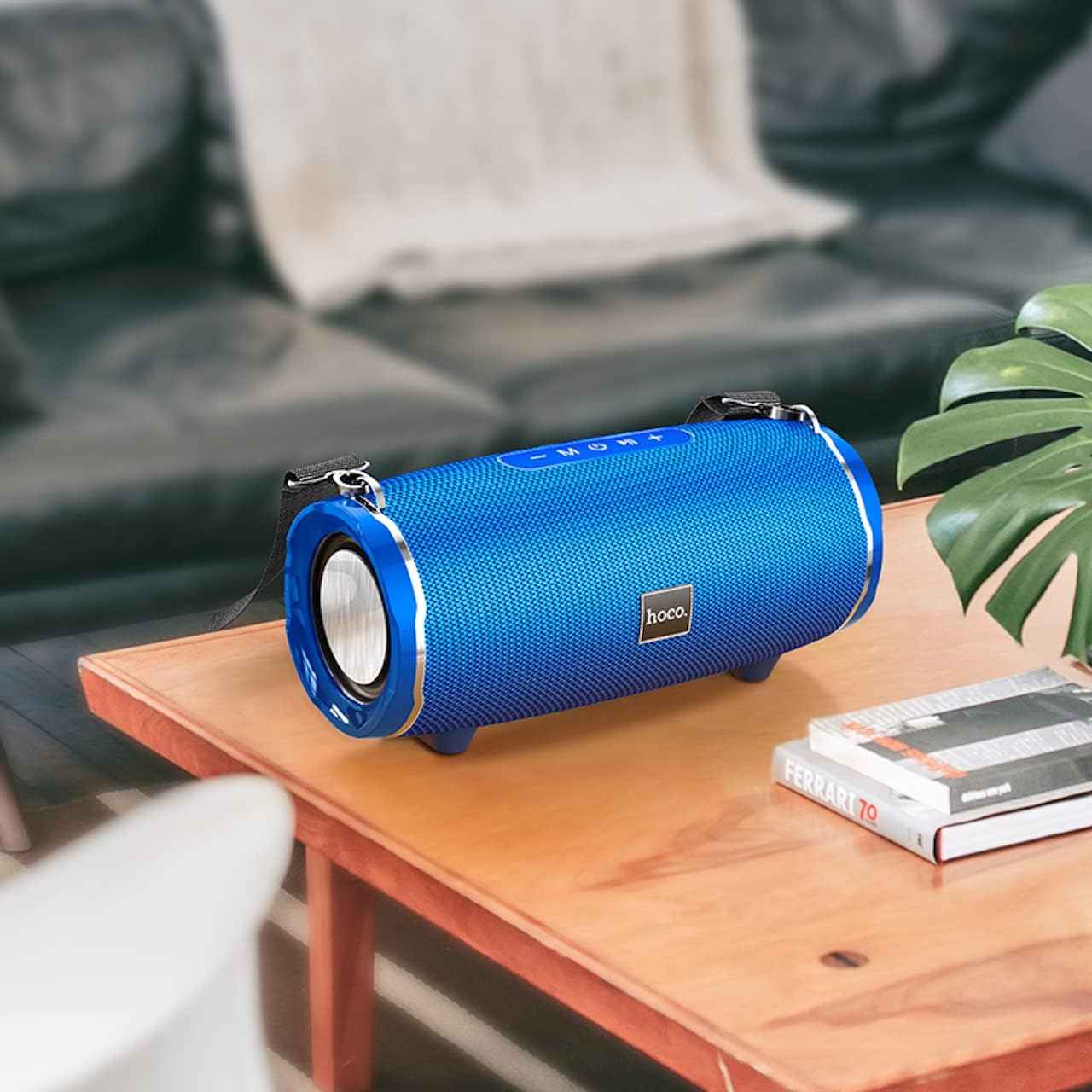
Image: The Hoco HC5 speaker placed on a wooden table, demonstrating its size and how it might appear in a home setting.
Control Panel (Top/Rear)
- Botón de encendido: Mantén premido para activar/desactivar.
- Botón de modo (M): Short press to switch between Bluetooth, TF Card, USB, AUX, and FM modes.
- Botón Reproducir/Pausa (▶⏸): Prema brevemente para reproducir ou pausar música. No modo FM, prema brevemente para buscar automaticamente e gardar emisoras.
- Baixar volume / Pista anterior (-): Prema curta para a pista anterior. Prema longa para baixar o volume.
- Subir volume / Seguinte pista (+): Prema curta para a seguinte pista. Prema longa para aumentar o volume.
Ports (Rear/Side)
- Porto USB: Para a reprodución desde unha unidade flash USB.
- Ranura para tarxetas TF: Para reprodución con tarxeta TF (MicroSD).
- Porto AUX: Para conectar dispositivos de audio externos mediante un cable de audio de 3.5 mm.
- Porto de carga: Para cargar a batería interna do altofalante.
Configuración
Cargando o altofalante
- Connect the USB charging cable to the speaker's charging port.
- Conecta o outro extremo do cable USB a un adaptador de corrente USB (recoméndase 5 V/1 A) ou ao porto USB dun ordenador.
- A luz indicadora de carga acenderase durante a carga e apagarase cando estea completamente cargada.
- Unha carga completa leva aproximadamente 3.5 horas.
Encendido/apagado
- Para acender: Press and hold the Power button for a few seconds until you hear a power-on prompt.
- Para apagar: Press and hold the Power button again for a few seconds until you hear a power-off prompt.
Instrucións de funcionamento
Modo Bluetooth
- Acenda o altofalante. Entrará automaticamente no modo de emparellamento Bluetooth, o que se indicará cunha luz LED intermitente.
- Activa o Bluetooth no teu dispositivo (teléfono intelixente, tableta, etc.).
- Busca "HC5" in the list of available Bluetooth devices and select it to connect.
- Once connected, the LED indicator will stop flashing, and you will hear a connection tone.
- Agora podes reproducir audio desde o teu dispositivo a través do altofalante.
- Use the Play/Pause, Volume Up/Down, and Previous/Next Track buttons on the speaker or your device to control playback.
TF Card / USB Mode
- Insira unha tarxeta TF (MicroSD) ou unha unidade flash USB na ranura correspondente do altofalante.
- O altofalante cambiará automaticamente ao modo de tarxeta TF ou USB e comezará a reproducir audio files. If not, short press the "M" (Mode) button to switch.
- Asegura o teu audio fileestán nun formato compatible (por exemplo, MP3).
- Use the Play/Pause, Volume Up/Down, and Previous/Next Track buttons to control playback.
Modo AUX
- Conecta un extremo do cable AUX de 3.5 mm ao porto AUX do altofalante.
- Conecta o outro extremo á toma de saída de audio do teu dispositivo externo (por exemplo, reprodutor de MP3, ordenador).
- The speaker will automatically switch to AUX mode. If not, short press the "M" (Mode) button to switch.
- Audio will now play through the speaker. Control playback from your external device.
Modo de radio FM
- Short press the "M" (Mode) button until you enter FM radio mode.
- To auto-scan and save available FM stations, short press the Play/Pause button. The speaker will scan and store stations automatically.
- Usa os botóns Pista anterior/seguinte para navegar entre as emisoras gardadas.
TWS (True Wireless Stereo) Function (If Supported)
The Hoco HC5 speaker supports TWS function, allowing you to pair two HC5 speakers together for a true stereo sound experience.
- Ensure both HC5 speakers are powered on and not connected to any Bluetooth device.
- On one of the speakers (this will be the primary speaker), long press the Play/Pause button until you hear a prompt indicating TWS pairing mode.
- Os dous altofalantes buscaranse e conectaranse automaticamente entre si. Unha vez conectados, escoitarás un ton de confirmación.
- Now, connect your device to the primary speaker via Bluetooth as described in the "Bluetooth Mode" section.
- O son reproducirase agora en estéreo a través dos dous altofalantes.
Mantemento
- Limpeza: Use a soft, dry, lint-free cloth to wipe the surface of the speaker. Do not use liquid cleaners, aerosols, or solvents.
- Almacenamento: Cando non o use durante períodos prolongados, garde o altofalante nun lugar fresco e seco, lonxe da luz solar directa e de temperaturas extremas.
- Coidado da batería: Para prolongar a duración da batería, evite descargala completamente con frecuencia. Cargue o altofalante regularmente, mesmo se non o está a usar.
Resolución de problemas
| Problema | Causa posible | Solución |
|---|---|---|
| O altofalante non se acende. | A batería está baixa ou esgotada. | Cargue o altofalante completamente. |
| Non se pode sincronizar co dispositivo Bluetooth. | Speaker is not in pairing mode; device Bluetooth is off; speaker is already connected to another device. | Ensure speaker is in pairing mode (flashing LED). Turn off and on Bluetooth on your device. Disconnect from other devices. |
| Non se escoita son do altofalante. | Volume is too low; incorrect mode selected; audio source issue. | Increase speaker and device volume. Press "M" button to select correct mode. Check audio source. |
| A recepción da radio FM é deficiente. | Sinal débil; interferencias ambientais. | Relocate the speaker. Re-scan for stations. |
Especificacións
| Característica | Detalle |
|---|---|
| Modelo | HC5 |
| Versión Bluetooth | 5.0 (JL chip) |
| Tamaño do altofalante | 76 mm * 2 |
| Saída de potencia dos altofalantes | 15W * 2 (Total 30W) |
| Capacidade da batería | 3600 mAh |
| Tempo de carga | Aproximadamente 3.5 horas |
| Tempo de música / conversación | Ata 4 horas |
| Opcións de conectividade | Bluetooth, TF card, USB, AUX, FM, TWS |
| Dimensións do produto | 292 x 139 x 132 mm |
| Peso do produto | 1.5 kg |
| Modo de saída de audio | Envolvente |
| Tipo de montaxe | Mesa |
Garantía e Soporte
The Hoco HC5 speaker comes with a standard manufacturer's warranty. Please refer to the warranty card included in your package for specific terms and conditions. For technical support, troubleshooting assistance, or warranty claims, please contact the retailer where you purchased the product or visit the official HOCO websitio para información de contacto.
Fabricante: Hoco
País de orixe: China
Ask a question about this manual
Ask about setup, troubleshooting, compatibility, parts, safety, or missing instructions. Manuals+ will review the question and use this page’s manual context to help answer it.