
VIDA DOQAUS 4
DOQAUS LIFE 4 Over-Ear Bluetooth Headphones User Manual
Brand: DOQAUS | Model: LIFE 4
Introdución
This manual provides comprehensive instructions for the DOQAUS LIFE 4 Over-Ear Bluetooth Headphones. It covers essential information regarding setup, operation, maintenance, and specifications to ensure optimal use of your device. The LIFE 4 headphones are designed for extended listening with a focus on comfort, sound quality, and versatile connectivity.
Características clave
- Tempo de reprodución ampliado: Ata 90 horas de duración da batería cunha soa carga.
- Son personalizable: Three professional EQ modes (Normal, Bass Boost, Vocal/Treble Boost) for tailored audio experiences.
- Comunicación clara: Built-in HD microphone for crystal-clear calls.
- Comfort-Focused Design: Plush memory foam ear cups and an adjustable, lightweight headband for prolonged wear.
- Conectividade dual: Seamless connection to two devices simultaneously via Bluetooth 5.3.
- Uso flexible: Supports both wireless Bluetooth and wired 3.5mm audio connections.
- Deseño portátil: Foldable earcups for easy storage and transport.
O que hai na caixa
Upon opening your DOQAUS LIFE 4 headphones package, you will find the following items:
- 1 x DOQAUS LIFE 4 Over-Ear Headphone
- 1 x cable de carga USB
- 1 x Aux Audio Cable (3.5mm)
- 1 x Manual de usuario
- 1 x Exquisite Package (packaging material)

Image: Contents of the DOQAUS LIFE 4 headphone package, including the headphones, charging cable, AUX cable, and user manual.
Guía de configuración
Vídeo: Un overview of unboxing, setting up, and key features of the DOQAUS LIFE 4 headphones.
1. Carga dos auriculares
Before initial use, fully charge your DOQAUS LIFE 4 headphones. A full charge takes approximately 2.5 hours and provides up to 90 hours of playtime. A quick 10-minute charge can provide 5 hours of music playback.
- Connect the provided USB charging cable to the USB-C port on the headphone.
- Conecta o outro extremo do cable USB a unha fonte de alimentación USB compatible (por exemplo, un porto USB do ordenador, un adaptador de parede).
- The LED indicator on the headphone will show charging status (refer to the LED indicator section in the physical manual for specific light patterns).
- Unha vez cargado por completo, desconecte o cable de carga.

Image: DOQAUS LIFE 4 headphones in use, highlighting the extended 90-hour playtime.
Video: Demonstration of the DOQAUS LIFE 4 headphones' 90-hour battery life and charging process.
2. Emparellamento Bluetooth
The LIFE 4 headphones utilize Bluetooth 5.3 for stable and fast wireless connections.
- Asegúrate de que os auriculares estean cargados e apagados.
- Press and hold the Power button on the headphone until the LED indicator flashes blue and red, indicating pairing mode.
- No teu dispositivo (teléfono intelixente, tableta, ordenador), activa o Bluetooth e busca os dispositivos dispoñibles.
- Select "DOQAUS LIFE 4" from the list of devices.
- Unha vez conectado, o indicador LED acenderase en azul fixo ou parpadeará en azul lentamente.

Imaxe: Primeiro plano view of the DOQAUS LIFE 4 headphones, highlighting the Advanced Bluetooth 5.3 wireless technology.
Vídeo: Rematadoview of Bluetooth 5.3 connectivity and stable connection features of the DOQAUS LIFE 4 headphones.
3. Dual Device Connectivity
Os auriculares poden conectarse a dous dispositivos Bluetooth simultaneamente.
- Emparella os auriculares co primeiro dispositivo como se describe arriba.
- Desactiva o Bluetooth no primeiro dispositivo. Os auriculares volverán entrar no modo de emparellamento.
- Vincula os auriculares co segundo dispositivo.
- Volve activar o Bluetooth no primeiro dispositivo. Os auriculares conectaranse automaticamente a ambos os dispositivos.
- O audio reproducirase desde o dispositivo que estea reproducindo contido multimedia ou recibindo unha chamada activamente.

Image: A man enjoying music with DOQAUS LIFE 4 headphones connected wirelessly to his smartphone, illustrating stable Bluetooth connectivity.
Instrucións de funcionamento
1. Controis de botón
The DOQAUS LIFE 4 headphones feature intuitive button controls located on the earcups for easy management of audio and calls.
- Botón de encendido: Manter premido para acender/apagar. Premer brevemente para reproducir/pausar música ou responder/finalizar chamadas.
- Subir volume / seguinte pista: Presión curta para subir o volume. Presión longa para a seguinte canción.
- Baixar volume / pista anterior: Presión curta para baixar o volume. Presión longa para volver á pista anterior.
- Botón EQ: Short press to cycle through the 3 EQ modes (Normal, Bass Boost, Vocal/Treble Boost).
2. Modos de ecualización
Enhance your listening experience with three distinct equalizer modes:
- Modo normal: Ofrece un profesional de audio equilibradofile suitable for most genres.
- Modo de aumento de graves: Amplifies low frequencies for a deeper, more impactful bass, ideal for workouts or bass-heavy music.
- Vocal/Treble Boost Mode: Enhances vocal clarity and high frequencies, perfect for podcasts, audiobooks, or acoustic music.

Image: Visual representation of the three EQ music modes available on the headphones.
Video: Demonstration of the 3 EQ modes for sound customization on the DOQAUS LIFE 4 headphones.
3. Conexión por cable
For situations where Bluetooth is not available or preferred, use the included 3.5mm audio cable.
- Plug one end of the 3.5mm audio cable into the AUX port on the headphone.
- Conecta o outro extremo á saída de audio de 3.5 mm do teu dispositivo.
- The headphones will automatically switch to wired mode. Note that some controls may be limited in wired mode.

Image: DOQAUS LIFE 4 headphones demonstrating wireless and wired connection options.
4. Realización e recepción de chamadas
The built-in HD microphone ensures clear voice transmission during calls.
- Responder/Finalizar chamada: Prema brevemente o botón de acendido.
- Rexeitar a chamada: Mantén premido o botón de acendido/apagado.
- Activar o asistente de voz: Double-press the Power button (if supported by your connected device).
Comodidade e Deseño
The DOQAUS LIFE 4 headphones are engineered for comfort and portability, featuring:
- Diadema axustable: Easily customize the fit for various head sizes.
- Plush Memory Foam Earcups: Soft, breathable earcups provide comfort during extended listening sessions.
- Foldable and Swivel Design: Earcups can swivel 90 degrees and the headphones fold compactly for convenient storage and travel.
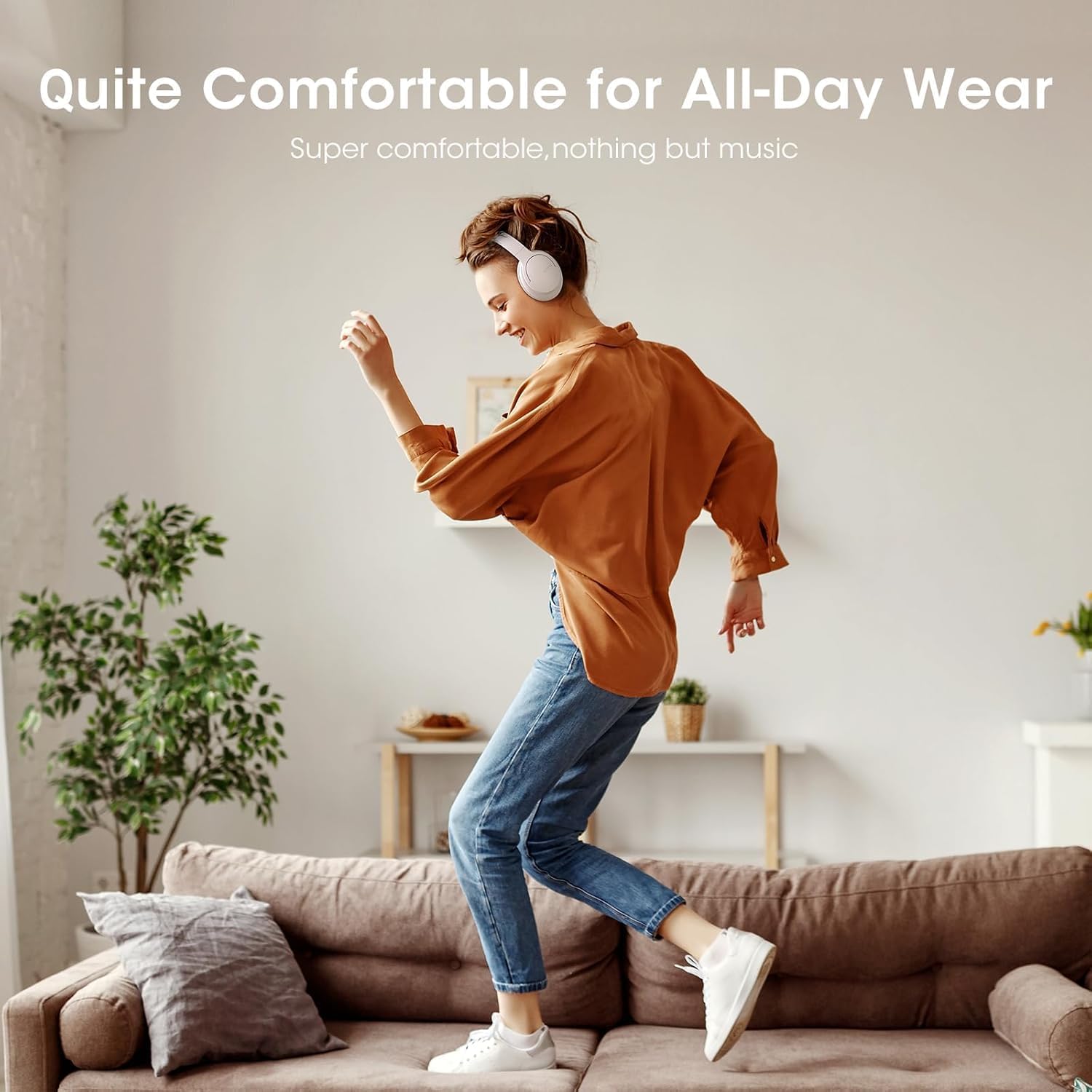
Image: Close-up of the plush memory foam earcups, highlighting the comfort-focused design.


Images: Details on adjustable headband, memory foam earcups, 90-degree swivel, and foldable design for enhanced comfort and portability.
Vídeo: Unha review focusing on the passive noise isolation and comfortable fit of the DOQAUS LIFE 4 headphones.
Vídeo: Unha review highlighting the all-day comfort and ergonomic design of the DOQAUS LIFE 4 headphones.
Mantemento e coidados
To ensure the longevity and optimal performance of your DOQAUS LIFE 4 headphones, follow these care guidelines:
- Limpa os auriculares e a diadema regularmente cun pano suave e seco.
- Evite expoñer os auriculares a temperaturas extremas, humidade ou luz solar directa.
- Do not immerse the headphones in water. While water-resistant, they are not waterproof.
- Store the headphones in a cool, dry place when not in use, preferably folded to protect the earcups.
- Avoid using abrasive cleaners or solvents on the headphones.
Resolución de problemas
If you encounter any issues with your DOQAUS LIFE 4 headphones, try the following steps:
- Sen enerxía: Asegúrate de que os auriculares estean completamente cargados.
- Non se pode emparellar: Make sure the headphones are in pairing mode (flashing blue/red LED) and within range of your device. Try restarting both the headphones and your device.
- Sen son: Comproba os niveis de volume tanto nos auriculares como no dispositivo conectado. Asegúrate de que estea seleccionada a saída de audio correcta no teu dispositivo.
- Mala calidade de son: Move closer to your connected device to improve Bluetooth signal. Try switching EQ modes.
- Conexión intermitente: Ensure no obstacles are between the headphones and your device. Avoid environments with high Wi-Fi or other wireless interference.
Especificacións
| Característica | Detalle |
|---|---|
| Nome do modelo | VIDA 4 |
| Marca | DOQAUS |
| Tecnoloxía de conectividade | Con cable, sen fíos (Bluetooth 5.3) |
| Versión Bluetooth | 5.3 |
| Alcance Bluetooth | 32.8 pés (aprox. 10 metros) |
| Duración da batería | 90 horas |
| Tempo de carga | 2.5 horas |
| Tamaño do controlador de audio | 40 milímetros |
| Modos de ecualización | 3 (Normal, Bass Boost, Vocal/Treble Boost) |
| Micrófono | Micrófono HD integrado |
| Control de ruído | Illamento acústico (pasivo) |
| Jack para auriculares | Jack de 3.5 mm |
| Material | Plastic, Premium Memory Foam |
| Peso do elemento | 0.32 quilogramos (11.3 onzas) |
| Nivel de resistencia á auga | Resistente á auga |
| Características especiais | Adjustable Headband, Lightweight, Foldable |
Garantía e Soporte
For warranty information, technical support, or customer service inquiries, please refer to the contact details provided in the original product packaging or visit the official DOQAUS websitio.
Ask a question about this manual
Ask about setup, troubleshooting, compatibility, parts, safety, or missing instructions. Manuals+ will review the question and use this page’s manual context to help answer it.