
1. Introdución
This manual provides detailed instructions for the operation and maintenance of your fojep K9 Pro Bone Conduction Headphones. Please read this manual thoroughly before using the product to ensure proper function and longevity.
The fojep K9 Pro is a versatile audio device featuring bone conduction technology, IP68 waterproofing, Bluetooth connectivity, and an integrated 32GB MP3 player. It is designed for various activities including swimming, running, cycling, and general fitness.
2. Produto rematadoview
The fojep K9 Pro headphones utilize bone conduction to deliver sound, keeping your ears open to ambient sounds. They are designed for comfort and durability in various environments.

Image 2.1: fojep K9 Pro Bone Conduction Headphones. This image shows the headphones partially submerged in water, highlighting their waterproof design. The control buttons are visible on the left side.
2.1 Características principais
- Tecnoloxía de condución ósea: Delivers sound through cheekbones, leaving ear canals open.
- Clasificación de impermeabilidade IP68: Suitable for swimming and submersion up to two meters for two hours.
- Reprodutor de MP3 de 32 GB integrado: Store music directly on the device for use without a phone, especially useful for swimming.
- Conectividade Bluetooth: Transmisión de audio sen fíos desde dispositivos compatibles.
- 7 horas de xogo: Duración prolongada da batería para un uso prolongado.
- ENC Noise Canceling Microphone: Mellora a claridade das chamadas ao reducir o ruído ambiental.
- Deseño lixeiro e cómodo: Ergonomic fit for extended wear during physical activities.
3. Configuración e uso inicial
3.1 Contido do paquete
Verifica que todos os elementos estean presentes no paquete:
- fojep K9 Pro Bone Conduction Headphones
- Cable de carga
- Manual de usuario (este documento)
- Ear Plugs (for use in noisy environments)
3.2 Carga dos auriculares
- Conecta o cable de carga ao porto de carga dos auriculares.
- Conecta o outro extremo do cable a un adaptador de corrente USB (non incluído) ou ao porto USB dun ordenador.
- O indicador LED mostrará o estado de carga. Unha carga completa adoita tardar aproximadamente 2 horas.
- Unha vez cargado por completo, desconecte o cable de carga.
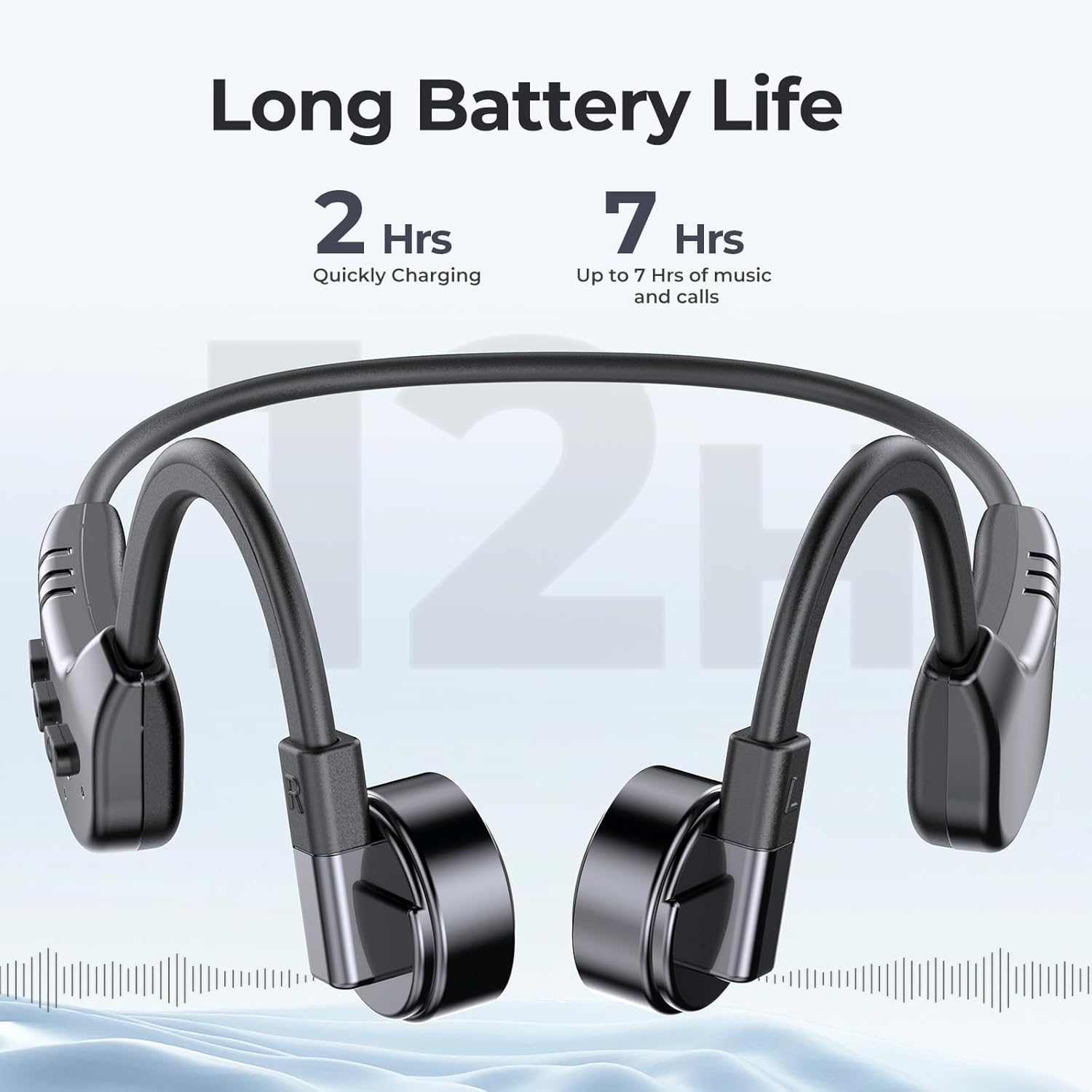
Image 3.1: fojep K9 Pro headphones with battery life indication. This image illustrates the headphones and highlights their quick charging time (2 hours) and extended playtime (7 hours).
3.3 Acendido/Apagado
- Encendido: Manteña premido o botón de acendido ata que o indicador LED se acenda.
- Apagado: Manteña premido o botón de acendido/apagado ata que o indicador LED se apague.
4. Instrucións de funcionamento
4.1 Como usar os auriculares
Coloca os auriculares cos transdutores apoiados nos pómulos, xusto diante das orellas. A banda debe envolver a parte traseira da cabeza.
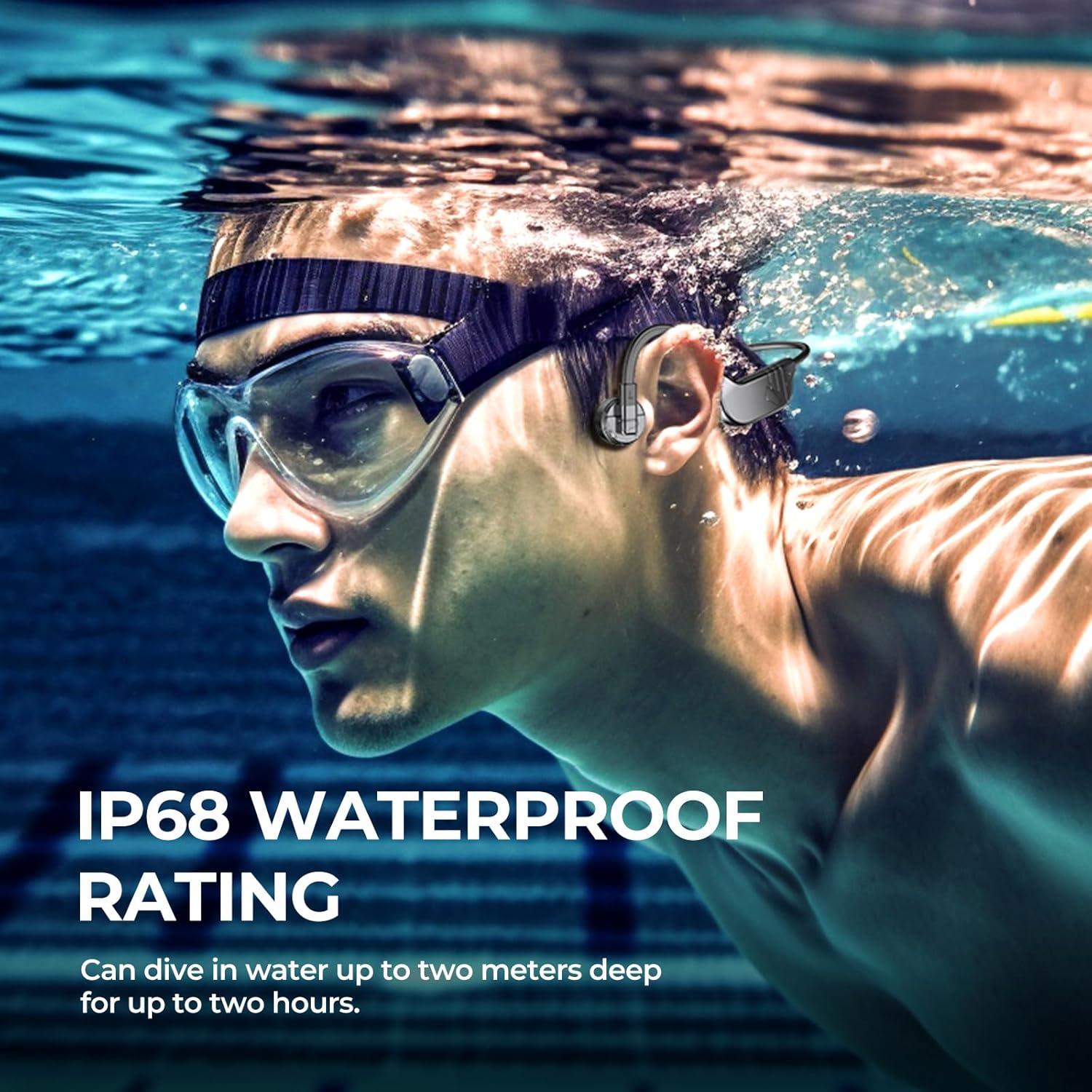
Image 4.1: User wearing fojep K9 Pro headphones during swimming. This image demonstrates the proper placement of the headphones on the head, with the transducers resting on the cheekbones, and highlights the IP68 waterproof rating.
4.2 Modo Bluetooth
- Emparejamento: With the headphones powered off, press and hold the Power button for approximately 5-7 seconds until the LED indicator flashes red and blue, indicating pairing mode.
- On your device (smartphone, tablet, etc.), enable Bluetooth and search for "fojep K9 Pro" (or similar name).
- Select the headphones to connect. The LED indicator will turn solid blue once connected.
- Nota: Bluetooth signals may be affected underwater. For swimming, use MP3 mode.
4.3 MP3 Player Mode (Built-in 32GB Memory)
The headphones have a built-in 32GB memory for storing audio files, ideal for activities where Bluetooth connectivity is limited, such as swimming.
- Transferencia Files: Connect the headphones to a computer using the charging cable. The headphones will appear as a removable drive.
- Arrastra e solta o teu audio files (e.g., MP3 format) into the headphones' storage folder.
- Safely eject the headphones from your computer.
- Modos de cambio: Refer to the control buttons section for switching between Bluetooth and MP3 modes.

Image 4.2: User enjoying music with fojep K9 Pro headphones, highlighting the 32GB internal storage. This image shows a woman wearing the headphones, emphasizing the convenience of storing music directly on the device.
4.4 Botóns de control
The headphones feature intuitive control buttons for managing playback, volume, and calls.
- Botón de encendido: Acender/apagar, entrar no modo de emparellamento.
- Subir volume (+): Aumentar o volume, seguinte canción (premer longamente).
- Baixar o volume (-): Baixar o volume, pista anterior (premer longamente).
- Multi-function Button (often integrated with Power or a dedicated button): Play/Pause, Answer/End Call, Switch between Bluetooth/MP3 mode (specific press sequence may vary, refer to quick start guide if provided separately).

Image 4.3: Close-up of fojep K9 Pro headphone control buttons. This image details the physical buttons on the headphone unit, including power, volume, and potentially a multi-function button.
4.5 Facer e recibir chamadas
Cando se conecta a un teléfono intelixente mediante Bluetooth:
- Responder chamada: Prema o botón multifunción unha vez.
- Finalizar a chamada: Prema o botón multifunción unha vez durante unha chamada.
- Rexeitar a chamada: Manteña premido o botón multifunción durante 2 segundos.
- Asistente de voz: Prema dúas veces o botón multifunción (se o dispositivo o admite).
5. Mantemento e coidados
- Limpeza: Limpe os auriculares cun suave, damp pano. Non use produtos químicos agresivos ou produtos de limpeza abrasivos.
- Almacenamento: Garde os auriculares nun lugar fresco e seco, lonxe da luz solar directa e de temperaturas extremas.
- Exposición á auga: While IP68 rated, it is recommended to rinse the headphones with fresh water after use in chlorinated or saltwater and allow them to dry completely before charging.
- Porto de carga: Ensure the charging port is dry before connecting the charging cable to prevent damage.
6 Solución de problemas
| Problema | Posible Solución |
|---|---|
| Os auriculares non se acenden. | Asegúrate de que os auriculares estean completamente cargados. Conéctaos a unha fonte de alimentación e comproba o indicador de carga. |
| Non se pode emparellar por Bluetooth. |
|
| Sen son ou volume baixo. |
|
| Bluetooth signal drops underwater. | This is expected behavior. Use the built-in MP3 player mode for underwater listening. |
| Cannot transfer MP3 files. |
|
7. Especificacións
| Característica | Detalle |
|---|---|
| Nome do modelo | K9 Pro |
| Marca | vezp |
| Tecnoloxía de conectividade | Sen fíos (Bluetooth) |
| Tecnoloxía de comunicación sen fíos | Bluetooth |
| Nivel de resistencia á auga | Impermeable IP68 |
| Memoria incorporada | Reproductor MP32 de 3 GB |
| Duración da batería | Ata 7 horas |
| Tempo de carga | Aproximadamente 2 Horas |
| Método de control | Control táctil, por voz |
| Formato de micrófono | Built-In with ENC Noise Canceling |
| Colocación do oído | Orella aberta |
| Peso do elemento | 200 g |
| Material | Plástico |
8. Garantía e soporte
For warranty information and customer support, please refer to the product packaging or contact fojep customer service through their official websitio web ou o vendedor onde se comprou o produto. Garde o comprobante de compra para reclamacións de garantía.
Recursos en liña: For additional support, FAQs, and product updates, visit the official fojep websitio.
9. Información de seguridade
- Non intente desmontar nin modificar os auriculares.
- Avoid exposing the headphones to extreme temperatures or direct flame.
- Manter fóra do alcance dos nenos.
- Empregue só cables e adaptadores de carga homologados.
- Be aware of your surroundings when using the headphones, especially during outdoor activities, due to the open-ear design.