
1. Introdución
This manual provides detailed instructions for the proper use and maintenance of your Micool DY20PLUS Bluetooth Earpiece. Please read this manual thoroughly before using the product to ensure safe and efficient operation. The Micool DY20PLUS is a single-ear Bluetooth headset designed for clear communication, featuring noise cancellation and extended talk time.
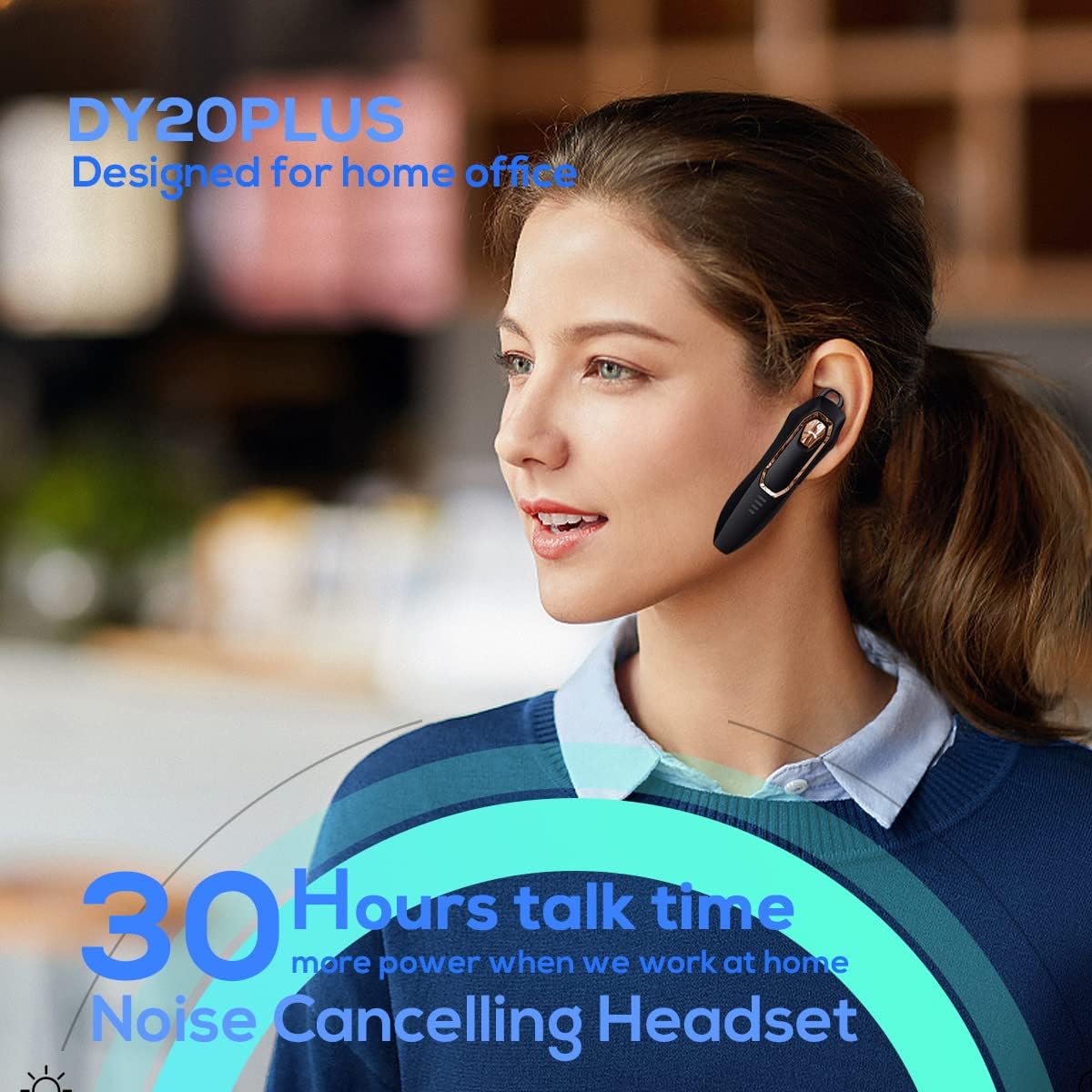
Figure 1: Micool DY20PLUS Bluetooth Earpiece
Vídeo 1: Rematadoview of Micool Bluetooth Headset features, including noise cancellation and long battery life.
2. Contido do paquete
Comprobe se o paquete contén os seguintes elementos:
- Micool DY20PLUS Bluetooth Earpiece
- Cable de carga USB
- Ear Hooks (various sizes)
- Manual de usuario
3. Produto rematadoview
Familiarize yourself with the buttons and indicators on your Micool DY20PLUS earpiece:

Figure 2: Earpiece controls and functions.
- MFB (botón multifunción): Acendido/apagado, reprodución/pausa, resposta/finalización de chamadas.
- Subir volume (+): Aumentar o volume, seguinte canción (premer longamente).
- Baixar o volume (-): Baixar o volume, pista anterior (premer longamente).
- Botón de silencio: Mute/unmute microphone during a call.
- Indicador LED: Mostra o estado de enerxía, emparellamento e carga.
- Porto de carga: Porto USB para cargar.
4. Configuración
4.1 Charging the Earpiece
Before first use, fully charge the earpiece. Connect the provided USB charging cable to the earpiece's charging port and a USB power source. The LED indicator will show charging status and turn off when fully charged. A full charge provides up to 30 hours of talk time.
4.2 Emparejamento Bluetooth
To connect your Micool DY20PLUS earpiece to your mobile phone or other Bluetooth-enabled device:
- Ensure the earpiece is turned off.
- Press and hold the MFB until the LED indicator flashes red and blue alternately, indicating pairing mode.
- No teu dispositivo, activa o Bluetooth e busca os dispositivos dispoñibles.
- Select "DY20PLUS" from the list of devices.
- Unha vez conectado, o indicador LED parpadeará azul lentamente.
The earpiece supports connecting to two devices simultaneously. After pairing with the first device, disable Bluetooth on it, then pair with the second device. Re-enable Bluetooth on the first device, and both should connect.
Video 2: Demonstrates Bluetooth pairing and setting up the "Speak Caller's Name" function using the RealTTS app.
5. Instrucións de funcionamento
5.1 Encendido/apagado
- Encendido: Press and hold the MFB for approximately 3 seconds until the LED indicator flashes blue.
- Apagado: Press and hold the MFB for approximately 3 seconds until the LED indicator flashes red and then turns off.
5.2 Xestión de chamadas
- Responder chamada: Short press the MFB once.
- Finalizar a chamada: Short press the MFB once during a call.
- Rexeitar a chamada: Mantén presionado o MFB durante 2 segundos.
- Silenciar/Activar o silencio: Short press the dedicated Mute button during a call.
- Switch Call Audio: During a call, you can switch the audio output between the earpiece and your phone. Refer to your phone's call interface for this option.
5.3 Reprodución de música
- Reproducir/Pausa: Short press the MFB once.
- Próxima pista: Mantén premido o botón para subir o volume (+).
- Pista anterior: Mantén premido o botón para baixar o volume (-).
5.4 Control de volume
- Aumentar o volume: Prema brevemente o botón para subir volume (+).
- Diminuír o volume: Prema brevemente o botón para baixar o volume (-).
5.5 Asistente de voz
Double-tap the MFB to activate your device's voice assistant (Siri, Cortana, Bixby, Google Assistant, etc.). This allows for hands-free control of your connected device.
6. Mantemento
- Keep the earpiece dry. Do not expose it to extreme temperatures.
- Clean the earpiece with a soft, dry cloth. Avoid using harsh chemicals.
- Store the earpiece in a cool, dry place when not in use.
- Avoid dropping or subjecting the earpiece to strong impacts.
7 Solución de problemas
| Problema | Causa posible | Solución |
|---|---|---|
| Non se pode acender | Batería baixa | Charge the earpiece fully. |
| Non se pode emparellar co dispositivo | Earpiece not in pairing mode; Bluetooth off on device; too far apart. | Ensure earpiece is in pairing mode (flashing red/blue). Turn on Bluetooth on your device. Keep devices within 1 meter during pairing. |
| Non hai son ou son de mala calidade | Volume too low; earpiece not selected as audio output; interference. | Adjust volume on both earpiece and device. Check device's audio output settings. Move away from sources of interference. |
| Caller's name not announced | RealTTS app not installed or permissions not granted. | Download and install the "RealTTS" app. Ensure Bluetooth and contact access permissions are granted to the app. |
8. Especificacións
| Característica | Detalle |
|---|---|
| Nome do modelo | DY20PLUS |
| Marca | Micool |
| Versión Bluetooth | 5.0 |
| distancia wireless | Ata 50 metros (150 pés) |
| Tempo de conversa | Ata 30 horas |
| Control de ruído | Active Noise Cancellation (2 Microphones) |
| Peso | 12g (Ultra-light) |
| Compatibilidade | Bluetooth-enabled devices (phones, laptops, tablets) |
| Material | Plástico |
| UPC | 768399519588 |
9. Garantía e soporte
Micool products come with a standard manufacturer's warranty. For specific warranty details, please refer to the warranty card included in your product packaging or visit the official Micool website. If you encounter any issues or require technical assistance, please contact Micool customer support through their official channels.