
1. Produto rematadoview
The LENCENT 100W GaN3 Universal Travel Adapter is a versatile charging solution designed for international travel. It features a universal AC outlet, two USB-C ports, and two USB-A ports, allowing for simultaneous charging of multiple devices. Equipped with advanced GaN III technology, it offers efficient and fast charging in a compact form factor.

Image: LENCENT 100W GaN3 Universal Travel Adapter, showcasinpolos seus múltiples portos e o seu deseño compacto.
2. Información importante de seguridade
WARNING: This adapter is NOT a voltagconversor e. Non converte o voltage. Asegúrate de que os teus dispositivos sexan compatibles co voltage (100-250V) before use. Failure to do so may damage your devices or the adapter.
- Do not exceed the maximum load of 2500W (at 250V) or 10A.
- Equipped with integrated double 10A fuses for overload protection.
- Features a safety valve to prevent accidental contact with live parts.
- Constructed from fire-resistant materials.
- Manter fóra do alcance dos nenos.
- Non o expoña a líquidos nin a temperaturas extremas.
- Do not disassemble or attempt to repair the adapter.
3. Configuración e selección de enchufes
The LENCENT Universal Travel Adapter includes interchangeable plugs for various regions. To select the appropriate plug:
- Identify the required plug type for your destination (e.g., US, UK, EU, AUS).
- Slide the corresponding plug selector switch on the side of the adapter to extend the correct pins. Ensure the pins are fully extended and locked into place before use.
- To retract a plug, slide the selector switch back.

Image: Diagram illustrating the different international plug types (EU, UK, US, AUS) supported by the adapter.

Image: Visual representation of the universal AC socket, compatible with over 200 countries and various plug types (A, B, C, O, E/F, G, I, J, L, N).
4. Instrucións de funcionamento
This adapter allows you to charge up to five devices simultaneously using its universal AC outlet, two USB-C ports, and two USB-A ports.
4.1 Conexión a unha toma de corrente
- Ensure the correct plug type is extended for your destination.
- Insira o adaptador firmemente na toma de corrente.
4.2 Dispositivos de carga
- Universal AC Outlet: Plug in devices such as laptops, electric toothbrushes, shavers, or cameras. This outlet supports up to 2500W (at 250V).
- Portos USB-C (C1, C2): Connect USB-C compatible devices for fast charging. USB-C1 supports up to 100W Max. When both C1 and C2 are used, C1 provides 65W and C2 provides 35W.
- Portos USB-A (A1, A2): Connect standard USB-A devices. Each USB-A port provides up to 18W.
The adapter intelligently identifies connected devices and delivers optimal charging current for fast and safe charging.

Image: The adapter connected to a wall outlet, fast charging a laptop via USB-C, demonstrating its 100W capability.

Image: The adapter in use, charging multiple devices (phone, laptop, landline phone base) simultaneously from a single wall outlet.
5. Mantemento
- Clean the adapter with a dry, soft cloth. Do not use liquid cleaners.
- Garde o adaptador nun lugar fresco e seco cando non o use.
- Evite deixar caer o adaptador nin sometelo a impactos fortes.
- The adapter includes a replaceable 10A fuse. If the adapter stops working, check and replace the fuse if necessary. A spare fuse is typically included.
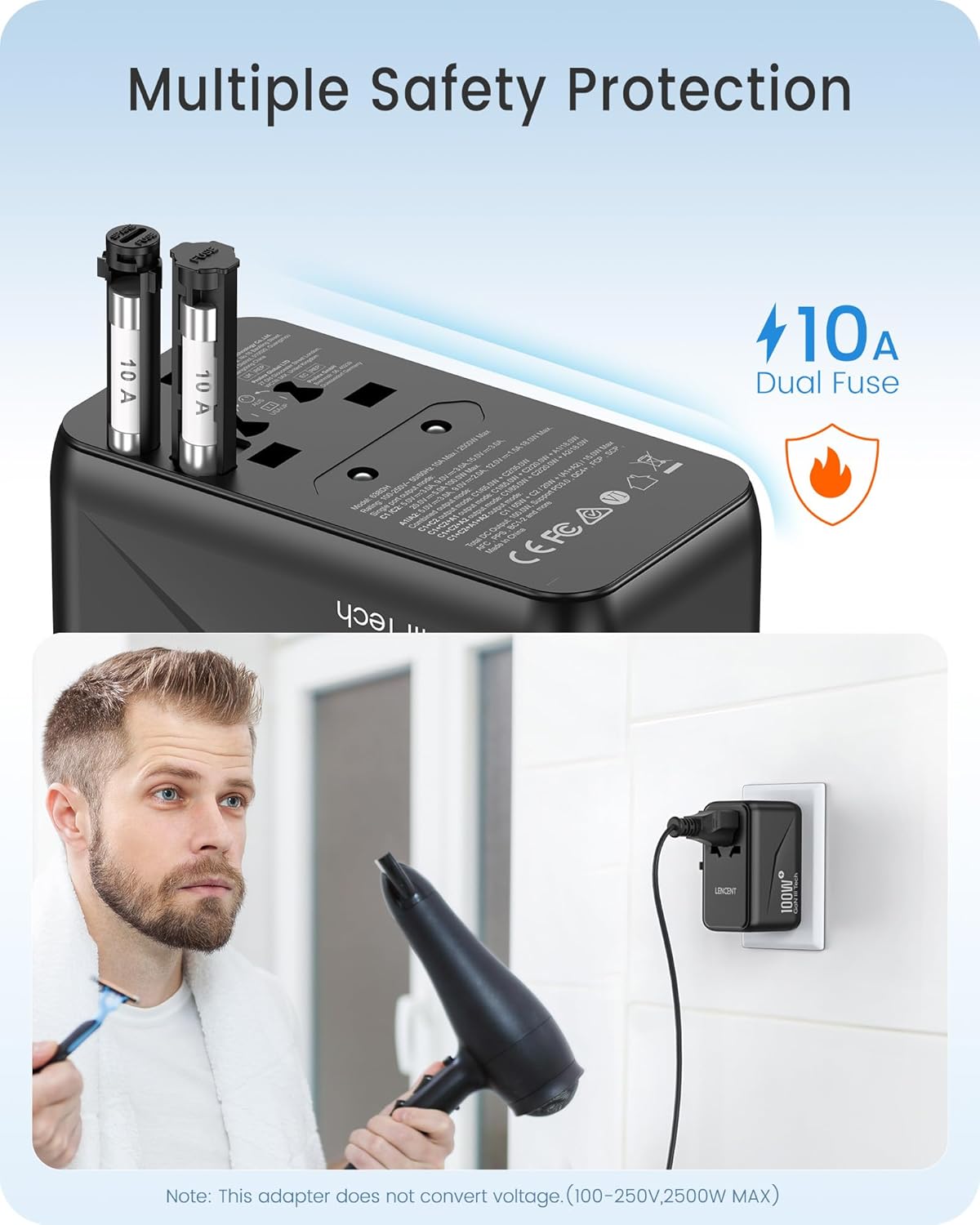
Imaxe: Primeiro plano view of the adapter's side, highlighting the dual 10A fuses for safety and overload protection.
6 Solución de problemas
- Adapter not working:
- Asegúrate de que o adaptador estea completamente inserido na toma de corrente.
- Verify that the correct plug pins are fully extended and locked.
- Check if the device connected to the adapter is functioning correctly.
- Inspect the fuse. If blown, replace it with a new 10A fuse.
- O dispositivo non carga ou carga lentamente:
- Ensure your device's charging cable is securely connected to both the adapter and the device.
- Confirm that your device is compatible with the adapter's output specifications (voltage e wattage).
- If charging multiple devices, the total power output is shared. Disconnect some devices to see if charging speed improves for a specific device.
- Sobrequecemento:
- Disconnect all devices and unplug the adapter from the wall. Allow it to cool down.
- Asegurar o wat totaltage of connected devices does not exceed the adapter's maximum capacity (2500W).
- Asegúrese de que haxa unha ventilación axeitada arredor do adaptador.
7. Especificacións
| Número de modelo | 638DH |
| Vol. De entradatage | 100-250 V ~ 50/60 Hz |
| Saída AC | 100-250V ~ 10A Max, 2500W Max |
| Saída USB-C1 | 5V/3A, 9V/3A, 12V/3A, 15V/3A, 20V/5A (100W máx.) |
| Saída USB-C2 | 5 V/3 A, 9 V/3 A, 12 V/2.9 A (35 W máx.) |
| Saída USB-A1/A2 | 5 V/3 A, 9 V/2 A, 12 V/1.5 A (18 W máx.) |
| Saída USB total | 100 W máx |
| Dimensións (L x W x H) | 3.62 x 2.13 x 2.09 polgadas (9.2 x 5.4 x 5.3 cm) |
| Peso do elemento | 9.5 onzas (268 gramos) |
| Tecnoloxía | GaN III, PD 3.0, QC 4.0, PPS |
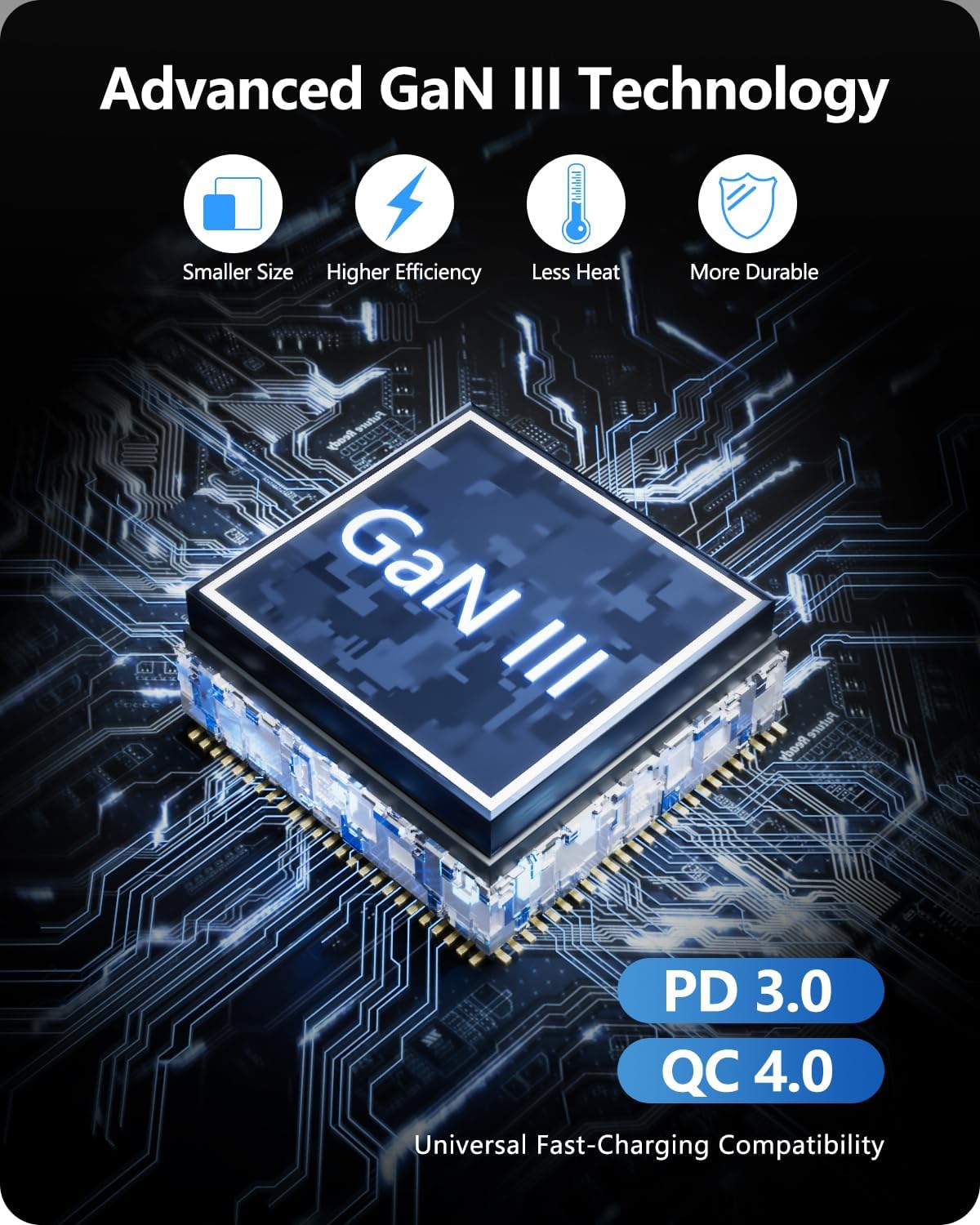
Image: Diagram illustrating the benefits of GaN III Technology: smaller size, higher efficiency, less heat, and increased durability.

Image: The adapter next to a smartphone, tablet, and smartwatch, emphasizing its compact size (2.05*3.62*2.09 inches).
8. Garantía e soporte
LENCENT products are manufactured with quality and reliability in mind. For warranty information or technical support, please refer to the official LENCENT websitio web ou póñase en contacto directamente co servizo de atención ao cliente. Garde o comprobante de compra para calquera reclamación de garantía.
Fabricante: LENCENT Technology Co.,Ltd.
Para obter máis asistencia, visite o LENCENT Store on Amazon.


