
1. Introdución
This manual provides detailed instructions for setting up, operating, and maintaining your Bmax B7 Power Mini PC. Please read this manual thoroughly before using the device to ensure proper functionality and longevity. The Bmax B7 Power is a compact and powerful mini PC designed for various computing tasks, from everyday productivity to multimedia consumption and light gaming.
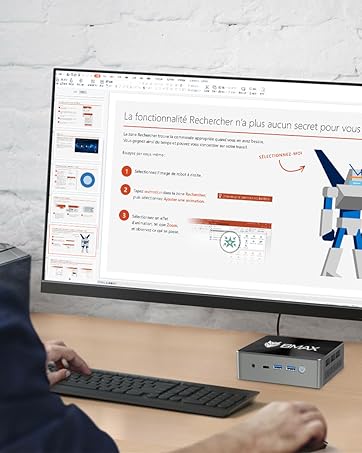
The Bmax B7 Power Mini PC in a typical desktop setup.
2. Contido do paquete
Upon opening the package, verify that all items listed below are present and in good condition. If any items are missing or damaged, please contact customer support.
- Bmax B7 Power Mini PC
- Adaptador de alimentación
- Cable HDMI
- VESA Mount Bracket and Screws
- Manual de usuario (este documento)
Video: An unboxing demonstration of the Bmax B7 Power Mini PC, showing the contents of the retail package.
3. Produto rematadoview
The Bmax B7 Power Mini PC features a compact design with essential ports for connectivity and expansion. Familiarize yourself with the port layout before connecting peripherals.
Vídeo: Unha introduciónview of the Bmax B7 Power Mini PC, highlighting its design, features, and port configuration.
Panel frontal
- Botón de encendido: Press to turn the PC on or off.
- Portos USB 3.0 (x2): Para conectar dispositivos USB de alta velocidade.
- Porto de tipo C: For data transfer and display output.
- Conector para auriculares de 3.5 mm: Para saída de son e entrada de micrófono.
- Botón Borrar CMOS: Used to reset BIOS settings (use with caution).
Panel traseiro
- Portos HDMI (x2): For connecting to displays.
- Portos USB 2.0 (x2): Para conectar dispositivos USB estándar.
- Porto Ethernet: Para conexión de rede por cable.
- Entrada de alimentación: Conecte aquí o adaptador de corrente fornecido.
4. Instrucións de configuración
Follow these steps to set up your Bmax B7 Power Mini PC:
- Conectar a unha pantalla: Use the provided HDMI cable to connect the Mini PC to your monitor or TV. The B7 Power supports up to three displays simultaneously.
- Conectar periféricos: Conecta o teclado e o rato USB aos portos USB dispoñibles.
- Conectar á rede (opcional): For a wired connection, plug an Ethernet cable into the Ethernet port. For wireless, ensure your Wi-Fi network is available during initial setup.
- Conectar enerxía: Connect the power adapter to the "Power In" port on the Mini PC, then plug the adapter into a power outlet.
- Encendido: Press the power button on the front panel. The Mini PC will boot up.
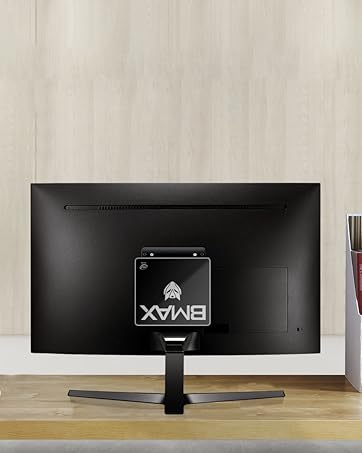
The Bmax B7 Power can be mounted behind a monitor for a clean setup.
5. Instrucións de funcionamento
Configuración inicial de Windows
Upon first boot, you will be guided through the Windows operating system setup process. Follow the on-screen prompts to configure language, region, network settings, and user accounts. Ensure you have your Wi-Fi password ready if you choose a wireless connection.
Conectando a wifi
The Bmax B7 Power supports Wi-Fi 6 (802.11ax) for high-speed wireless networking. To connect:
- Click the Wi-Fi icon in the system tray (usually bottom-right of the screen).
- Selecciona a rede Wi-Fi desexada da lista.
- Enter the network security key (password) and click "Connect".
Xestión de enerxía
- Apagar: Fai clic no botón Inicio e, a seguir, en Acendido/Apagar > Apagar.
- Reiniciar: Fai clic no botón Inicio e, a seguir, en Acendido/Apagado > Reiniciar.
- Durmir: Click the Start button, then Power > Sleep.
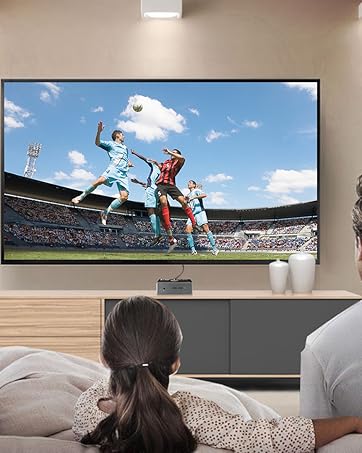
The Bmax B7 Power is suitable for home entertainment, including playing 4K UHD videos.
6. Especificacións
| Característica | Detalle |
|---|---|
| Número de modelo | B7 Potencia |
| Procesador | Intel Core i7-11390H (up to 5.0GHz) |
| RAM | 16GB DDR4 (Supports up to 64GB) |
| Almacenamento | SSD NVMe de 1 TB |
| Conectividade sen fíos | 802.11a/b/g/n/ac/ax WiFi 6 |
| Dimensións | 10.51 x 6.14 x 2.91 polgadas |
| Peso | 1.87 libras |
| Fabricante | BMAX |
| Primeiro dispoñible | 14 de xuño de 2023 |
7. Mantemento
Regular maintenance helps ensure the optimal performance and lifespan of your Mini PC.
- Limpeza: Use a soft, dry cloth to clean the exterior of the device. For dust accumulation in vents, use compressed air. Ensure the device is powered off and unplugged before cleaning.
- Actualizacións de software: Regularly check for and install operating system updates (e.g., Windows Updates) and driver updates to maintain security and performance.
- Ventilación: Ensure the Mini PC is placed in a well-ventilated area and that its vents are not obstructed to prevent overheating.
8 Solución de problemas
If you encounter issues with your Bmax B7 Power Mini PC, refer to the following common problems and solutions:
Sen Poder
- Asegúrate de que o adaptador de corrente estea conectado correctamente tanto ao Mini PC como a unha toma de corrente que funcione.
- Proba a toma de corrente con outro dispositivo para confirmar que funciona.
- If using a power strip, ensure it is switched on.
Sen saída de visualización
- Verify that the HDMI cable is securely connected to both the Mini PC and the monitor.
- Ensure the monitor is powered on and set to the correct input source (e.g., HDMI 1, HDMI 2).
- Proba cun cable HDMI ou monitor diferente se é posible.
Problemas de conectividade wifi
- Check if other devices can connect to your Wi-Fi network.
- Restart your Wi-Fi router and the Mini PC.
- Ensure Wi-Fi drivers are up to date in Device Manager.
- If the issue persists, consider using a wired Ethernet connection as an alternative.
9. Garantía e soporte
Your Bmax B7 Power Mini PC comes with a manufacturer's warranty. Please refer to the warranty card included in your package for specific terms and conditions. For technical support, product inquiries, or warranty claims, please contact Bmax customer service through their official websitio ou a información de contacto proporcionada coa súa compra.
For additional resources and FAQs, visit the official Bmax websitio: Bmax Official Store