
STRICH LOOPER&DRUM
STRICH Stereo Looper Pedal with Built-in Drum Machine
Model: LOOPER&DRUM
Marca: STRICH
1. Introdución
The STRICH Stereo Looper Pedal is a versatile 2-in-1 device combining a powerful looper with a comprehensive drum machine. Designed for guitarists and musicians, it offers extensive recording capabilities and a wide array of rhythmic patterns to enhance practice, composition, and live performance. This manual provides essential information for setting up, operating, maintaining, and troubleshooting your pedal.
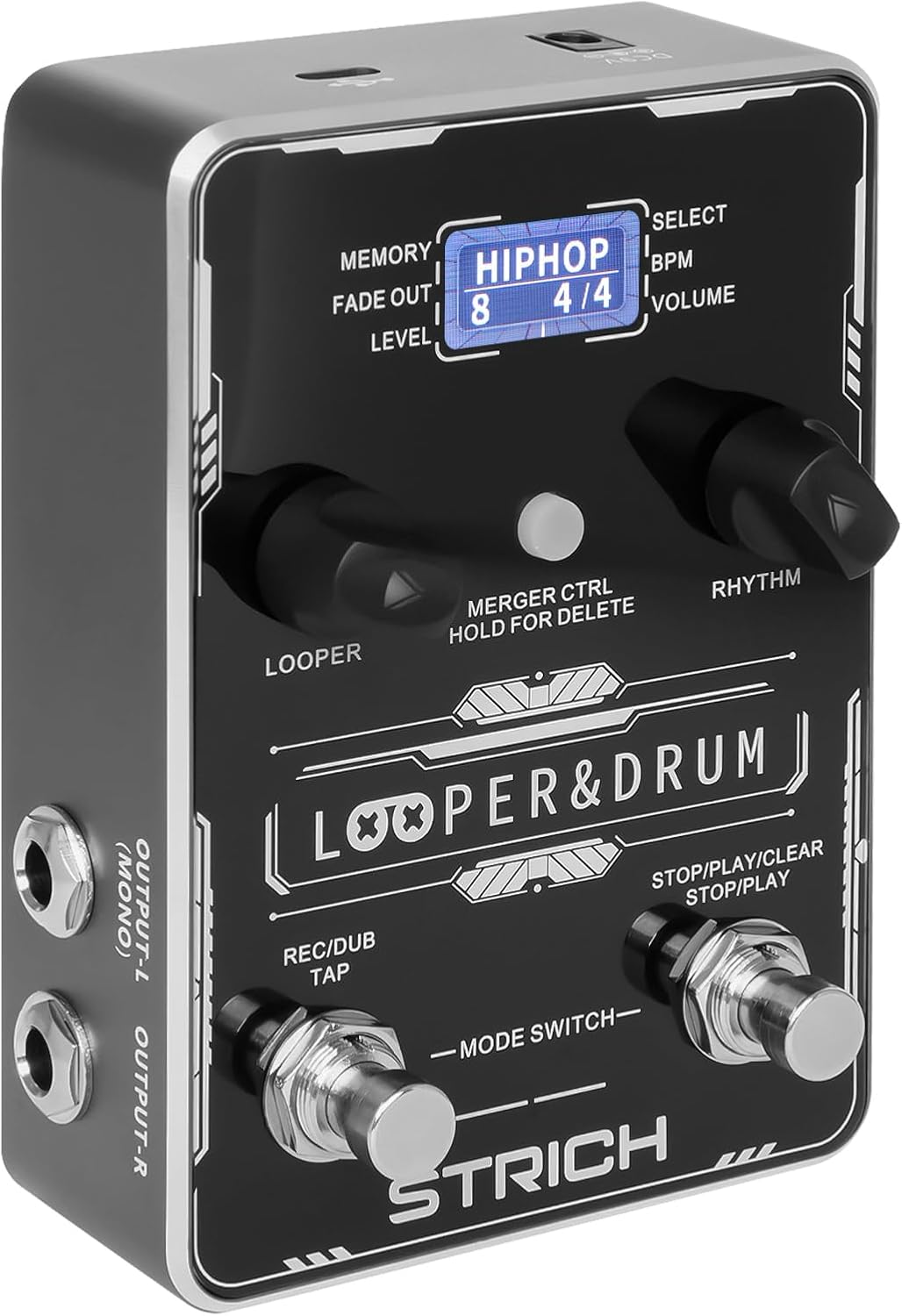
Fronte view of the STRICH Stereo Looper Pedal, showcasing its controls and display.
2. Características clave
- Deseño 2 en 1: Integrates a looper and drum machine for combined creative and rhythmic practice needs.
- Powerful Looper: Stores 40 presets, each with a maximum recording time of 4 minutes, totaling 160 minutes. Features a 24-bit/44.1kHz DSP chip for accurate sound reproduction.
- Versatile Drum Machine: Offers 10 different drum styles, each with 10 unique rhythmic patterns, providing 100 diverse drum patterns (pop, rock, metal, Latin, blues, jazz, fusion, hip-hop, funk, disco).
- Dual Inputs/Outputs: Two mono 1/4" inputs for simultaneous instrument and microphone connection, and two mono 1/4" outputs for stereo output.
- Conectividade USB: Supports audio upload and download, and software editing for loop management.
- Control de pedal: Allows for hands-free operation during performance.

The pedal's 2-in-1 design combines looper and drum machine functionalities.
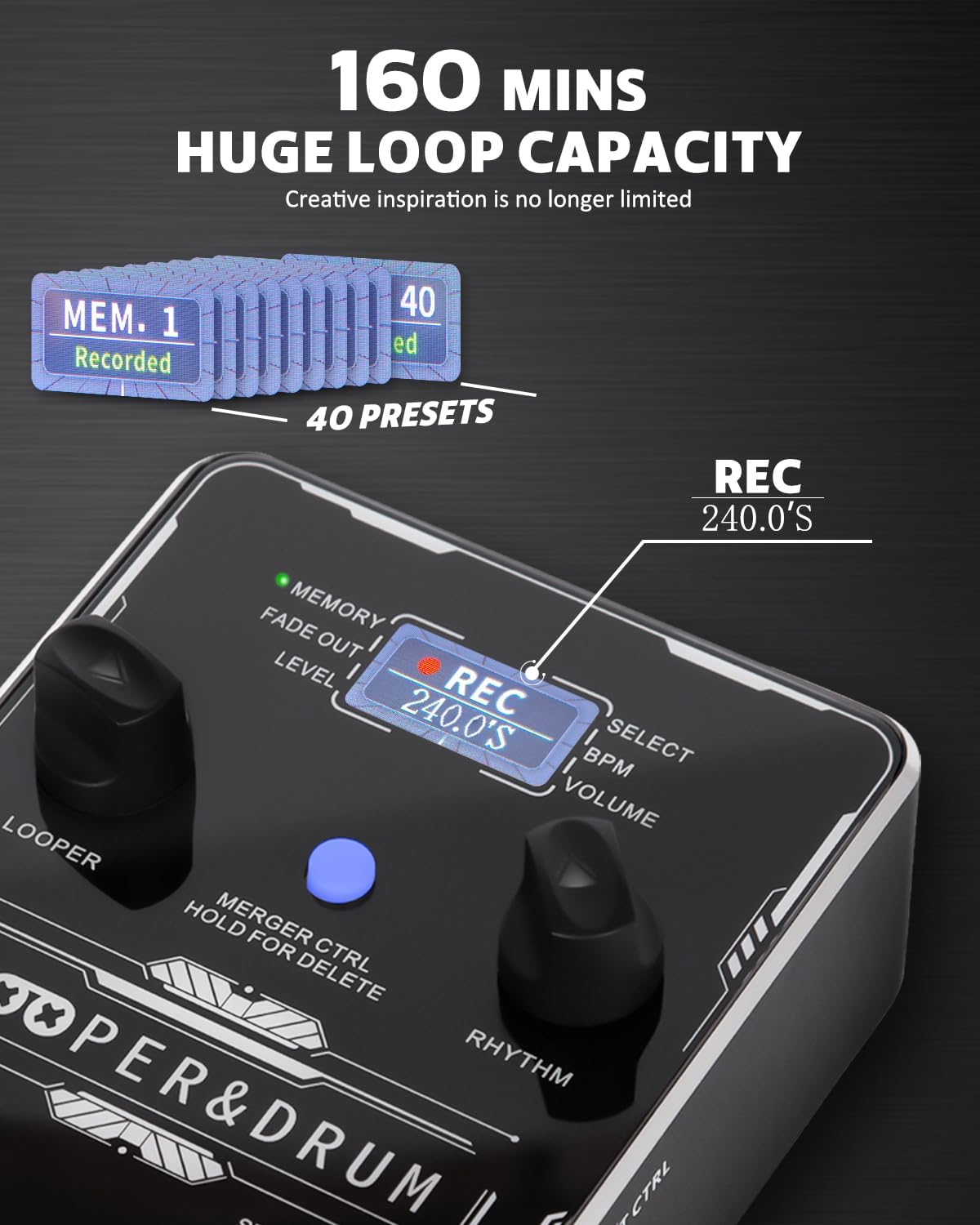
The looper offers a substantial 160 minutes of total recording time across 40 presets.

Explore 100 diverse drum patterns across various musical genres.
3. Guía de configuración
3.1 Fonte de alimentación
The STRICH Stereo Looper Pedal requires a 9V DC, minimum 300mA, center-negative adapter. The power supply is non incluído with the pedal. Using an incorrect adapter may damage the device. There is no battery compartment.

Ensure correct power supply (9V DC, 300mA, center-negative) and proper signal connections.
3.2 Conexións
The pedal features dual inputs and outputs for versatile connectivity:
- Input R (Mono): Connect your instrument (e.g., guitar) here for mono input.
- Input L (Mono): Connect a second instrument or microphone here. Connect both L and R inputs for stereo input.
- Output L (Mono): Conéctate ao teu amplifier or audio interface. Connect both L and R outputs for stereo output.
- Output R: Conéctate ao teu amplifier ou interface de audio.
- CTRL EXT: For connecting an external footswitch (purchased separately).
- USB (Type-C): Connect to a computer for editor software, import/export files, or factory reset.

The pedal supports dual input and output for stereo or multi-instrument setups.

Example connection setup for the looper pedal with instruments and output devices.
4. Instrucións de funcionamento
4.1 Controisview

Detallado view of the pedal's controls and their functions.
- LOOPER Control: Adjusts loop position, volume, and fade out time.
- LED LOOPER: Indicates current looper parameters.
- Pantalla de visualización: Shows current status information.
- LED RITMO: Indicates current rhythm parameters.
- MERGER CTRL (Hold for Delete): Toggles independent/simultaneous operation of looper and drum machine. Hold to delete recorded tracks.
- RHYTHM Control: Selects rhythm type, speed (BPM), and volume.
- Right Footswitch (STOP/PLAY/CLEAR): Controls playback, stop, and clear functions for the looper. Also controls Play/Stop for the drum machine.
- Left Footswitch (REC/DUB/TAP): Controls record, dub, and playback in looper mode. Taps tempo for rhythm.
4.2 Looper Operation
- Gravación: Press the Left Footswitch (REC/DUB) once to start recording. The screen will show 'REC' and the recording time.
- Reprodución: Press the Left Footswitch again to stop recording and start playback. The screen will show 'PLAY'.
- Dobraxe: During playback, press the Left Footswitch again to start dubbing (overdubbing). The screen will show 'DUB'.
- Parar: Press the Right Footswitch (STOP/PLAY/CLEAR) once to stop playback/dubbing.
- Limpar: While stopped, hold the Right Footswitch to clear the current loop.
- Select Memory: Use the LOOPER control knob to navigate through the 40 memory slots.
4.3 Drum Machine Operation
- Select Drum Pattern: Use the RHYTHM control knob to select from 100 diverse drum patterns.
- Adjust BPM: Press the RHYTHM control knob to enter BPM adjustment mode, then turn the knob to change the tempo.
- Axustar o volume: Press the RHYTHM control knob again to enter volume adjustment mode, then turn the knob to change the drum volume.
- Tap Tempo: Tap the Left Footswitch (REC/DUB/TAP) multiple times to set the tempo for the drum machine.
4.4 USB Functionality and Software
The pedal supports USB Type-C connectivity for managing your loops and settings via computer software. This allows for importing/exporting recorded files and performing factory resets.

Manage your loops and settings using the dedicated editor software.
4.5 Instructional Videos
For visual guidance on setup and operation, please refer to the official product videos:
Video: STRICH Looper Pedal Guitar Pedal with Drum Machine 2 IN 1
Este vídeo ofrece un sobreview and demonstration of the pedal's core functionalities, including basic looping and drum machine features.
Video: STRICH Stereo Guitar Looper Pedal with Drum Machine 2 IN 1
A detailed demonstration of the stereo capabilities and integrated drum machine, showcasing various operational aspects.
5. Mantemento
- Limpeza: Use a soft, dry cloth to clean the pedal's surface. Avoid using abrasive cleaners or solvents.
- Almacenamento: Garda o pedal nun lugar fresco e seco, lonxe da luz solar directa e de temperaturas extremas.
- Manexo: Handle the pedal with care to prevent damage to the footswitches and knobs. Avoid dropping or subjecting it to strong impacts.
- Desconexión de alimentación: Desconecte sempre a fonte de alimentación cando non se use o pedal durante períodos prolongados.
6 Solución de problemas
- Sen enerxía: Ensure the correct 9V DC, 300mA, center-negative power adapter is connected securely. Check the power outlet.
- Sen son: Verify all audio cables are correctly connected to inputs and outputs. Check instrument and amplifier volume levels. Ensure the pedal's volume is not set to zero.
- Son distorsionado: Check input levels to avoid clipping. Ensure proper impedance matching with your instruments and ampmáis vivo.
- Loop Not Recording/Playing: Ensure you are in the correct mode (REC/PLAY). Check if the memory slot is full or corrupted (try clearing it).
- Drum Machine Issues: Verify drum volume is up. Ensure a drum pattern is selected.
- Problemas de conexión do software: Ensure the USB cable is securely connected. Try a different USB port or cable. Restart your computer and the pedal.
7. Especificacións
| Característica | Detalle |
|---|---|
| Número de modelo | LOOPER & TAMBOR |
| Peso do elemento | 1.21 libras (0.55 quilogramos) |
| Dimensións do produto | 6.69 x 4.33 x 2.95 polgadas |
| Tipo de material | Aliaxe |
| Fonte de enerxía | Eléctrico con cable |
| Voltage | 9 voltios |
| Interface de hardware | USB tipo C |
| Tempo de gravación | 160 minutes total (40 presets, 4 minutes each) |
| Patróns de batería | 100 diverse patterns (10 styles, 10 patterns each) |
| Samptaxa de ling | 44.1 kHz |
| Sampling Precisión | 24 bit |

Detailed input and output specifications of the pedal.
8. Garantía e soporte
STRICH is committed to crafting quality musical instruments and values customer feedback. For any inquiries or support needs, please refer to the following:
- Servizos de garantía: Garantía de ata 12 meses.
- Política de devolución: Devolución gratuíta de 30 días.
- Atención ao cliente: Resposta do asistente de chat por correo electrónico en 24 horas.
For additional support, you may refer to the official User Manual (PDF) available online: Manual do usuario (PDF)
Ask a question about this manual
Ask about setup, troubleshooting, compatibility, parts, safety, or missing instructions. Manuals+ will review the question and use this page’s manual context to help answer it.