
Introdución
Thank you for choosing the XtremeMac Wireless 5000 mAh Power Bank. This compact and powerful portable charger is designed to provide convenient wireless and wired charging for your compatible devices, especially optimized for iPhone models with MagSafe technology. Please read this manual thoroughly before using the product to ensure safe and optimal performance.
Contido do paquete
- XtremeMac Wireless 5000 mAh Power Bank (Model: XWH-PMS2-13)
- Cable de carga USB-C
- Manual de usuario (este documento)
Produto rematadoview
Familiarize yourself with the components of your XtremeMac Wireless Power Bank.

Figura 1: XtremeMac Wireless Power Bank - Front, Back, and Side Views. This image illustrates the device's compact design, the magnetic charging area on the front, the USB-C port, and the power button on the side.
- Magnetic Charging Surface: For wireless charging of compatible devices.
- Porto USB-C: For charging the power bank and for wired output charging.
- Botón de encendido: Activa a carga sen fíos e comproba o nivel da batería.
- Indicadores LED: Mostrar o nivel da batería e o estado de carga.
Configuración
1. Carga inicial do banco de enerxía
Before first use, fully charge your XtremeMac Wireless Power Bank.
- Conecta o cable USB-C fornecido ao porto USB-C do cargador portátil.
- Conecta o outro extremo do cable USB-C a un adaptador de corrente USB compatible (non incluído).
- Os indicadores LED acenderanse para mostrar o progreso da carga. Todos os LED estarán fixos cando estea completamente cargado.
2. Attaching to Your iPhone (MagSafe)
The power bank is designed for seamless magnetic attachment to MagSafe-compatible iPhones (iPhone 12, 13, 14, and 15 series).

Figura 2: Magnetic Attachment for iPhone. This image demonstrates how the power bank securely clicks onto the back of a compatible iPhone for wireless charging.
- Align the power bank with the back of your MagSafe-compatible iPhone.
- The magnets will automatically snap the power bank into place, ensuring proper alignment for wireless charging.
Instrucións de funcionamento
1. Wireless Charging (MagSafe)
To charge your iPhone wirelessly:

Figura 3: Wireless Charging in Progress. This image shows an iPhone receiving a wireless charge from the power bank, indicated by the charging animation on the phone screen.
- Attach the power bank to the back of your MagSafe-compatible iPhone.
- Press the power button on the side of the power bank. Wireless charging will begin within 5 seconds.
- The LED indicators on the power bank will show its remaining charge. Your iPhone screen will also indicate charging.
- To stop charging, simply detach the power bank or press the power button again.
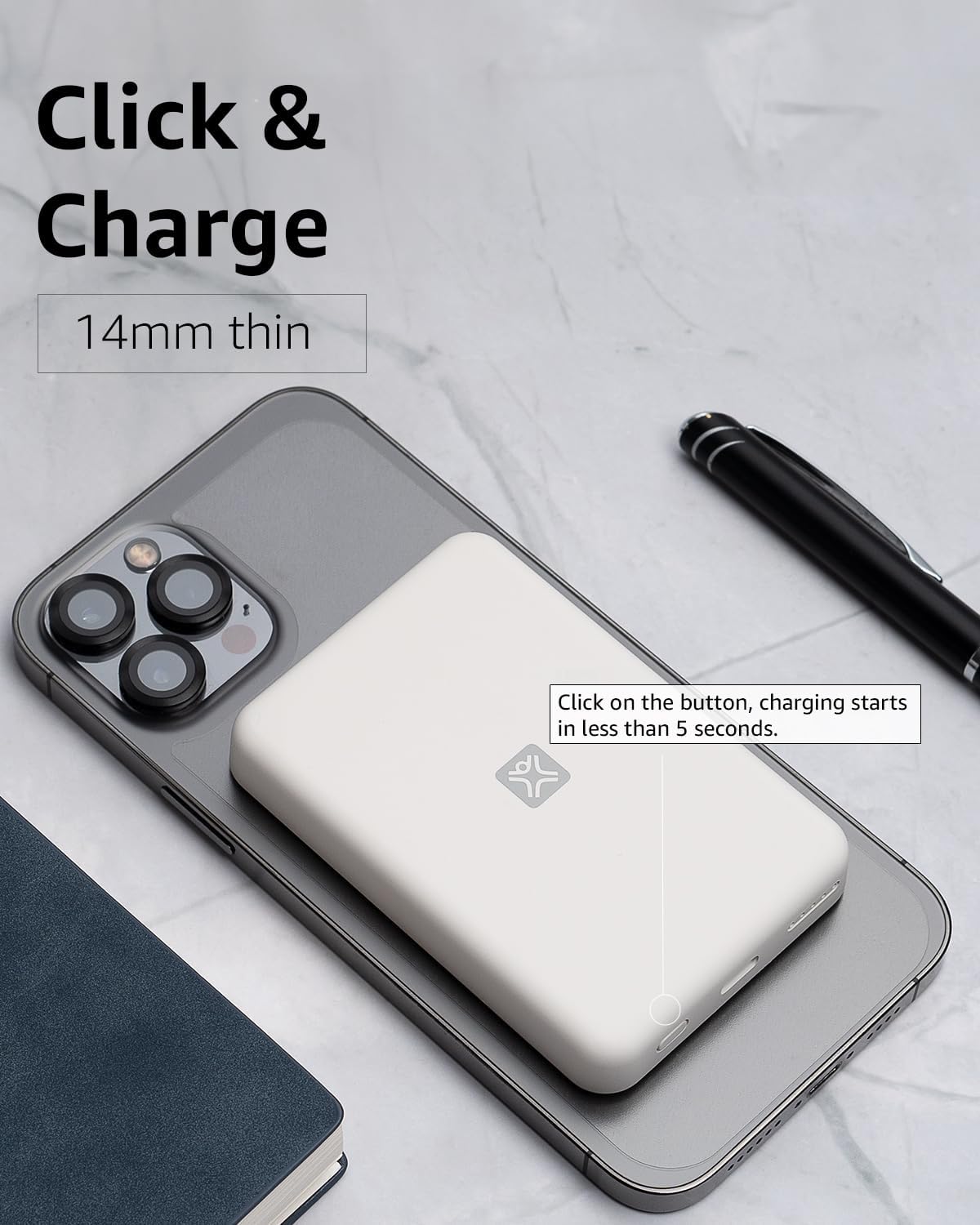
Figura 4: Activating Wireless Charge. This image highlights the power button and the quick activation of wireless charging.
2. Wired Charging (USB-C PD)
For faster charging or to charge non-wireless devices, use the USB-C port.

Figura 5: Wired Charging via USB-C. This image shows the power bank connected to a phone using a USB-C cable, demonstrating its faster wired charging capability.
- Connect one end of a USB-C cable (or a compatible cable for your device) to the USB-C port on the power bank.
- Conecta o outro extremo ao porto de carga do teu dispositivo.
- Charging will typically begin automatically. If not, press the power button on the power bank.
3. Comprobando o nivel da batería
Prema o botón de acendido unha vez para comprobar o nivel restante da batería, indicado polas luces LED.
Mantemento
- Limpeza: Usa un pano suave e seco para limpar a superficie da batería externa. Non uses produtos de limpeza líquidos nin aerosois.
- Almacenamento: Garda o banco de enerxía nun lugar fresco e seco, lonxe da luz solar directa e de temperaturas extremas.
- Coidado da batería: Para prolongar a duración da batería, carga completamente o banco de enerxía polo menos unha vez cada tres meses se non o usas regularmente.
Resolución de problemas
| Problema | Causa posible | Solución |
|---|---|---|
| O banco de enerxía non carga. | Cable not connected properly; faulty cable/adapter; power bank fully charged. | Ensure cable is securely connected. Try a different USB-C cable and power adapter. Check LED indicators; if all are solid, it's fully charged. |
| O dispositivo non se carga sen fíos. | Device not MagSafe compatible; misaligned; power bank low on charge; power button not pressed. | Ensure your device is MagSafe compatible (iPhone 12/13/14/15 series). Realign the power bank. Recharge the power bank. Press the power button to activate. |
| Device not charging via cable. | Cable not connected properly; faulty cable/device; power bank low on charge. | Ensure cable is securely connected. Try a different cable. Recharge the power bank. |
| Carga lenta. | Using a non-PD charger/cable; device case interfering with wireless charging. | For wired charging, ensure you are using a USB-C PD compatible charger and cable. For wireless, remove thick or metallic phone cases. |
Especificacións
| Característica | Detalle |
|---|---|
| Número de modelo | XWH-PMS2-13 |
| Capacidade da batería | 5000 mAh |
| Saída sen fíos | Up to 7.5W (MagSafe compatible) |
| Wired Output/Input | USB-C (Power Delivery compatible) |
| Dimensións | Aproximadamente 17.1 x 8.9 x 2.2 cm (6.7 x 3.5 x 0.9 polgadas) |
| Peso | Aproximadamente 85 g (3 oz) |
| Tipo de batería | Ion de litio |
| Compatibilidade | MagSafe compatible iPhones (12, 13, 14, 15 series) for wireless charging; USB-C devices for wired charging. |

Figura 6: 5000 mAh Capacity and Charge Estimates. This image provides an overview of the power bank's capacity and estimated number of full charges for various iPhone models.
Información de seguridade
- Non expoñas o cargador portátil a temperaturas extremas, luz solar directa ou humidade elevada.
- Non desmonte, modifique nin intente reparar o dispositivo.
- Manter fóra do alcance dos nenos.
- Evite deixar caer ou someter o banco de enerxía a fortes impactos.
- Non o use se o banco de enerxía está danado ou inchado.
- Eliminar o produto de forma responsable segundo a normativa local.
Garantía e Soporte
For warranty information, technical support, or customer service inquiries, please refer to the official XtremeMac websitio web ou póñase en contacto directamente co servizo de atención ao cliente. Garde o recibo da compra como proba de compra.