
Introdución
This manual provides comprehensive instructions for the Veho Kuzo Sports Smart Watch F1S. Please read this manual carefully before using your device to ensure proper operation and to maximize its features. Keep this manual for future reference.

Imaxe: Fronte view of the Veho Kuzo Sports Smart Watch F1S, showcasing its round display and rugged design.
Información de seguridade
Always follow basic safety precautions when using this device to reduce the risk of injury, electric shock, fire, or damage to the product.
- Non intente desmontar nin modificar o dispositivo.
- Manteña o dispositivo lonxe de temperaturas extremas e da luz solar directa.
- Evite expoñer o dispositivo a impactos ou caídas fortes.
- Consulta cun profesional médico antes de comezar calquera novo réxime de exercicios, especialmente se tes problemas de saúde preexistentes.
- The device is water-resistant (IP68) but not waterproof for diving or high-pressure water activities.
Contido do paquete
Asegúrate de que todos os elementos estean presentes na caixa:
- Veho Kuzo Sports Smart Watch F1S (Black)
- Magnetic Charging Cradle (USB-A)
- Manual de usuario multilingüe
Configuración
1. Carga do reloxo intelixente
Before first use, fully charge your Veho Kuzo F1S Smart Watch.
- Connect the magnetic charging cradle to a USB-A power source (e.g., computer USB port, wall adapter).
- Align the magnetic pins of the cradle with the charging contacts on the back of the watch. The watch will snap into place and display a charging indicator.
- Charge for approximately 2 hours for a full charge. A full charge provides up to 15 days of typical use.

Image: Graphic illustrating the 15-day battery life of the Veho Kuzo F1S Smart Watch.
2. Instalación da aplicación complementaria
To unlock all features and synchronize data, download the official companion app on your smartphone.
- The app is compatible with Apple iOS and Android devices.
- Busca "Kuzo" or "Veho Kuzo" in your device's app store.
- Install the app and follow the on-screen instructions to create an account.
3. Emparellamento co teu teléfono intelixente
After installing the app, pair your watch with your phone via Bluetooth.
- Asegúrate de que o Bluetooth estea activado no teu smartphone.
- Open the companion app and navigate to the device pairing section.
- Turn on your Veho Kuzo F1S Smart Watch.
- Select your watch from the list of available devices in the app.
- Confirma a solicitude de emparellamento tanto no reloxo como no teléfono intelixente.

Image: A smartphone displaying the Veho Kuzo companion app, showing health and activity data.
Instrucións de funcionamento
Navegación básica
The Veho Kuzo F1S features a 1.3-inch AMOLED touchscreen and physical buttons for navigation.
- Pantalla táctil: Desliza o dedo cara arriba, abaixo, á esquerda ou á dereita para navegar polos menús e widgets. Toca para seleccionar elementos.
- Botóns laterais: Use the physical buttons on the side of the watch to return to the home screen, access sports modes, or other quick functions.
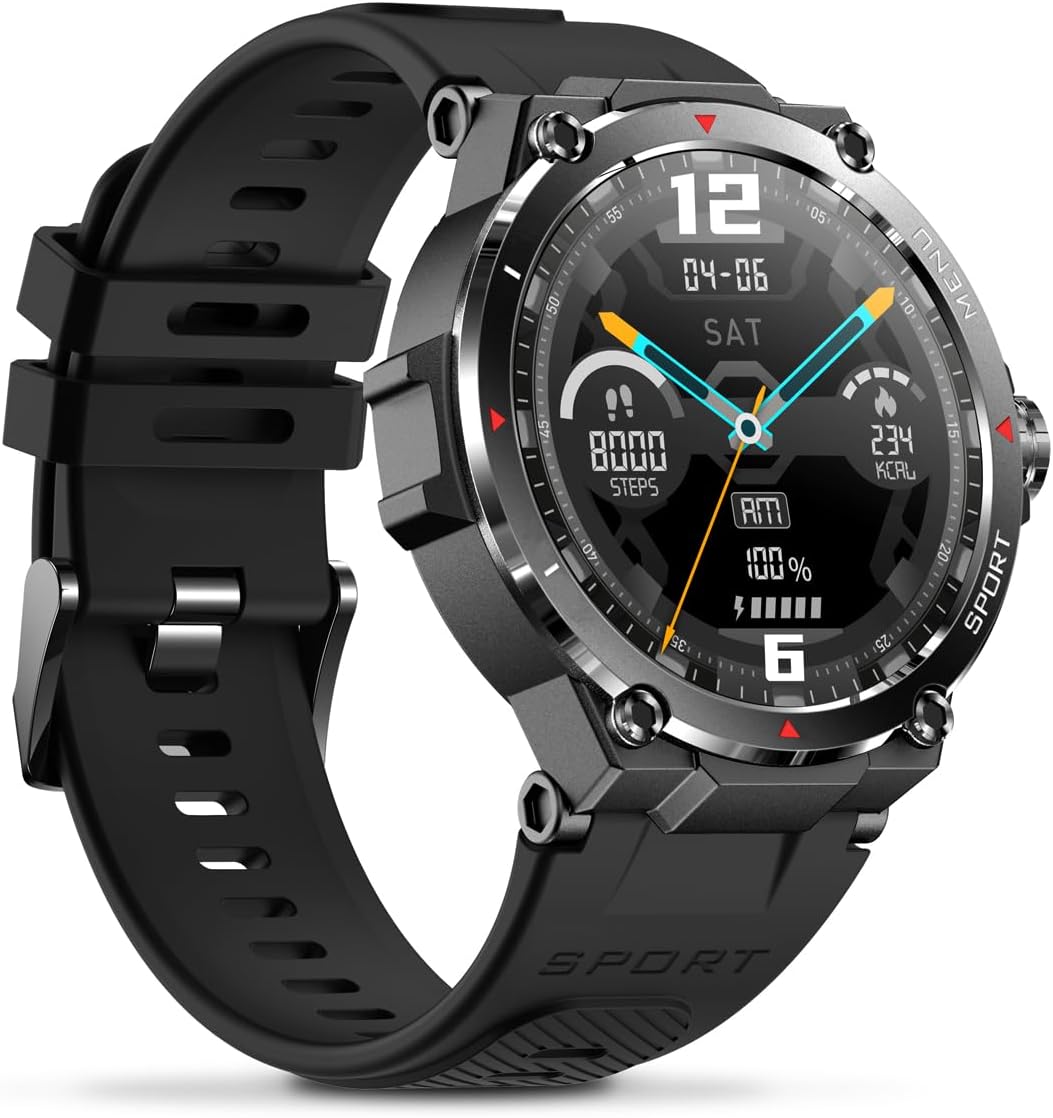
Imaxe: Lateral view of the Veho Kuzo F1S Smart Watch, highlighting the control buttons and rugged casing.
Seguimento da saúde e da forma física
The watch continuously monitors various health and fitness metrics.
- Frecuencia cardíaca: 24/7 heart rate monitoring. View datos en tempo real no reloxo ou tendencias detalladas na aplicación.
- Osíxeno no sangue: Mide os teus niveis de osíxeno no sangue.
- Seguidor de actividades: Tracks steps, calories burned, and distance covered. Supports walking, running, and cycling.
- Monitor de sono: Monitors daily, weekly, and monthly sleep patterns, detailing deep sleep, light sleep, and awake times.
- GPS: Built-in 3-mode GPS (GPS+Beidou+Glonass) and Assisted GPS (AGPS) for accurate outdoor performance tracking and live map positioning. Compatible with STRAVA.

Image: The Veho Kuzo F1S Smart Watch displaying heart rate monitoring data.
Funcións intelixentes
- Notificacións: Receive push notifications from apps like WhatsApp, Twitter, Facebook, LinkedIn, Skype, YouTube, Messenger, and Instagram directly on your watch.
- Control de música: Control music playback (volume, skip tracks, play/pause) on your paired smartphone directly from the watch.
- Time Functions: Access alarm, timer, intermittent timer, stopwatch, and countdown functions.
- Buscar teléfono: Usa o reloxo para localizar o teu teléfono intelixente emparellado.
- News/Weather App: Integrated news and weather application functionality.
- Esferas de reloxo personalizables: Choose from hundreds of different watch face designs through the companion app.
Mantemento
Limpeza
To maintain the watch's appearance and functionality:
- Limpe o reloxo e a correa regularmente cun pano suave eamp pano.
- Evite o uso de produtos químicos agresivos ou produtos de limpeza abrasivos.
- Asegúrate de que os contactos de carga estean limpos e secos antes de cargar.
Resistencia á auga (IP68)
The Veho Kuzo F1S Smart Watch has an IP68 rating, meaning it is water-resistant in fresh water up to a maximum depth of 1.5 meters for up to 30 minutes, and is protected from dust.
- Do not use the watch for diving, snorkeling, or high-speed water sports.
- Avoid exposing the watch to hot water, steam, or detergents.
- Seque ben o reloxo despois de expoñelo á auga.
Coidado da batería
- Carga o reloxo regularmente para manter a batería en bo estado.
- Evita descargar completamente a batería con frecuencia.
- Garda o reloxo nun lugar fresco e seco se non o usas durante períodos prolongados.
Resolución de problemas
If you encounter issues with your Veho Kuzo F1S Smart Watch, refer to the following common solutions:
- O reloxo non se acende: Ensure the watch is fully charged. Connect it to the charging cradle and check for the charging indicator.
- Non se pode emparellar co teléfono:
- Asegúrate de que o Bluetooth estea activado no teléfono e no reloxo.
- Asegúrate de que o reloxo estea dentro do alcance do teu teléfono.
- Reinicia tanto o reloxo como o teléfono.
- Tenta desvincular e volver vincular o dispositivo a través da aplicación.
- Datos sanitarios inexactos:
- Asegúrate de levar o reloxo ben axustado ao pulso, pero non demasiado axustado.
- Limpa o sensor que está na parte traseira do reloxo.
- Environmental factors and skin conditions can affect accuracy.
- Non aparecen as notificacións:
- Check app notification settings on your phone and within the companion app.
- Asegúrate de que o reloxo estea conectado ao teléfono mediante Bluetooth.
Para obter máis axuda, consulte a sección de soporte ou póñase en contacto co servizo de atención ao cliente.
Especificacións
| Nome do modelo | F1S |
| Número de modelo | VSW-001-F1S-B (164426) |
| Mostrar | Pantalla táctil AMOLED de 1.3 polgadas |
| Resolución | 360 x 360 píxeles |
| Chipset | Dialogue14695, PPGHX3690 |
| Memoria | ROM 128MB + RAM 2MB |
| Bluetooth | v5.1 |
| Capacidade da batería | Polímero de litio de 300 mAh |
| Tempo de traballo | Ata 15 días |
| Tempo de espera | Ata 21 días |
| Tempo de carga | Aprox. 2 horas |
| Tipo de carga | USB-A to Magnetic Charging Cradle |
| Resistencia á auga | IP68 (up to 1.5 meters for 30 minutes in fresh water) |
| Sistema GPS | 3-mode (GPS+Beidou+Glonass) |
| Dimensións | 46 mm x 12.9 mm |
| Peso | 51 g |
| Ancho da correa | 22 mm |
| Lonxitude da correa | 260 mm |
| Compatibilidade con SO | Android, iOS |
| Idiomas admitidos | All major languages (replicates paired smartphone language) |
Garantía e Soporte
The Veho Kuzo Sports Smart Watch F1S comes with a limited warranty. Please refer to the warranty card included in your package or visit the official Veho websitio web para obter información detallada sobre os termos e condicións da garantía.
Atención ao cliente
For technical support, troubleshooting, or warranty claims, please contact Veho customer service through their official websitio web ou a información de contacto proporcionada na documentación do produto.
- Soporte en liña: www.veho-world.com/support (Exampligazón, a ligazón real pode variar)
- Correo electrónico: support@veho-world.com (Exampcorreo electrónico, o correo electrónico real pode variar)