
Introdución
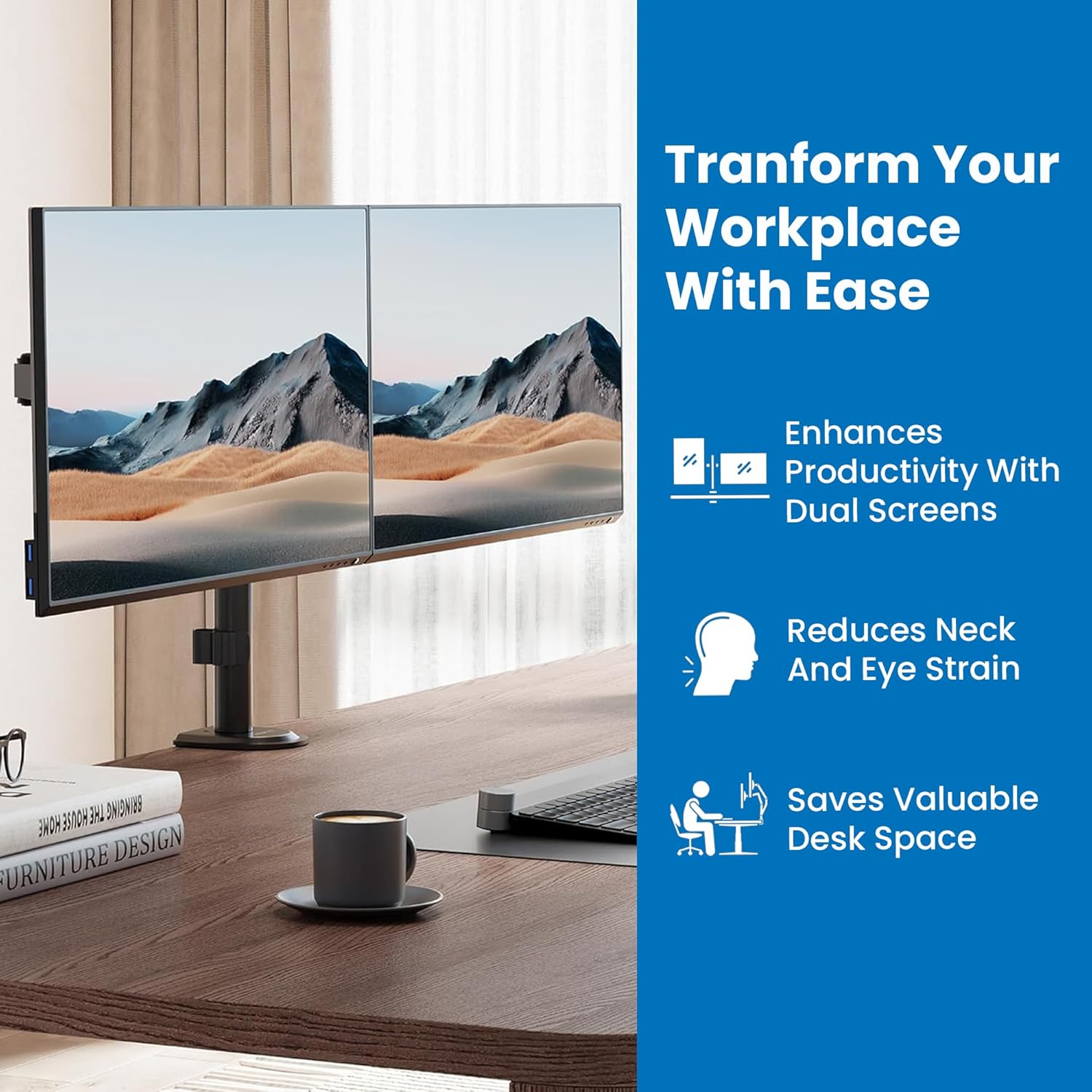
Thank you for choosing the Mount-It! MI-2752 Dual Monitor Arm. This full-motion desk mount is designed to enhance your workspace by providing ergonomic positioning for two monitors, freeing up valuable desk space. This manual provides detailed instructions for safe installation, operation, and maintenance of your monitor arm.
Información de seguridade
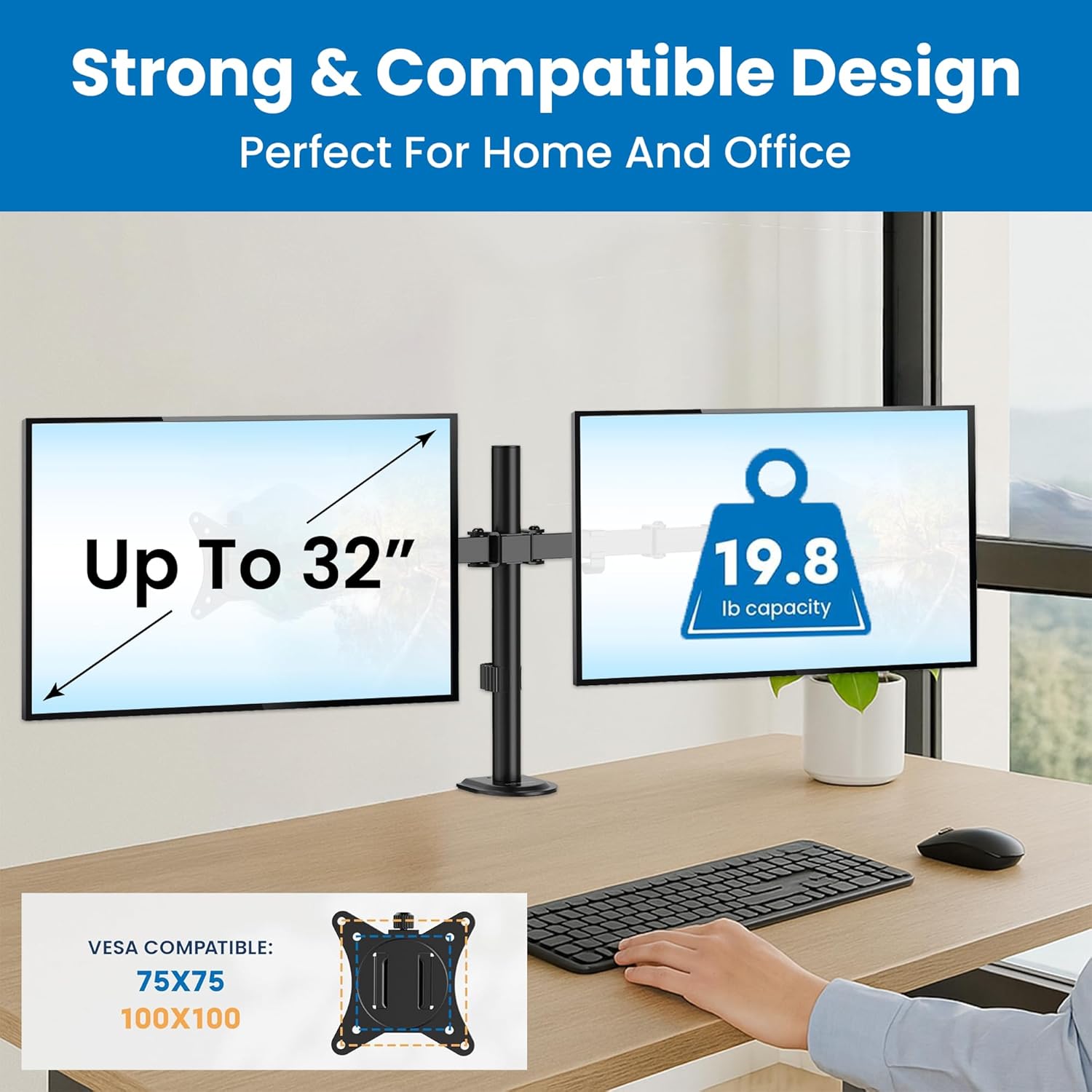
- Capacidade de peso: Do not exceed the maximum weight capacity of 19.8 lbs (9 kg) per monitor. Exceeding this limit may result in instability and potential injury.
- Tamaño do monitor: This mount supports monitors from 13 to 32 inches. Ensure your monitors fit within this range.
- Compatibilidade VESA: Compatible with VESA patterns 75x75mm and 100x100mm. Verify your monitor's VESA pattern before installation.
- Espesor da mesa: Para C-clamp installation, the desk thickness must be between 0.39 inches (10mm) and 3.3 inches (85mm). For grommet installation, the desk thickness must be between 0.39 inches (10mm) and 1.6 inches (40mm).
- Superficie de instalación: Ensure the mounting surface (desk) is structurally sound and can support the combined weight of the mount and monitors. Do not install on drywall-only surfaces.
- Puntos de pinzamento: Be aware of potential pinch points during assembly and adjustment. Keep hands clear of moving parts.
- Nenos: Manteña as pezas pequenas lonxe dos nenos.
Contido do paquete
Verify that all components are present and undamaged before proceeding with installation. If any parts are missing or damaged, contact Mount-It! customer support.

Image: All components of the Mount-It! MI-2752 Dual Monitor Arm laid out, including the pole, arms, VESA plates, C-clamp, grommet base, and hardware.
- Poste principal con soporte de escritorioamp/Grommet Base
- Brazos de monitor dual
- VESA Monitor Plates (2x)
- Kit de ferramentas (parafusos, arandelas, chaves Allen)
- Clips de xestión de cables
Configuración e instalación
Follow these steps carefully for proper installation.
Step 1: Choose Mounting Option
The MI-2752 offers two installation methods: C-clamp or Grommet mount. Select the option suitable for your desk.

Imaxe: Unha comparación visual do C-clamp mounting option (left) and the grommet mounting option (right) for desk attachment.
- C-Clamp: Ideal for desks without a grommet hole. Attaches to the edge of the desk.
- Arandela: Utilizes an existing hole in your desk for a more flush installation.
Step 2: Attach Mount to Desk
Secure the main pole to your desk using the chosen method. Ensure it is tightened firmly to prevent movement.
Paso 3: Coloque as placas VESA aos monitores
Attach the VESA plates to the back of your monitors using the appropriate screws from the hardware kit. Ensure the screws are not overtightened to avoid damaging the monitor.
Step 4: Mount Monitors to Arms
Slide the monitors (with VESA plates attached) onto the monitor arms. Secure them with the provided locking mechanism.
Imaxe: Primeiro plano view of a monitor securely attached to one of the monitor arms, demonstrating the connection point.
Paso 5: Xestión de cables
Route monitor cables through the integrated cable management clips on the arms and pole for a tidy workspace.
Imaxe: A view of monitor cables neatly routed through the integrated cable management clips along the monitor arm and pole.
Instrucións de funcionamento e axustes
The Mount-It! MI-2752 offers extensive adjustability for optimal viewcomodidade.
Axuste de altura
Monitors can be adjusted vertically along the main pole. Fine-tune individual monitor heights for perfect alignment using the adjustment screws on the VESA plate attachment points.
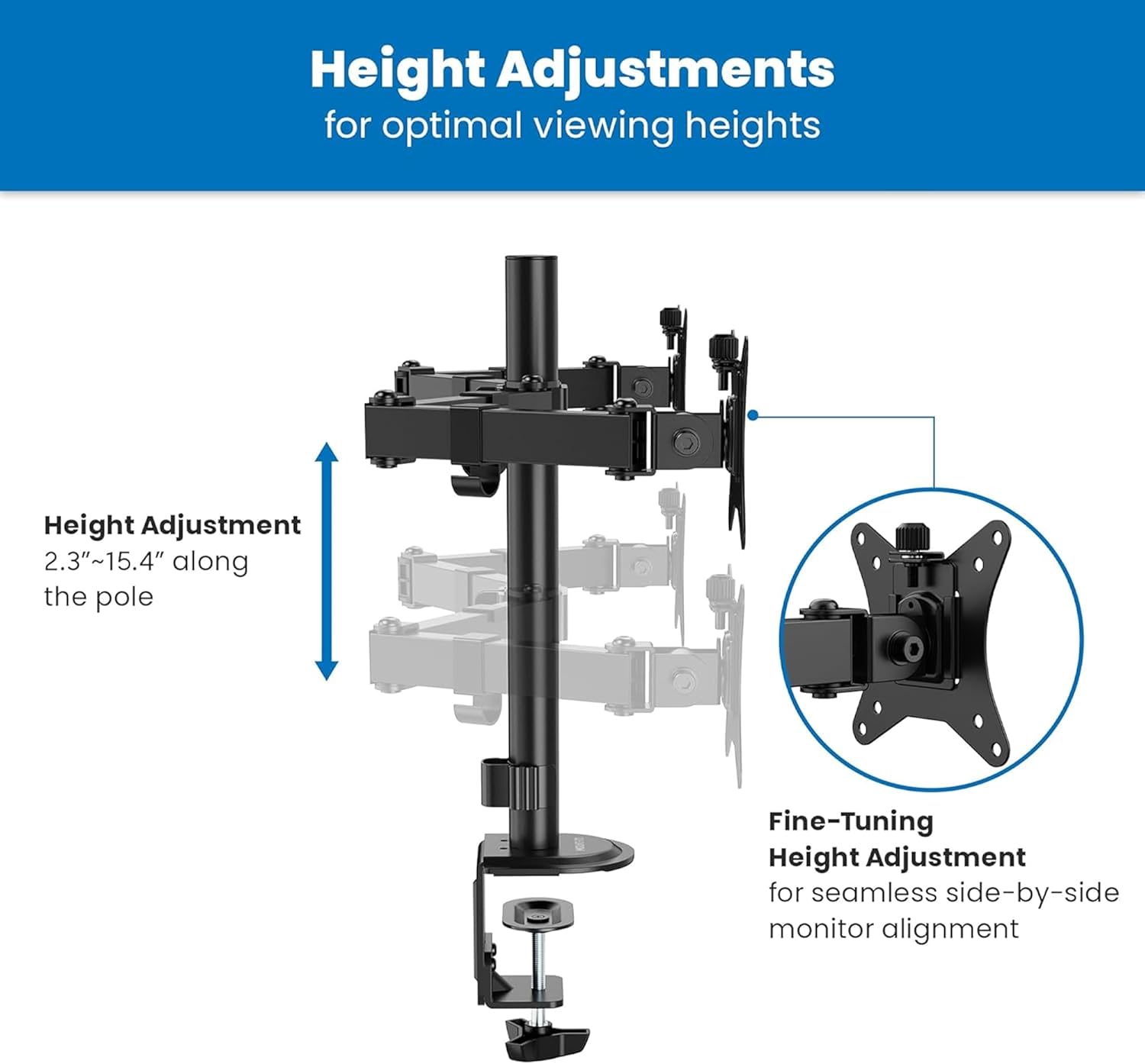
Image: A diagram illustrating the vertical height adjustment range of the monitor arm along the central pole, from 2.3 to 15.4 inches.
Inclinación, xiro e rotación
Each monitor can be independently tilted, swiveled, and rotated to achieve your desired viewángulo de ing.
- Inclinación: Adjust the screen angle +90°/-45° to reduce glare and optimize viewing.
- Xiratorio: Pivot the monitor 180° horizontally.
- Rotación: Rotate the monitor 360° for landscape or portrait orientation.

Image: A diagram illustrating the tilt (+90°/-45°), swivel (±90°), and rotation (±180°) capabilities of the monitor arm.
Axuste de tensión
If a monitor sags or does not hold its position, adjust the tension of the gas spring arms. Use the provided Allen wrench to turn the hex bolt at the top of the arm. Turn clockwise to increase tension for heavier monitors, and counter-clockwise to decrease tension for lighter monitors.
Mantemento
- Limpeza: Limpa a montura cun pano suave eamp pano. Evite produtos de limpeza abrasivos ou solventes.
- Comprobacións periódicas: Comprobe periodicamente todos os parafusos e conexións para asegurarse de que permanecen axustados e seguros. Volva a apertalos se é necesario.
- Lubricación: Non se require lubricación para as pezas móbiles.
Resolución de problemas
O monitor afúndese ou non mantén a posición
- Solución: Adjust the gas spring tension. Turn the hex bolt on the arm clockwise to increase tension until the monitor holds its position.
Mount is Unstable or Wobbles
- Solución: Asegúrese de que a mesa clamp or grommet base is securely tightened to the desk. Check that all connections on the pole and arms are firm.
Monitors Are Not Level
- Solución: Use the fine-tuning height adjustment screws on the VESA plate attachment points to align the monitors.
Especificacións

Image: A detailed technical drawing showing the dimensions and various adjustment ranges of the Mount-It! MI-2752 Dual Monitor Arm.
| Característica | Especificación |
|---|---|
| Número de modelo | MI-2752 |
| Compatibilidade do tamaño do monitor | 13" - 32" (per screen) |
| Capacidade de peso | Up to 19.8 lbs (9 kg) per screen |
| Compatibilidade VESA | 75x75mm, 100x100mm |
| Rango de inclinación | +90° / -45° |
| Alcance xiratorio | 180° |
| Rango de rotación | 360° |
| Grosor do escritorio (C-Cl)amp) | 0.39" - 3.3" (10 mm - 85 mm) |
| Grosor do escritorio (ollazo) | 0.39" - 1.6" (10 mm - 40 mm) |
| Material | Metal |
Garantía e Soporte
The Mount-It! MI-2752 Dual Monitor Arm is backed by a lifetime warranty, reflecting our commitment to quality and durability. For technical assistance, installation questions, or warranty claims, please contact our US-based technical specialists. Our team is available to provide support before, during, and after your installation.
For further assistance, please visit the official Mount-It! websitio ou póñase en contacto directamente co servizo de atención ao cliente.