
1. Introdución e finalview
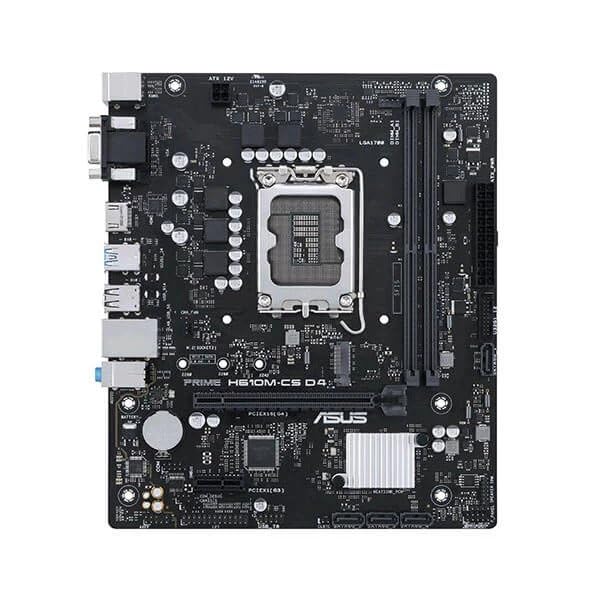
This manual provides detailed instructions for the installation, operation, and maintenance of your ASUS Prime H610M-CS D4 motherboard. Designed for Intel 12th Gen processors, this motherboard features an LGA1700 socket and supports DDR4 memory, offering a stable foundation for your personal computer build.
Características principais:
- Intel LGA 1700 socket: Ready for 12th Gen Intel processors.
- Refrixeración completa: Features a PCH heatsink for efficient heat dissipation.
- Ultrafast connectivity: Includes a 32Gbps M.2 slot, Realtek 1 Gb Ethernet, and USB 3.2 Gen 1 ports.
- Protección 5X III: Multiple hardware safeguards ensure all-round protection and durability.
- Luminous anti-moisture coating: Protects key components from moisture and corrosion, enhancing longevity.
2. Configuración e instalación
Antes de comezar a instalación, asegúrate de que o sistema estea apagado e desconectado da toma de corrente. Sujeta a placa base polos bordos para evitar descargas estáticas.
2.1. Instalación da CPU
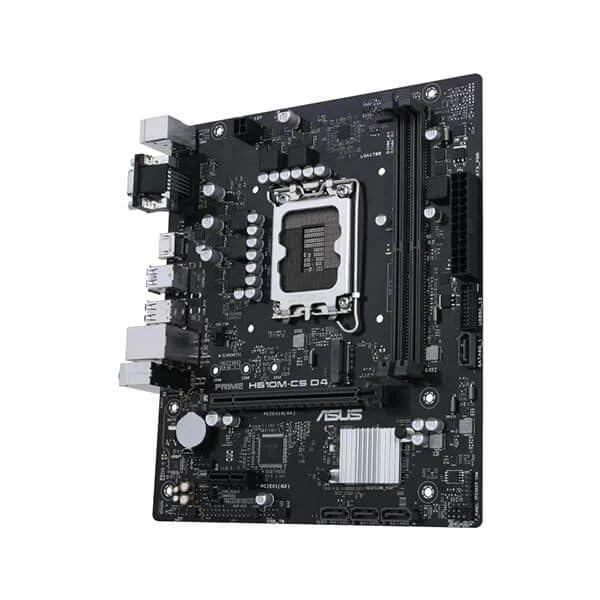
- Localiza o socket LGA1700 na placa base.
- Abra a panca do socket da CPU e levante a placa de carga.
- Carefully align the Intel 12th Gen processor with the socket, ensuring the triangular mark on the CPU matches the mark on the socket. Do not force the CPU into the socket.
- Baixa a placa de carga e asegúraa coa palanca.
2.2. Instalación da memoria (RAM)
- Abra os clips en ambos extremos das ranuras de memoria DDR4.
- Aliñe a muesca do módulo de memoria DDR4 coa muesca da ranura DIMM.
- Prema firmemente os dous extremos do módulo de memoria ata que os clips encaixen no seu lugar.
2.3. Cooler and Graphics Card Installation
- Instala o teu refrigerador de CPU segundo as instrucións do fabricante.
- Insert your graphics card into the primary PCIe x16 slot, ensuring it is fully seated and secured with the retention clip.
2.4. Conexións de alimentación
- Conecta o conector de alimentación ATX de 24 pines da fonte de alimentación á placa base.
- Conecta o conector de alimentación ATX de 12 V de 8 pines (ou 4 pines) á placa base.
2.5. Case Mounting and Front Panel Connections
- Mount the motherboard into your PC case using the appropriate standoffs and screws.
- Connect the front panel headers (power button, reset button, USB ports, audio jacks) to their respective pins on the motherboard. Refer to the motherboard's detailed diagram for exact pin locations.
3. Instrucións de funcionamento
3.1. Primeiro arranque e configuración da BIOS
- After all components are installed and connected, power on your system.
- Preme o DEL or F2 tecla repetidamente durante o inicio para entrar na utilidade de configuración da BIOS/UEFI.
- Configure boot order, system time, and other necessary settings. Save changes and exit.
3.2. Instalación de controladores
After installing your operating system, install the latest drivers for the motherboard chipset, audio, LAN, and any other integrated components. These can typically be found on the ASUS support websitio para o modelo específico da túa placa base.
3.3. Conectividade
- Ranura M.2: Utilize the 32Gbps M.2 slot for high-speed NVMe SSDs.
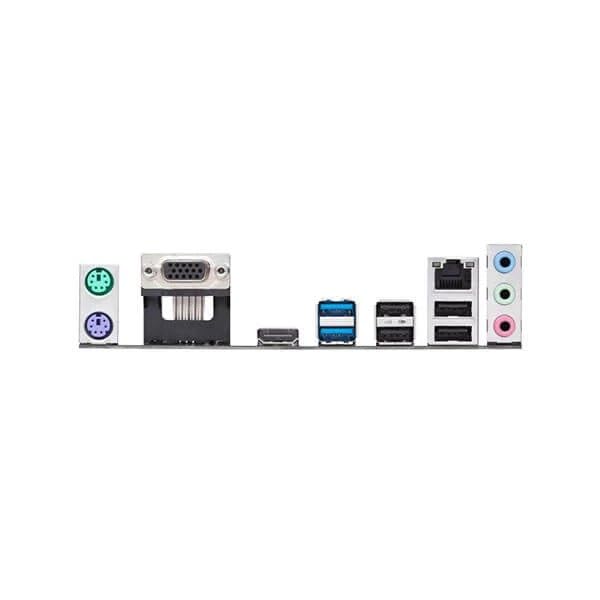
- Ethernet: Connect to your network using the Realtek 1 Gb Ethernet port.
- Portos USB: Use the available USB 3.2 Gen 1 ports for high-speed peripheral connections.
4. Mantemento
4.1. Limpeza
- Limpa regularmente o po da carcasa do teu PC e dos compoñentes da placa base con aire comprimido. Asegúrate de que o sistema estea apagado e desconectado antes de limpalo.
- Avoid using liquid cleaners directly on motherboard components.
4.2. Actualizacións da BIOS/UEFI
Consulta periodicamente o soporte técnico de ASUS website for BIOS/UEFI updates. Updates can improve system stability, compatibility, and performance. Follow the instructions provided by ASUS carefully when performing a BIOS update.
4.3. Protección contra a humidade
The motherboard features a luminous anti-moisture coating designed to protect key components. While this coating provides enhanced durability, it is still recommended to operate the system in a dry, well-ventilated environment to prevent moisture buildup.
5 Solución de problemas
If you encounter issues with your motherboard, refer to the following common troubleshooting steps.
5.1. Sen alimentación / Sen arranque
- Ensure all power cables (24-pin ATX, 8-pin ATX 12V) are securely connected to the motherboard and power supply.
- Verify that the power supply switch is in the ON position.
- Comprobe as conexións do botón de acendido do panel frontal á placa base.
- Proba cunha fonte de alimentación diferente se é posible.
5.2. Sen saída de visualización
- Ensure your monitor is connected to the graphics card (if installed) or the motherboard's integrated graphics port (HDMI/VGA).
- Volva colocar a tarxeta gráfica e os módulos de memoria.
- Clear CMOS settings (refer to your motherboard's full manual for jumper location).
5.3. Compoñente non detectado
- Check that the component (e.g., M.2 SSD, RAM, PCIe card) is correctly installed and seated.
- Verify that the component is compatible with the motherboard.
- Actualiza a BIOS/UEFI á última versión.
6. Especificacións
| Característica | Detalle |
|---|---|
| Marca | ASUS |
| Serie | Primeiro |
| Número de modelo | Asus Prime H610M-Cs |
| Socket CPU | LGA1700 |
| Procesadores compatibles | Intel Core de 12ª generación |
| Tecnoloxía da memoria | DDR4 |
| Memoria máxima admitida | 1 GB (Note: This value from source data may be a typo, typical motherboards support much higher RAM capacities.) |
| Velocidade do reloxo da memoria | 1600 MHz (Note: This value from source data may be a typo or base speed, actual supported speeds are typically higher for DDR4.) |
| Interfaz da tarxeta gráfica | Integrado |
| Tipo de conectividade | wifi (Note: While "Wi-Fi" is listed, the feature bullets mention "Realtek 1 Gb Ethernet", implying wired LAN. Wi-Fi capability might require an add-in card or be an error in the source data.) |
| Número de portos HDMI | 1 |
| Número de portos Ethernet | 1 |
| Dimensións do produto (LxWxH) | 26.5 x 6 x 27 cm |
| Peso do elemento | 770 g |
| País de Orixe | China |
Note: Specifications are subject to change without notice. For the most up-to-date information, please refer to the official ASUS product page. Some values from the source data (e.g., Maximum Memory Supported, Memory Clock Speed, Connectivity Type) appear to be inconsistent with typical motherboard specifications and may be data entry errors.
7. Garantía e soporte
7.1. Información da garantía
Your ASUS Prime H610M-CS D4 motherboard is covered by a limited warranty provided by ASUS. The specific terms and duration of the warranty may vary by region and retailer. Please retain your proof of purchase for warranty claims. For detailed warranty information, visit the official ASUS support websitio.
7.2. Soporte técnico
For technical assistance, driver downloads, BIOS updates, and further product information, please visit the official ASUS support websitio: www.asus.com/support/. You may also contact ASUS customer service directly for personalized support.