
Introdución
The STATIK 100W GaN Charger is a high-performance, multi-port wall charger designed for efficient and fast charging of various electronic devices. Utilizing advanced GaN (Gallium Nitride) technology, this charger offers a compact design, reduced heat generation, and improved power efficiency. It features multiple USB-C and USB-A ports to charge up to four devices simultaneously.
- Carga súper rápida: Delivers up to 100W of power for rapid charging.
- Tecnoloxía avanzada de GaN: Ensures a compact size, lower heat, and higher charging efficiency.
- Compatibilidade universal: Supports a wide range of devices including MacBook Pro/Air, iPad, iPhone, Samsung Galaxy, Nintendo Switch, and more.
- Overheat and Overload Protection: Built-in safety features protect against overheating, overloading, and short circuits.
- Compacto e portátil: Designed for easy travel and everyday use with a foldable plug.

Image: The STATIK 100W GaN Charger in use, demonstrating its high-speed charging for a laptop.

Image: The compact design of the STATIK 100W GaN Charger compared to a larger standard charger.
Contido do paquete
Verifique que todos os elementos estean presentes no seu paquete:
- STATIK 100W GaN Charger (Model: PUP-0295)
- Manual de instrucións (este documento)
Configuración
Follow these steps to set up your STATIK 100W GaN Charger:
- Desdobrar o enchufe: Gently unfold the AC prongs from the charger body. The charger features a foldable plug for portability.
- Conectar á toma de corrente: Insert the charger's prongs into a standard wall power outlet. Ensure it is securely plugged in.
- Conectar dispositivos: Use appropriate charging cables (not included) to connect your devices to the available USB-C or USB-A ports on the charger.

Image: The STATIK 100W GaN Charger showing its four ports (3 USB-C, 1 USB-A) and the foldable AC plug in both folded and unfolded positions.

Image: The charger plugged into a wall socket, demonstrating its use with multiple devices.
Instrucións de funcionamento
The STATIK 100W GaN Charger is designed for simple plug-and-play operation. It automatically detects connected devices and delivers optimal charging power.
Charging Single Device:
Connect your device to any available USB-C or USB-A port using a compatible cable. For maximum speed, especially for laptops or high-power devices, use one of the USB-C ports (USB-C1 or USB-C2) which can deliver up to 100W individually.
Carga de varios dispositivos:
The charger can power up to four devices simultaneously. The total 100W power output is dynamically distributed among the connected ports. Refer to the power distribution guide below for typical scenarios.
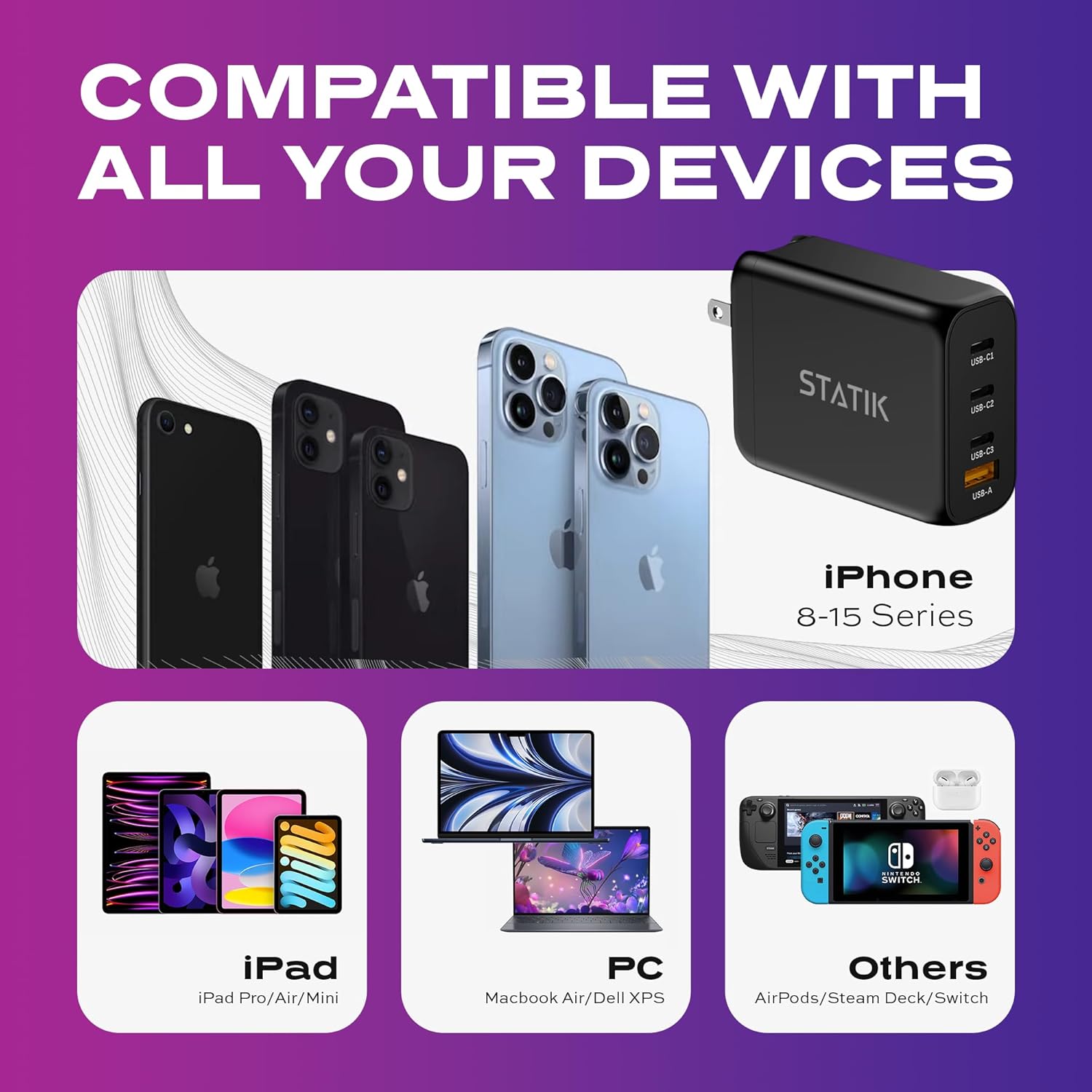
Image: The charger's universal compatibility with a range of devices including iPhones, iPads, laptops, and gaming consoles.

Image: The charger actively charging four devices at once, including a laptop, tablet, smartphone, and wireless earbuds.
Power Output Configuration:
The charger intelligently adjusts power output based on the number and type of connected devices. Below are common power distribution scenarios:
- Dispositivo único: USB-C1 or USB-C2: Up to 100W; USB-C3: Up to 65W; USB-A: Up to 30W.
- Two Devices:
- USB-C1 (65W) + USB-C2 (30W)
- USB-C1 (65W) + USB-C3 (30W)
- USB-C1 (65W) + USB-A (30W)
- USB-C2 (65W) + USB-C3 (30W)
- USB-C2 (65W) + USB-A (30W)
- USB-C3 (30W) + USB-A (30W)
- Tres dispositivos:
- USB-C1 (45W) + USB-C2 (30W) + USB-C3 (7.5W)
- USB-C1 (45W) + USB-C2 (30W) + USB-A (7.5W)
- Four Devices: USB-C1 (45W) + USB-C2 (35W) + USB-C3 (7.5W) + USB-A (7.5W)

Image: Visual representation of the charging guide, illustrating maximum power output for single and multiple device connections across USB-C and USB-A ports.
Mantemento
Para garantir a lonxevidade e o rendemento óptimo do cargador, siga estas pautas de mantemento:
- Limpeza: Desconecta o cargador da toma de corrente e de todos os dispositivos antes de limpalo. Usa un pano suave e seco para limpar a superficie. Non uses produtos de limpeza líquidos nin aerosois.
- Almacenamento: When not in use, store the charger in a cool, dry place away from direct sunlight and extreme temperatures. Fold the prongs for compact storage.
- Evitar a humidade: Non expoñas o cargador á auga nin a humidade excesiva.
- Manipular con coidado: Evite deixar caer o cargador ou sometelo a impactos fortes.
Resolución de problemas
If you encounter issues with your STATIK 100W GaN Charger, refer to the following common problems and solutions:
| Problema | Causa posible | Solución |
|---|---|---|
| O dispositivo non se está cargando. |
|
|
| Velocidade de carga lenta. |
|
|
| O cargador ten unha sensación de calor. |
|
|
Especificacións
| Número de modelo | PUP-0295 |
| Marca | Estática |
| Wattage | 100 vatios (máx.) |
| Total de portos USB | 4 (3 USB-C, 1 USB-A) |
| Tipo de conector | USB C + USB-A |
| Vol. De entradatage | CA 100-240 V, 50/60 Hz |
| Saída máxima Ampera | 5 Amps |
| Características especiais | Foldable Plug, Lightweight, Portable, Fast Charging, Smart Overheat & Overcharge Protection |
| Dimensións | 4.13 x 3.43 x 1.34 polgadas |
| Peso do elemento | 8.4 onzas |
Información de seguridade
Your safety and the safety of your devices are paramount. The STATIK 100W GaN Charger incorporates multiple safety features:
- Protección contra sobrecalentamento: Prevents the charger from exceeding safe operating temperatures.
- Protección contra sobrecarga: Protección contra o consumo excesivo de corrente.
- Protección contra curtocircuítos: Protects against damage from short circuits.
Always use the charger in a well-ventilated area and avoid covering it during operation. Do not attempt to disassemble or modify the charger.
Garantía e Soporte
For product support, technical assistance, or warranty inquiries, please contact Statik customer service. Refer to the official Statik websitio web ou a documentación da súa compra para obter os datos de contacto.
This product is manufactured by Curv Group LLC.