
Introdución
Thank you for choosing the Yunseity Portable Voice Amplifier. This device is designed to provide clear and stable sound amplification for various applications such as teaching, presentations, meetings, and outdoor activities. Please read this manual carefully before using the product to ensure proper operation and to maximize its lifespan.
Produto rematadoview
The Yunseity Portable Voice Amplifier is a compact and versatile device. Familiarize yourself with its components and controls.

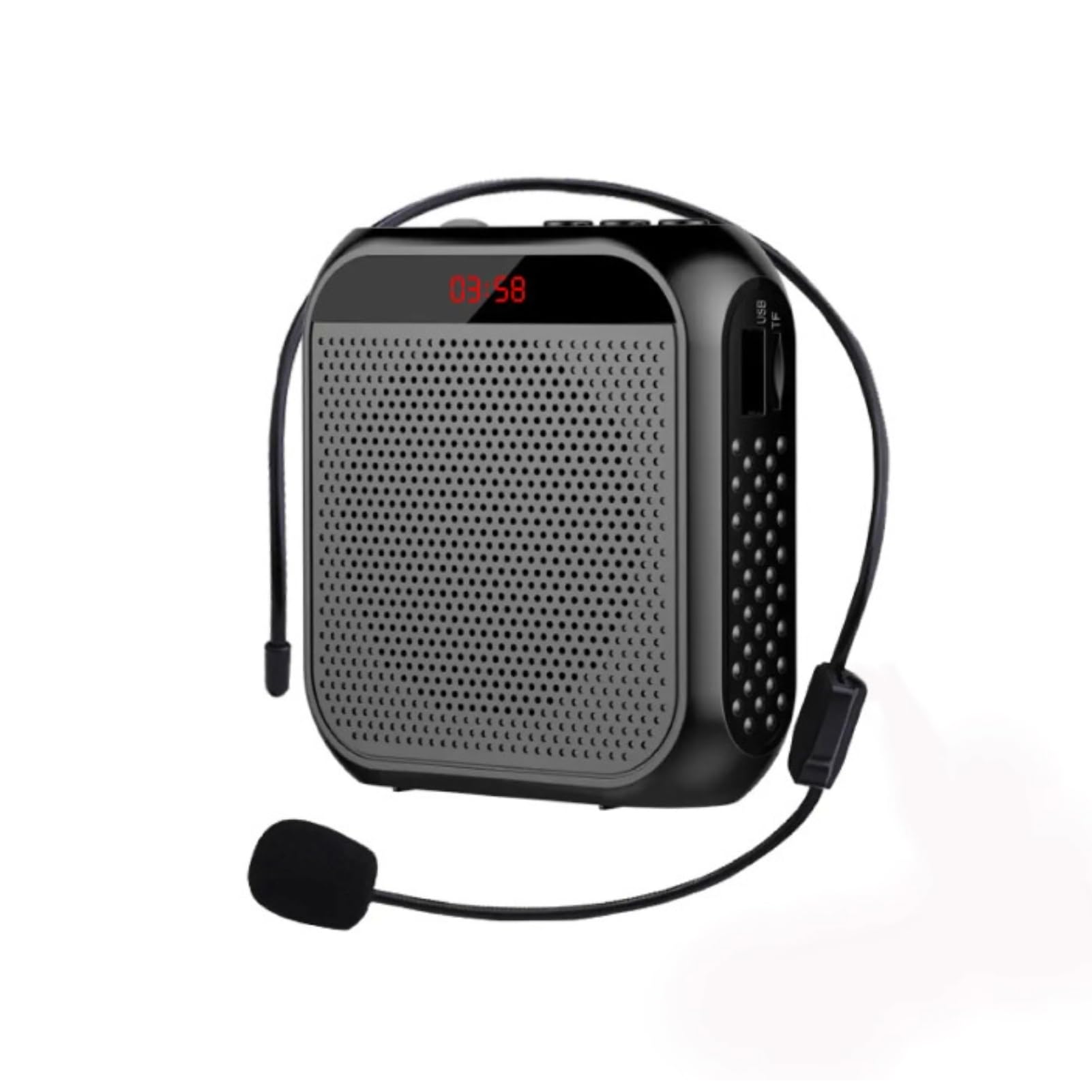
Image: The voice amplifier unit shown with its accompanying headset microphone, waistband strap, and USB charging cable.
Compoñentes principais:
- Voz AmpUnidade de vida: The main speaker and control unit.
- Micrófono de auriculares: For hands-free voice input.
- Waistband Strap: Para unha cómoda portabilidade.
- Cable de carga USB: Para recargar a batería interna.
Panel de control e portos:

Image: A labeled diagram indicating the location and function of each button, knob, and port on the ampmáis vivo.
- Conector de micrófono de 3.5 mm: Connect the headset microphone here.
- Botón de volume: Xira para axustar ampvolume de lificación.
- Porto de carga: Conecta o cable de carga USB aquí.
- Botón de canción anterior: Press to go to the previous track (when playing media).
- Botón Reproducir/Pausa: Tap to play or pause media. Long press to turn the device on or off.
- Botón da seguinte canción: Press to go to the next track. Long press to switch between single song loop and list loop.
- U Disk Interface: Insert a USB flash drive for media playback.
- Ranura para tarxetas de memoria: Insert a Memory Card (TF card) for media playback.
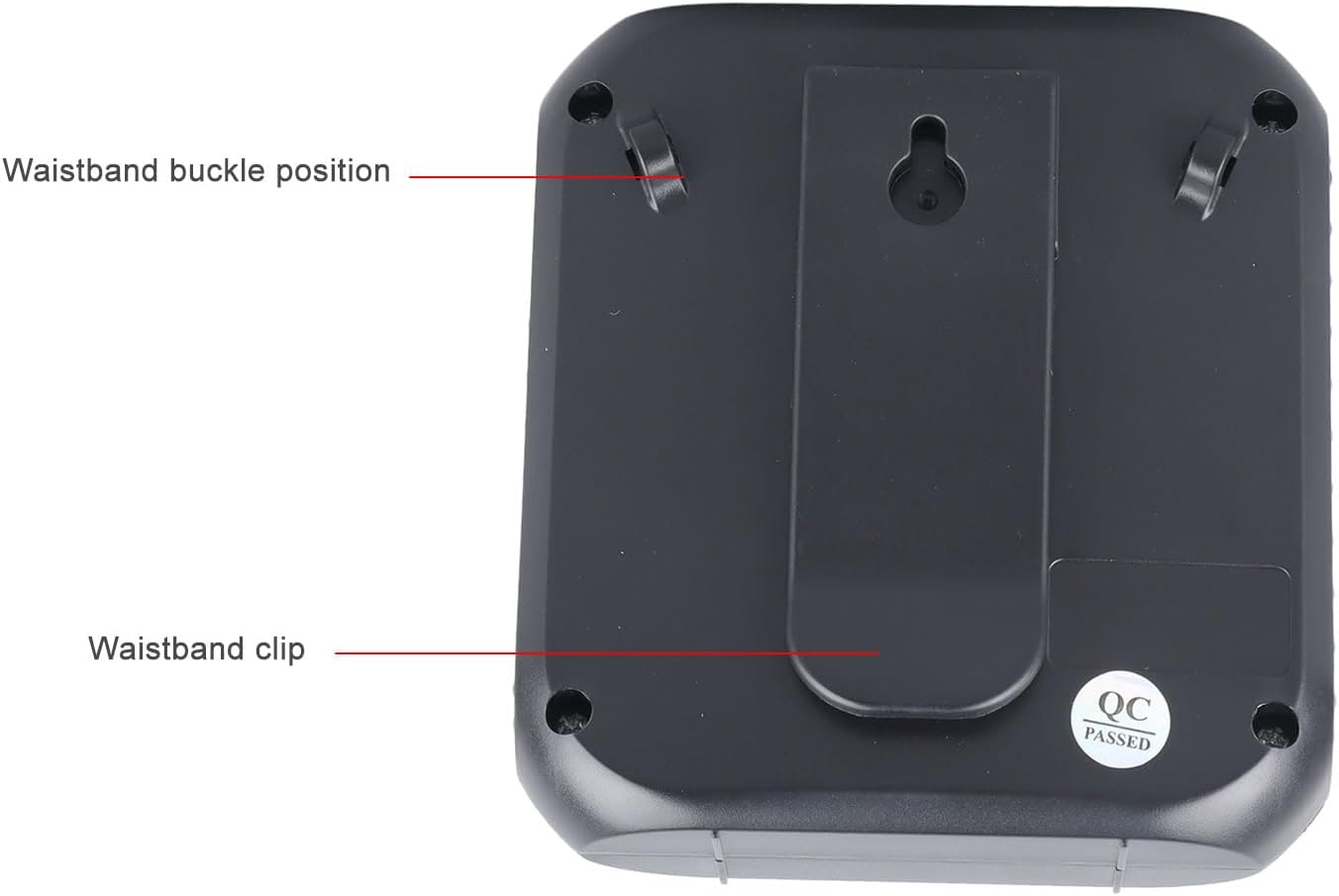
Image: The back of the amplifier, highlighting the attachment points for the waistband strap.
- Waistband Buckle Positions: Slots for attaching the waistband strap.
- Waistband Clip: For direct attachment to clothing or a belt.
Configuración
- Carga inicial: Before first use, fully charge the amplifier. Connect the USB charging cable to the charging port on the amplifier and to a standard USB power adapter (not included) or computer USB port. The charging indicator will illuminate.
- Conectar o micrófono: Insert the 3.5mm plug of the headset microphone into the microphone jack on the amplifier. Ensure it is securely connected.
- Wear Microphone: Position the headset microphone comfortably on your head, ensuring the microphone element is close to your mouth for optimal voice pickup.
- Achegar Ampmáis vivo: Use the waistband strap by threading it through the buckle positions on the back of the amplifier, or use the integrated clip to attach the amplifier to your belt or clothing.
Instrucións de funcionamento
- Encendido/apagado: Mantén presionado Reproducir/Pausa botón para activar amplifier on or off. A voice prompt will indicate the power status.
- Axustar o volume: Xire o Botón de volume clockwise to increase volume and counter-clockwise to decrease volume. Start with a low volume and gradually increase to avoid feedback.
- Voz Amplificación: Once powered on and the microphone is connected, speak into the headset microphone. Your voice will be amplificado a través do altofalante.
- Media Playback (U Disk/Memory Card):
- Insert a U disk into the U disk interface or a Memory Card (TF card) into the Memory Card slot.
- O ampO lifier detectará automaticamente e comezará a reproducir audio files.
- Usa o Canción anterior e Próxima canción botóns para navegar polas pistas.
- Toca o Reproducir/Pausa botón para pausar ou retomar a reprodución.
- Mantén presionado Próxima canción button to cycle through playback modes (single song loop, list loop).
- Entrada AUX: Connect an external audio source (e.g., smartphone, MP3 player) to the amplifier's AUX input port (if available, typically shared with microphone jack or a separate port) using an AUX cable (not included). The amplifier will play audio from the connected device.
Cargando
O amplifier features a built-in 2200mAh rechargeable battery, providing extended usage time.
Imaxe: Representación visual do amplifier's long battery life and capacity.
- Conecte o cable de carga USB fornecido ao amplifier's charging port and a USB power source.
- O indicador luminoso de carga mostrará o estado da carga.
- A full charge can provide up to 10 days of playtime, depending on usage.
- When the battery is low, the device may emit an audible alert or the indicator light may change. Recharge promptly.
Múltiples aplicacións
This portable voice amplifier is suitable for a wide range of scenarios where clear and amplified voice is needed.
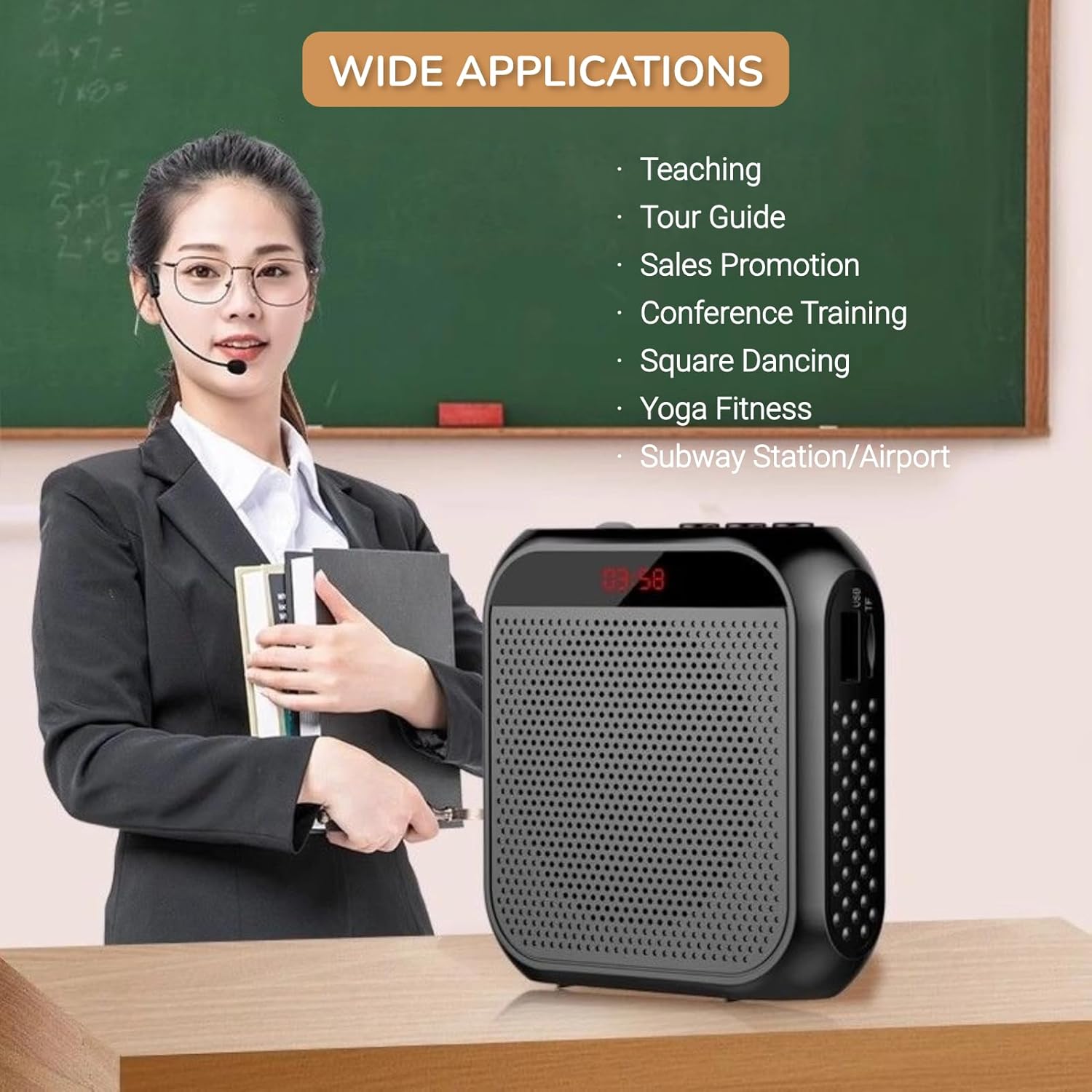
Image: A visual demonstrating various professional and recreational uses for the voice ampmáis vivo.
- Ensino
- Tour Guiding
- Conference Training
- Presentacións
- Falar en público
- Actividades ao aire libre
Métodos de uso
O amplifier offers flexible wearing options for user comfort and convenience.

Imaxe: Exampos de como o amplifier can be worn using the waistband strap or clip.
- Waistband: Attach the provided strap to the buckle positions on the amplifier and wear it around your waist or over your shoulder.
- Clip para cinto: Use the integrated clip on the back of the amplifier to secure it directly to your belt, pocket, or clothing.
Especificacións
Key technical specifications of the Yunseity Portable Voice Ampmáis vivo.

Image: Diagram showing the physical dimensions of the ampmáis vivo.
| Característica | Especificación |
|---|---|
| Marca | Yunseity |
| Número de modelo | Yunseity07h6poqxat |
| Tecnoloxía de conectividade | AUX |
| Cor | Negro |
| Dispositivos compatibles | Auriculares |
| Tipo de montaxe | Portátil, de mesa |
| Fonte de enerxía | Alimentado por batería |
| Tipo de conector | Aux |
| Número de canles | 1 |
| Entrada de audio | USB, Memory Card, Auxiliary |
| Material do recinto | Plástico |
| Capacidade da batería | 2200 mAh |
| Dimensións (aprox.) | 8.4 cm x 2.8 cm x 9.2 cm (3.30 polgadas x 1.10 polgadas x 3.62 polgadas) |
Mantemento
- Limpeza: Limpe o amplifier with a soft, dry cloth. Do not use harsh chemicals or abrasive cleaners.
- Almacenamento: Garde o dispositivo nun lugar fresco e seco, lonxe da luz solar directa e de temperaturas extremas.
- Coidado da batería: For optimal battery life, avoid fully discharging the battery frequently. Recharge the device regularly, even if not in use for extended periods.
- Manipular con coidado: Evite deixar caer o dispositivo ou sometelo a fortes impactos.
Resolución de problemas
If you encounter issues with your voice amplifier, please refer to the following common problems and solutions:
| Problema | Causa posible | Solución |
|---|---|---|
| Sen son nin baixo volume | Device is off; Volume is too low; Microphone not connected; Microphone faulty. | Long press Play/Pause to turn on; Rotate volume knob clockwise; Ensure microphone is fully plugged in; Test with another microphone if available. |
| Feedback/Whistling sound | Microphone too close to speaker; Volume too high; Microphone pointed at speaker. | Aumentar a distancia entre o micrófono e amplifier; Reduce volume; Adjust microphone position away from the speaker. |
| O dispositivo non se está cargando | Charging cable faulty; Power source faulty; Charging port damaged. | Try a different USB cable; Use a different USB power adapter/port; Contact customer support if port is damaged. |
| Media playback not working | U disk/Memory Card not inserted correctly; Incompatible file formato; Corrompido files. | Reinsert U disk/Memory Card; Ensure files are in a supported format (e.g., MP3); Try different media files. |
Garantía e Soporte
This Yunseity product comes with a standard manufacturer's warranty. Please refer to the packaging or the seller's terms for specific warranty details and duration.
For technical support, warranty claims, or any questions regarding your product, please contact the seller or Yunseity customer service through the platform where you purchased the item. Provide your model number (Yunseity07h6poqxat) and purchase details for faster assistance.