
HOCO EQ3 EARBUDS
Manual do usuario dos auriculares sen fíos HOCO EQ3
Model: EQ3 EARBUDS
1. Introdución
Thank you for choosing the HOCO EQ3 True Wireless Earbuds. These earbuds are designed to provide a high-quality audio experience with seamless Bluetooth 5.3 connectivity, intuitive touch controls, and a comfortable in-ear fit. This manual will guide you through the setup, operation, and maintenance of your new earbuds to ensure optimal performance and longevity.
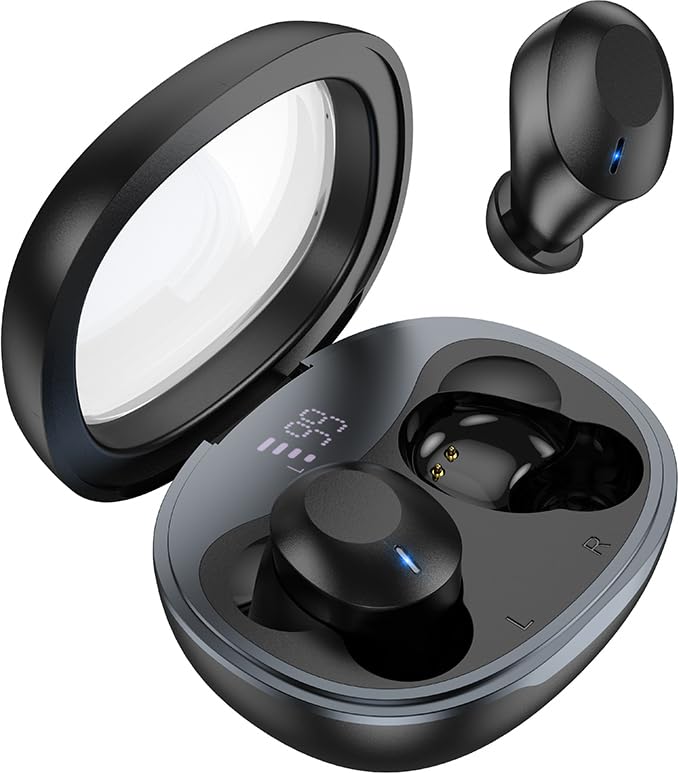
Image: The HOCO EQ3 earbuds, one in the transparent charging case displaying a digital battery percentage, and one earbud removed from the case.
2. Información de seguridade
- Non desmontes, repares nin modifiques o produto. Isto podería provocar incendios, avarías electrónicas ou danos completos no produto.
- Keep the device away from liquids, moisture, or humidity.
- Evite expoñer o dispositivo a temperaturas extremas (inferiores a 0 °C ou superiores a 45 °C).
- Non use o dispositivo durante unha tormenta.
- Limpa os auriculares e a caixa de carga cun pano suave e seco. Non empregues produtos químicos agresivos nin materiais abrasivos.
- Desfágase do produto de forma responsable segundo a normativa local. Non o tire co lixo doméstico.
3. Que hai na caixa
Comprobe o contido do paquete para asegurarse de que estean presentes todos os elementos:
- HOCO EQ3 True Wireless Earbuds (Left and Right)
- Estuche de carga sen fíos
- Cable de carga USB
- Ear Cushions (Multiple Sizes: XS/S/M/L)
- Protective Case (if included as an accessory)
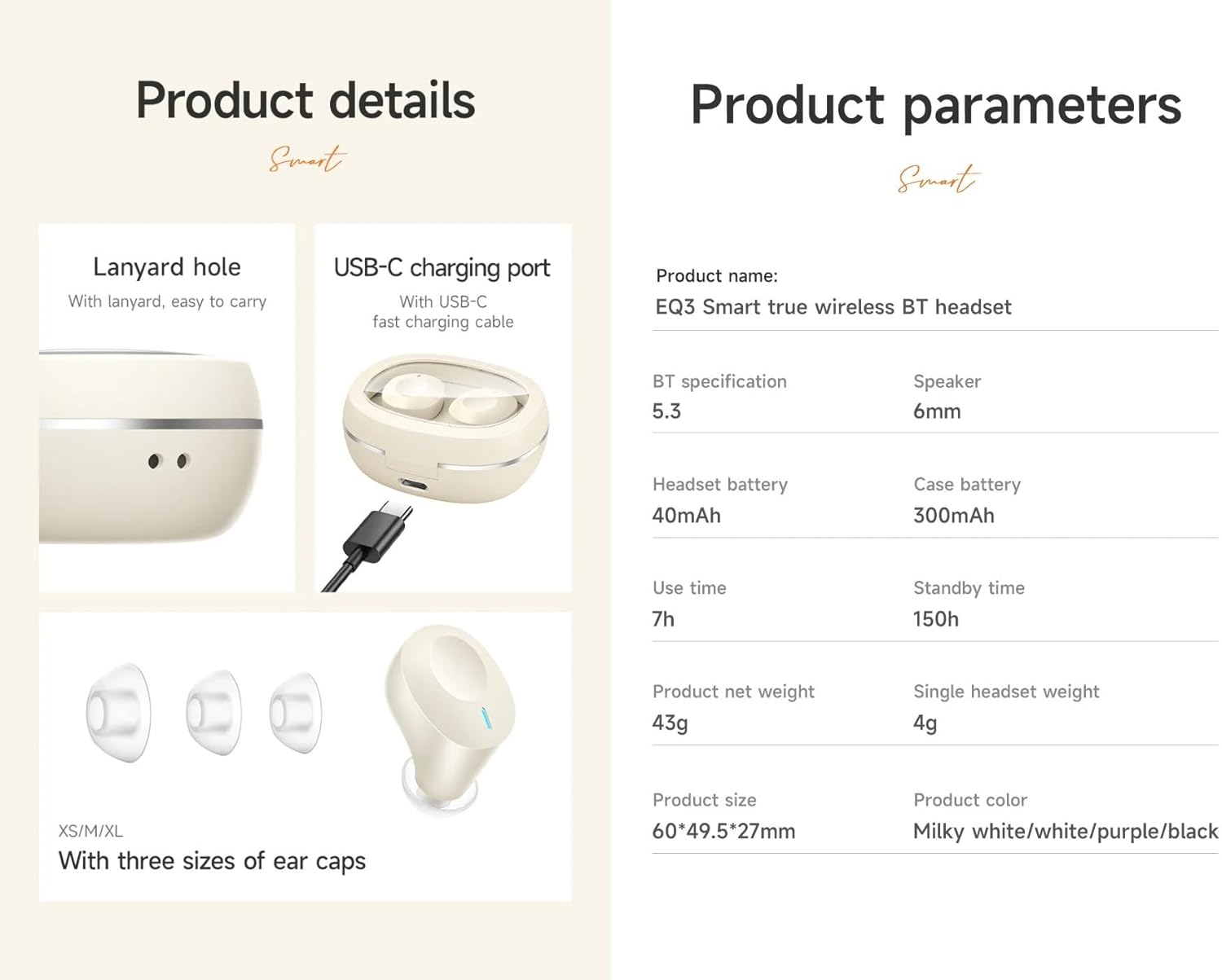
Image: An infographic detailing product features such as the USB-C charging port, lanyard hole, and different sizes of ear caps (XS/S/M/L).
4. Produto rematadoview
The HOCO EQ3 earbuds feature a compact design with a transparent charging case that includes a digital power display. Each earbud is equipped with touch control areas for easy operation.
Estuche de carga
- Tapa transparente: Allows visibility of earbuds and digital display.
- Pantalla dixital de potencia: Mostra o porcentaxe de batería restantetage do caso de carga.
- Porto de carga USB-C: Para recargar a caixa.
- Orificio do cordón: Para unha fácil portabilidade.
Auriculares
- Área de control táctil: Situados na superficie exterior de cada auricular para diversas funcións.
- Indicador LED: Displays pairing status and charging status.
- Micrófono: Para chamadas claras.
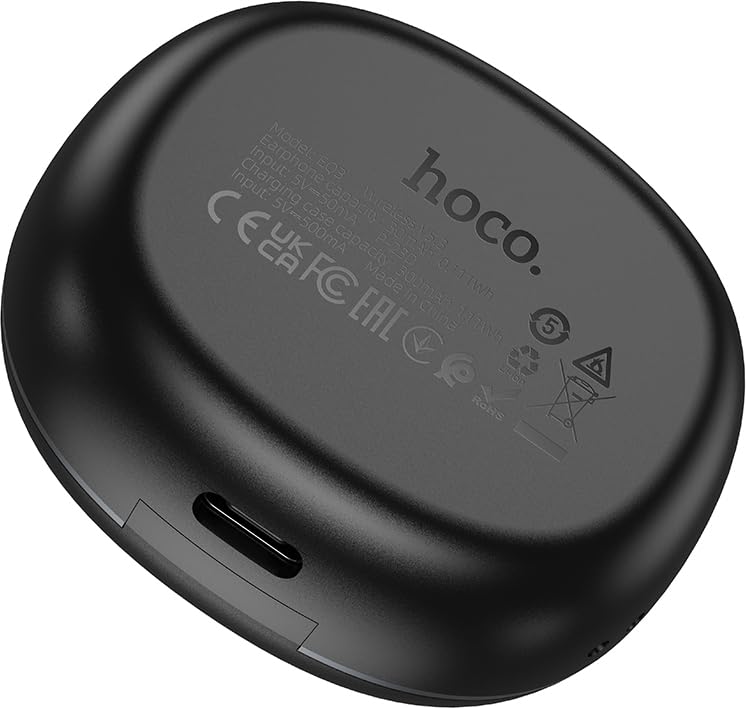
Image: The back of the HOCO EQ3 charging case, showing regulatory marks and basic electrical specifications.
5. Configuración
5.1 Carga dos auriculares e da funda
- Coloca os dous auriculares no estoxo de carga. Asegúrate de que estean correctamente asentados nos seus respectivos slots (E para a esquerda, R para a dereita).
- Connect the USB charging cable to the USB-C port on the charging case and the other end to a compatible USB power source (e.g., computer USB port, wall adapter).
- The digital display on the charging case will show the charging status. The earbuds' LED indicators will also show charging status.
- A full charge for the case takes approximately 1.5-2 hours. The earbuds charge automatically when placed in the case.
5.2 Emparellamento cun dispositivo Bluetooth
- Asegúrate de que os auriculares estean cargados.
- Open the lid of the charging case. The earbuds will automatically power on and enter pairing mode. The LED indicators on the earbuds will flash, indicating they are ready to pair.
- No teu dispositivo (teléfono intelixente, tableta, etc.), activa o Bluetooth e busca novos dispositivos.
- Select "HOCO EQ3" from the list of available devices.
- Once connected, the earbuds' LED indicators will stop flashing and remain solid or turn off, and you will hear a confirmation tone.
- The earbuds support master-slave switching, allowing either earbud to be used independently.

Image: An infographic illustrating the automatic connection feature when the charging case cover is opened, and highlighting the high-fidelity sound quality from the dynamic coil unit.
6. Instrucións de funcionamento
The HOCO EQ3 earbuds feature intuitive touch controls. The touch control area is located on the outer surface of each earbud.

Image: A diagram illustrating the touch control functions for the HOCO EQ3 earbuds, including single tap, double tap, triple tap, and long press.
6.1 Reprodución de música
- Reproducir/Pausa: Tap the touch area on either the Left (L) or Right (R) earbud once.
- Próxima pista: Double tap the touch area on either the Left (L) or Right (R) earbud.
- Pista anterior: Triple tap the touch area on either the Left (L) or Right (R) earbud.
6.2 Xestión de chamadas
- Responder/Finalizar chamada: Toca unha vez a zona táctil de calquera dos auriculares.
- Rexeitar a chamada: Long press the touch area on either earbud for 2 seconds.
6.3 Asistente de voz
- Activar o Asistente de voz (Siri, Asistente de Google, etc.): Long press the touch area on either earbud for 2 seconds.
7. Mantemento
7.1 Limpeza
- Limpa os auriculares e a caixa de carga regularmente para evitar a acumulación de po e residuos.
- Use un pano suave, seco e sen fiapos para limpar as superficies.
- Para as almofadas, retíraas dos auriculares e límpaas cun pano de papel.amp pano e sécao completamente antes de volvelo colocar.
- Do not use alcohol, benzene, or other volatile liquids for cleaning.
7.2 Almacenamento
- Cando non estean en uso, garde os auriculares no seu estoxo de carga para protexelos e mantelos cargados.
- Garde o dispositivo nun lugar fresco e seco, lonxe da luz solar directa e de temperaturas extremas.
8 Solución de problemas
If you encounter any issues with your HOCO EQ3 earbuds, please refer to the following common solutions:
| Problema | Causa posible | Solución |
|---|---|---|
| Os auriculares non se acenden | Batería baixa | Place earbuds in the charging case and charge the case fully. |
| Non se pode emparellar co dispositivo | Bluetooth off, earbuds not in pairing mode, or previously paired. | Ensure Bluetooth is on. Open case lid to enter pairing mode. Forget "HOCO EQ3" from your device's Bluetooth list and try pairing again. |
| Só funciona un auricular | One earbud not connected or low battery. | Place both earbuds back into the charging case, close the lid for 5 seconds, then open again. Ensure both are charged. |
| Sen son nin baixo volume | Device volume too low, earbud volume too low, or poor connection. | Increase volume on your device. Ensure earbuds are properly connected. Clean ear tips if blocked. |
| O estuche de carga non se está cargando | Cable ou fonte de alimentación defectuosos. | Proba cun cable USB-C e un adaptador de corrente diferentes. Asegúrate de que o cable estea conectado correctamente. |
9. Especificacións
Detailed technical specifications for the HOCO EQ3 True Wireless Earbuds:
| Característica | Especificación |
|---|---|
| Nome do modelo | EQ3 EARBUDS |
| Versión Bluetooth | 5.3 (Chip: JL AC6983D2) |
| Tecnoloxía de comunicación sen fíos | Bluetooth |
| Capacidade da batería dos auriculares | 40 mAh (cada auricular) |
| Capacidade da batería do estuche de carga | 300 mAh |
| Use Time (Single Charge) | Ata 15 horas |
| Tempo de reprodución total (co estoxo de carga) | Ata 28 horas |
| Tempo de espera | 150 horas |
| Método de control | Control táctil |
| Nivel de resistencia á auga | Resistente á auga |
| Control de ruído | Cancelación activa de ruído (ANC) |
| Compoñentes incluídos | Cable, Ear Cushions, Protective Case, Wireless Charging Case |
| Material | Plástico |
| Peso do elemento | 48 Grams (Total weight: 43g from feature bullets) |
| Dimensións do produto | 60 x 49.5 x 27 mm (Case); 25 x 15 x 7 cm (Package) |
| Cor | Negro |

Image: An infographic highlighting key features such as 28 hours total listening time, Hi-Fi sound quality, Bluetooth 5.3, LED digital display, magnetic switch, lightweight design, TWS stereo, and touch control.
10. Garantía e soporte
For warranty information and customer support, please refer to the warranty card included in your product packaging or contact HOCO customer service through their official website or authorized distributors. Please retain your proof of purchase for warranty claims.
Fabricante: HOCO
Empaquetador/a: Pejy
Importador: Pejy
Ask a question about this manual
Ask about setup, troubleshooting, compatibility, parts, safety, or missing instructions. Manuals+ will review the question and use this page’s manual context to help answer it.