
Introdución
This manual provides detailed instructions for the EKSA H1 Plus Bluetooth Trucker Headset. Please read thoroughly to ensure proper setup, operation, and maintenance of your device. This headset is designed for clear communication in various environments, featuring advanced noise-cancelling technology and versatile connectivity options.
Contido do paquete
- H1 Plus Headset
- Funda protectora
- Replacement Ear Pad (Mesh breathable)
- Cable de carga tipo C
- USB Dongle (PC Adapter)
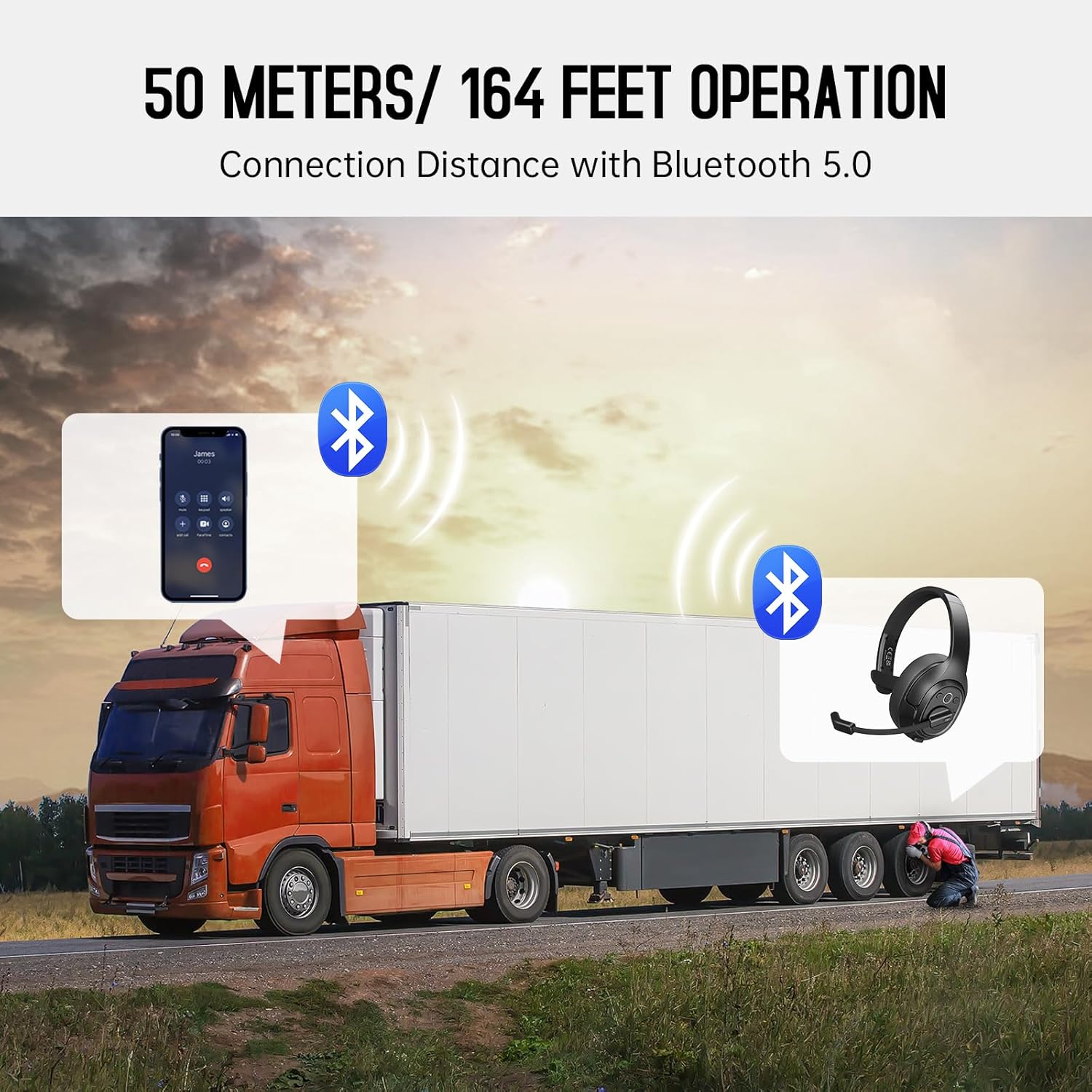
Image: The EKSA H1 Plus headset, USB dongle, and charging cable as typically found in the product packaging.
Configuración
1. Cargando os auriculares
Before first use, fully charge the headset. Connect the provided Type-C charging cable to the headset's charging port and the other end to a USB power source. The charging indicator will show the charging status. A full charge takes approximately 1.5 hours.

Image: Visual representation of the headset's battery life and charging duration.
2. Acendido/apagado
Press and hold the Multi-Function Button (MFB) for 3 seconds to power on or off the headset. A voice prompt will indicate the status.
3. Emparellamento Bluetooth (para dispositivos móbiles)
- Asegúrese de que os auriculares están apagados.
- Manteña premido o botón multifunción durante 5-7 segundos ata que o indicador LED parpadee en azul e vermello alternativamente, indicando o modo de emparellamento.
- On your mobile device, enable Bluetooth and search for "EKSA-H1PLUS".
- Select "EKSA-H1PLUS" to connect. The LED will turn solid blue once connected.
4. Connecting with USB Dongle (for PC/Mac without Bluetooth)
- Conecta o dongle USB a un porto USB dispoñible do teu ordenador.
- Acenda os auriculares. Tentarán conectarse automaticamente ao dongle.
- The LED on the dongle and headset will turn solid blue when connected.
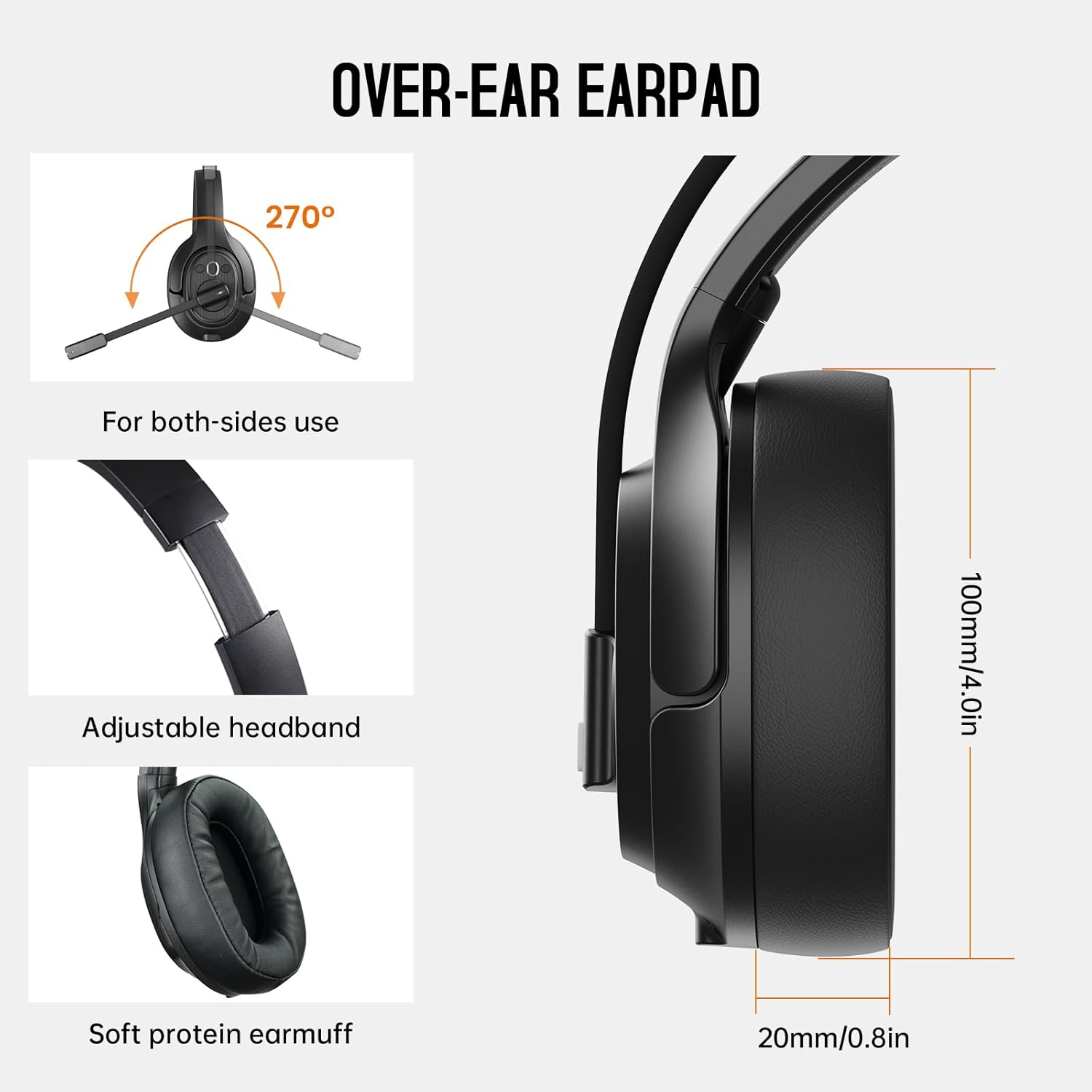
Image: The headset demonstrating simultaneous connection to a phone via Bluetooth and a laptop via USB dongle.
Instrucións de funcionamento
1. Controis sobreview
The headset features intuitive controls located on the earcup:
- Botón multifunción (MFB): Acender/apagar, reproducir/pausar música, responder/finalizar chamadas.
- Subir volume (+): Aumentar o volume.
- Baixar o volume (-): Diminuír o volume.
- Botón de silencio: Silenciar/activar o micrófono durante as chamadas.
- AI Assistant Button: Activa o asistente de voz do teu dispositivo.

Imaxe: Primeiro plano view of the headset's control buttons and ports.
2. Realización e recepción de chamadas
- Responder/Finalizar chamada: Prema brevemente o MFB.
- Rexeitar a chamada: Manteña premido o MFB durante 2 segundos.
- Volver a marcar o último número: Prema dúas veces o MFB.
- Silenciar/Activar o micrófono: Short press the dedicated mute button on the microphone arm.
3. Microphone and Wearing Adjustments
The headset is designed for comfort and versatility:
- Diadema axustable: Estenda ou retraia a diadema para axustala comodamente á súa cabeza.
- Micrófono xiratorio: The microphone arm can rotate 270 degrees, allowing it to be worn on either the left or right ear. Position the microphone close to your mouth for optimal voice pickup.
- Comfortable Earcups: The over-ear design with soft ear pads ensures comfort during extended use.

Image: Features illustrating the ergonomic design of the headset, including adjustable headband and rotatable microphone.
4. Environmental Noise Cancelling (ENC) Microphone
The AI-Powered ENC microphone filters out up to 99.8% of ambient noise, ensuring your voice is transmitted clearly even in noisy environments like call centers, construction sites, or trucks.

Image: A visual explanation of the ENC microphone's function, demonstrating noise reduction.
5. Conexión multidispositivo
The headset supports simultaneous connection to two different devices, such as a smartphone and a computer, allowing seamless switching between calls and other audio sources.

Image: Illustration of the headset's ability to connect to two devices concurrently.
6. Extended Wireless Range
Utilizing Bluetooth 5.0 technology, the headset offers a stable wireless connection up to 30 meters (99 feet). In unobstructed environments, the range can extend up to 50 meters (164 feet).

Image: Visualizing the headset's long-range wireless capabilities in an outdoor setting.
Mantemento
- Limpeza: Usa un pano suave e seco para limpar os auriculares. Evita o uso de produtos químicos agresivos ou materiais abrasivos.
- Ear Pad Replacement: The headset comes with a replacement mesh breathable ear pad. To replace, gently twist and pull off the existing ear pad, then align and press the new ear pad into place.
- Almacenamento: Store the headset in its protective case when not in use to prevent damage.

Image: Demonstrating the detachable ear pads and the two types included for different comfort levels.
Resolución de problemas
| Problema | Solución |
|---|---|
| Os auriculares non se acende. | Ensure the headset is fully charged. Press and hold the MFB for 3 seconds. |
| Non se pode emparellar por Bluetooth. | Ensure the headset is in pairing mode (flashing blue/red LED). Turn off and on Bluetooth on your device. Move closer to the device. |
| Sen son ou mala calidade de audio. | Check volume levels on both the headset and connected device. Ensure the headset is selected as the audio output device. Re-pair the headset. |
| O micrófono non funciona. | Ensure the microphone is not muted. Check microphone settings on your connected device. Adjust microphone position. |
| O dongle USB non se conecta. | Ensure the dongle is fully inserted. Try a different USB port. Restart your computer. |
Especificacións
| Característica | Detalle |
|---|---|
| Nome do modelo | EKSA-H1PLUS |
| Tecnoloxía de conectividade | Sen fíos (Bluetooth 5.0) |
| Versión Bluetooth | 5.0 |
| Alcance Bluetooth | 30 Meters (99 feet), up to 50 Meters (164 feet) unobstructed |
| Micrófono | AI-Powered Environmental Noise Cancelling (ENC) |
| Duración da batería (tempo de conversa) | Ata 30 horas |
| Duración da batería (tempo musical) | Ata 57 horas |
| Tempo de carga | Aprox. 1.5 horas |
| Forma do auricular | Sobre orella |
| Tipo de control | Volume Control, Mute, AI Assistant |
| Peso | 1.01 libras (aprox. 458 g) |
Vídeos oficiais de produtos
EKSA H1 Plus Wireless Bluetooth Headset Overview
Vídeo: Un funcionario acabouview of the EKSA H1 Plus Wireless Bluetooth Headset, highlighting its key features and design.
EKSA H1Plus Bluetooth Trucker Headset Features
Video: A detailed look at the features and benefits of the EKSA H1Plus Bluetooth Trucker Headset.
Garantía e Soporte
EKSA products are designed for durability and performance. For warranty information and customer support, please refer to the official EKSA website or contact their customer service directly. Optional protection plans are available for extended coverage.
Para obter máis axuda, visite: www.eksa.net