1. Introdución
Thank you for choosing the LSC Smart Connect Video Doorbell. This device provides enhanced home security and convenience by allowing you to see, hear, and speak to visitors from anywhere using your smartphone. It features motion detection, two-way audio, and a clear video feed, ensuring you never miss a visitor or important delivery. Please read this manual thoroughly before installation and use to ensure proper operation and safety.
2. Información de seguridade
- Ensure the installation location is secure and stable.
- Non expoñas o dispositivo a temperaturas extremas, á luz solar directa nin á humidade excesiva.
- Use only the specified power adapter and batteries. Incorrect power sources may damage the device or cause fire.
- Manteña o dispositivo lonxe de nenos e animais.
- Non intente desmontar nin reparar o dispositivo vostede mesmo. Encargue todo o mantemento a persoal cualificado.
- Desfágase das baterías segundo a normativa local. Non as incinere.
3. Contido do paquete
Comprobe se o paquete contén os seguintes elementos:
- LSC Smart Connect Video Doorbell Unit
- Unidade de timbre interior
- Cable de carga USB-C
- Tornillos de montaxe e ancoraxes de parede
- Rechargeable Batteries (2x)
- Manual de usuario (este documento)
4. Produto rematadoview
4.1 Video Doorbell Unit
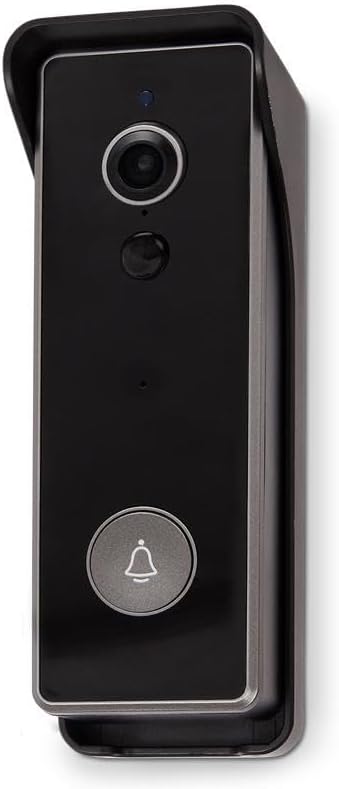
Imaxe: Fronte view of the LSC Smart Connect Video Doorbell, showcasing its sleek black design within a protective grey housing. The camera lens, motion sensor, and main doorbell button with a bell icon are clearly visible.
- Lente da cámara: Captura vídeo footage.
- Sensor de movemento (PIR): Detecta movementos diante do timbre.
- Micrófono: Captura audio para a comunicación bidireccional.
- Relator: Outputs audio for two-way communication.
- Botón do timbre: Activates the chime and sends a notification to your smartphone.
- Indicador LED: Shows device status (e.g., charging, connected, motion detected).
4.2 Indoor Chime Unit
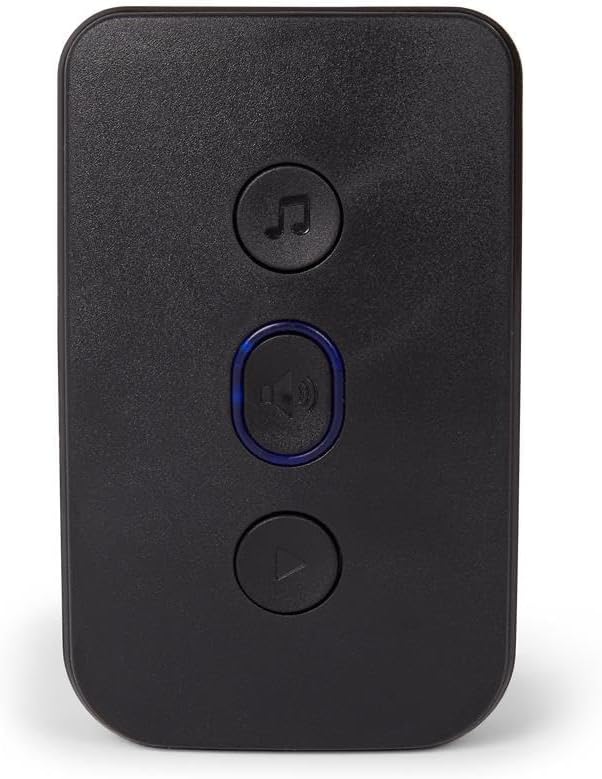
Imaxe: Fronte view of the LSC Smart Connect Indoor Chime Unit, a compact black device with three circular buttons. The top button features a music note icon, the middle button has a speaker icon with a blue LED ring, and the bottom button has a play/pause icon.
- Relator: Emits the doorbell sound.
- Melody Button: Cycles through available chime melodies.
- Botón de volume: Adjusts the chime volume.
- Botón de sincronización: Used to pair the chime with the doorbell unit.
5. Configuración
5.1 Charging and Inserting Batteries
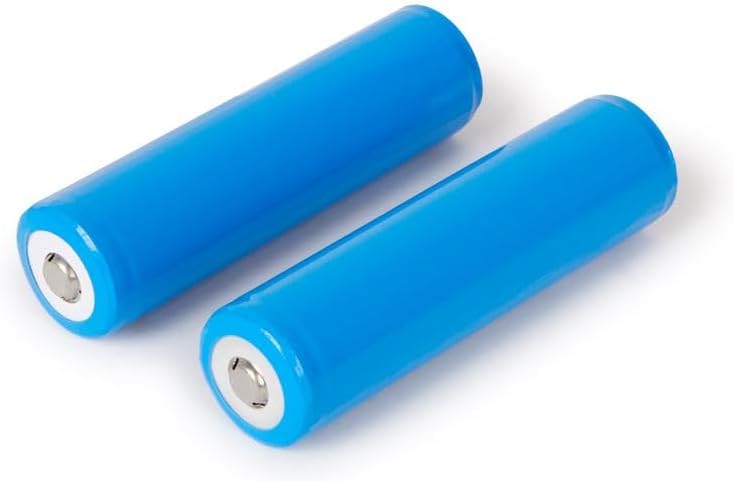
Imaxe: Two blue cylindrical rechargeable batteries, likely 18650 type, shown on a white background. These batteries power the video doorbell unit.
- Fully charge the provided rechargeable batteries using the USB-C cable and a compatible USB power adapter (not included). The LED indicator on the doorbell will show charging status.
- Abra o compartimento das baterías na parte traseira da unidade do timbre.
- Insert the two charged batteries, ensuring correct polarity (+/-).
- Pecha o compartimento da batería de forma segura.
5.2 Mounting the Video Doorbell

Imaxe: Traseira view of the LSC Smart Connect Video Doorbell's mounting plate, showing the screw holes and the ABS plastic material marking. This plate is used to securely attach the doorbell to a wall.
- Escolle un lugar axeitado preto da túa porta, asegurándote de que haxa espazo libre view e boa sinal wifi.
- Use the mounting plate as a template to mark drill holes on the wall.
- Fai buratos e coloca ancoraxes de parede se é necesario.
- Fixe a placa de montaxe á parede cos parafusos proporcionados.
- Attach the video doorbell unit to the mounting plate, ensuring it clicks into place securely.
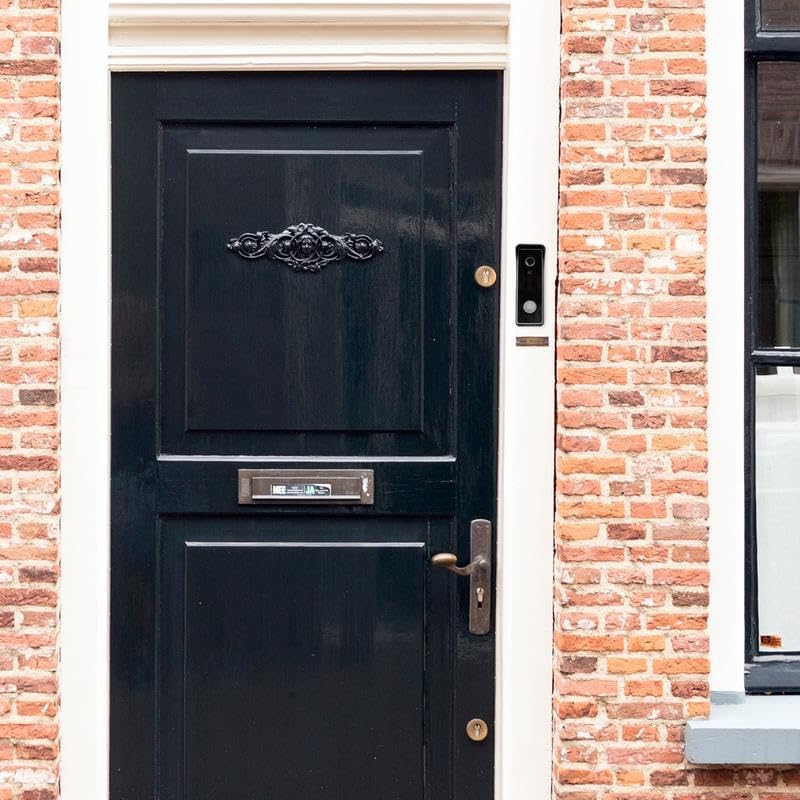
Imaxe: The LSC Smart Connect Video Doorbell is shown installed on a brick wall, positioned to the right of a dark wooden front door with ornate metalwork. This image demonstrates a typical installation scenario.
5.3 Pairing the Indoor Chime

Imaxe: The LSC Smart Connect Video Doorbell unit and its corresponding indoor chime unit are displayed side-by-side. The doorbell is on the left, and the chime, which plugs into a wall outlet, is on the right.
- Plug the Indoor Chime Unit into a standard wall outlet within range of the doorbell.
- Press and hold the pairing button on the chime unit until its LED indicator flashes.
- Press the doorbell button on the video doorbell unit. The chime should ring, indicating successful pairing.
- If pairing fails, repeat the steps.
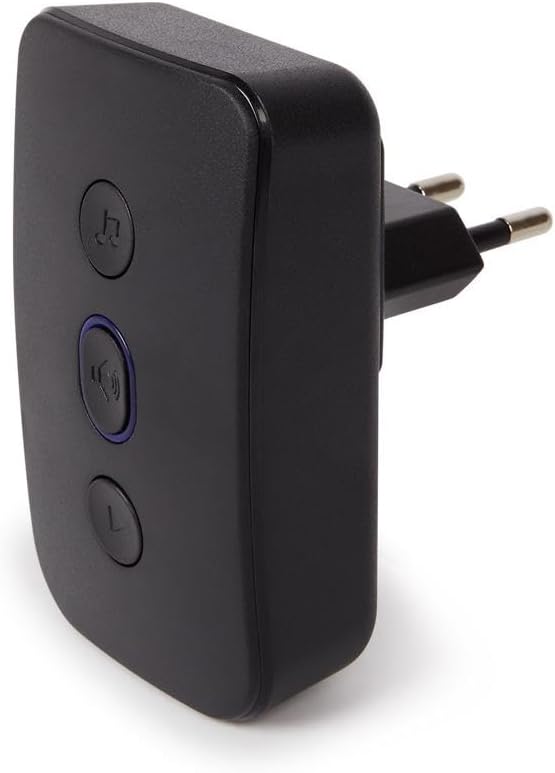
Imaxe: Lado view of the LSC Smart Connect Indoor Chime Unit, showing its integrated power plug designed for direct insertion into a wall socket. This highlights its compact and plug-and-play design.
5.4 App Connection (LSC Smart Connect App)
Download the "LSC Smart Connect" app from your smartphone's app store (iOS or Android). Follow the in-app instructions to add your new video doorbell. This typically involves creating an account, selecting "Add Device," choosing the doorbell category, and following prompts to connect to your home Wi-Fi network.
6. Instrucións de funcionamento
6.1 Answering a Doorbell Call
- When a visitor presses the doorbell button, your indoor chime will ring, and you will receive a push notification on your smartphone.
- Toca a notificación para abrir a aplicación LSC Smart Connect e view a transmisión de vídeo en directo.
- Use the microphone icon in the app to enable two-way audio and speak with your visitor. Tap again to mute.
- You can also take screenshots or record video directly from the live view.
6.2 Detección de movemento
- O sensor PIR do timbre detecta movemento no seu campo de view.
- When motion is detected, you will receive a notification on your smartphone.
- You can adjust motion sensitivity and detection zones within the LSC Smart Connect app settings to minimize false alerts.
6.3 Chime Settings
- Selección de melodías: Press the melody button on the indoor chime unit to cycle through different ringtones.
- Axuste de volume: Press the volume button on the indoor chime unit to increase or decrease the volume.
7. Mantemento
- Limpeza: Use un suave, damp cloth to clean the doorbell lens and body. Do not use abrasive cleaners or solvents.
- Coidado da batería: Recharge batteries when the app indicates low battery. Avoid fully draining batteries frequently to prolong their lifespan.
- Actualizacións de firmware: Periodically check the LSC Smart Connect app for available firmware updates for your doorbell to ensure optimal performance and security.
8 Solución de problemas
| Problema | Causa posible | Solución |
|---|---|---|
| Doorbell not powering on. | As pilas están gastadas ou inseridas incorrectamente. | Recharge batteries fully. Ensure batteries are inserted with correct polarity. |
| Indoor chime not ringing. | Chime not paired or out of range. | Ensure chime is plugged in. Re-pair the chime with the doorbell. Move chime closer to the doorbell. |
| Poor video quality or no video. | Weak Wi-Fi signal; dirty camera lens. | Ensure strong Wi-Fi signal at doorbell location. Clean camera lens with a soft cloth. |
| App not receiving notifications. | App permissions not enabled; network issues. | Check app notification settings on your phone. Ensure doorbell is connected to Wi-Fi. Restart doorbell and router. |
9. Especificacións
| Característica | Detalle |
|---|---|
| Modelo | LSC Smart Connect Video Doorbell |
| Fabricante | Mopro |
| ASIN | B0CC427RH6 |
| Conectividade | Wi-Fi (2.4 GHz) |
| Fonte de enerxía | Rechargeable Batteries (2x, type 18650 implied) |
| Chime Power | CA 100-240 V (Enchufable) |
| Resolución da cámara | HD (e.g., 1080p, common for such devices, not specified in input) |
| Detección de movemento | Sensor PIR |
| Audio bidireccional | Soportado |
| Compatibilidade de aplicacións | LSC Smart Connect (iOS & Android) |
10. Garantía e soporte
This LSC Smart Connect Video Doorbell comes with a standard manufacturer's warranty. For detailed warranty terms and conditions, please refer to the warranty card included in your product packaging or visit the official LSC Smart Connect websitio.
For technical support, troubleshooting assistance, or any product-related inquiries, please contact the manufacturer's customer service. Contact information can typically be found on the product packaging, the official website, or within the LSC Smart Connect application.


