
HOCO ES64_Green
HOCO Bluetooth Neck Band In-Ear Earphones User Manual
Model: ES64_Green | Brand: HOCO
1. Introdución
The HOCO Bluetooth Neck Band In-Ear Earphones (Model ES64_Green) are designed to provide a high-quality audio experience with extended playback time and convenient features. This manual provides essential information for setting up, operating, and maintaining your earphones.
As características principais inclúen:
- Bluetooth 5.3 connectivity for stable and efficient pairing.
- Ata 30 horas de uso continuo cunha única carga.
- Ergonomic neckband design for comfortable wear.
- Toggle switch button for convenient operation.
- Lightweight design at 26.5g.
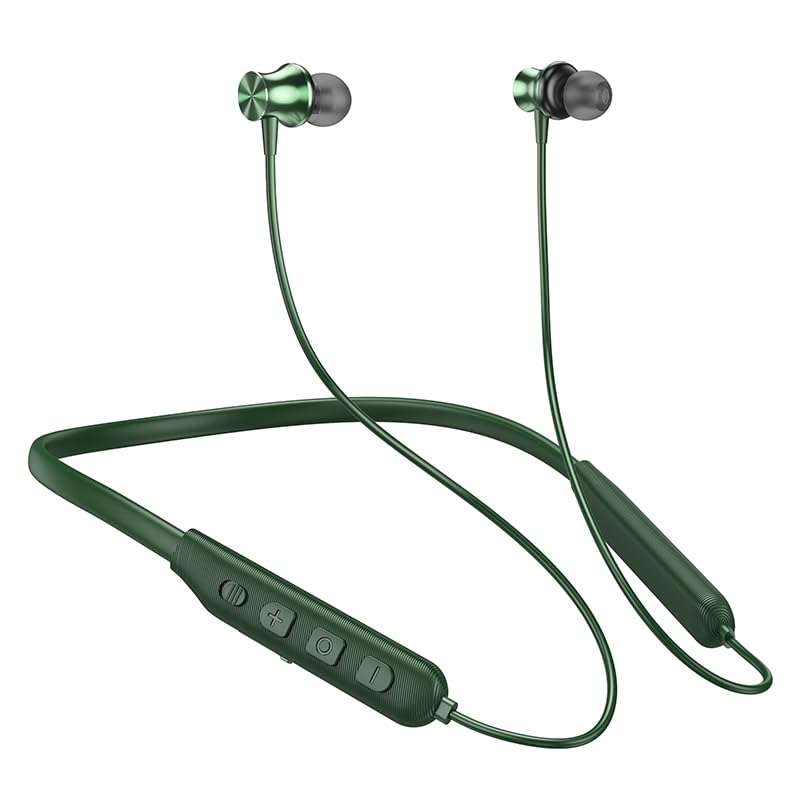
Image: The HOCO Bluetooth Neck Band in green, showcasing its in-ear design and flexible neckband.
2. Contido do paquete
Comprobe se o paquete contén os seguintes elementos:
- HOCO Bluetooth Neck Band In-Ear Earphones (ES64_Green)
- Ear Cushions (additional sizes may be included)
- Manual de usuario (este documento)
- Charging Cable (not explicitly listed in "whats_in_the_box" but implied for charging)
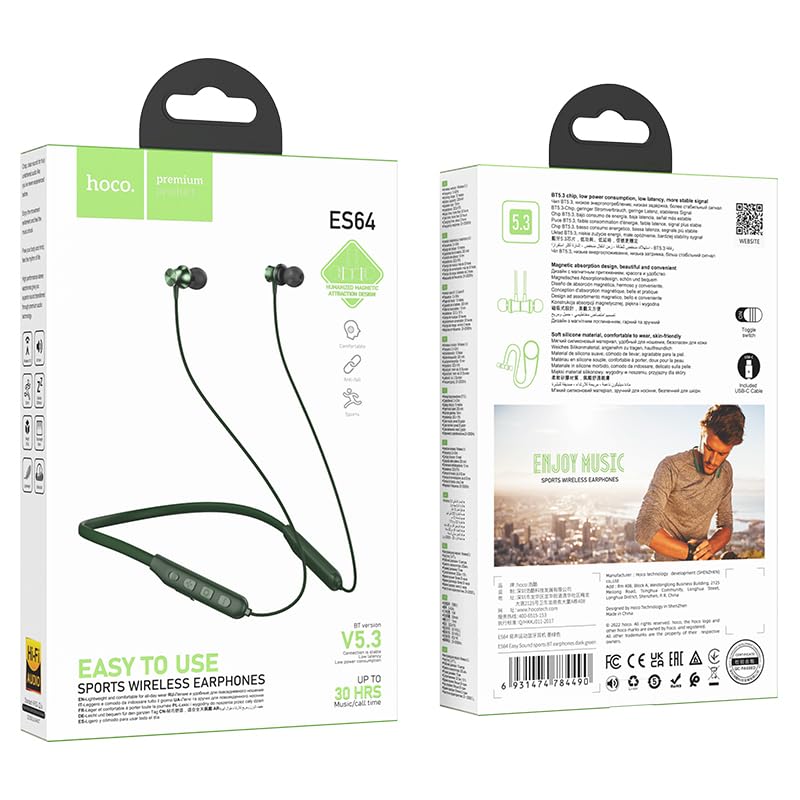
Imaxe: Anverso e reverso view of the HOCO Bluetooth Neck Band product packaging, showing the earphones and key features.
3. Produto rematadoview
Familiarize yourself with the components and controls of your HOCO Bluetooth Neck Band.
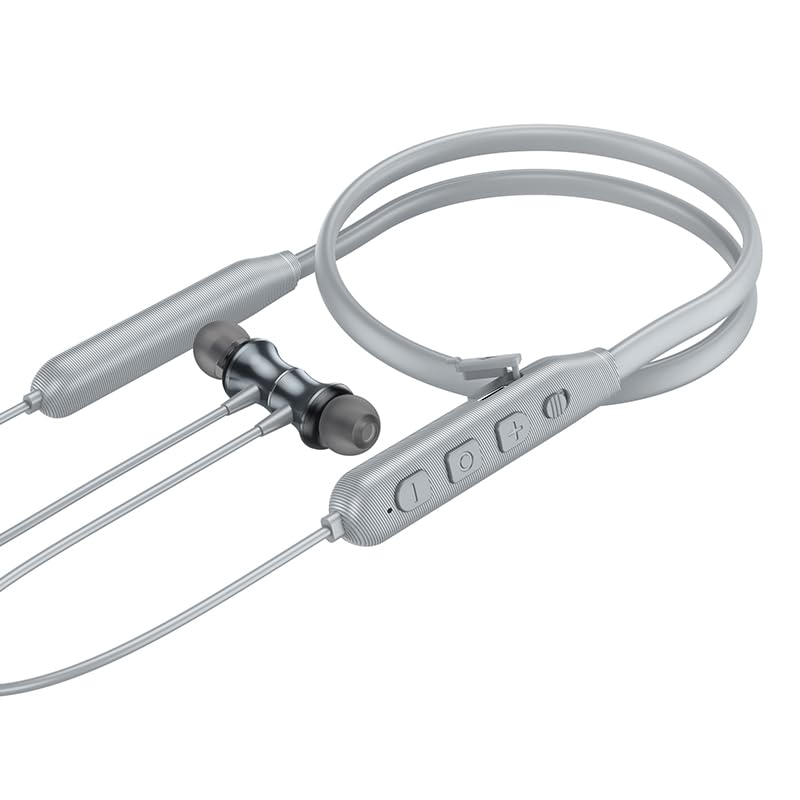
Imaxe: Primeiro plano view of the control panel on the HOCO Bluetooth Neck Band, showing the toggle switch, volume buttons, and multi-function button.
Controis:
- Botón multifunción (MFB): Power On/Off, Play/Pause, Answer/End Calls.
- Subir volume (+): Aumentar o volume, Pista seguinte (premer longamente).
- Baixar o volume (-): Baixar volume, Pista anterior (premer longamente).
- Interruptor de alternancia: For convenient power control.
- Porto de carga: USB Type-C (implied by modern devices, though not specified as Type-C).
- Indicador LED: Mostra o estado de enerxía, emparellamento e carga.
4. Configuración
4.1 Cargar os auriculares
Before first use, fully charge your earphones. A full charge takes approximately 2 hours.
- Connect the charging cable to the charging port on the neckband.
- Conecta o outro extremo do cable a un adaptador de corrente USB (non incluído) ou ao porto USB dun ordenador.
- The LED indicator will show the charging status (e.g., red while charging, blue when fully charged).
The ASAP Charge feature allows for quick charging to provide additional playtime with a short charge.
4.2 Emparellamento cun dispositivo Bluetooth
Follow these steps to pair your HOCO Bluetooth Neck Band with your smartphone or other Bluetooth-enabled device:
- Ensure the earphones are fully charged and powered off.
- Slide the toggle switch to the "On" position or long-press the MFB until the LED indicator flashes rapidly (usually blue and red alternately), indicating pairing mode.
- No teu dispositivo, activa o Bluetooth e busca os dispositivos dispoñibles.
- Select "HOCO ES64" (or similar name) from the list of found devices.
- Once connected, the LED indicator will typically show a slow blue flash or turn off, and you will hear an audible confirmation.
The earphones support Bluetooth v5.3 for stable connection and can connect to two devices simultaneously (specific instructions for dual pairing may vary by device, refer to your device's manual).
5. Instrucións de funcionamento
5.1 Encendido/apagado
- Encendido: Slide the toggle switch to "On" or long-press the MFB until the LED indicator lights up.
- Apagado: Slide the toggle switch to "Off" or long-press the MFB until the LED indicator turns off.
5.2 Reprodución de música
- Reproducir/Pausa: Prema brevemente o MFB.
- Subir volume: Prema brevemente o botón "+".
- Baixar volume: Prema brevemente o botón "-".
- Próxima pista: Prema e manteña premido o botón "+".
- Pista anterior: Prema e manteña premido o botón "-".
5.3 Xestión de chamadas
- Responder chamada: Short press the MFB when an incoming call rings.
- Finalizar a chamada: Prema brevemente o botón multifunción durante unha chamada.
- Rexeitar a chamada: Mantén premido o botón multifunción cando soe unha chamada entrante.
- Volver a marcar o último número: Prema dúas veces o MFB.

Image: A person wearing the HOCO Bluetooth Neck Band during a run, demonstrating its comfortable and secure fit for active use.
5.4 Demostración en vídeo
For a visual guide on the product's features and usage, please watch the official product video below:
Video: Official HOCO product video demonstrating the features and usage of the Bluetooth Neck Band, including its long playback time, ASAP Charge, and Bluetooth pairing capabilities.
6. Mantemento
Proper care will extend the lifespan of your earphones:
- Limpeza: Use a soft, dry cloth to clean the earphones. Do not use harsh chemicals or abrasive materials.
- Almacenamento: Garde os auriculares nun lugar fresco e seco, lonxe da luz solar directa e de temperaturas extremas.
- Resistencia á auga: The earphones are water resistant. Avoid submerging them in water or exposing them to heavy rain for prolonged periods. Dry them thoroughly if they get wet.
- Cargando: Do not overcharge the battery. Disconnect the charger once the earphones are fully charged.
7 Solución de problemas
If you encounter issues with your HOCO Bluetooth Neck Band, try the following solutions:
| Problema | Posible Solución |
|---|---|
| Non se pode acender | Asegúrate de que a batería estea cargada. Conéctaa a unha fonte de alimentación e inténtao de novo. |
| Non se pode emparellar co dispositivo |
|
| Sen son nin baixo volume |
|
| Conexión intermitente |
|
8. Especificacións
| Característica | Detalle |
|---|---|
| Nome do modelo | ES64_Green |
| Tecnoloxía de conectividade | Sen fíos (Bluetooth) |
| Versión Bluetooth | 5.3 (chip: JL AC7003) |
| Capacidade da batería | 200 mAh |
| Tempo de carga | Unhas 2 horas |
| Usa o tempo | 30 horas |
| Tempo de espera | 350 horas |
| Earphones Total Length | 85 cm |
| Peso | 26.5 g |
| Material | Plástico |
| Tipo de control | Physical Button, Toggle Switch |
| Nivel de resistencia á auga | Resistente á auga |
| Inclúe batería recargable | Si |
| Fabricante | HOCO |
| País de Orixe | China |
9. Garantía e soporte
Your HOCO Bluetooth Neck Band In-Ear Earphones come with a 1 ano de garantía desde a data de compra. Esta garantía cobre os defectos de fabricación e garante que o produto funcione segundo o previsto en condicións de uso normal.
For warranty claims, technical support, or any inquiries, please contact your retailer or the official HOCO customer service. Keep your purchase receipt as proof of purchase.
For more information, you may visit the official HOCO website (if available, a placeholder link would be here, but since none is provided, I will omit a specific URL).
Ask a question about this manual
Ask about setup, troubleshooting, compatibility, parts, safety, or missing instructions. Manuals+ will review the question and use this page’s manual context to help answer it.