
Introdución
Welcome to the user manual for your new Candy Smart Pro Washing Machine. This appliance is designed to provide efficient and convenient laundry care with advanced features such as intelligent KG detection, delayed start, and remote control via the Simply-Fi app. Please read this manual carefully before using the appliance to ensure safe and optimal operation.

Figura 1: Fronte view of the Candy Smart Pro Washing Machine, showcasinpolo seu elegante deseño branco e o seu panel de control central.
Información de seguridade
Siga sempre as seguintes precaucións de seguridade para evitar lesións ou danos no aparello:
- Asegúrese de que o aparello estea correctamente conectado a terra.
- Non permita que os nenos xoguen coa lavadora nin a fagan funcionar.
- Desconecte o aparello antes de limpalo ou realizar calquera mantemento.
- Non laves artigos que estean manchados con substancias inflamables.
- Manteña a zona arredor da lavadora libre de obstáculos.
O que hai na caixa
Upon unpacking your Candy Smart Pro Washing Machine, please ensure all the following components are present:
- Manual de usuario
- Mangueira de drenaxe
- Unidade de lavadora
Configuración e instalación
Unha instalación axeitada é crucial para o rendemento e a lonxevidade da túa lavadora. Recoméndase que o electrodoméstico o instale un técnico cualificado.
1. Desembalaxe e colocación
- Retire con coidado todos os materiais de embalaxe.
- Remove the transport bolts from the rear of the machine. These bolts secure the drum during transit and must be removed before operation. Refer to the diagram below for bolt locations.
- Coloque a lavadora sobre unha superficie firme e nivelada. Asegúrese de que haxa espazo suficiente arredor da unidade para a ventilación e o acceso.

Figura 2: Dimensions of the washing machine: 85cm height, 60cm width, 53cm depth. Ensure sufficient space for installation.
2. Conexións de auga e sumidoiros
- Conecta a mangueira de entrada de auga a unha billa de auga fría. Asegúrate de que o selo estea ben pechado para evitar fugas.
- Insert the drain hose into a suitable drain pipe or sink, ensuring it is securely positioned to prevent dislodgement during operation.
3. Conexión eléctrica
- Conecte o cable de alimentación a unha toma de corrente con conexión a terra. Non empregue cables de extensión nin adaptadores.
Instrucións de funcionamento
Your Candy Smart Pro washing machine offers a variety of programs and smart features for optimal laundry care.
Panel de control rematadoview

Figura 3: The control panel features a program selector dial, a digital display, and touch buttons for various functions.
- Selector de programas: Úsase para seleccionar o programa de lavado desexado.
- Pantalla dixital: Mostra a duración do programa, os códigos de erro e as opcións seleccionadas.
- Botóns de función: Allow selection of temperature, spin speed, delayed start, and other special functions.
Cargando Lavandería

Figura 4: Open the door and load laundry into the drum, ensuring not to overload the machine.
Open the washing machine door and load your laundry into the drum. Do not overload the machine; leave enough space for clothes to tumble freely. The intelligent KG detector will automatically adjust water and electricity consumption based on the load weight.
Selección dun programa de lavado
- Turn the program selector dial to choose the appropriate wash program for your laundry type (e.g., Cotton, Synthetics, Delicates).
- Adjust the temperature and spin speed using the corresponding buttons on the control panel if desired.
- Para usar o Inicio atrasado function, press the relevant button and set the desired delay time (up to 24 hours).
- Prema o botón Inicio/Pausa para comezar o ciclo.
Simply-Fi App Connectivity
The Candy Smart Pro washing machine can be controlled remotely via the Simply-Fi app (Wi-Fi + BLE connection). This allows you to manage cycles, receive washing advice, and monitor the appliance from your smartphone.
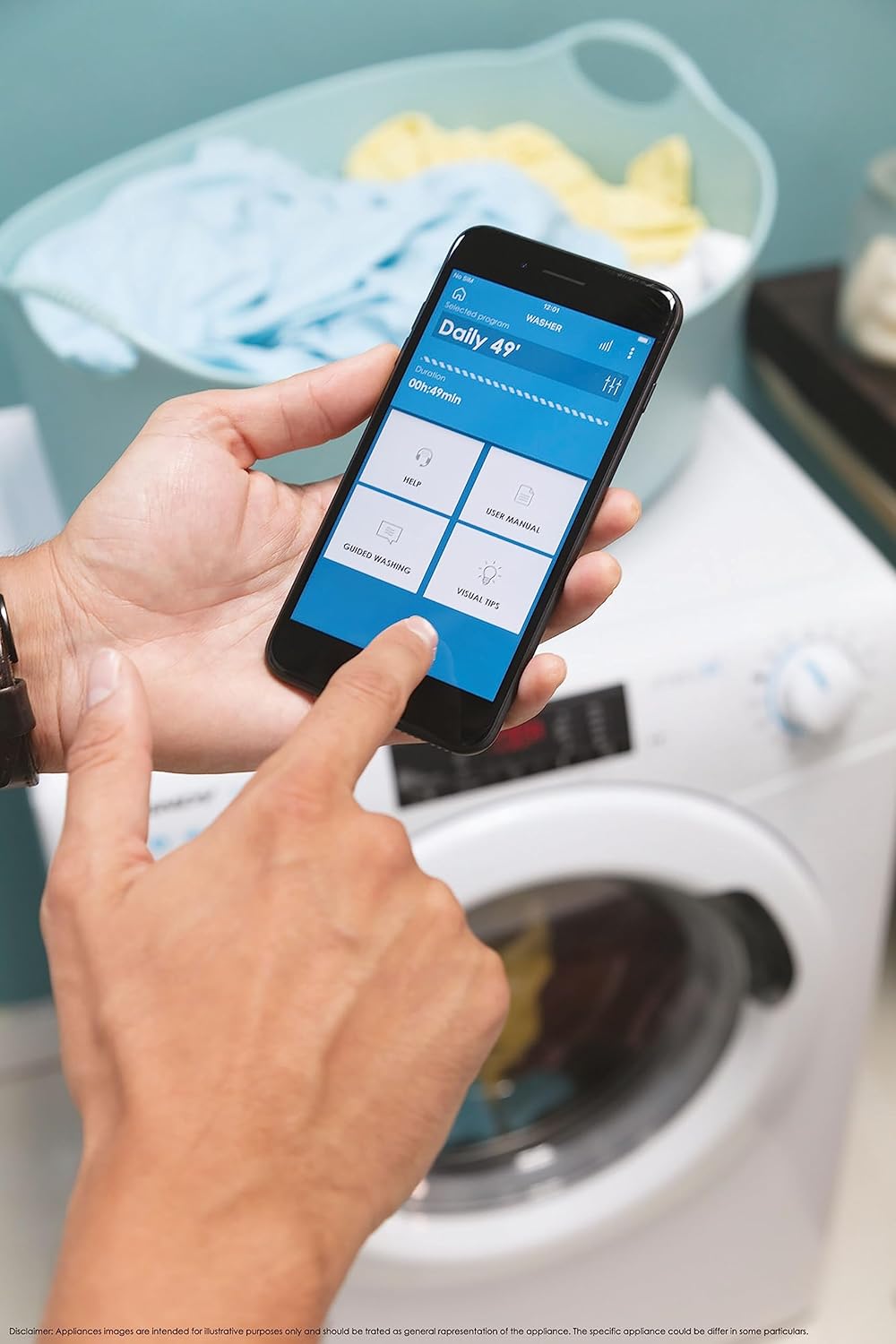
Figura 5: Control your washing machine remotely using the Simply-Fi app on your smartphone.
- Download the Simply-Fi app from your smartphone's app store.
- Follow the in-app instructions to connect your washing machine to your home Wi-Fi network.
- Once connected, you can access additional programs, monitor cycle status, and receive maintenance reminders.
Mantemento
Regular maintenance ensures the efficiency and extends the lifespan of your washing machine.
Limpeza do dispensador de deterxente
- Tire do caixón do dosificador de deterxente.
- Remove any residue and rinse thoroughly under running water.
- Volva colocar o caixón.
Limpeza do filtro
- Localice a tapa do filtro na parte inferior frontal da máquina.
- Coloca un recipiente pouco profundo debaixo para recoller a auga residual.
- Unscrew the filter slowly to drain water, then remove and clean it of lint and debris.
- Atornille o filtro de novo con firmeza.
Limpeza de tambores
- Run a hot wash cycle with no laundry and a washing machine cleaner or a cup of white vinegar to remove odors and residue.
Smart Check-Up Function
Utilize the Smart Check-Up function via the Simply-Fi app to monitor the health of your washing machine. It provides notifications for errors or malfunctions, helping you maintain the appliance effectively.
Resolución de problemas
Antes de contactar co servizo de atención ao cliente, consulte os seguintes problemas comúns e as súas solucións:
| Problema | Causa posible | Solución |
|---|---|---|
| A máquina non arranca | Power cord unplugged, door not closed properly, delayed start active. | Comprobe a conexión eléctrica, asegúrese de que a porta estea pechada e cancele o inicio diferido. |
| Vibración / ruído excesivos | Parafusos de transporte non retirados, máquina non nivelada, carga desigual. | Remove transport bolts, adjust leveling feet, redistribute laundry inside drum. |
| Fuga de auga | Hoses loose, drain filter clogged, excessive detergent. | Check hose connections, clean drain filter, use appropriate amount of detergent. |
| Problemas de conectividade da aplicación | Wi-Fi signal weak, app not updated, incorrect pairing. | Ensure strong Wi-Fi signal, update app, re-pair device following app instructions. |
Especificacións
| Característica | Detalle |
|---|---|
| Marca | Doce |
| Modelo | CSO 1295TW4/1-S |
| Capacidade | 9 quilogramos |
| Dimensións (HxWxD) | 85 x 60 x 53 cm |
| Peso | 65 quilogramos |
| Clase de eficiencia enerxética | B |
| Velocidade máxima de xiro | 1200 RPM |
| Conectividade | Wi-Fi + BLE (Simply-Fi App) |
| Tipo de control | Tocar, marcar |
Garantía e Soporte
Your Candy Smart Pro Washing Machine is covered by a manufacturer's warranty. For specific details regarding the warranty period and terms, please refer to the documentation provided with your purchase or visit the official Candy websitio.
For technical assistance, spare parts, or to schedule a service appointment, please contact Candy customer support. Have your model number (CSO 1295TW4/1-S) and serial number ready when contacting support.
Política de devolución: If you wish to return a product within 30 days of receipt because you have changed your mind, please consult the return policy on the retailer's website. If you have received a defective or damaged product, please refer to the retailer's help page on defective or damaged products.