
XIAOMI Redmi Pad SE
Xiaomi Redmi Pad SE User Manual
Model: Redmi Pad SE | Brand: XIAOMI
1. Introdución
Welcome to the user manual for your new Xiaomi Redmi Pad SE. This guide provides detailed instructions on how to set up, operate, maintain, and troubleshoot your device, ensuring you get the most out of its features.
The Redmi Pad SE is an 11-inch tablet designed for immersive entertainment and efficient productivity. It features a vibrant FHD+ display with a smooth 90Hz refresh rate, powered by a Snapdragon 680 processor, and equipped with a long-lasting 8000 mAh battery.
O que hai na caixa
- Tableta Xiaomi Redmi Pad SE
- Cable USB Tipo-C
- Adaptador de alimentación (10 W)
- Guía de inicio rápido
- Tarxeta de garantía
- Earphones (if included with your specific model variant)

Image: The Xiaomi Redmi Pad SE tablet shown alongside a pair of wired earphones, highlighting the product and a potential accessory.
2. Configuración
2.1 Carga inicial
Before first use, it is recommended to fully charge your Redmi Pad SE. Connect the provided USB Type-C cable to the tablet's charging port and the other end to the power adapter. Plug the adapter into a wall outlet. The charging indicator will show the charging status. A full charge of the 8000 mAh battery may take several hours.
2.2 Acendido/Apagado
- Para acender: Press and hold the Power button (usually located on the side or top edge) until the Xiaomi logo appears on the screen.
- Para apagar: Press and hold the Power button until the power options menu appears. Select "Power off" from the menu.
- Para reiniciar: No menú de opcións de enerxía, selecciona "Reiniciar".
2.3 Asistente de configuración inicial
Ao acender por primeira vez, a tableta guiarache a través dun asistente de configuración inicial. Sigue as instrucións en pantalla para:
- Seleccione o seu idioma e rexión.
- Conéctate a unha rede wifi.
- Aceptar os termos e condicións.
- Inicia sesión coa túa conta de Google ou crea unha nova.
- Configurar o bloqueo de pantalla (PIN, patrón, contrasinal).
- Configure other settings like date and time.
3. Operating Your Redmi Pad SE
3.1 Pantalla e navegación
The Redmi Pad SE features an 11-inch FHD+ display with a resolution of 1920 x 1080 pixels and a 90Hz refresh rate for smooth visuals. It also includes TÜV Low Blue Light certification for eye comfort during extended use.
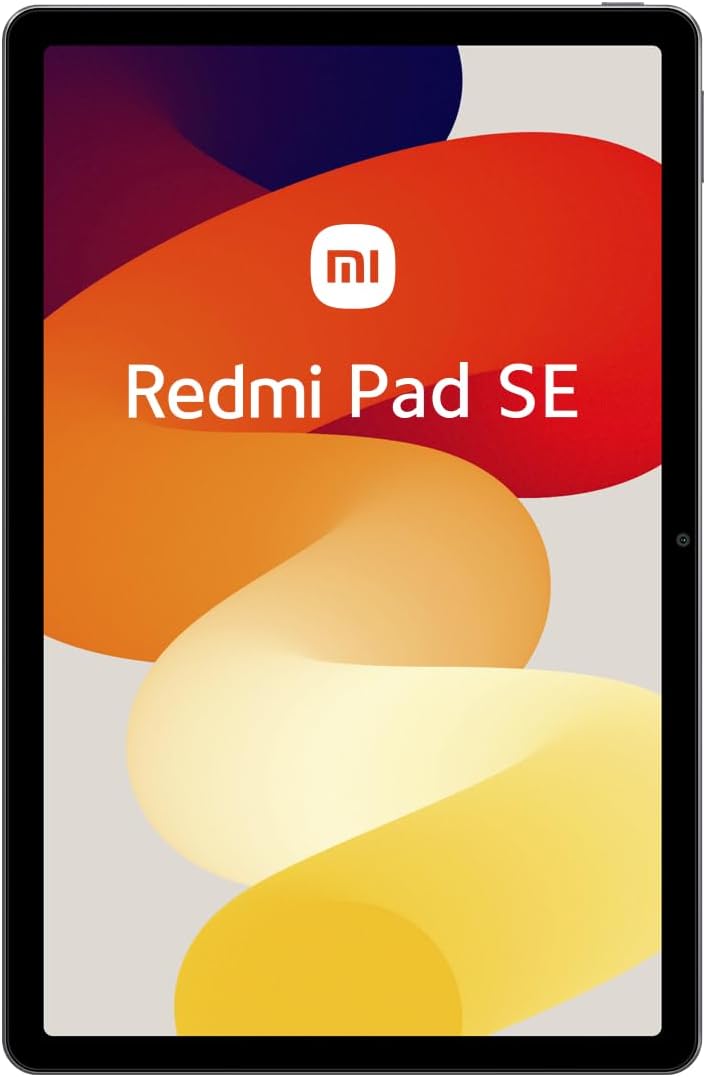
Imaxe: Unha fronte despexada view of the Xiaomi Redmi Pad SE, showcasing its large 11-inch display.
Navigation is primarily touch-based. Swipe, tap, and pinch gestures are used to interact with the MIUI 14 operating system.
3.2 Rendemento e almacenamento
Powered by the Snapdragon 680 mobile platform (6nm process), the Redmi Pad SE delivers efficient performance for daily tasks, browsing, and light gaming. It comes with 4GB of RAM and 128GB of internal storage, which can be expanded via a microSD card (not included).
3.3 Cámaras
The tablet is equipped with an 8MP rear camera for capturing photos and videos, and a 5MP front camera, ideal for video calls and selfies.

Image: The rear side of the Xiaomi Redmi Pad SE, featuring the 8MP main camera module in the upper left corner.
Audio 3.4
Experience rich audio with the Redmi Pad SE's quad speakers, enhanced with Dolby Atmos® technology for an immersive sound experience.
3.5 Conectividade
- Wi-Fi: Supports 2.4 GHz and 5 GHz Wi-Fi for fast internet access.
- Bluetooth: Inclúe Bluetooth 5.2 para conectar accesorios sen fíos como auriculares e teclados.
- USB tipo C: Used for charging, data transfer, and connecting compatible peripherals.
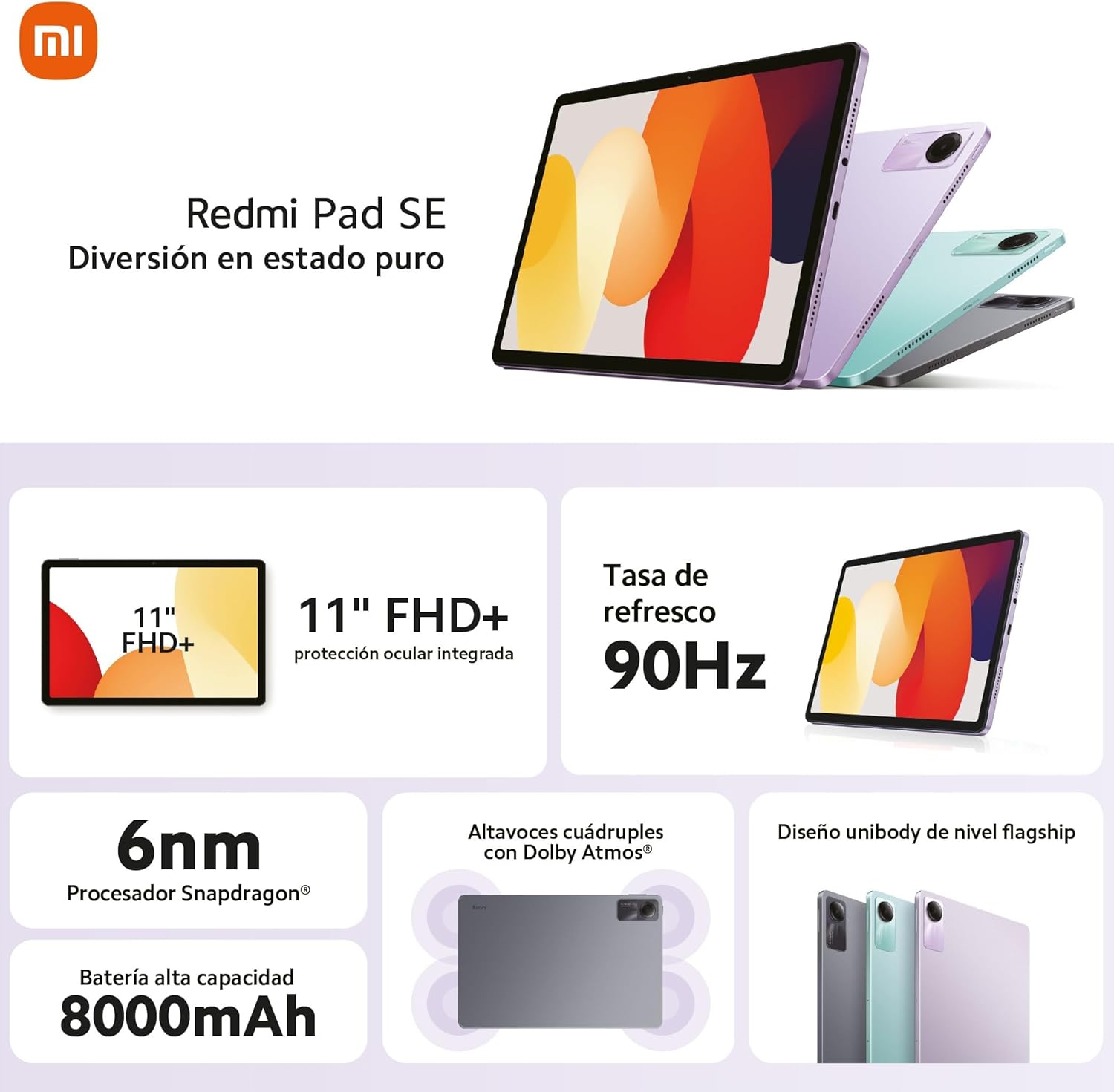
Image: An infographic detailing the key features of the Redmi Pad SE, including its 11-inch FHD+ display, 90Hz refresh rate, Snapdragon 6nm processor, 8000mAh battery, quad speakers with Dolby Atmos, and unibody design.
4. Mantemento
4.1 Limpeza da tableta
Para limpar a pantalla, use un pano suave e sen fiapos deseñado especificamente para dispositivos electrónicos. Para o corpo, un pano lixeiramente damp cloth can be used. Avoid using harsh chemicals, abrasive materials, or excessive moisture.
4.2 Coidado coa batería
- Evita as temperaturas extremas, xa que poden reducir a duración da batería.
- Non deixes que a batería se descargue completamente con frecuencia.
- Use só o cargador orixinal ou o cargador compatible certificado.
4.3 Actualizacións de software
Regularly check for and install system updates to ensure your tablet has the latest features, security patches, and performance improvements. You can usually find this option in the tablet's Settings menu under "About tablet" or "System update."
5 Solución de problemas
This section addresses common issues you might encounter with your Redmi Pad SE.
A tableta 5.1 non se acende
- Asegúrate de que a batería estea cargada. Conecta o cargador e agarda uns minutos antes de tentar acender.
- Mantén premido o botón de acendido durante polo menos 10-15 segundos para forzar un reinicio.
5.2 Problemas de conectividade Wi-Fi
- Asegúrate de que o wifi estea activado en Configuración.
- Reinicia o teu enrutador Wi-Fi.
- Forget the network in your tablet's Wi-Fi settings and reconnect.
- Asegúrate de estar dentro do alcance do sinal Wi-Fi.
5.3 Rendemento lento
- Pecha as aplicacións non utilizadas que se executan en segundo plano.
- Clear cache and data for frequently used apps.
- Ensure you have sufficient free storage space.
- Reinicie a tableta periodicamente.
5.4 Screen Not Responding
- Restart the tablet by holding down the Power button.
- If the screen is physically damaged, contact customer support.
For more complex issues, refer to the official Xiaomi support websitio ou póñase en contacto co seu servizo de atención ao cliente.
6. Especificacións
| Característica | Detalle |
|---|---|
| Nome do modelo | Redmi Pad SE |
| Mostrar | 11-inch FHD+ (1920 x 1080 pixels), 90Hz Refresh Rate |
| Procesador | Qualcomm Snapdragon 680 (6nm) |
| RAM | 4 GB |
| Almacenamento interno | 128 GB (ampliable) |
| Sistema Operativo | MIUI 14 |
| Cámara traseira | 8 MP |
| Cámara frontal | 5 MP |
| Capacidade da batería | 8000 mAh |
| Cargando | Carga rápida de 10 W |
| Conectividade | Wi-Fi (2.4GHz/5GHz), Bluetooth 5.2, USB Type-C |
| Dimensións (L x W x H) | 256 x 168 x 7.65 mm |
| Peso | 478 g |
7. Garantía e soporte
Your Xiaomi Redmi Pad SE comes with a standard manufacturer's warranty. Please refer to the warranty card included in your product packaging for specific terms, conditions, and duration. Keep your proof of purchase for warranty claims.
Para asistencia técnica, servizo ou outras consultas, visite o soporte oficial de Xiaomi. website or contact their authorized service centers in your region. You can find contact information and FAQs on their official websitio:
Ask a question about this manual
Ask about setup, troubleshooting, compatibility, parts, safety, or missing instructions. Manuals+ will review the question and use this page’s manual context to help answer it.