
TEYES CC3 2K
Manual do usuario do sistema multimedia de radio para coche TEYES CC3 2K
Model: CC3 2K
Introdución
This manual provides comprehensive instructions for the installation, operation, and maintenance of your TEYES CC3 2K Car Radio Multimedia Video Player Navigation Stereo GPS Headunit. Please read this manual thoroughly before using the device to ensure proper functionality and safety.
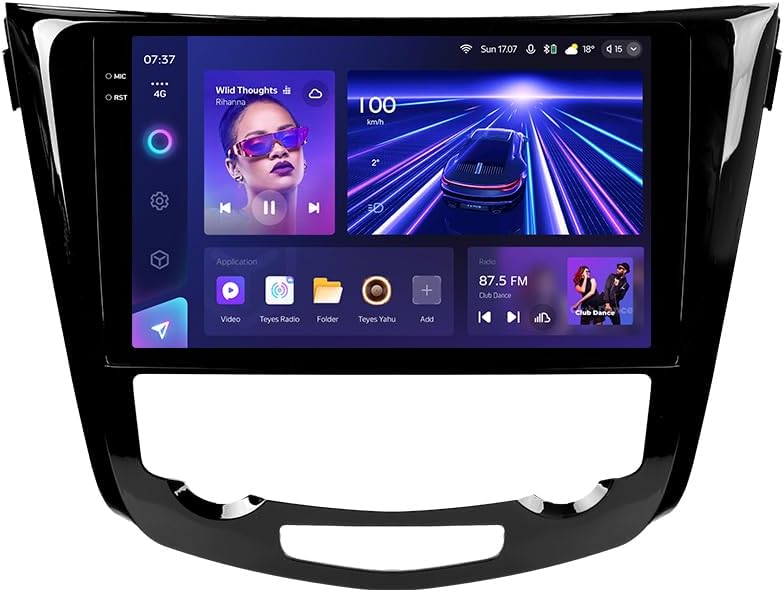
Imaxe: Fronte view of the TEYES CC3 2K Car Radio Multimedia System, showcasinpola súa gran pantalla e o seu elegante deseño.
Contido do paquete
Verifique que todos os elementos que se indican a continuación estean incluídos no seu paquete. Se falta algún elemento ou está danado, póñase en contacto co servizo de atención ao cliente.
- 1x TEYES CC3 2K Head Unit
- 1x OEM Panel (Frame)
- 1x cable de alimentación
- 1x cable USB
- 1 x Antena GPS
- 1x Cable AUX
- 1x 4G WiFi Antenna
- 1x AHD 1080p Rear Camera
- 1x E-book (Digital Manual)
- 1x Wiring Diagram
- 1x Pano de limpeza
Configuración e instalación
Professional installation is recommended for this device. Ensure the vehicle's battery is disconnected before beginning installation.
Compatibilidade
This unit is designed for Nissan X-Trail 3 (T32) 2013-2022 and Qashqai 2 (J11) models. Please verify your vehicle's compatibility before installation.
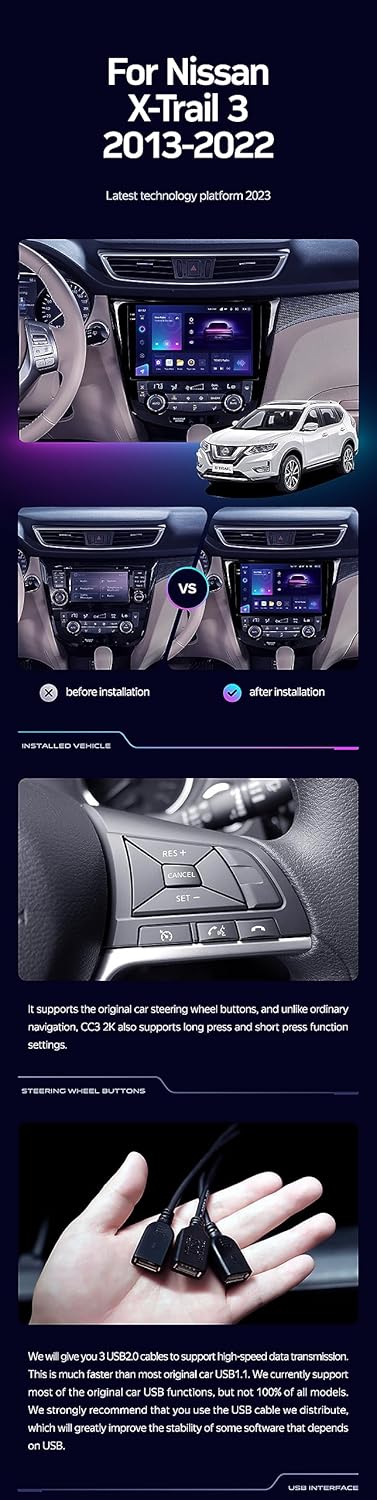
Image: A side-by-side comparison showing a car's dashboard before and after the installation of the TEYES CC3 2K unit, highlighting the integrated look.
Pasos de instalación (xerais)
- Desconectar batería: Antes de arrincar, desconecte o terminal negativo da batería do seu vehículo para evitar curtocircuítos.
- Retirar a unidade principal antiga: Carefully remove the existing car radio and trim panels. Refer to your vehicle's service manual for specific instructions.
- Conectar o arnés de cableado: Connect the provided power cable, USB cable, GPS antenna, AUX cable, and 4G WiFi antenna to the TEYES CC3 2K head unit. Ensure all connections are secure.
- Instalar a cámara traseira: If installing the AHD 1080p rear camera, route its cable to the desired mounting location (typically near the license plate) and connect it to the head unit.
- Unidade principal de montaxe: Secure the TEYES CC3 2K head unit into the dashboard using the provided OEM panel (frame) and mounting hardware.
- Volver conectar a batería: Once all connections are made and the unit is securely mounted, reconnect the vehicle's battery.
- Funcionalidade de proba: Turn on the vehicle and test all functions of the new head unit, including audio, navigation, camera, and connectivity.
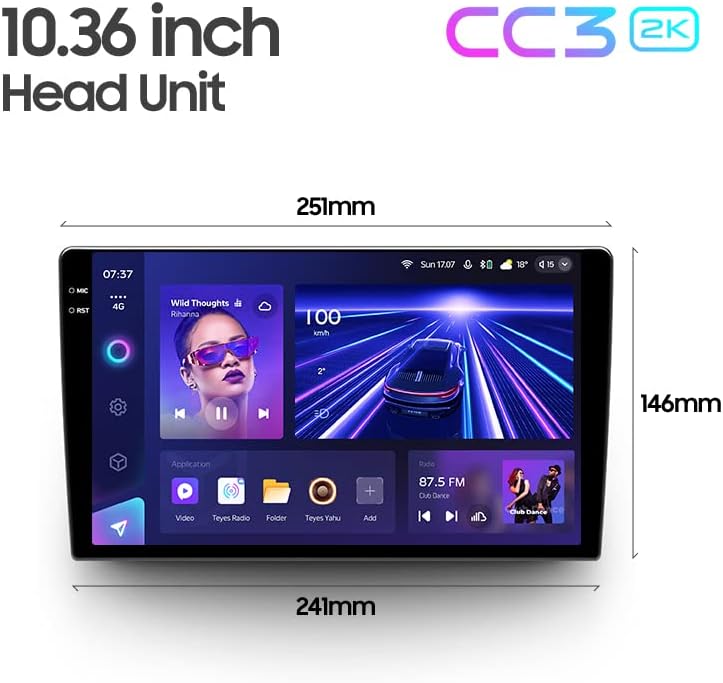
Image: The OEM panel (frame) included with the TEYES CC3 2K, designed for seamless integration into compatible vehicle dashboards.
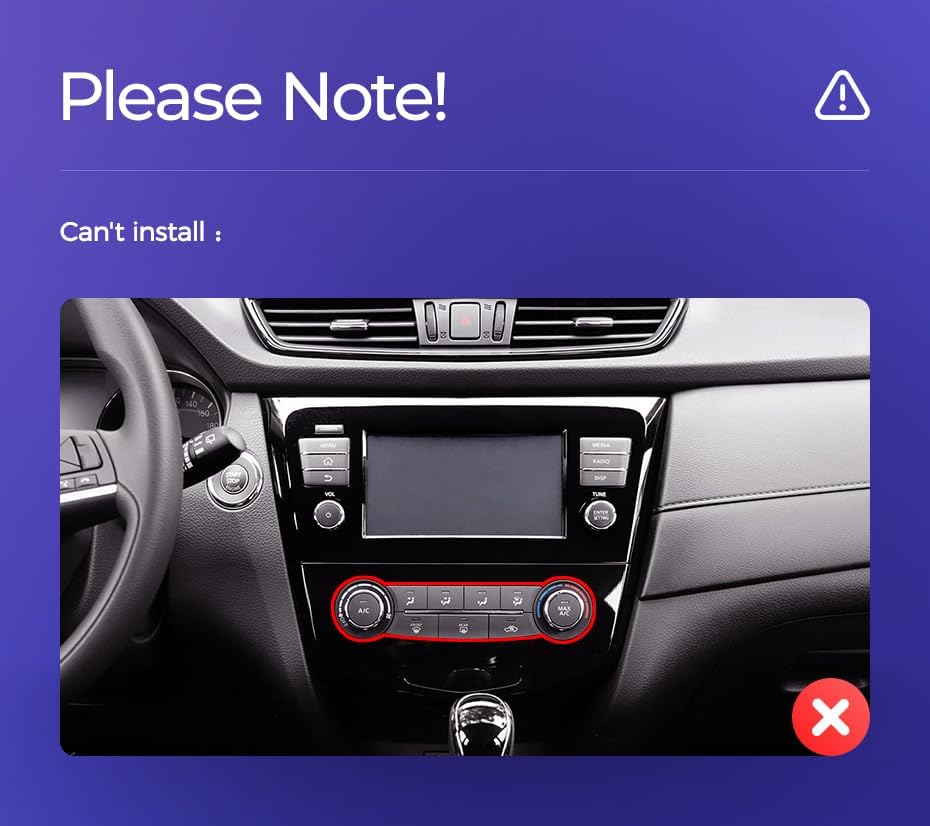
Image: Technical drawing showing the dimensions of the TEYES CC3 2K head unit, including its 10.36-inch screen size.
Nota importante de instalación
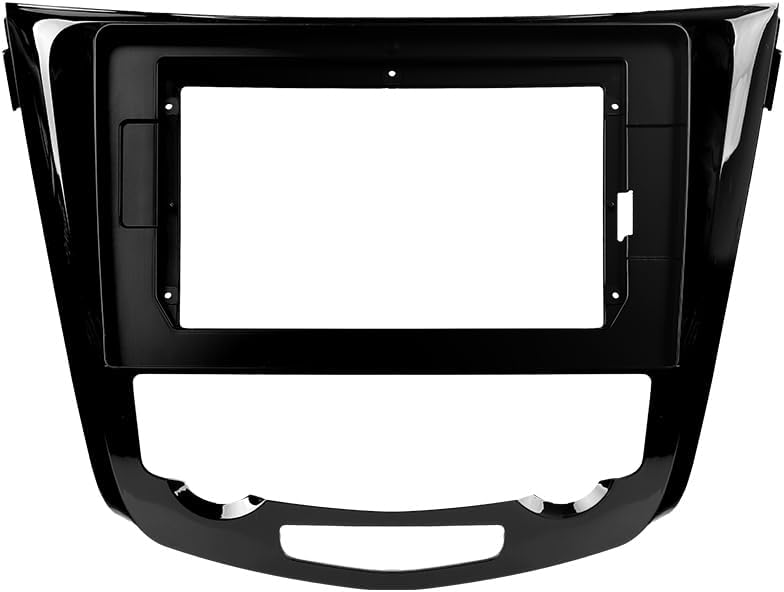
Image: Three USB output cables provided with the TEYES CC3 2K for data transfer and connectivity.
The unit provides multiple USB outputs for data transfer. While designed for broad compatibility, some original car USB functions may not be fully supported across all vehicle models. An included USB adapter cable can be used to ensure compatibility where needed.
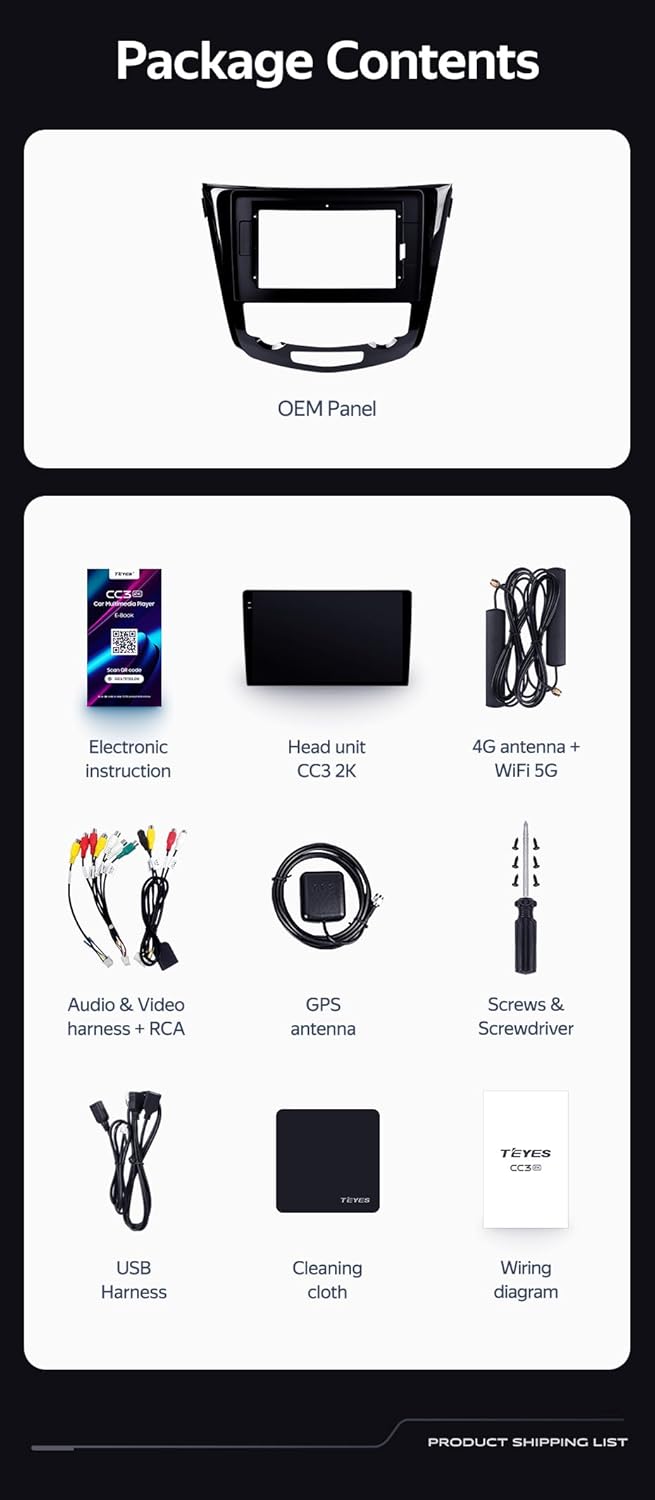
Image: A close-up of a car's steering wheel with controls, indicating support for steering wheel button integration with the TEYES CC3 2K.
The unit supports original car steering wheel buttons. Basic functions like volume and track control are supported. Advanced functions may require additional configuration or may not be fully compatible with all vehicle models.
Instrucións de funcionamento
Pantalla e interface
The TEYES CC3 2K features a 10.36-inch 2K In-cell display, offering vivid colors and accurate touch response. The Android 10 operating system provides a user-friendly interface.
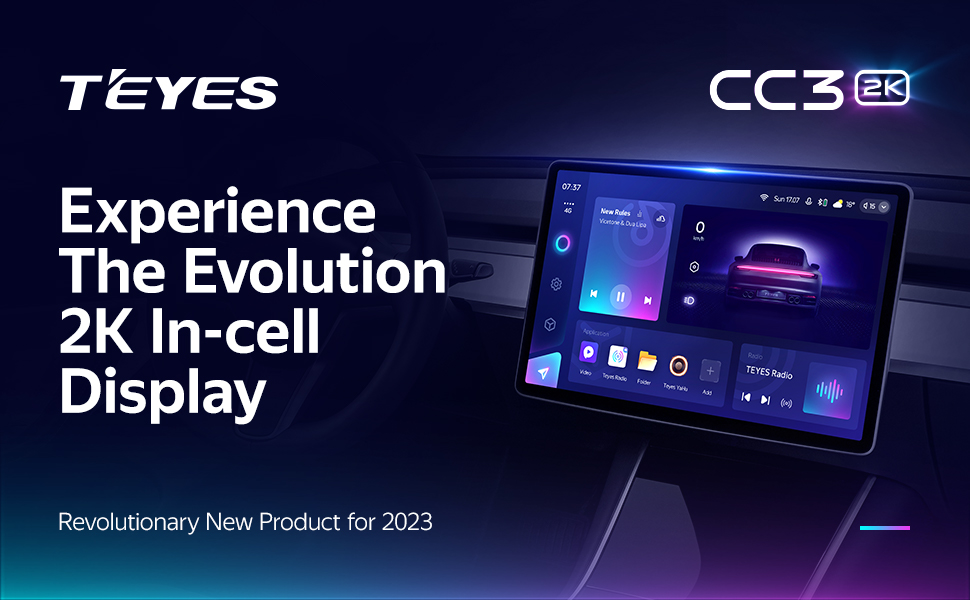
Image: A promotional image highlighting the TEYES CC3 2K's 2K In-cell display, showing a vibrant user interface.
Conectividade
- Bluetooth: Connect your smartphone via the upgraded Qualcomm QCC3031QFN Bluetooth module for hands-free calling and audio streaming.
- Wi-Fi/4G Internet: The unit supports 4G internet connectivity (SIM card not included) and Wi-Fi for online navigation, app downloads, and streaming.
- USB: Use the USB ports for media playback, data transfer, and connecting external devices.
Navegación e Multimedia
- GPS: Built-in GPS with North America map type support for accurate navigation.
- CarPlay e Android Auto: Enjoy seamless integration with your smartphone via built-in wireless Apple CarPlay and Android Auto.
- Radio: Access local radio stations with the premium local radio feature.
- Modo de pantalla dividida: Utilize the freestyle combination split screen mode to run two applications simultaneously, such as navigation and media playback.
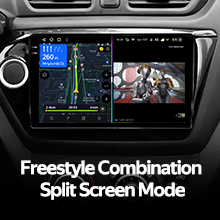
Image: The TEYES CC3 2K display showing split-screen functionality, with navigation on one side and video playback on the other.

Image: The TEYES CC3 2K display showing the premium local radio interface with various station icons.
Funcións de audio
The unit is equipped with dual DSP (ADAU1701 + ROHM32107) for enhanced audio processing, offering optical and coaxial digital audio output.
- 27-Segment EQ: Fine-tune your audio experience with the comprehensive 27-segment equalizer.
- Sound Filtering: Advanced sound filtering options are available to optimize audio output.

Image: The TEYES CC3 2K display showing the DSP audio settings interface, indicating dual DSP processors.
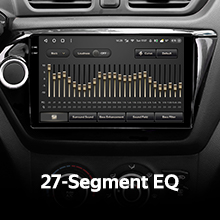
Image: The TEYES CC3 2K display showing the 27-segment equalizer interface for detailed audio customization.

Image: The TEYES CC3 2K display showing audio output settings, indicating support for optical and coaxial digital audio output.
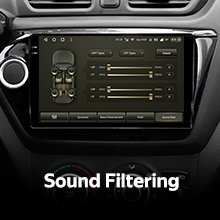
Image: The TEYES CC3 2K display showing sound filtering options, allowing users to refine audio quality.
Camera and Recording
The unit supports real-time viewing of the vehicle's rear view and video recording with the included AHD 1080p rear camera.
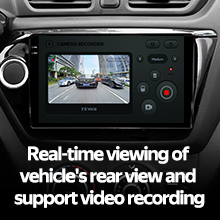
Image: The TEYES CC3 2K display showing the real-time feed from the rear view camera, with recording options.
Mantemento
- Limpeza da pantalla: Use the provided cleaning cloth or a soft, lint-free cloth to gently wipe the screen. Avoid abrasive cleaners or solvents.
- Actualizacións de software: Periodically check for software updates from TEYES to ensure optimal performance and access to new features.
- Condicións ambientais: Evite expoñer a unidade a temperaturas extremas, á luz solar directa durante períodos prolongados ou a humidade excesiva.
Resolución de problemas
If you encounter issues with your TEYES CC3 2K, refer to the following common problems and solutions:
| Problema | Causa posible | Solución |
|---|---|---|
| A unidade non se acende. | Conexión de alimentación solta, fusible fundido, problema coa batería do vehículo. | Comprobe as conexións do cable de alimentación. Inspeccione os fusibles do vehículo. Asegúrese de que a batería do vehículo estea cargada. |
| Sen saída de audio. | Volume too low, incorrect audio source selected, speaker wiring issue. | Aumenta o volume. Selecciona a fonte de son correcta. Comproba as conexións dos altofalantes. |
| Sinal GPS perdido ou impreciso. | GPS antenna obstructed or improperly installed. | Asegúrate de que a antena GPS teña unha visión clara view do ceo e está conectado de forma segura. |
| A pantalla táctil non responde. | Fallo temporal de software, interferencia do protector de pantalla. | Restart the unit. Remove any screen protectors to test. |
| Problemas de conexión Bluetooth. | Device not in pairing mode, interference, outdated firmware. | Ensure device is in pairing mode. Move closer to the unit. Check for firmware updates. |

Image: An icon representing Frequently Asked Questions, indicating further support resources.
Especificacións
| Característica | Detalle |
|---|---|
| Número de modelo | CC3 2K |
| Sistema Operativo | Android 10 |
| Procesador | 8 núcleos 2.0 GHz |
| RAM | 6 GB |
| ROM | 128 GB |
| Tamaño de visualización | 10.36 polgadas |
| Tipo de visualización | 2K In-cell Display |
| Conectividade | Bluetooth (QCC3031QFN Qualcomm), USB, Wi-Fi, Hotspot, 4G Internet |
| Modo de saída de audio | Estéreo |
| DSP | 2*DSP ADAU1701 + ROHM32107 |
| Saída de audio | Saída de audio dixital óptica e coaxial |
| Navegación | Built-in GPS, North America Map Type |
| Características especiais | Touchscreen, Bluetooth, Wireless CarPlay, Android Auto, RDS, Real-time Rear View, Video Recording, TEYES Vision & TEYES Yahu software. |
| Tipo de servizo do vehículo | Coche |
Garantía e Soporte
The TEYES CC3 2K comes with a 1 ano de garantía desde a data de compra. Esta garantía cobre defectos de fabricación e avarías de funcionamento en condicións normais de uso.
For technical support, troubleshooting assistance, or warranty claims, please contact TEYES customer service through the official TEYES store on Amazon or their official websitio.
Visita o TEYES Store on Amazon para obter máis información e recursos de apoio.
Ask a question about this manual
Ask about setup, troubleshooting, compatibility, parts, safety, or missing instructions. Manuals+ will review the question and use this page’s manual context to help answer it.