
Introduction to the HOVERAir X1
The HOVERAir X1 is an innovative self-flying camera designed for effortless content creation. Weighing only 125g, this foldable mini-drone offers intelligent flight paths, HDR video capture, and hands-free control, making it an ideal companion for capturing life's moments. Its advanced tracking algorithms and triple stabilization system ensure smooth, high-quality footage, while its user-friendly design allows for palm takeoff and intuitive operation.
O que hai na caixa
Upon unboxing your HOVERAir X1, please ensure all components are present:
- HOVERAir X1 Self-Flying Camera (with battery) X1
- Batería X1
- Battery Charging Hub X1
- Cable USB X1
- Bolsa de almacenamento X1

Figure 1: All components included in the HOVERAir X1 package.
Guía de configuración
- Carga de baterías: Fully charge the HOVERAir X1 batteries using the provided USB cable and charging hub. Ensure the drone's battery is fully charged before first use.
- Desprega o dron: Gently unfold the HOVERAir X1's protective frame until it locks into its flight position.
- Descarga a aplicación: Download the Hover X1 App from your device's app store. The app is compatible with iOS 12.1 or later and Android 10.0 or later.
- Conectar coa aplicación: Follow the in-app instructions to connect your HOVERAir X1 to your smartphone via Wi-Fi. This enables live monitoring, manual control, and access to advanced features.
- Palm Takeoff: The HOVERAir X1 is designed for easy palm takeoff. With one click, it can launch directly from your hand. Ensure a minimum height of 0.5 meters above the ground for proper takeoff and flight.

Figure 2: The HOVERAir X1 in its unfolded, flight-ready configuration.

Figure 3: Initiating palm takeoff with the HOVERAir X1.
Modos de funcionamento
The HOVERAir X1 features several intelligent flight paths for hands-free operation:
- Pasa o rato: The drone maintains a stable position in the air.
- Seguir: The drone tracks your movement, keeping you in the center of the frame.
- Reducir o zoom: The drone flies backward and upward, revealing the surrounding landscape.
- Órbita: The drone circles around you, capturing a dynamic 360-degree view.
- Bird's Eye: The drone ascends to capture an overhead shot.
- Control manual: Take full control of the drone's flight path via the Hover X1 App.

Figure 4: Visual representation of HOVERAir X1's intelligent flight modes.
Controis de xestos
The HOVERAir X1 also supports multiple gesture controls for convenient operation:
- Gesture for Landing: Cross your hands above your head.
- Gesture for Bird's Eye: Raise both your hands.
- Gesture for Zoom Out: Wave both your hands twice.
- Gesture for Orbit-R: Wave your hand twice (right).
- Gesture for Orbit-L: Wave your hand twice (left).

Figure 5: Hand gestures for controlling HOVERAir X1 flight modes.
Captura de imaxe e vídeo
The HOVERAir X1 camera drone is equipped to capture stunning visuals:
- Supports a maximum of 2.7K@30fps and 1080P HDR video shooting.
- Features a triple stabilization system for smooth video effects and excellent fast motion capturing capability.
- Utilizes Face AE Technology for natural-looking photos.
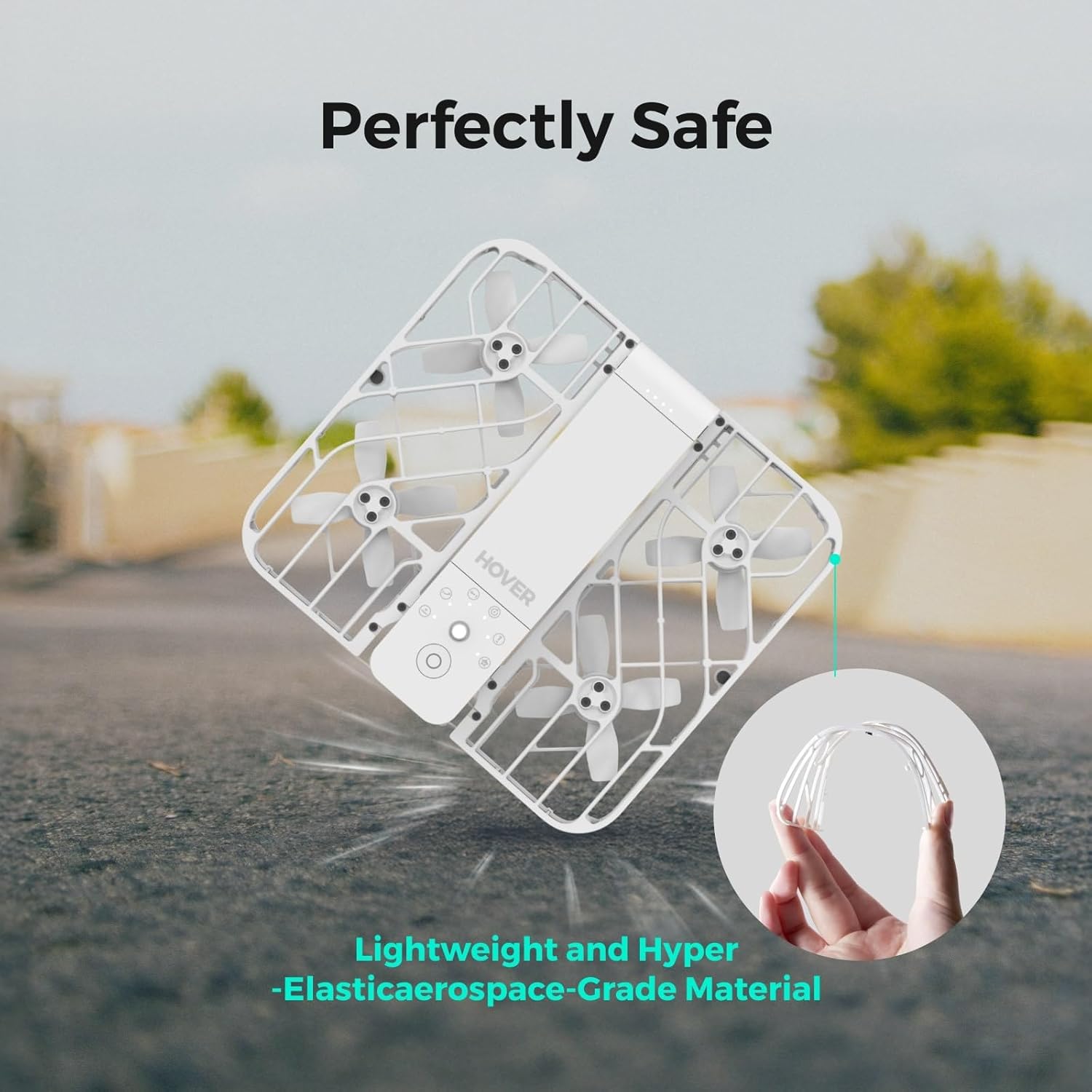
Figure 6: Enhanced image quality with Face AE Technology.

Figure 7: Smooth video capture with Triple Stabilization.
Características da aplicación
The Hover X1 App enhances your drone experience:
- Monitorización en directo: Get real-time previews of the drone's camera feed.
- Control manual: Optimize flight paths and capture shots directly through the app.
- Almacenamento interno: Boasts 32GB of internal storage, eliminating the need for SD cards.
- Easy Download & Sharing: Download photos and videos via the app or by connecting the drone to your computer, then easily share to social media.

Figure 8: The Hover X1 App interface for mode selection and control.
Pautas de seguridade
The HOVERAir X1 is designed with user safety in mind:
- Weighs only 125g, making it lighter than many smartphones and exempt from FAA registration requirements.
- Features a foldable design and enclosed propellers for enhanced safety and portability.
- Constructed with lightweight and hyper-elastic aerospace-grade material for durability and safety upon impact.

Figure 9: The durable and safe design of the HOVERAir X1.
Mantemento
To ensure the longevity and optimal performance of your HOVERAir X1, regular maintenance is recommended:
- Keep the drone clean, especially the propellers and camera lens, using a soft, dry cloth.
- Inspect propellers for any damage or wear before each flight. Replace if necessary.
- Store the drone in its provided storage bag in a cool, dry place when not in use.
Resolución de problemas
If you encounter issues with your HOVERAir X1, consider the following:
- Takeoff Issues: Ensure the drone's battery is fully charged. Maintain a minimum height of 0.5 meters above the ground for proper takeoff. If issues persist, contact customer support.
- Problemas de conectividade: Verify your device's Wi-Fi is enabled and connected to the HOVERAir X1's network. Restart both the drone and the app if necessary.
Especificacións
| Característica | Detalle |
|---|---|
| Marca | HOVERAir |
| Nome do modelo | Combo (with 2 batteries) |
| Peso do elemento | 125 gramos (4.4 onzas) |
| Dimensións do produto | 10.63 cm de longo x 1.97 cm de ancho x 6.69 cm de alto |
| Resolución de captura de vídeo | 2.7 mil |
| Resolución de saída de vídeo | 1920 x 1080 píxeles |
| Tecnoloxía de conectividade | Wi-Fi |
| Tipo de control | Control de aplicacións |
| Capacidade da batería | 2100 millónsamp Horario |
| Almacenamento interno | 32 GB |
Garantía e soporte
The HOVERAir X1 comes with a 1-year warranty against manufacturing defects. For detailed information, please refer to the official user guide.
- Guía oficial do usuario: Descargar PDF
- Atención ao vendedor: For any product-related inquiries or support, please contact Hover Camera Direct.