
TEYES CC3 2K
TEYES CC3 2K Car Multimedia System User Manual
For Toyota Hilux Pick Up AN120 (2015-2020) Right Hand Drive Models
Aviso importante
This product is designed exclusively for Right Hand Drive Toyota Hilux Pick Up AN120 models manufactured between 2015 and 2020. It is not compatible with Left Hand Drive vehicles.

Image: Incompatibility warning for Left Hand Drive vehicles. The system is only for Right Hand Drive models.
Contido do paquete
Verifique que todos os elementos que se indican a continuación estean incluídos no seu paquete:
- 1* Head unit (TEYES CC3 2K)
- 1 * cable USB
- 1* GPS antenna
- 1 cable auxiliar
- 1* 4G WiFi antenna
- 1* E-book (digital manual)
- 1* Frame (OEM Panel)
- 1 * Cable de alimentación
- 1* AHD 1080p rear camera
- Parafusos e chave de fenda
- Audio & Video harness + RCA
- Pano de limpeza
- Diagrama de cableado

Image: Visual representation of the TEYES CC3 2K package contents, including the head unit, cables, and accessories.
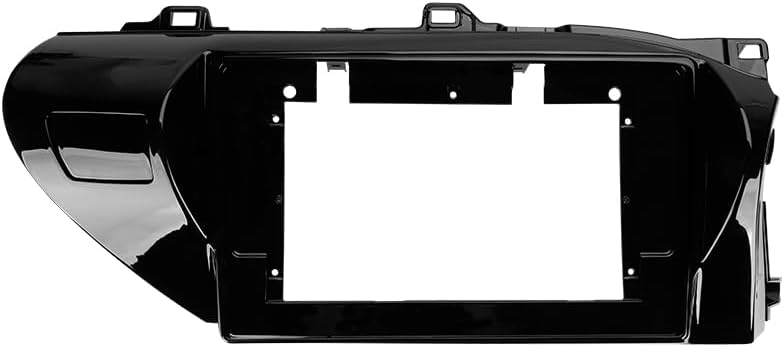
Image: The OEM panel frame, designed to integrate the head unit seamlessly into the Toyota Hilux dashboard.
Especificacións
| Característica | Detalle |
|---|---|
| Número de modelo | CC3 2K |
| Tamaño de visualización | 10.36 polgadas |
| Memoria (RAM) | 6 GB |
| Almacenamento (ROM) | 128 GB |
| Sistema Operativo | Android |
| Procesador | 8 núcleos 2.0 GHz |
| Conectividade | Bluetooth, USB, WiFi, 4G Hotspot |
| Características especiais | Touchscreen, Wireless CarPlay, Android Auto, RDS, DSP (ADAU1701 + ROHM32107), Optical/Coaxial Digital Audio Output |
| Tipo de mapa | North America (pre-installed) |
| Modo de saída de audio | Estéreo |
| Tipo de servizo do vehículo | Car (Toyota Hilux AN120 2015-2020 RHD) |
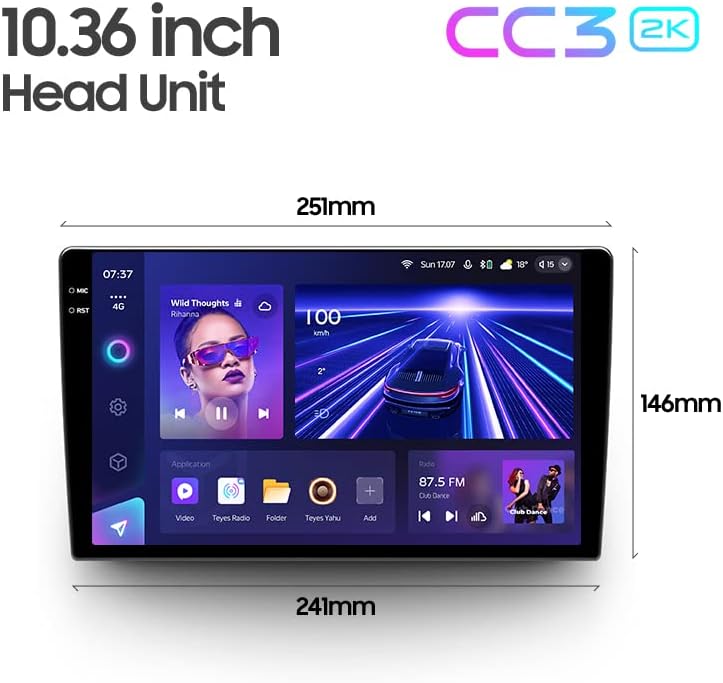
Image: Dimensions of the 10.36-inch TEYES CC3 2K head unit, providing measurements for installation planning.
Configuración e instalación
Professional installation is highly recommended for this car multimedia system. Incorrect installation can lead to damage to the unit or your vehicle's electrical system.
Comprobacións previas á instalación:
- Asegúrate de que o contacto do vehículo estea apagado e a batería desconectada.
- Confirma que todo o contido do paquete está presente.
- Review the provided wiring diagram thoroughly.
Pasos de instalación (xerais):
- Retire con coidado a radio orixinal do coche e o revestimento do taboleiro.
- Connect the power cable, GPS antenna, 4G WiFi antenna, and other necessary harnesses to the TEYES CC3 2K head unit according to the wiring diagram.
- Install the AHD 1080p rear camera (if applicable) and route its cable to the head unit.
- Mount the TEYES CC3 2K head unit into the OEM panel frame.
- Secure the assembly into the dashboard opening.
- Reconnect the vehicle battery and test the system before fully reassembling the dashboard trim.
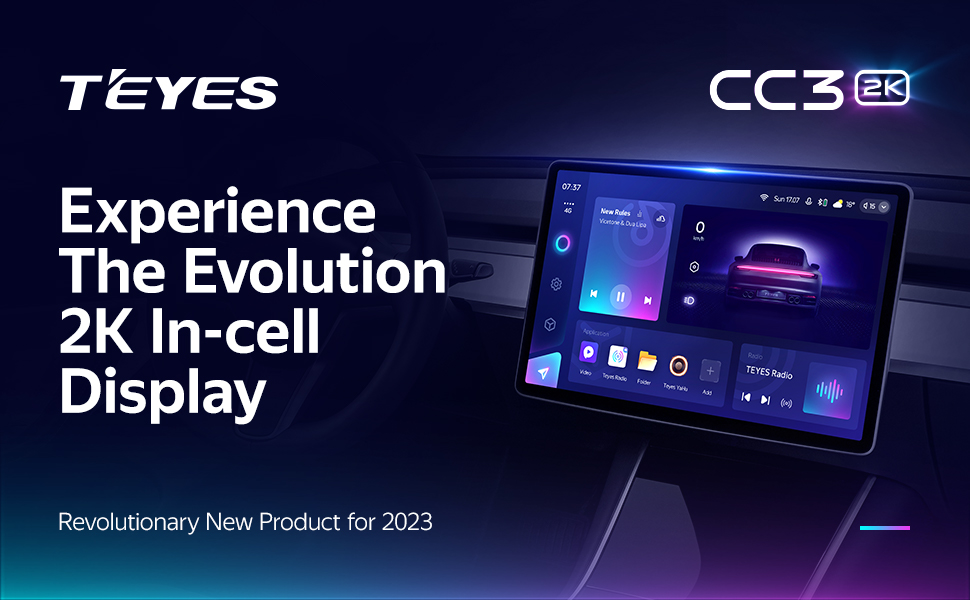
Image: Visual comparison of the car interior before and after the TEYES CC3 2K system installation, demonstrating seamless integration.
Instrucións de funcionamento
Esta sección ofrece un sobreview of the main functions and how to operate your TEYES CC3 2K system.
Power On/Off and Basic Navigation:
Press the power button to turn the unit on or off. Use the touchscreen to navigate through the Android interface. Swipe gestures and taps are used for app selection and menu navigation.
Pantalla e interface de usuario:
The 2K In-cell Display offers vivid colors and sharp resolution. You can customize the user interface with various color styles to match your preference.

Imaxe: Examples of various customizable color styles and themes for the system's user interface.
Connectivity (CarPlay, Android Auto, Bluetooth, 4G, WiFi):
- CarPlay sen fíos e Android Auto: Connect your compatible smartphone wirelessly for seamless integration of navigation, music, and communication apps.
- Bluetooth: Pair your phone for hands-free calling and audio streaming. The upgraded QCC3031QFN Qualcomm module ensures stable connection.
- 4G Internet: Insert a SIM card (not included) into the designated slot to enable 4G internet access directly on the head unit.
- WiFi: Connect to a local WiFi hotspot for internet access.
Recursos de audio:
The system features dual DSP (ADAU1701 + ROHM32107) for enhanced audio processing.
- 27-Segment EQ: Fine-tune your audio output with the comprehensive 27-segment equalizer.
- Saída de audio dixital óptica e coaxial: For high-fidelity audio systems, connect via digital outputs.
- Sound Filtering: Adjust sound filters for optimal audio quality.

Image: Digital Sound Processor (DSP) interface for advanced audio adjustments.
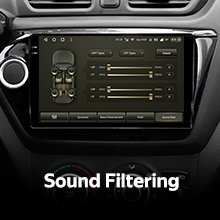
Image: The 27-segment Equalizer (EQ) for precise sound customization.

Image: Settings for optical and coaxial digital audio output, enabling connection to external high-quality audio systems.
Control do volante:
The system supports original car steering wheel buttons. You can configure these buttons to control various functions of the multimedia system.
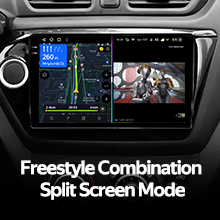
Image: Steering wheel controls, demonstrating the system's ability to integrate with existing vehicle buttons.
Transferencia de datos USB:
The unit provides multiple USB outputs for high-speed data transmission, allowing connection of USB drives for media playback or other peripherals.

Image: Multiple USB outputs for connecting external devices and high-speed data transfer.
Modo de pantalla dividida:
Utilize the split-screen feature to run two applications simultaneously, such as navigation and media playback.
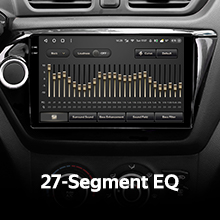
Image: Split-screen functionality, allowing two applications to be viewed concurrently on the display.
Traseira View Cámara:
The included AHD 1080p rear camera provides real-time viewing of the vehicle's rear. The system also supports video recording from the camera.

Image: Real-time display of the rear view camera feed, assisting with parking and maneuvering.
Mantemento
Limpeza da pantalla:
Use the provided cleaning cloth or a soft, lint-free cloth to gently wipe the screen. Avoid using harsh chemicals or abrasive materials that could damage the display.
Actualizacións de software:
Periodically check for software updates through the system settings or the official TEYES websitio para garantir un rendemento óptimo e o acceso a novas funcións.
Resolución de problemas
If you encounter issues with your TEYES CC3 2K system, refer to the following common solutions. For more detailed troubleshooting, consult the included e-book.
Problemas comúns e solucións:
- Sen enerxía: Check all power connections and fuses. Ensure the vehicle battery is properly connected.
- Sen son: Verify speaker connections, volume settings, and audio output selections. Check if the mute function is active.
- Perda de sinal GPS: Asegúrese de que a antena GPS estea instalada correctamente e teña unha visión clara view do ceo.
- Pantalla táctil sen resposta: Tenta reiniciar a unidade. Se o problema persiste, pode ser necesario restablecer os datos de fábrica (nota: isto borrará os datos do usuario).
- Bluetooth/WiFi Connection Issues: Ensure the respective modules are enabled in settings. Try re-pairing devices or reconnecting to networks.
If these steps do not resolve the problem, please contact customer support.
Información da garantía
The TEYES CC3 2K Car Multimedia System comes with a 1 ano de garantía from the date of purchase. This warranty covers manufacturing defects and malfunctions under normal use. It does not cover damage caused by improper installation, misuse, accidents, or unauthorized modifications.
Conserve o comprobante de compra para reclamacións de garantía.
Atención ao cliente
For further assistance, technical support, or warranty inquiries, please contact TEYES customer service through their official websitio ou a información de contacto proporcionada coa súa compra.
When contacting support, please have your product model (CC3 2K) and purchase details ready.
Ask a question about this manual
Ask about setup, troubleshooting, compatibility, parts, safety, or missing instructions. Manuals+ will review the question and use this page’s manual context to help answer it.