
Introdución
The zelotes T30 Wired Vertical Mouse is designed to enhance comfort and reduce wrist strain during prolonged computer use. Its ergonomic vertical design promotes a natural hand and wrist posture. This manual provides essential information for setting up, operating, maintaining, and troubleshooting your new mouse.

Figura 1: Fronte esquerda view of the zelotes T30 Wired Vertical Mouse.

Figure 2: Various side views illustrating the vertical design of the mouse.
Configuración
The zelotes T30 Vertical Mouse is designed for simple plug-and-play operation, requiring no driver installation.
Conectando o rato
- Locate an available USB port on your computer (Laptop, PC, Mac).
- Insert the USB connector of the zelotes T30 mouse into the USB port.
- The mouse will be automatically recognized by your operating system (Win11, Win10, Win8, Win7, Mac OS, Linux) and ready for use.
Attaching the Detachable Palm Rest
The mouse comes with a detachable palm rest for enhanced comfort. To attach it:
- Align the palm rest with the designated slots on the bottom of the mouse.
- Gently slide the palm rest into place until it clicks securely.
- Ensure the palm rest is firmly attached before use.

Figure 3: Illustration of the detachable palm rest and its attachment points.
Instrucións de funcionamento
Ergonomic Design and Grip
The vertical design of the T30 mouse positions your hand in a natural handshake posture, reducing pronation of the forearm and wrist. This design aims to alleviate discomfort associated with traditional mouse use.

Figure 4: Proper hand placement on the ergonomic vertical mouse.

Figura 5: detallada view of the humanized grip design, ensuring comfortable finger placement.
Axustar a sensibilidade dos DPI
The mouse features 4 adjustable DPI settings: 1200, 1600, 2400, and 3200 DPI. To change the sensitivity:
- Locate the DPI button on the mouse. This button is typically positioned near the scroll wheel or thumb area.
- Press the DPI button to cycle through the available sensitivity settings. Each press will switch to the next DPI level.
- The LED illumination on the mouse may change color or pattern to indicate the current DPI setting.
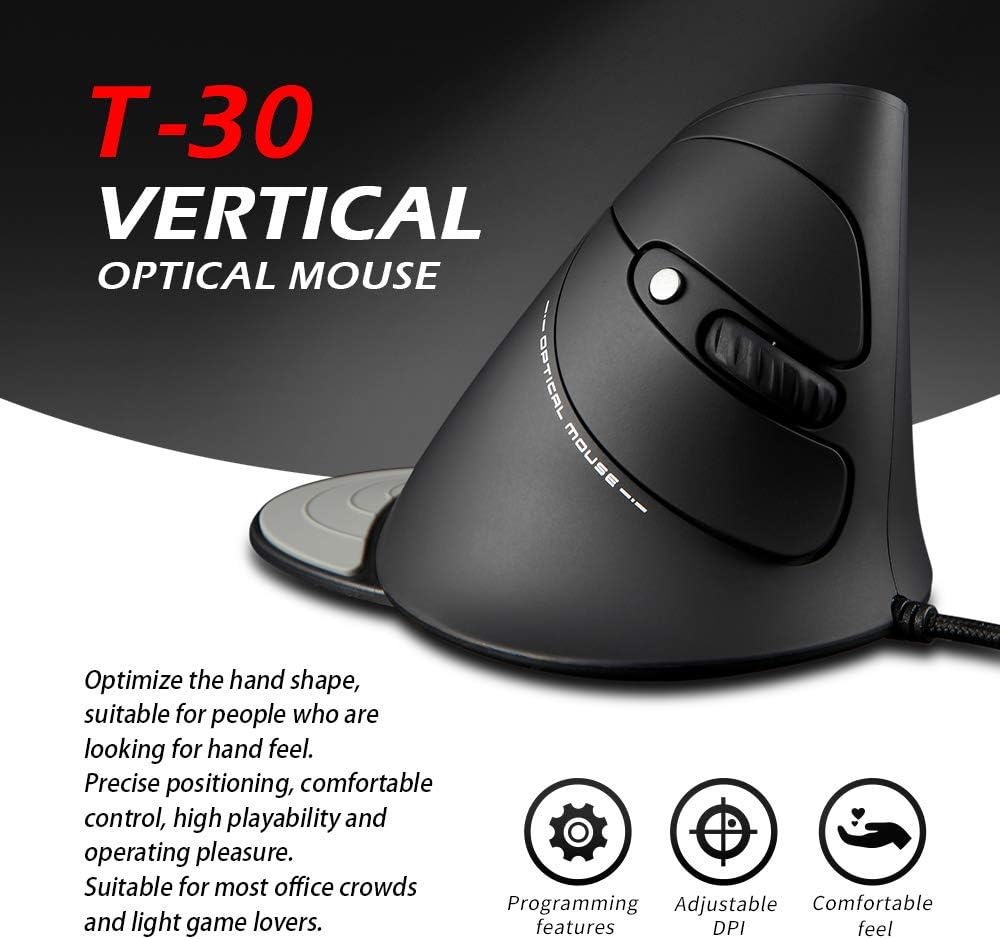
Figure 6: The T30 mouse with an emphasis on its adjustable DPI feature.
Funcións dos botóns
The zelotes T30 mouse is equipped with 6 buttons for various functions:
- Botón esquerdo para premer: Función de clic principal estándar.
- Botón dereito do rato: Función de clic secundario estándar.
- Roda de desprazamento: Para desprazamento vertical. Tamén se pode premer para a funcionalidade de clic co botón central.
- Botón DPI: Axusta a sensibilidade do rato (DPI).
- Botón de avance: Navega cara adiante web navegadores ou file exploradores.
- Botón Atrás: Navega cara atrás en web navegadores ou file exploradores.
Video 1: Demonstration of the zelotes T30 Ergonomic Vertical Mouse features and usage.
Mantemento
To ensure the longevity and optimal performance of your zelotes T30 mouse, follow these maintenance guidelines:
- Limpeza: Usa un pano suave e seco para limpar a superficie do rato. Para a sucidade persistente, limpa lixeiramente.amp cloth can be used, but ensure no liquid enters the mouse. Avoid harsh chemicals or abrasive cleaners.
- Almacenamento: Cando non o use, garde o rato nun ambiente limpo e seco, lonxe de temperaturas extremas e da luz solar directa.
- Coidado do cable: Evita dobrar ou retorcer o cable USB en exceso, xa que isto pode danar os cables internos.
Resolución de problemas
If you encounter issues with your zelotes T30 mouse, refer to the following common problems and solutions:
| Problema | Causa posible | Solución |
|---|---|---|
| O rato non responde | Loose USB connection, faulty USB port, operating system issue. |
|
| O movemento do cursor é errático ou brusco | Sensor óptico sucio, superficie inadecuada da alfombrilla do rato. |
|
| O axuste de DPI non funciona | Button malfunction, temporary software glitch. |
|
Especificacións
| Característica | Detalle |
|---|---|
| Marca | zelotes |
| Número de modelo | T-30 |
| Dimensións do produto | 4.33 x 3.15 x 3.27 polgadas |
| Peso do elemento | 4.2 onzas |
| Tecnoloxía de conectividade | USB con cable |
| Tecnoloxía de detección de movemento | Óptica |
| Configuración de DPI | 1200/1600/2400/3200 DPI |
| Número de botóns | 6 |
| Característica especial | Ergonomic Design, Detachable Wrist Rest, LED Illumination |
| Compatibilidade | Win11, Win10, Win8, Win7, Mac OS, Linux |

Figure 7: Detailed dimensions of the zelotes T30 Vertical Mouse.
Garantía e Soporte
For warranty information and technical support, please refer to the official zelotes websitio web ou póñase en contacto directamente co servizo de atención ao cliente. Garde o recibo de compra para reclamacións de garantía.
Fabricante: zelotes