
ZXQ Q2s
ZXQ Neckband Bluetooth Headphones User Manual
Model: Q2s | Brand: ZXQ
Produto rematadoview
The ZXQ Neckband Bluetooth Headphones (Model Q2s) are designed for comfort and high-quality audio, featuring a neckband design, magnetic earbuds, and a long-lasting battery. They are suitable for various activities, including workouts, daily commutes, and office use.
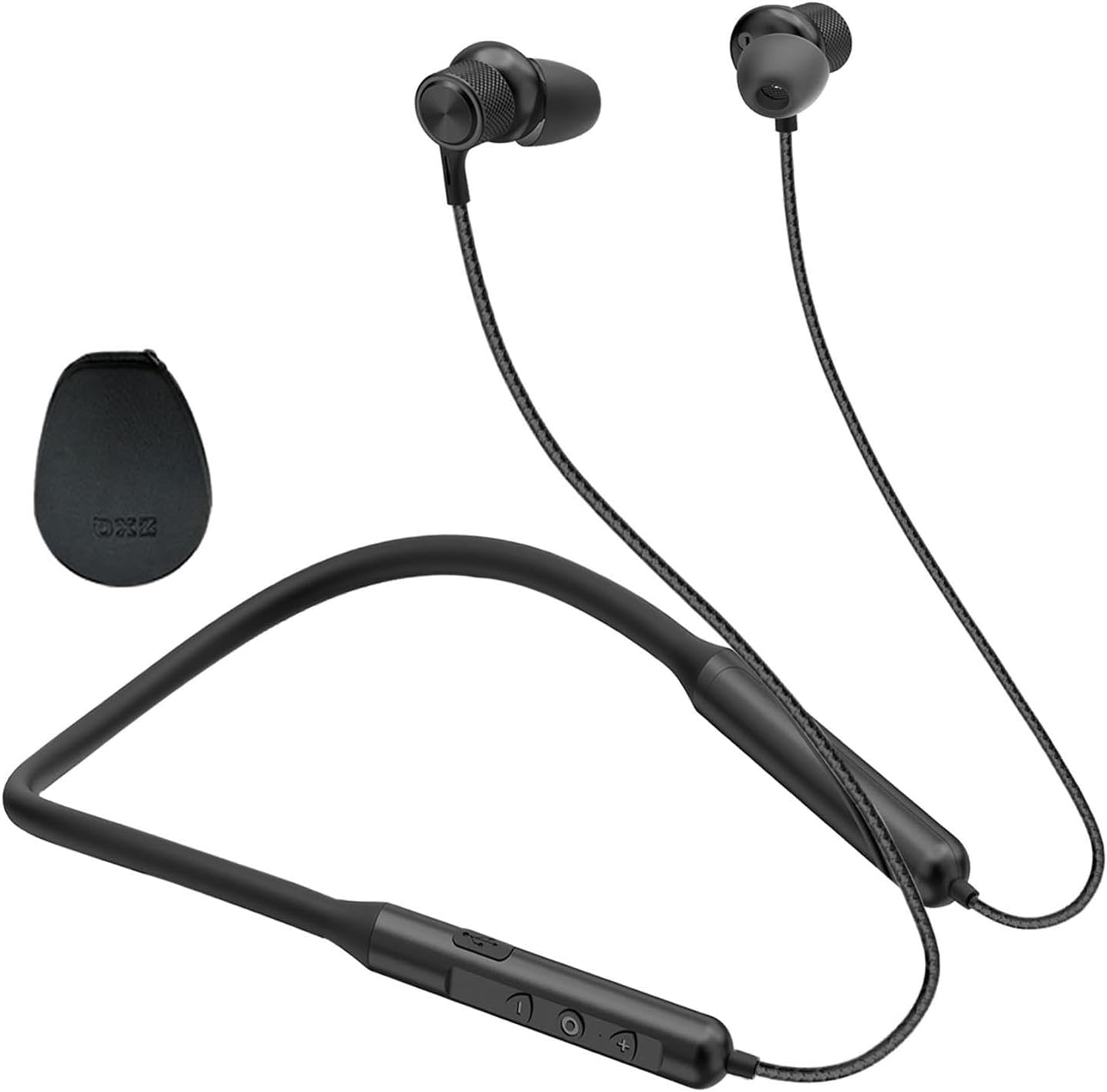
Figura 1: Máisview of the ZXQ Neckband Bluetooth Headphones, showcasing the neckband, earbuds, and in-line controls.
Contido do paquete
Ao abrir o paquete, asegúrese de que estean presentes todos os compoñentes:
- ZXQ Neckband Bluetooth Headphones (Model Q2s)
- Cable de carga USB-C
- Varios tamaños de almofadas para un axuste óptimo
- Portable EVA Travel Case
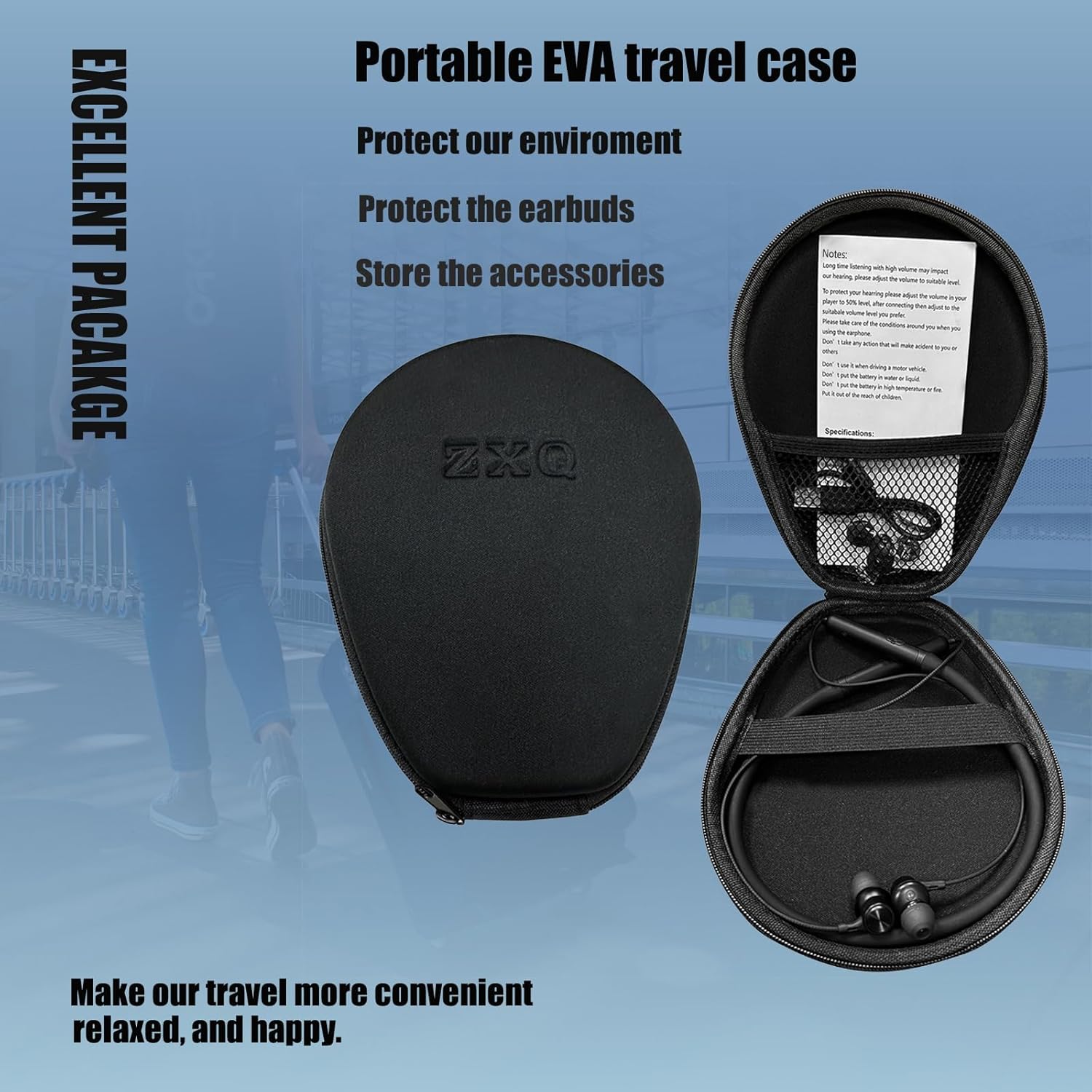
Figure 2: The ZXQ headphones neatly stored within their portable EVA travel case, along with accessories.
Guía de configuración
1. Carga dos auriculares
Before first use, fully charge your headphones. The ZXQ Q2s features a USB-C charging port for convenience.
- Connect the provided USB-C charging cable to the charging port on the in-line control unit.
- Connect the other end of the cable to a compatible USB power source (e.g., computer USB port, wall adapter).
- A full charge provides up to 15 hours of talk or music playtime.
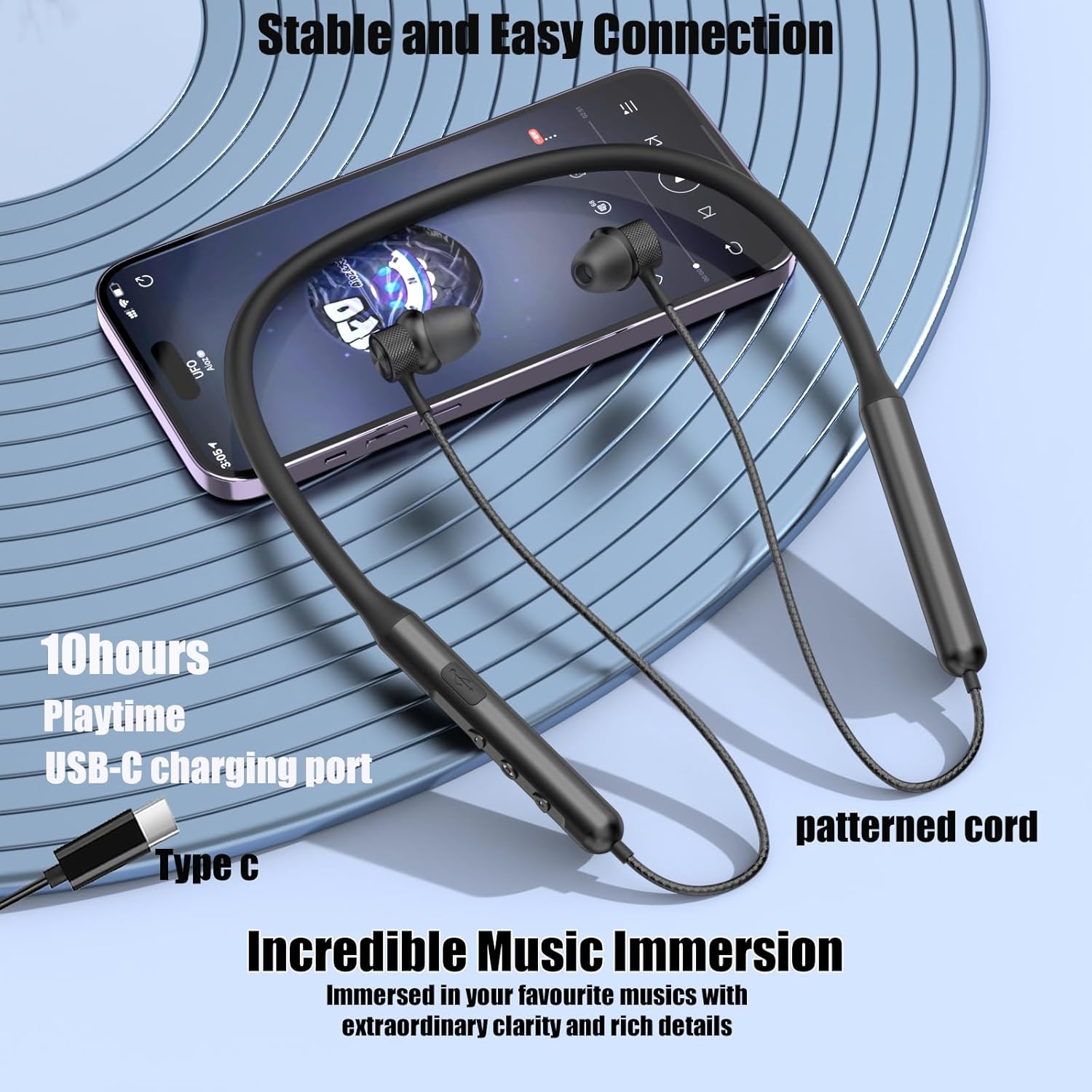
Figure 3: The USB-C charging port and in-line controls on the ZXQ Neckband Bluetooth Headphones.
2. Emparellamento Bluetooth
Os auriculares empregan Bluetooth 5.2 para unha conexión estable e rápida.
- Asegúrate de que os auriculares estean cargados e apagados.
- Press and hold the multi-function button (usually the power button) until the indicator light flashes blue and red, indicating pairing mode.
- On your device (smartphone, tablet, laptop), enable Bluetooth and search for "ZXQ Q2s" or similar in the list of available devices.
- Select the headphones to connect. Once connected, the indicator light will typically turn solid blue or flash blue slowly.
3. Conseguir un axuste cómodo
The ZXQ Q2s headphones are designed for comfortable and secure wear.
- Select the appropriate ear tip size from the included options. A good seal is crucial for optimal sound quality and bass response.
- The earbuds are angled for a secure fit within the ear canal, preventing them from falling out during activity.
- The neckband is made of soft, flexible silicone coated with skin-friendly oil for comfort and durability.


Figure 4: The ergonomic and angled design of the earbuds ensures a secure and comfortable fit for extended wear.
Instrucións de funcionamento
1. Controis en liña
A unidade de control en liña permite unha xestión sinxela da reprodución de música e das chamadas.
| Botón/Acción | Función |
|---|---|
| Botón de encendido (presión prolongada) | Acender/Apagar, Acceder ao modo de emparellamento |
| Botón de acendido (premsión curta) | Reproducir/Pausar música, Responder/Finalizar chamada |
| Volume + (Presión curta) | Aumentar o volume |
| Volume + (Long Press) | Próxima pista |
| Volume - (Short Press) | Diminuír o volume |
| Volume - (Long Press) | Pista anterior |
2. Auriculares magnéticos
The earbuds feature a magnetic design, allowing them to securely attach to each other when not in use. This prevents tangling and helps keep the headphones safely around your neck.

Figure 5: The magnetic feature of the earbuds keeps them secure and tangle-free when not in your ears.
3. Rendemento de son
The ZXQ Q2s headphones are equipped with 10mm dynamic drivers and an advanced Bluetooth 5.2 chipset, delivering premium sound with rich bass and clear vocals.
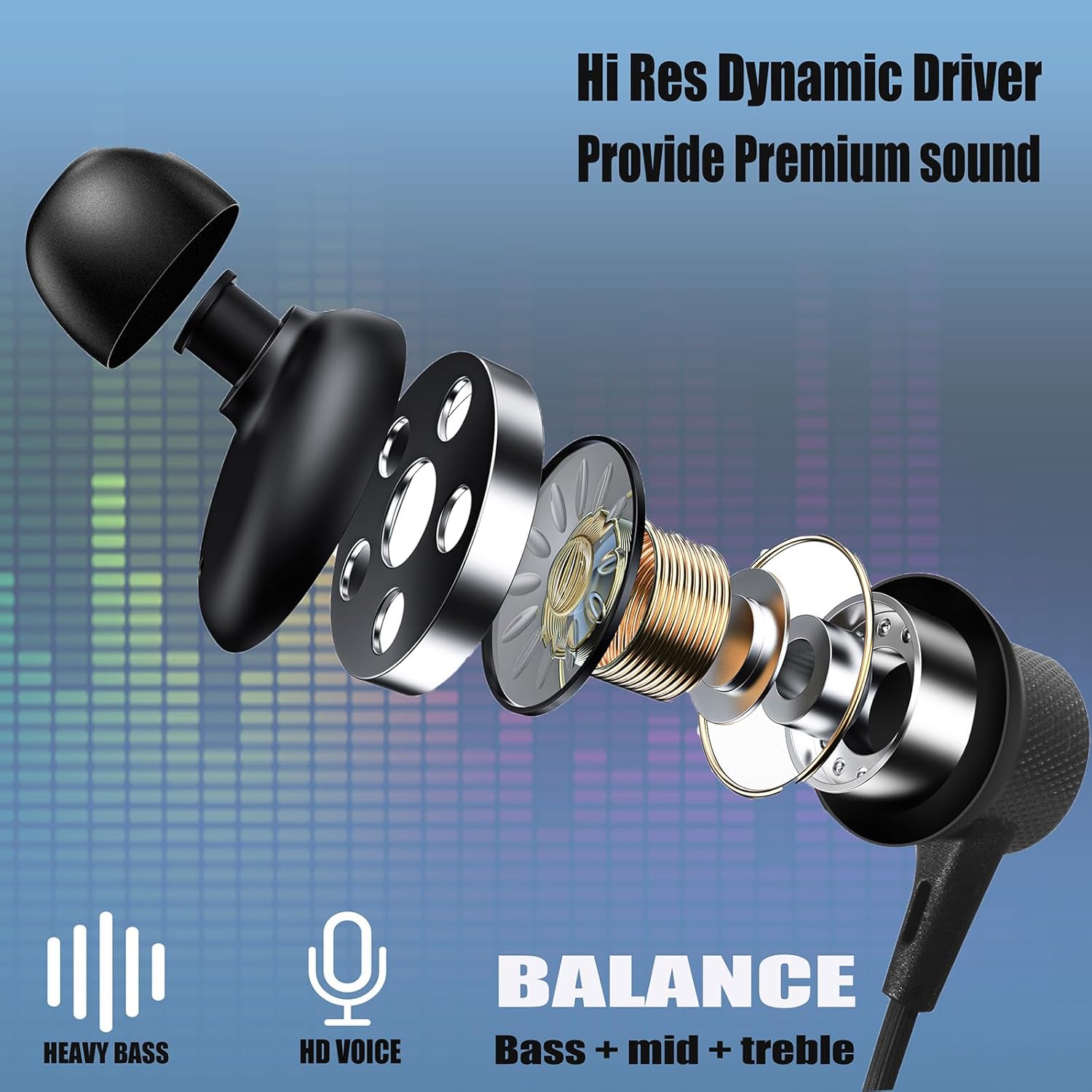
Figura 6: Interno view of the earbud, illustrating the Hi-Res Dynamic Driver responsible for premium sound quality, including heavy bass and balanced audio.
4. Escenarios de uso
These headphones are versatile and suitable for various daily activities:
- Deporte: Waterproof and sweatproof design makes them ideal for workouts and outdoor activities.
- Viaxes: Long battery life and portable case are perfect for long trips.
- Office/Home: Clear call quality and immersive sound for work or relaxation.

Figure 7: The ZXQ headphones are suitable for diverse environments, from active sports to quiet office work.
Vídeo 1: Un oficial acabouview of the ZXQ Q2s Neckband Bluetooth Headphones, demonstrating key features and usage.
Mantemento
1. Limpeza e coidado
Para garantir a lonxevidade dos seus auriculares:
- The headphones are IPX5 waterproof and sweatproof, making them resistant to splashes and sweat. However, avoid submerging them in water.
- Limpe a banda para o pescozo e os auriculares cun pano suaveamp cloth after use, especially after intense workouts, to remove sweat and dirt.
- The silicone neckband is coated with skin-friendly touch oil, which also helps prevent weathering and extends its life.
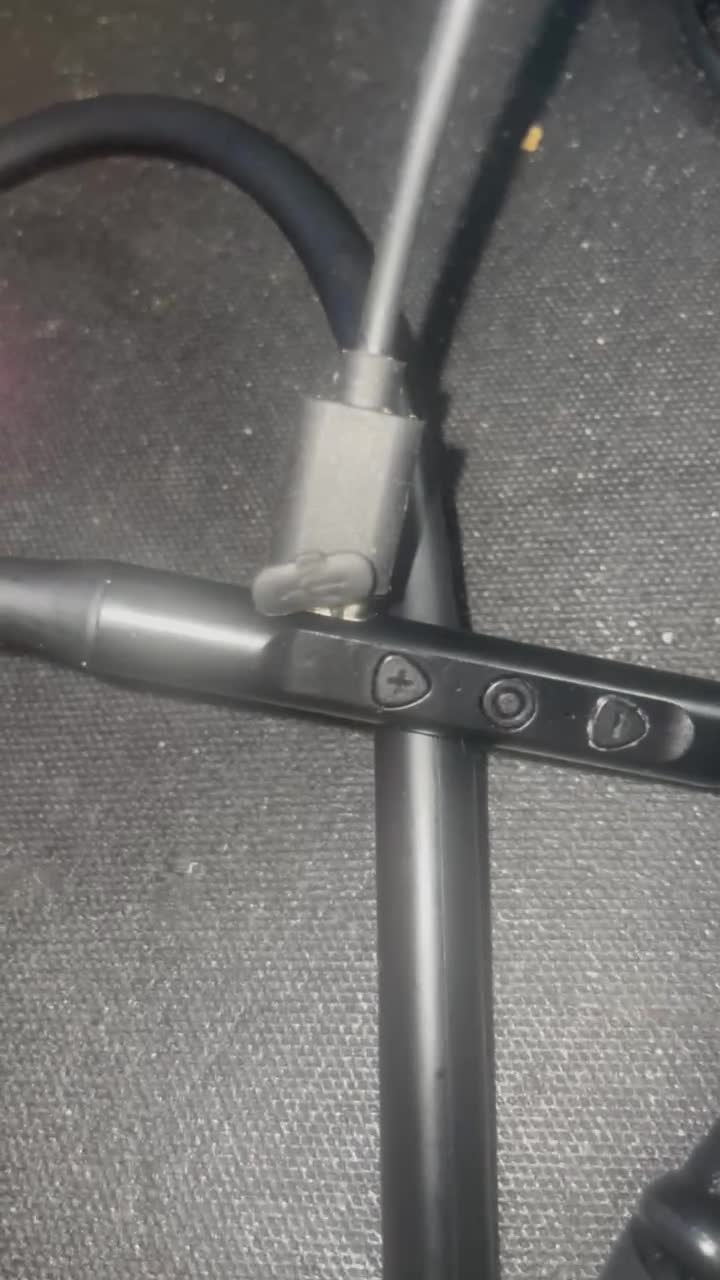
Figure 8: The IPX5 waterproof rating ensures the headphones can withstand sweat and light splashes.
2. Almacenamento
When not in use, store your headphones in the provided portable EVA travel case to protect them from dust, scratches, and tangling.
Resolución de problemas
If you encounter issues with your ZXQ Neckband Bluetooth Headphones, refer to the following common solutions:
| Problema | Posible causa/solución |
|---|---|
| Non se pode acender | Battery is low. Charge the headphones fully. |
| Non se pode emparellar co dispositivo |
|
| Sen son nin baixo volume |
|
| Conexión intermitente |
|
Especificacións
- Nome do modelo: Q2
- Tecnoloxía de conectividade: Sen fíos (Bluetooth 5.2)
- Tipo de controlador de audio: Controlador dinámico de 10 mm
- Duración da batería: Ata 15 horas de xogo
- Porto de carga: USB-C (Tipo-C)
- Nivel de resistencia á auga: Impermeable IPX5
- Tipo de control: In-line Media Control
- Colocación do oído: En Orella
- Material: Aluminum (earbuds), Silicone (neckband)
- Peso do artigo: Aproximadamente 0.002 onzas (0.05 gramos)
- Dimensións do produto: 7.3 x 5.8 x 1.2 polgadas
- Dispositivos compatibles: iPhone/iPad/Android phones/TV/Laptop/Computer
Garantía e Soporte
For warranty information, technical support, or any inquiries regarding your ZXQ Neckband Bluetooth Headphones, please contact the manufacturer directly through their official websitio web ou o vendedor onde se comprou o produto. Garde o recibo de compra como proba de compra para reclamacións de garantía.
Ask a question about this manual
Ask about setup, troubleshooting, compatibility, parts, safety, or missing instructions. Manuals+ will review the question and use this page’s manual context to help answer it.