
1. Introdución
1.1 Produto superadoview
This manual provides instructions for the MEKO 8 Pack Replacement Tips, designed specifically for the MEKO 13 Mins Fast Charging Stylus. These tips ensure continued smooth and sensitive performance for your digital writing and drawing tasks.
1.2 Compatibilidade
Importante: These replacement tips are ONLY compatible with the MEKO 13 Mins Fast Charging Stylus. They are not compatible with any Apple Pencil models or other stylus brands.
Compatible MEKO Stylus models can be found by searching ASINs B0C8H6S9X3 e B0CBTL7NM3 en Amazon.

This image displays the eight white replacement tips included in the package, designed for the MEKO Fast Charging iPad Pencil.
2. Instrucións de instalación
2.1 Substitución da punta
Follow these steps to replace a worn or damaged tip on your MEKO Fast Charging Stylus:
- Gently twist the existing tip counter-clockwise to unscrew and remove it from the stylus.
- Take a new replacement tip from the package.
- Align the new tip with the metal pin on the stylus.
- Twist the new tip clockwise until it is securely fastened. Do not overtighten.

This diagram shows the process of replacing a stylus tip. To replace, gently twist the old tip counter-clockwise to remove it, then twist a new tip clockwise onto the stylus's metal pin until secure.
3. Pautas de uso
3.1 Uso xeral
The replacement tips are designed to provide a smooth and sensitive writing experience. They are suitable for various applications including drawing, writing, and gaming on compatible iPad devices when used with the MEKO Fast Charging Stylus.
3.2 Stylus Features (Contextual)
When used with the MEKO Fast Charging Stylus, these tips support the stylus's advanced features:
- Rexeitamento da palma: Allows you to rest your hand comfortably on the iPad screen while using the stylus without causing unintended marks or actions.
- Sensor de inclinación: Enables the stylus to detect the angle at which it is held, allowing for variations in line thickness and shading, similar to a traditional pencil.
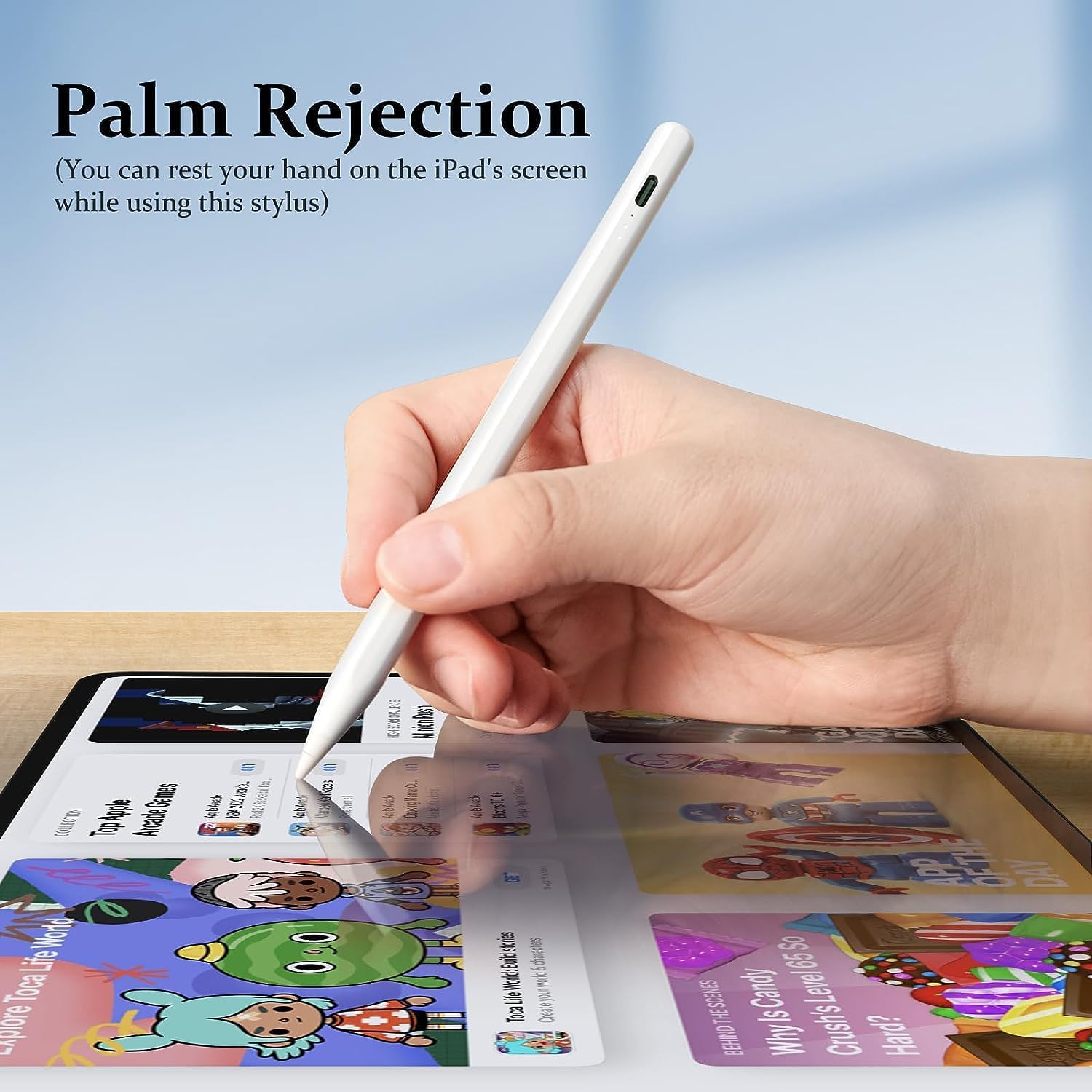
This image demonstrates the palm rejection feature of the compatible MEKO stylus, allowing users to rest their hand on the iPad screen while writing or drawing without interference.

This image highlights the tilt sensor capability of the compatible MEKO stylus, showing how different tilt angles (60°, 30°, 15°) can produce varying line thicknesses for artistic and precise work.
For information on the stylus's power display, refer to the stylus's own manual. An example of the power display is shown below for contextual understanding:
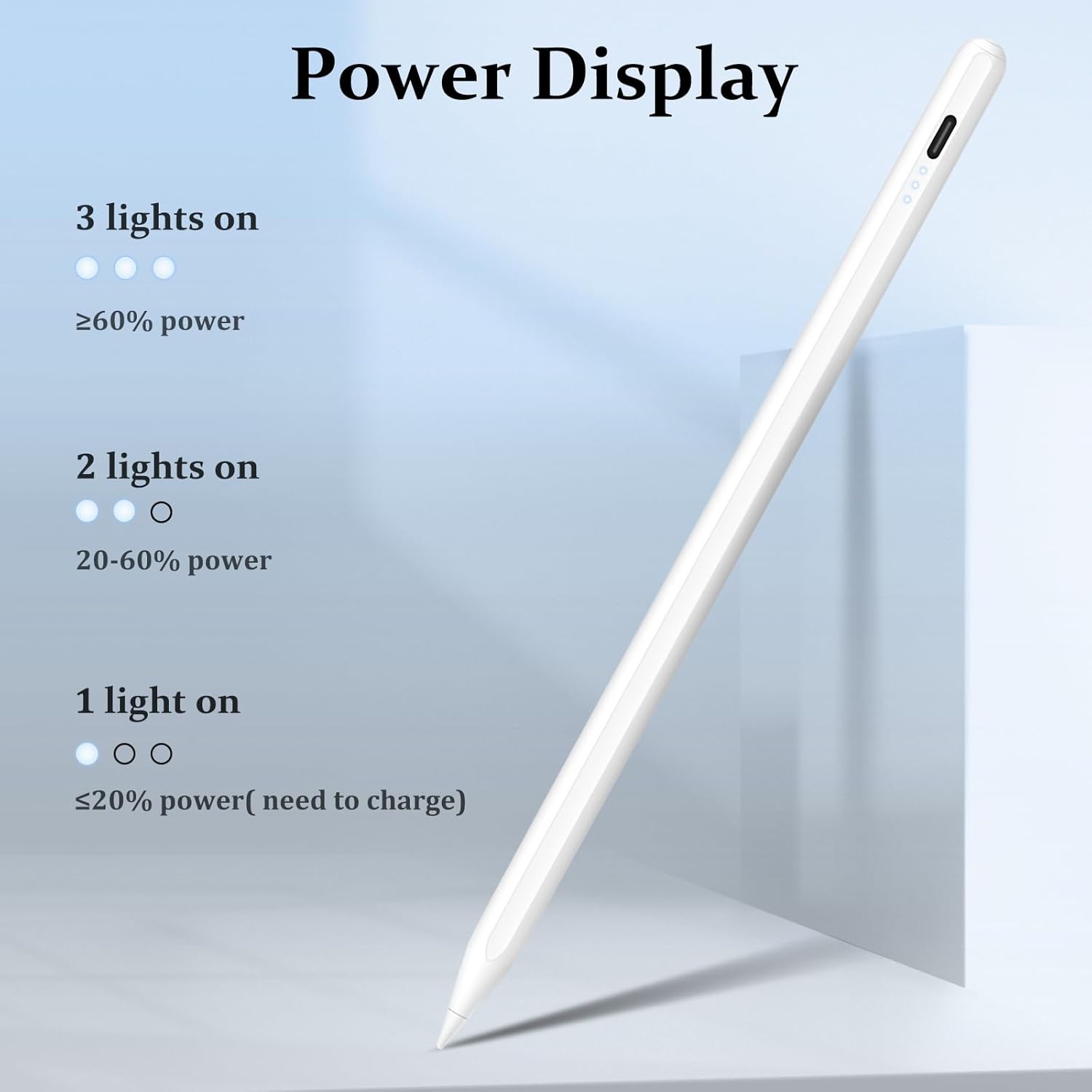
This image illustrates the power display on the compatible MEKO stylus. Three lights indicate 60% or more power, two lights indicate 20-60% power, and one light indicates 20% or less power, signaling a need for charging.
4. Mantemento e coidados
4.1 Tip Care
To maximize the lifespan of your replacement tips and ensure optimal performance, please observe the following:
- Avoid using paper-like screen protectors, as these can significantly accelerate tip wear.
- Store unused tips in a clean, dry place to prevent damage or loss.
- Replace tips when you notice a decrease in sensitivity, accuracy, or visible wear.
5 Solución de problemas
5.1 Problemas comúns
- Tip not working after replacement: Ensure the tip is screwed on tightly and correctly. Verify that your stylus is charged and powered on.
- Tip wears out quickly: This can be normal with frequent use. Avoid using rough screen protectors. If wear is unusually fast, ensure the tip is not loose or damaged.
- Stylus not responding with new tip: Double-check that you are using these tips with a MEKO 13 Mins Fast Charging Stylus. These tips are not compatible with Apple Pencils or other brands.
6. Especificacións do produto
| Característica | Especificación |
|---|---|
| Marca | MEKO |
| Número de modelo | MK-KCPASRT-8P06 |
| Peso do elemento | 0.634 onzas (0.02 quilogramos) |
| Dimensións do produto | 0.39 x 0.19 x 0.19 polgadas |
| Material | Plástico |
| Cor | A-Branco |
| Número de unidades | 8.0 Conta |
| Dispositivos compatibles | MEKO 13 Mins Fast Charging Stylus |
7. Garantía e soporte
For warranty information, technical support, or any product-related inquiries, please refer to the official MEKO website or contact MEKO customer service directly through your purchase platform. Keep your purchase receipt for warranty claims.


