
1. Produto rematadoview
The Xmenha Kids Wireless Bluetooth Cat Ear Headphones, Model KE11, are designed to provide an engaging audio experience for children. These headphones feature a unique design with light-up cat ears and heart-shaped LED lights on the earcups. They offer multiple connectivity options, including Bluetooth wireless, a 3.5mm audio cable for wired use, and a memory card slot for MP3 playback. An adjustable noise-canceling microphone is integrated for clear communication.
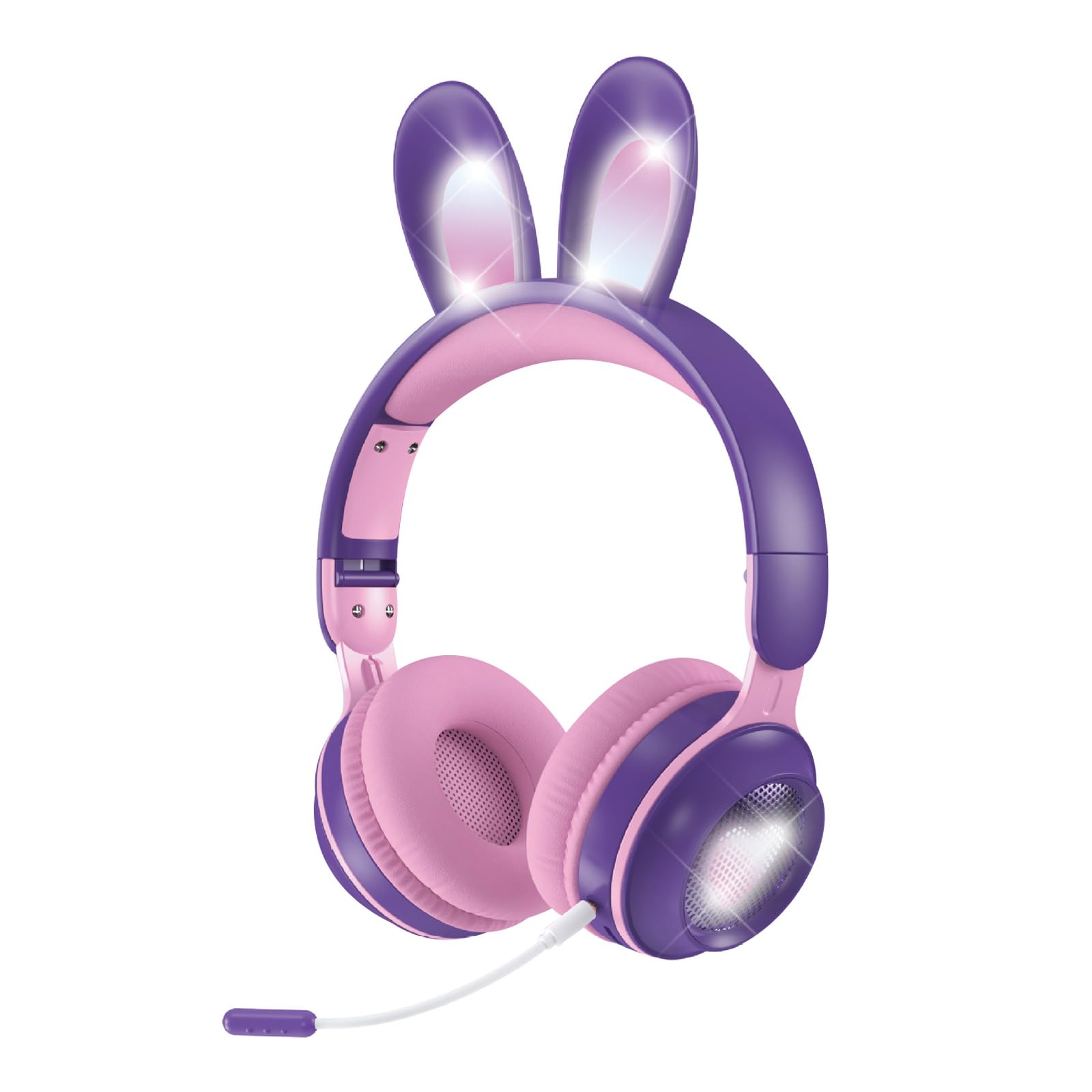
Figure 1: Xmenha Kids Wireless Bluetooth Cat Ear Headphones in Purple.
Características principais:
- Light-Up Cat Ears & Heart-Shaped LED Lights: Unique multi-color gradient LED lights on earcups and cat ears.
- Múltiples opcións de conectividade: Supports Bluetooth wireless, 3.5mm audio cable, and memory card (not included) for MP3 playback.
- Adjustable Headband & Soft Earmuffs: Provides a comfortable fit and improved sound isolation.
- Deseño plegable: Easy to carry and store, suitable for travel.
- Micrófono incorporado: Adjustable noise-canceling microphone for clear voice communication.
- Ampla compatibilidade: Works with smartphones, tablets, gaming consoles, Chromebooks, Kindle Fire, Switch, and iPad.
Video 1: This video demonstrates the features and various color options of the Xmenha Kids Bluetooth Headphones, including the light-up cat ears and microphone.
2. Contido do paquete
Ao desembalar, comproba o contido do paquete para asegurarte de que estean presentes todos os elementos:
- Xmenha Kids Wireless Bluetooth Cat Ear Headphones (1 unit)
- Cable de audio de 3.5 mm (1 unidade)
- Cable de carga USB-C (1 unidade)
- Manual de usuario (este documento)
3. Controis e Indicadores
Familiarize yourself with the headphone controls and ports:

Figure 2: Illustration of upgraded Bluetooth 5.0 technology and various ports on the headphones.
- Botón de encendido: Typically located on one earcup, used for powering on/off and Bluetooth pairing.
- Botóns de volume: Used to adjust audio volume.
- Botón multifunción: For play/pause, answer/end calls (functionality may vary).
- Porto de carga USB-C: Para conectar o cable de carga.
- Conector de audio de 3.5 mm: Para conexión por cable usando o cable de audio incluído.
- Ranura para tarxetas de memoria: For inserting a microSD card (not included) for MP3 playback.
- Porto do micrófono: For connecting the adjustable microphone.
- Indicador LED: Mostra o estado da batería, o estado da carga e o modo de emparellamento Bluetooth.
4. Configuración e conexión
4.1 Carga dos auriculares
- Conecta o cable de carga USB-C fornecido ao porto de carga dos auriculares.
- Conecta o outro extremo do cable USB-C a un adaptador de corrente USB (non incluído) ou a un porto USB dun ordenador.
- The LED indicator will show the charging status. Charging time is approximately 2.5 hours.
- Once fully charged, the LED indicator will change (refer to specific LED behavior in the full manual if available).
4.2 Acendido/Apagado
- Para acender: Manteña premido o botón de acendido durante aproximadamente 3 segundos ata que o indicador LED se acenda e escoite unha mensaxe audible.
- Para apagar: Press and hold the Power button for approximately 3-5 seconds until the LED indicator turns off and you hear an audible prompt.
4.3 Emparejamento Bluetooth
- Asegúrese de que os auriculares estean apagados.
- Press and hold the Power button for approximately 5-7 seconds until the LED indicator flashes rapidly (usually blue and red alternately), indicating pairing mode.
- No teu dispositivo (teléfono intelixente, tableta, etc.), activa o Bluetooth e busca os dispositivos dispoñibles.
- Select "Xmenha KE11" (or similar name) from the list of found devices.
- Once paired, the LED indicator will stop flashing and remain solid blue, and you will hear a connection confirmation sound.
4.4 conexión por cable
Para usar os auriculares no modo con cable:
- Connect one end of the 3.5mm audio cable to the 3.5mm audio jack on the headphones.
- Connect the other end of the audio cable to the audio output jack of your device.
- The headphones will automatically switch to wired mode. Bluetooth functionality will be disabled.
4.5 Memory Card Playback
The headphones support playback from a microSD card (not included).
- Carefully insert a microSD card with MP3 audio files into the memory card slot on the headphones.
- The headphones should automatically detect the card and begin playing music.
- Use the headphone controls to manage playback (play/pause, skip tracks).
5. Funcionamento
5.1 Reprodución de audio
- Reproducir/Pausa: Prema o botón multifunción unha vez.
- Subir volume: Preme o botón Subir volume.
- Baixar volume: Prema o botón para baixar o volume.
- Próxima pista: Press and hold the Volume Up button (or specific button, refer to product diagram).
- Pista anterior: Press and hold the Volume Down button (or specific button, refer to product diagram).
5.2 Uso do micrófono
The adjustable microphone can be used for voice calls or in-game communication.
- Connect the microphone to its dedicated port on the headphones.
- Axusta a posición do micrófono para unha captación óptima da voz.
- When a call comes in (in Bluetooth mode), press the Multi-function button to answer. Press again to end the call.

Figure 3: Headphones with an adjustable noise-canceling microphone for clear communication.
5.3 Light Show Activation
The headphones feature light-up cat ears and heart-shaped LED lights on the earcups.
- The lights typically activate automatically when the headphones are powered on.
- Some models may have a dedicated button to toggle the lights on/off or change light modes. Refer to the product diagram for specific controls.
6. Mantemento e coidados
- Limpeza: Usa un pano suave e seco para limpar os auriculares. Non empregues produtos de limpeza abrasivos nin disolventes.
- Almacenamento: Cando non os uses, garda os auriculares nun lugar fresco e seco. O deseño pregable permite un almacenamento compacto.
- Evitar a humidade: Although the product description mentions
Ask a question about this manual
Ask about setup, troubleshooting, compatibility, parts, safety, or missing instructions. Manuals+ will review the question and use this page’s manual context to help answer it.