
1. Introdución
This manual provides essential information for the safe and efficient operation, installation, and maintenance of your Haier Trendy Dual Split Air Conditioner. Please read this manual thoroughly before using the appliance and keep it for future reference. Proper use and maintenance will ensure optimal performance and extend the lifespan of your unit.
2. Información de seguridade
Always observe the following safety precautions to reduce the risk of electric shock, fire, injury, or damage to the product.
- Instalación profesional: Installation, maintenance, and repair of this air conditioner must be performed by qualified service personnel. Incorrect installation can lead to electric shock, fire, or water leakage.
- Fonte de alimentación: Ensure the power supply matches the specifications of the unit. Do not use extension cords or multi-outlet adapters.
- Refrigerante: This unit uses R32 refrigerant. Do not attempt to handle or release refrigerant. Contact a qualified technician for any refrigerant-related issues.
- Seguridade eléctrica: Do not operate the unit with wet hands. Disconnect power before cleaning or performing any maintenance.
- Obstrución: Do not block the air inlet or outlet of the indoor or outdoor units.
- Nenos e animais: Manteña os nenos e as mascotas lonxe da unidade durante o funcionamento e o mantemento.
3. Produto rematadoview
The Haier Trendy Dual Split Air Conditioner system provides efficient cooling and heating for multiple rooms. This system includes:
- One Outdoor Unit: Model H2U18TAAOUT (TRENDY MULTISPLIT)
- Two Indoor Units: Model HAS12TABIN (12000 BTU/h each) with WiFi remote control
Key features include A++/A+ energy efficiency, R32 refrigerant, and Wi-Fi connectivity for smart control.
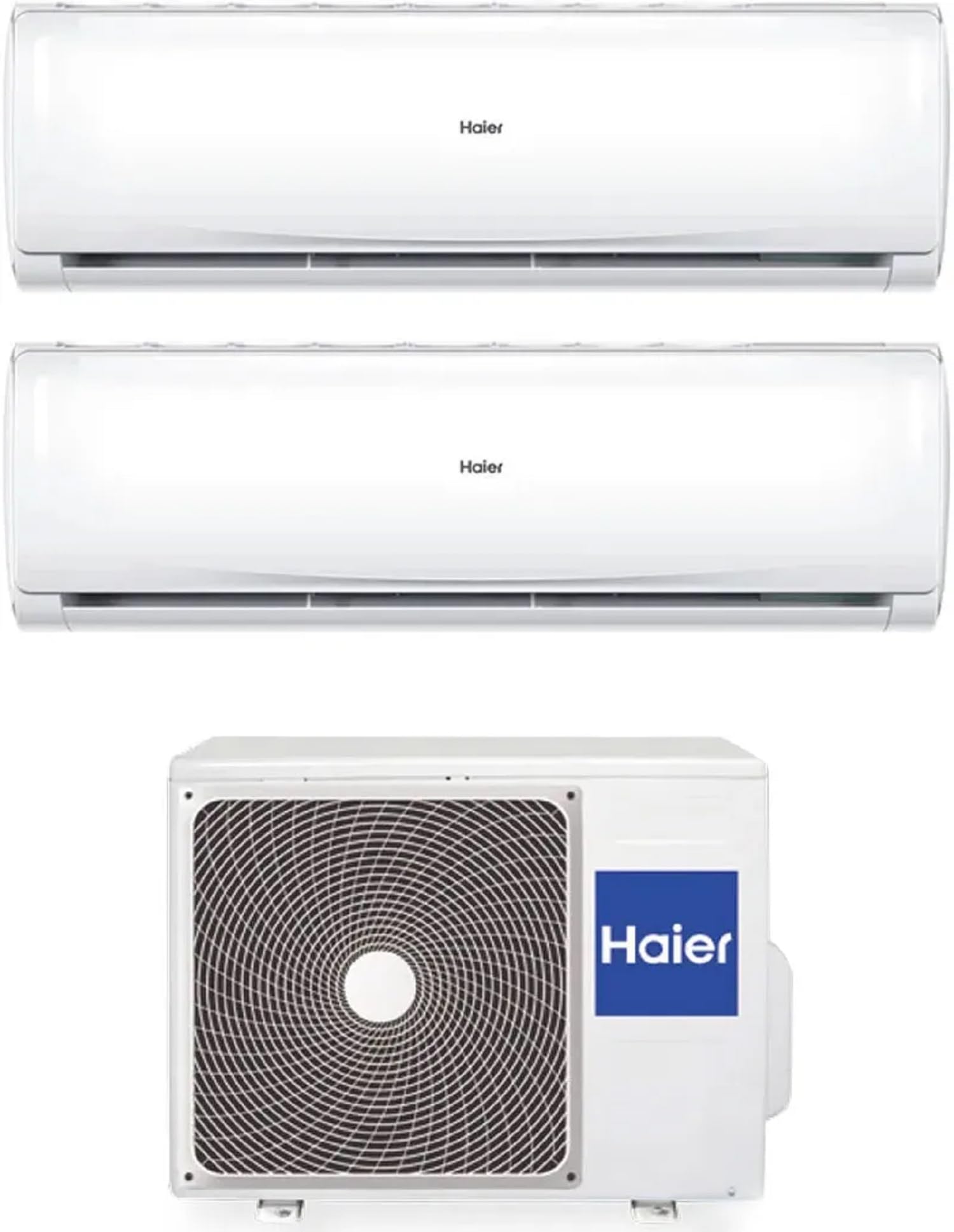
Figure 1: Haier Trendy Dual Split Air Conditioner system. This image shows the complete Haier Trendy Dual Split Air Conditioner system, including one outdoor unit and two indoor units, ready for installation.
4. Configuración e instalación
Installation of the Haier Trendy Dual Split Air Conditioner requires specialized knowledge and tools. It is mandatory to have the unit installed by a certified HVAC professional to ensure proper functioning, safety, and warranty validity.
4.1 Selección do sitio
- Unidades interiores: Choose a location where air can circulate freely, away from direct sunlight or heat sources. Ensure the wall is strong enough to support the unit.
- Unidade exterior: Select a well-ventilated area, free from obstructions, and with sufficient space for maintenance. Avoid locations near bedrooms due to potential operating noise.
4.2 Conexións eléctricas
All electrical wiring must comply with local and national electrical codes. A dedicated circuit breaker is required for the outdoor unit. Ensure proper grounding.
4.3 Tuberías de refrixerante
The refrigerant lines connect the indoor units to the outdoor unit. These connections must be leak-free and properly insulated. Only qualified technicians should handle refrigerant piping.
5. Instrucións de funcionamento
Your Haier Trendy Air Conditioner can be controlled via the included wireless remote control or through the Wi-Fi app.
5.1 Funcións de control remoto
The remote control allows you to select operating modes, adjust temperature, fan speed, and set timers. Refer to the separate remote control manual for detailed button descriptions.
- Botón POWER: Activa / apaga a unidade.
- Botón MODE: Percorre ciclicamente os modos de funcionamento:
- FRÍO: Para arrefriar a habitación.
- CALENTACIÓN: Para quentar a habitación.
- VENTILADOR: Circula o aire sen arrefriar nin quentar.
- SECO: Deshumidifica a habitación.
- AUTOMÁTICO: Automatically selects mode based on room temperature.
- Botóns TEMP ▲/▼: Axusta a temperatura desexada.
- Botón FAN: Axusta a velocidade do ventilador (Automático, Baixa, Media, Alta).
- Botón SWING: Controls the louver direction.
- Botón TIMER: Configura os temporizadores de acendido/apagado.
5.2 Conectividade Wi-Fi
The Haier Trendy units are equipped with Wi-Fi for smart control via a smartphone application. Download the official Haier Smart Air app from your device's app store. Follow the in-app instructions to connect your air conditioner to your home Wi-Fi network. This allows for remote control and scheduling functionalities.
6. Mantemento
Regular maintenance ensures the efficiency and longevity of your air conditioner. Always disconnect the power supply before performing any maintenance.
6.1 Air Filter Cleaning (Indoor Unit)
Clean the air filters every two weeks or more frequently if the unit is used often or in dusty environments. Clogged filters reduce efficiency and airflow.
- Abra o panel frontal da unidade interior.
- Retire os filtros de aire.
- Lave os filtros con auga morna e un deterxente suave. Enxágüe ben.
- Allow filters to dry completely in a shaded area before reinstalling. Do not expose to direct sunlight.
- Reinstall the filters and close the front panel.
6.2 Limpeza da unidade exterior
Periodically check the outdoor unit for debris, leaves, or dirt that may obstruct airflow. Gently clean the coils with a soft brush or vacuum cleaner. Do not use high-pressure water, as it can damage the fins.
6.3 Servizo profesional
It is recommended to have your air conditioner professionally serviced at least once a year by a qualified technician. This includes checking refrigerant levels, electrical connections, and overall system performance.
7 Solución de problemas
Antes de contactar co servizo técnico, comproba os seguintes problemas e solucións comúns:
| Problema | Causa posible | Solución |
|---|---|---|
| A unidade non comeza | No power, remote control batteries low, timer set. | Check power supply, replace remote batteries, cancel timer. |
| Refrixeración/quecemento insuficiente | Dirty air filters, blocked outdoor unit, wrong mode, temperature setting. | Clean filters, clear obstructions, select correct mode, adjust temperature. |
| Fuga de auga da unidade interior | Tubaxe de drenaxe atascada, instalación incorrecta. | Clean drain pipe. If issue persists, contact a professional. |
| Ruído insólito | Loose parts, foreign objects, compressor noise (normal). | Check for loose parts. If noise is abnormal, contact service. |
| Problemas de conexión wifi | Router issues, incorrect password, unit too far from router. | Restart router, re-enter password, ensure good signal strength. |
If the problem persists after trying these solutions, please contact Haier customer support or a qualified service technician.
8. Especificacións
Below are the general specifications for the Haier Trendy Dual Split Air Conditioner system:
| Característica | Detalle |
|---|---|
| Marca | Haier |
| Nome do modelo | De moda |
| Modelo de Unidade Exterior | H2U18TAAOUT |
| Modelo de unidade interior | HAS12TABIN (x2) |
| Capacidade de refrixeración | 5 Kilowatt (Total for outdoor unit, supporting 2x 12000 BTU indoor units) |
| Función de calefacción | Si |
| Refrixerante | R-32 |
| Índice de eficiencia enerxética estacional (SEER) | 6.5 |
| Energy Class (Cooling/Heating) | A++/A+ |
| Nivel de ruído (unidade exterior) | 55 decibeis |
| Fonte de enerxía | Con cable |
| Factor de forma | Mini-split |
| Conectividade | Wi-Fi Inverter |
9. Garantía e soporte
Para obter información sobre a garantía, consulte a tarxeta de garantía incluída co produto ou visite o sitio web oficial de Haier. websitio. Garde o recibo da compra como xustificante da mesma.
For technical support, service requests, or inquiries, please contact Haier customer service through their official channels. Contact details can typically be found on the Haier websitio ou na embalaxe do produto.