
1. Introdución e finalview
Thank you for choosing the AMONIDA Bluetooth Clip-on Earbuds. These innovative open-ear headphones are designed for comfort and high-fidelity audio, featuring an ergonomic clip-on design, IPX5 water resistance, HiFi stereo sound, intuitive touch controls, and low-latency performance, making them ideal for sports and daily use.

Image: The AMONIDA Bluetooth Clip-on Earbuds resting in their open charging case, showcasing o seu deseño compacto.
2. Contido do paquete
- AMONIDA Bluetooth Clip-on Earbuds (Left and Right)
- Estuche de carga
- Cable de carga USB-C
- Manual de usuario (este documento)

Image: The earbuds in their charging case, accompanied by the USB-C charging cable, illustrating the complete package contents.
3. Configuración
3.1. Carga dos auriculares e da funda
Antes do primeiro uso, carga completamente os auriculares e a caixa de carga.
- Coloca os auriculares na caixa de carga, asegurándote de que estean correctamente asentados.
- Conecte o cable de carga USB-C ao porto de carga da parte traseira da carcasa.
- Conecta o outro extremo do cable a un adaptador de corrente USB (non incluído) ou ao porto USB dun ordenador.
- The indicator lights on the case will show charging status. Once fully charged, the lights will indicate completion (refer to specific light behavior in product packaging if available).

Imaxe: Traseira view of the charging case, highlighting the USB-C charging port for easy connection.
3.2. Emparellamento Bluetooth
- Asegúrate de que os auriculares estean cargados.
- Open the charging case. The earbuds will automatically enter pairing mode (indicator lights will flash, typically blue or white).
- No teu dispositivo (teléfono intelixente, tableta, ordenador), activa o Bluetooth.
- Busca "AMONIDA Earbuds" or a similar name in the list of available Bluetooth devices.
- Select the earbuds to connect. Once connected, the indicator lights on the earbuds will stop flashing.
- Os auriculares volverán conectarse automaticamente ao último dispositivo emparellado ao sacalos da funda, se o Bluetooth está activado no dispositivo.
3.3. Como usar os auriculares
The AMONIDA earbuds feature an ergonomic clip-on design for a secure and comfortable fit, especially during physical activity.
- Identifica os auriculares esquerdo (E) e dereito (D).
- Gently clip the earbud onto your ear, positioning the speaker part over your ear canal and the clip securely around the back of your ear.
- Adjust for optimal comfort and sound quality. The open-ear design allows you to remain aware of your surroundings.

Image: A person wearing an AMONIDA earbud, illustrating how the ergonomic clip-on design fits securely and comfortably on the ear.
4. Funcionamento dos auriculares
4.1. Acendido/apagado
- Encendido: Os auriculares acéndense automaticamente ao retiralos da caixa de carga.
- Apagado: Volva colocar os auriculares na caixa de carga para que se apaguen automaticamente e comecen a cargar.
4.2. Toca Controis
The earbuds feature intuitive touch controls on their outer surface. Specific functions may vary slightly by model or firmware version. Refer to the quick start guide included with your product for precise touch commands.
| Acción | Función |
|---|---|
| Toque único (E/D) | Reproducir/Pausa música, Responder/Finalizar chamada |
| Dobre toque (dereita) | Próxima pista |
| Dobre toque (esquerda) | Pista anterior |
| Triplo toque (E/D) | Activar o Asistente de voz (Siri, Asistente de Google) |
| Presión longa (E/D) | Rexeitar a chamada |
| Long Press (Right) | Subir volume |
| Long Press (Left) | Baixar o volume |
5. Mantemento
5.1. Limpeza
- Limpe os auriculares e a caixa de carga cun pano suave, seco e sen fiapos.
- Non empregue produtos de limpeza abrasivos, alcol nin disolventes químicos.
- Asegúrate de que os contactos de carga estean limpos e secos.
5.2. Almacenamento
- Garda os auriculares no seu estuche de carga cando non estes en uso para protexelos e mantelos cargados.
- Gardar nun lugar fresco e seco, lonxe de temperaturas extremas e da luz solar directa.
5.3. Resistencia á auga (IPX5)
The AMONIDA earbuds are rated IPX5, meaning they are protected against low-pressure water jets from any direction. This makes them suitable for workouts and light rain.
- Non mergulles os auriculares na auga.
- Do not expose them to saltwater, chlorinated water, or other liquids.
- If the earbuds get wet, dry them thoroughly before placing them back in the charging case to prevent damage to the charging contacts.
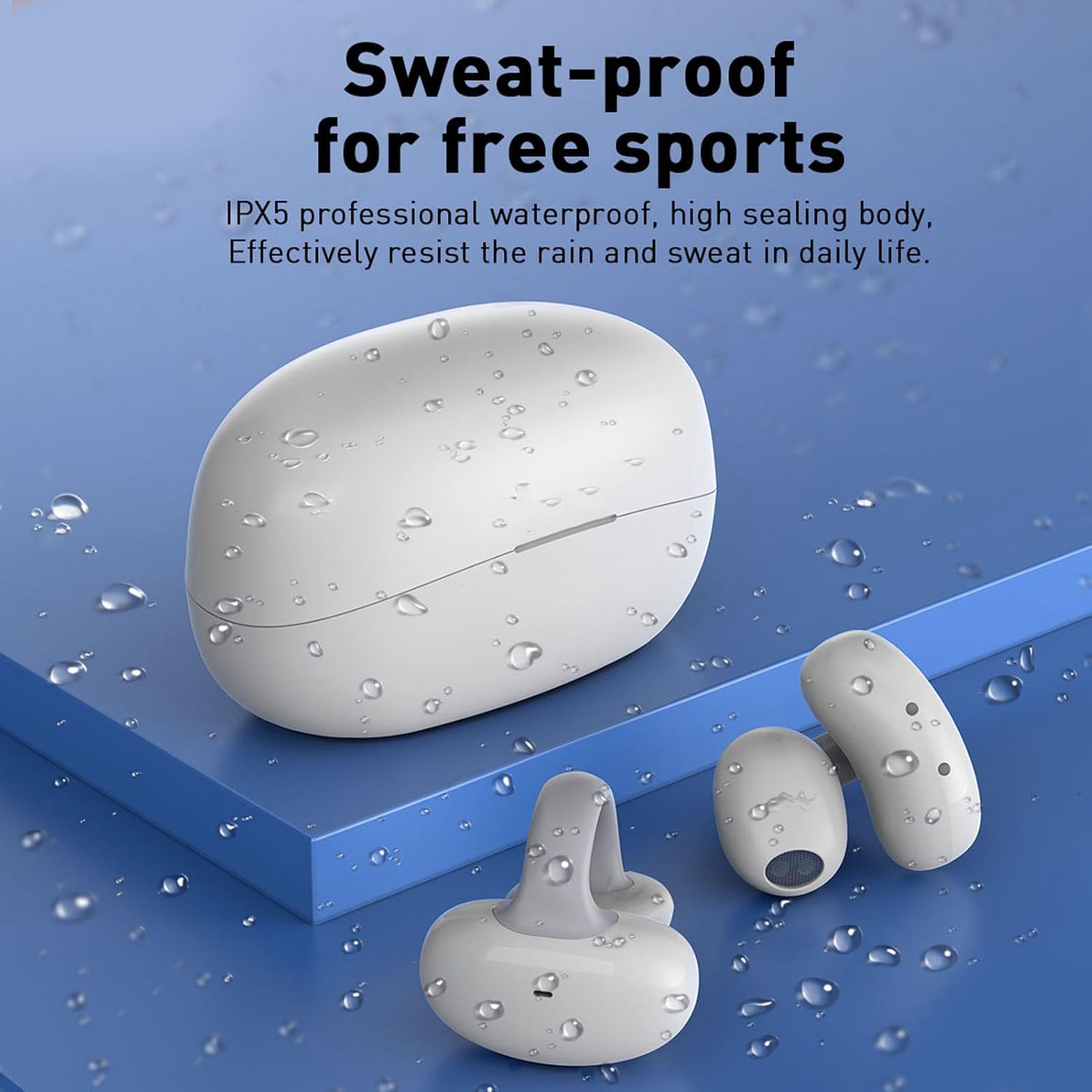
Image: The earbuds and charging case are shown with water droplets, visually representing their IPX5 sweat-proof and splash-proof capabilities.
6 Solución de problemas
6.1. Problemas comúns e solucións
- Auriculares sen emparellamento:
- Asegúrate de que os auriculares estean cargados e fóra da funda.
- Desactiva e activa o Bluetooth no teu dispositivo.
- Esquece o dispositivo da túa lista de Bluetooth e tenta emparellalo de novo.
- Tenta emparellalo con outro dispositivo para descartar problemas específicos do dispositivo.
- Sen son ou volume baixo:
- Comproba os niveis de volume nos dous auriculares e no dispositivo conectado.
- Asegúrate de que os auriculares estean conectados correctamente ao dispositivo.
- Limpa calquera residuo dos altofalantes dos auriculares.
- Auriculares sen cargar:
- Asegúrate de que o cable de carga estea conectado de forma segura tanto á carcasa como á fonte de alimentación.
- Check if the charging contacts on the earbuds and inside the case are clean and dry.
- Proba cun cable USB-C ou adaptador de corrente diferente.
6.2. Restablecemento dos auriculares
If you experience persistent issues, a factory reset may resolve them. Refer to the specific instructions provided in your product's quick start guide, as reset procedures can vary. Typically, this involves placing earbuds in the case and holding a button for a certain duration.
7. Especificacións
| Característica | Detalle |
|---|---|
| Marca | AMONIDA |
| Número de modelo | AMONIDA7xcevo2squ-11 |
| ASIN | B0CH43FH63 |
| Fabricante | AMONIDA |
| País de Orixe | China |
| Conectividade | Bluetooth (version not specified, typically 5.0 or higher) |
| Resistencia á auga | IPX5 (Sweat-proof, splash-proof) |
| Deseño | Open-ear, Clip-on, Ergonomic |
| Funcións de audio | HiFi Stereo Sound, Low Latency |
| Tipo de control | Control táctil |
8. Garantía e soporte
For warranty information, please refer to the documentation included with your purchase or contact the seller directly. AMONIDA products typically come with a standard manufacturer's warranty covering defects in materials and workmanship.
For technical support, troubleshooting assistance beyond this manual, or inquiries about replacement parts, please contact the seller or visit the official AMONIDA website. Please have your model number (AMONIDA7xcevo2squ-11) and purchase details ready when seeking support.