
Cleyver ODHCAM360
Cleyver ODHCAM 360° Webcam Manual do usuario
Model: ODHCAM360
1. Introdución
Thank you for choosing the Cleyver ODHCAM 360° Webcam. This device is designed to enhance your video conferencing experience with its panoramic view, intelligent features, and high-quality audio-visual capabilities. Please read this manual carefully to ensure proper setup and operation.
2. Produto rematadoview
The Cleyver ODHCAM 360° Webcam integrates a 5 MP Full HD CMOS sensor, omnidirectional microphones, and a 3W HD speaker into a single, compact unit. It offers a 360° field of view and intelligent features like voice tracking and automatic framing to keep participants engaged.
2.1 Contido do paquete
- Cleyver ODHCAM 360° Webleva
- Cable USB
- (Potentially) Driver/Software CD
- (Potentially) Lens Cap
2.2 Compoñentes do dispositivo
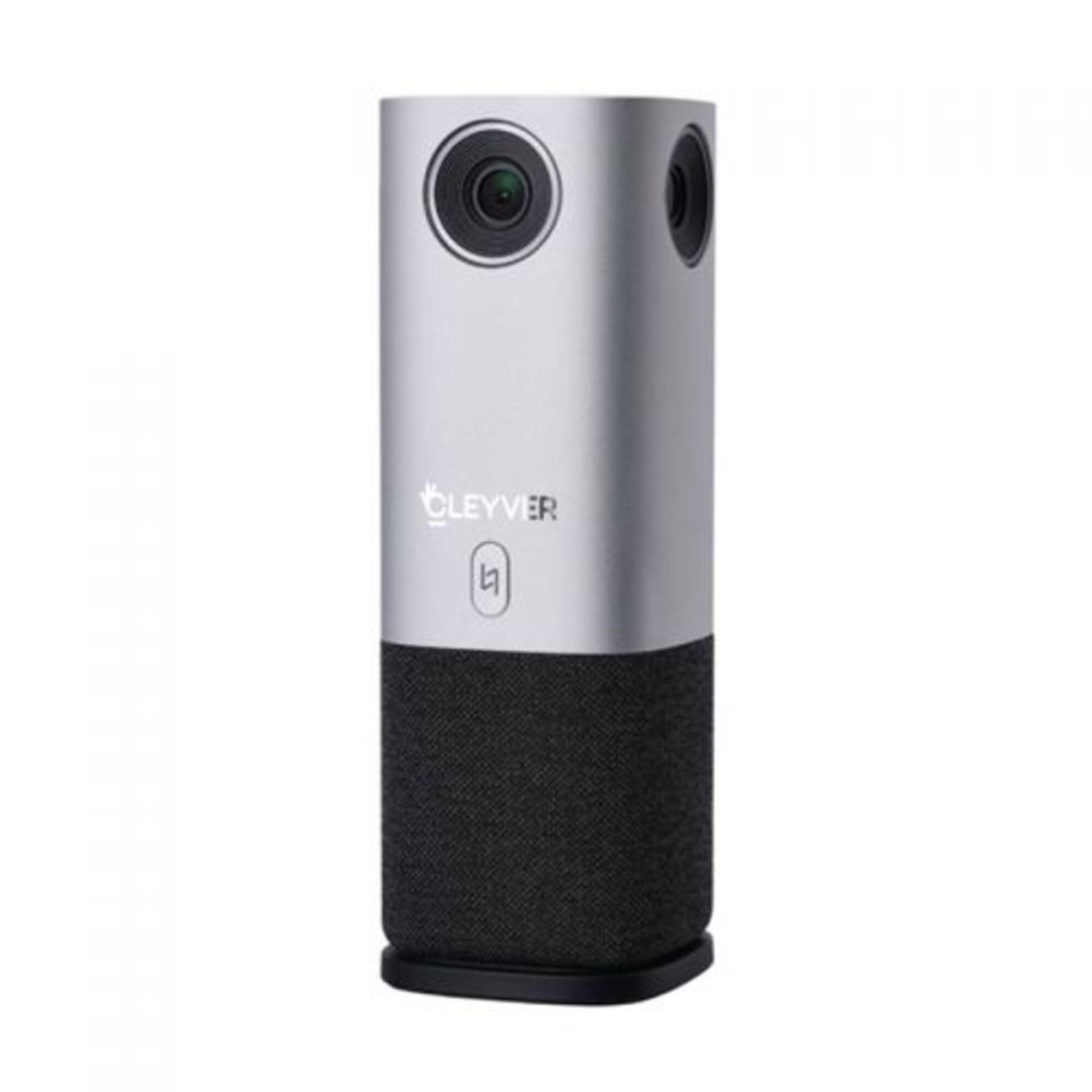
Figura 1: Fronte view of the Cleyver ODHCAM 360° Webcam. Shows the main camera lens, Cleyver logo, and a button.

Figura 2: Traseira view of the Cleyver ODHCAM 360° Webcam, highlighting the USB and power ports.

Figure 3: A hand pressing the mode selection button on the Cleyver ODHCAM 360° Webleva.
3. Configuración
The Cleyver ODHCAM 360° Webcam is designed for Plug & Play operation, requiring minimal setup.
3.1 Conectando o dispositivo
- Coloca o webcam on a stable surface in the center of your meeting area.
- Connect the provided USB cable to the USB port on the webleva.
- Conecte o outro extremo do cable USB a un porto USB dispoñible no seu ordenador.
- Conecte o adaptador de enerxía ao webcam's power input and then to a wall outlet. The device requires external power for full functionality.
- Your computer should automatically detect and install the necessary drivers. If not, refer to the (potentially) included driver CD or download drivers from the official Cleyver websitio.

Figure 4: USB and power cables connected to the Cleyver ODHCAM 360° Webleva.
4. Instrucións de funcionamento
Unha vez conectado, o webcam is ready for use with your preferred video conferencing software.
4.1 Selecting a Presentation Mode
The Cleyver ODHCAM 360° offers 6 distinct presentation modes to suit various meeting scenarios. Press the mode selection button on the device to cycle through the available modes.
- Full Screen 360°: Displays a complete panoramic view da sala.
- Todo arredor View: Presents a split view with a panoramic top section and individual speaker views abaixo.
- Host Mode: Focuses on the primary speaker while showing a panoramic view.
- Dual Host Mode: Highlights two main speakers simultaneously.
- Solteiro View 90°: Provides a standard 90-degree field of view, focusing on a specific area.
- Gran Angular View 120°: Offers a broader 120-degree field of view.
The device uses AI voice tracking and automatic framing to dynamically adjust the view based on who is speaking, ensuring optimal visibility for all participants.
4.2 Funcións de audio
- Omnidirectional Microphones: The integrated microphones capture clear audio from all directions.
- 3W HD Speaker: Provides clear sound output for incoming audio.
- Función de silencio: A dedicated button on the device allows you to quickly mute/unmute the microphones. An indicator light will show the mute status (e.g., red for muted, green for active).
4.3 Compatibilidade
The Cleyver ODHCAM 360° Webcam is compatible with most popular video conferencing platforms and operating systems, including Windows and macOS. It is designed to work seamlessly with applications such as Zoom, Microsoft Teams, Skype, Google Meet, and others.
Video 1: Demonstration of the Nuroum C50 Webcam (similar to Cleyver ODHCAM 360°) features, including panoramic view and voice tracking. This video illustrates how the camera automatically focuses on the active speaker during a meeting.
Video 2: Unboxing and initial setup of a CZUR Halo webcam (similar to Cleyver ODHCAM 360°). This video demonstrates the physical components and how to connect the device.
Vídeo 3: Rematadoview of the j5create 360-degree meeting webcam (similar to Cleyver ODHCAM 360°), showcasing its various display modes and omnidirectional microphone capabilities.
Video 4: Promotional video for Nuroum C20 (similar to Cleyver ODHCAM 360°), highlighting its all-in-one conference camera features, AI noise cancellation, and effective voice capture.
Video 5: Instructions on how to use the CZUR Halo webcam (similar to Cleyver ODHCAM 360°) with Zoom, demonstrating camera selection within the application.
5. Mantemento e coidados
- Manteña o dispositivo limpo limpo cun pano suave e seco.
- Evite o uso de produtos químicos agresivos ou produtos de limpeza abrasivos.
- Ensure the lens is free from dust and smudges for optimal image quality.
- Almacenar o webcam in a cool, dry place when not in use.
- Non expoña o dispositivo a temperaturas ou humidades extremas.
6 Solución de problemas
| Problema | Causa posible | Solución |
|---|---|---|
| Sen saída de imaxe/vídeo |
|
|
| No audio input/output |
|
|
| Mala calidade de imaxe |
|
|
7. Especificacións
| Característica | Detalle |
|---|---|
| Marca | Cleyver |
| Modelo | ODHCAM360 |
| Cor | Prata |
| Características especiais | 360° Video Conferencing, Voice Tracking, Automatic Framing |
| Tecnoloxía de sensores | CMOS |
| Resolución efectiva de fotografías | 5 megapíxeles |
| Resolución de vídeo | 1080 p |
| Tecnoloxía de conectividade | USB |
| Micrófonos | Omnidireccional |
| Orador | 3W HD Speaker |
| Dimensións (L x W x H) | 6.76 x 6.75 x 18.2 cm |
| Dispositivos compatibles | Laptop, Personal Computer, (potentially) Tablet, (potentially) Smartphone |
| Tipo de foco | Enfoque automático, enfoque manual |
| Nivel de resistencia á auga | Non impermeable |
8. Garantía e soporte
For warranty information and technical support, please refer to the documentation included with your product or visit the official Cleyver websitio. Garde o recibo da compra como xustificante de compra para reclamacións de garantía.
Ask a question about this manual
Ask about setup, troubleshooting, compatibility, parts, safety, or missing instructions. Manuals+ will review the question and use this page’s manual context to help answer it.