
Introdución
Thank you for choosing CLEYVER Earbuds Pro. This user manual provides essential information for the proper setup, operation, maintenance, and troubleshooting of your new wireless headphones. Please read this manual thoroughly before using the product to ensure optimal performance and longevity.
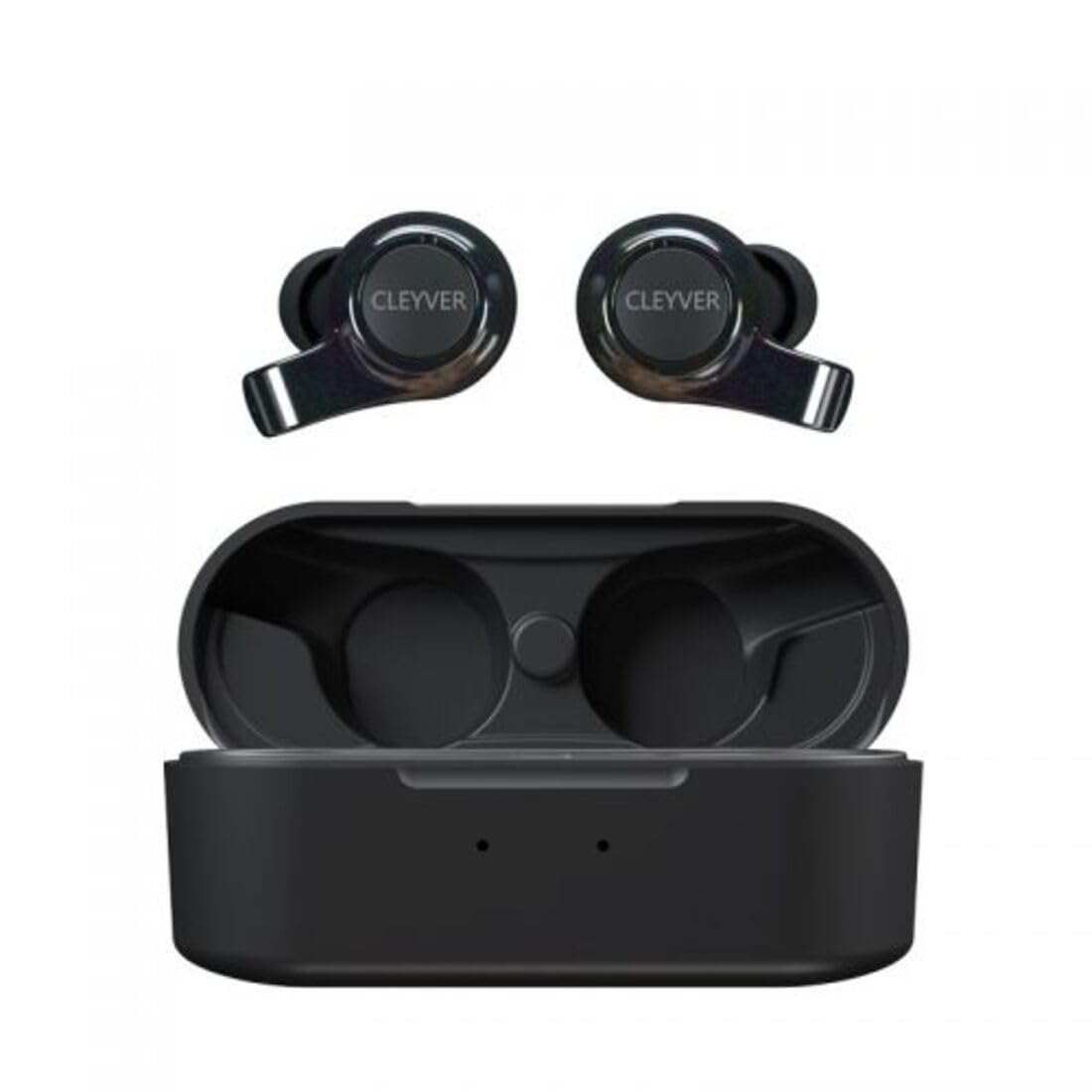
Image: The CLEYVER Earbuds Pro displayed with the CLEYVER brand logo.
Contido do paquete
Asegúrate de que todos os elementos estean presentes no teu paquete:
- CLEYVER Earbuds Pro (Left and Right)
- Estuche de carga sen fíos
- Cable de carga USB-C
- Eartips (Small, Medium, Large sizes)
- Manual de usuario (este documento)

Image: The CLEYVER Earbuds Pro and their accompanying charging case.
Produto rematadoview
The CLEYVER Earbuds Pro are designed for a superior audio experience with advanced features. Each earbud is equipped with a dual microphone system for clear calls and Environmental Noise Cancellation (ENC) technology. The earbuds feature a hybrid Touch & Push-button control system for easy management of calls and media playback.
The compact charging case provides extended battery life and supports both wired (USB-C) and wireless charging.

Image: The CLEYVER Earbuds Pro securely placed within their charging case.
Configuración
1. Carga dos auriculares e da funda
Antes do primeiro uso, carga completamente os auriculares e a caixa de carga.
- Carga por cable: Conecta o cable USB-C fornecido ao porto de carga da carcasa e a unha fonte de alimentación.
- Carga sen fíos: Coloca a caixa de carga nunha base de carga sen fíos compatible.
The charging case has a 500 mAh battery, providing up to 40 hours of listening time or 7 hours of talk time. A quick 10-minute charge can provide up to 2 hours of autonomy.

Image: Visual representation highlighting the 40 hours of playtime for the CLEYVER Earbuds Pro.
2. Emparellamento co teu dispositivo
- Abre a tapa da caixa de carga. Os auriculares entrarán automaticamente no modo de emparellamento.
- No teu dispositivo (teléfono intelixente, tableta, etc.), activa o Bluetooth.
- Busca available Bluetooth devices and select "CLEYVER Earbuds Pro" from the list.
- Unha vez conectados, reproducirase un son de confirmación e os auriculares estarán listos para o seu uso.
The earbuds feature instant pairing when the case lid is opened, simplifying the connection process.

Image: A smartphone screen displaying the CLEYVER Earbuds Pro as a connected Bluetooth device, illustrating the simple setup process.
3. Como usar os auriculares
Choose the eartip size (S, M, L) that provides the most comfortable and secure fit for optimal sound quality and noise isolation. Gently insert the earbuds into your ears and twist slightly to secure them.

Image: A person demonstrating how to properly insert a CLEYVER Earbud Pro into their ear.
Funcionamento dos auriculares
Touch & Push-Button Controls
The CLEYVER Earbuds Pro feature a hybrid control system combining touch gestures with a physical push-button for precise command execution. Specific functions for playback, call management, and mode switching are detailed in the quick start guide included in the package.
Modos de son
- Cancelación de ruído ambiental (ENC): This technology actively reduces ambient noise, providing clearer audio during calls and an immersive listening experience.
- Modo de transparencia: Allows you to hear your surroundings without removing the earbuds. You can choose between full or partial noise isolation to stay aware of your environment.

Image: A person wearing CLEYVER Earbuds Pro, with an overlay indicating 'Transparency Mode' and a phone screen showing options for different sound modes.
Modo de xogo
Activate Gaming Mode for reduced audio latency, ensuring synchronized sound with on-screen action during gaming sessions.

Image: The CLEYVER Earbuds Pro positioned beside a smartphone screen showing a dynamic racing game, illustrating the 'Gaming Mode' feature.
Funcións de chamada
Benefit from HD audio and a dual microphone system per earbud, designed to deliver crystal-clear voice quality during calls while minimizing background noise.
Mono or Stereo Use
The earbuds can be used individually (mono mode) or together (stereo mode) according to your preference and situation.
Mantemento
Limpeza
Limpa os auriculares e a funda de carga regularmente para manter un rendemento e unha hixiene óptimos.
- Usa un pano suave, seco e sen fiapos para limpar os auriculares e a funda.
- Para as almofadas, retíraas dos auriculares e límpaas cun pano de papel.amp pano e sécao completamente antes de volvelo colocar.
- Evite o uso de materiais abrasivos, solventes ou produtos químicos agresivos.
Almacenamento
Cando non os uses, garda os auriculares no seu estoxo de carga para protexelos do po e dos danos, e para mantelos cargados.
Resistencia á auga
The CLEYVER Earbuds Pro are IPX5 certified, meaning they are protected against low-pressure water jets from any direction. This makes them suitable for workouts and light rain, but they are not designed for submersion in water.
Resolución de problemas
If you encounter issues with your CLEYVER Earbuds Pro, refer to the following common solutions:
| Problema | Posible Solución |
|---|---|
| Os auriculares non se emparejan | Ensure earbuds are charged. Turn off and on your device's Bluetooth. Place earbuds back in case, close, then reopen to re-enter pairing mode. |
| Non hai son dun auricular | Check battery level of both earbuds. Re-pair the earbuds with your device. Ensure both earbuds are properly seated in the charging case for connection. |
| O estuche de carga non se está cargando | Verify the USB-C cable is securely connected to both the case and power source. If using wireless charging, ensure the case is correctly positioned on the charging pad. |
| Mala calidade de son | Ensure earbuds are clean and eartips are correctly sized and sealed in your ear. Move closer to your connected device to avoid interference. |
Especificacións
| Característica | Detalle |
|---|---|
| Marca | Cleyver |
| Nome do modelo | ODEWPRO |
| Cor | Negro |
| Factor de forma | No oído |
| Tecnoloxía de conectividade | Sen fíos (Bluetooth 5.2) |
| Alcance Bluetooth | Ata 30 metros |
| Micrófonos | 2 per earbud (with ENC Technology) |
| Control de ruído | Environmental Noise Cancellation (ENC), Transparency Mode |
| Resistencia á auga | IPX5 Standard (splash resistant) |
| Tempo de reprodución de auriculares | Ata 40 horas (con funda de carga) |
| Earbud Talk Time | Ata 7 horas |
| Tempo de espera | Ata 200 horas |
| Estuche de carga de batería | 500 mAh |
| Tipo de carga | USB-C (wired) or Wireless Charging |
| Compoñentes incluídos | User Manual, USB-C Cable, Wireless Charging Case, Eartips |
Garantía e Soporte
Información da garantía
The CLEYVER Earbuds Pro come with a 2 ano de garantía from the date of purchase. This warranty covers manufacturing defects and ensures your product functions as intended under normal use. Please retain your proof of purchase for warranty claims.
Atención ao cliente
For further assistance, technical support, or warranty inquiries, please visit the official Cleyver website or contact their customer service through the details provided on your purchase receipt or packaging.