
1. Introdución
Grazas pola compraasing the AGPTEK G02PL 64GB Clip MP3 Player. This portable music player is designed for convenience and durability, especially for sports and outdoor activities. It features a clip-on design, FM radio, and a sweatproof silicone case. This manual provides detailed instructions on how to set up, operate, and maintain your device.
2. Produto rematadoview
2.1 Contido do paquete
- AGPTEK G02PL 64GB Clip MP3 Player
- Sweatproof Silicone Case
- Cable de carga USB
- Manual de usuario
- Note: Earphones are not included in the package.

Image: Contents of the AGPTEK G02PL package, including the MP3 player, silicone case, USB cable, and user manual.
2.2 Características do dispositivo
- Deseño de clip: Easily attachable for sports and outdoor activities.
- Sweatproof Silicone Case: Provides protection during workouts.
- Memoria interna de 64 GB: Ample storage for your music library.
- Radio FM: Listen to your favorite radio stations (requires wired earphones).
- Modo aleatorio: Quick switch for randomized playback.
- Compacto e lixeiro: Weighs only 0.49 oz (14g), dimensions: 1.97 x 1.43 x 0.61 inches.
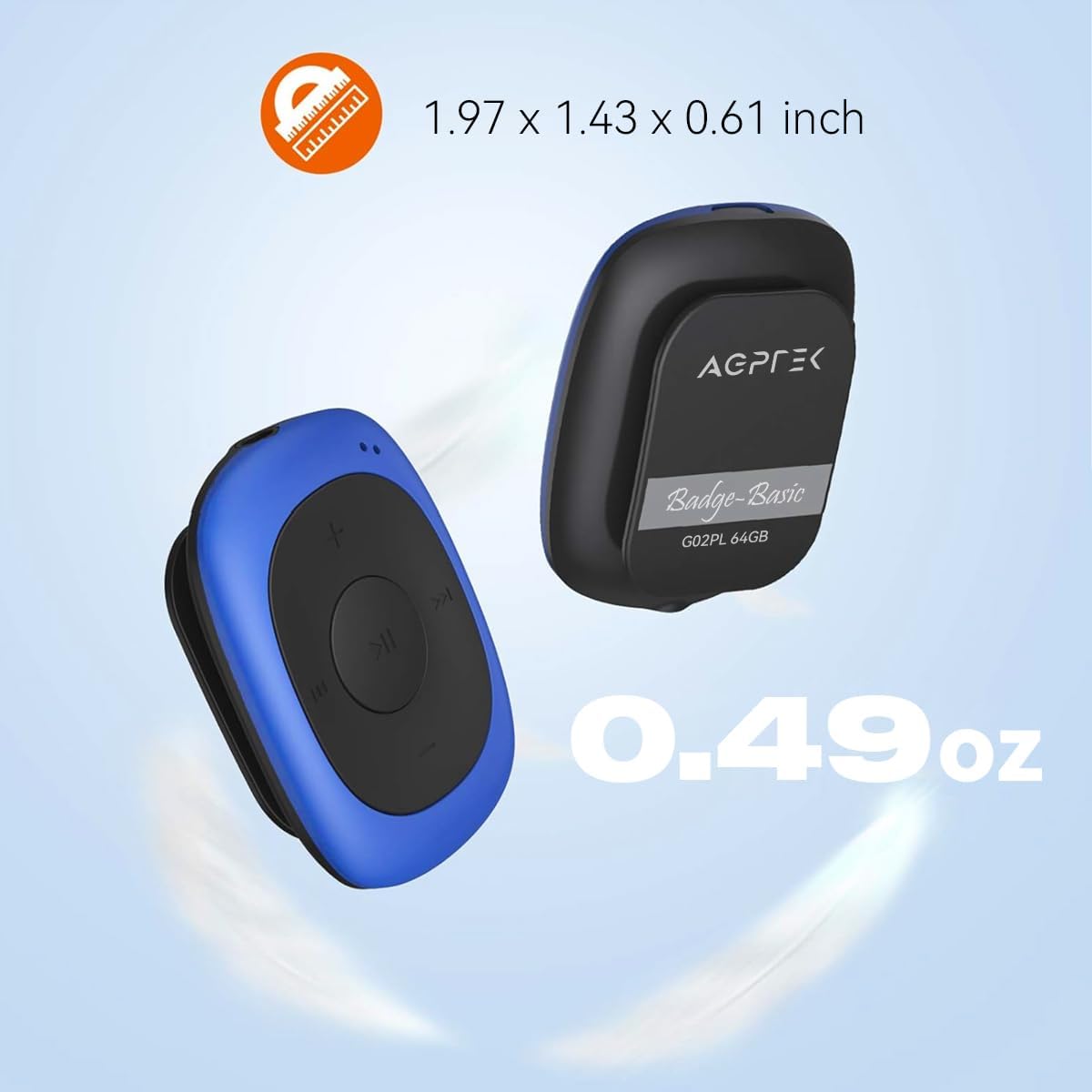
Image: Illustrates the compact size (1.97 x 1.43 x 0.61 inches) and light weight (0.49 oz) of the AGPTEK G02PL MP3 player.

Image: Shows the AGPTEK G02PL MP3 player inside its sweatproof silicone case, highlighting the portable clip feature.
3. Configuración
3.1 Carga do dispositivo
Before first use, fully charge the MP3 player. Use the included USB cable to connect the device to a computer's USB port or a compatible USB wall charger (not included).
- Unha carga completa leva aproximadamente 2.5 horas.
- The built-in 160mAh rechargeable battery provides up to 10 hours of audio playback at medium volume. Battery life may be shorter when using FM radio.

Image: Depicts the AGPTEK G02PL MP3 player connected to a USB cable for charging, illustrating the internal components.
3.2 Transferencia de música Files
To transfer music to your AGPTEK G02PL MP3 player:
- Conecte o reprodutor de MP3 ao seu ordenador mediante o cable USB proporcionado.
- O dispositivo aparecerá como unha unidade de disco extraíble no teu ordenador.
- Arrastra e solta a música que queiras files (MP3, WMA, WAV formats supported) into the device's storage folder.
- Note: The player does not directly support iTunes music. Convert iTunes files to MP3 format before transferring.
- Expulsa o dispositivo do ordenador de forma segura antes de desconectar o cable USB.

Image: Highlights the 64GB large memory capacity of the AGPTEK G02PL MP3 player.
4. Instrucións de funcionamento
4.1 Basic Music Playback
- Encendido/apagado: Locate the power switch (usually a slider or long press of the play button) and slide it to turn on the device.
- Reproducir/Pausa: Prema o botón central Reproducir/Pausa.
- Seguimento / Seguimento anterior: Use the forward (⏭) and backward (⏮) buttons to skip tracks.
- Axuste de volume: Use the '+' and '-' buttons to increase or decrease the volume.
4.2 Función de radio FM
Para usar a función de radio FM:
- Connect Wired Earphones: Wired earphones must be connected to the MP3 player as they act as the antenna for the FM radio.
- Cambiar ao modo FM: Use the dedicated FM / Music switch slider to select FM mode.
- Emisoras de sintonización: The device supports FM Frequency Range: 88MHz-108MHz. Use the track skip buttons to search for stations or initiate a quick search function if available.

Image: Shows the AGPTEK G02PL MP3 player connected to wired earphones, emphasizing the requirement for FM radio functionality. Icons for News, Sports, Music, and Weather are displayed.
4.3 Shuffle and Repeat Modes
The player features a dedicated slider for repeat and shuffle modes. Slide it to activate or deactivate shuffle playback for your music.
5. Mantemento
- Keep the device dry. Avoid exposure to extreme temperatures.
- Limpa o dispositivo cun pano suave e seco. Non empregues produtos químicos agresivos nin produtos de limpeza abrasivos.
- Ensure the silicone case is properly fitted to maintain its sweatproof properties.
- Garda o dispositivo nun lugar seguro cando non estea en uso para evitar danos.
6 Solución de problemas
6.1 O dispositivo non se acende
- Ensure the battery is charged. Connect the device to a power source and charge for at least 30 minutes.
- Comprobe a posición do interruptor de alimentación.
6.2 Non se pode transferir Files
- Comprobe que o cable USB estea conectado correctamente tanto ao reprodutor como ao ordenador.
- Proba cun porto USB diferente no teu ordenador.
- Garantir a música files are in a supported format (MP3, WMA, WAV).
- Restart your computer and the MP3 player.
6.3 Sen son
- Check if earphones are properly connected.
- Adjust the volume level using the '+' button.
- Garantir a música file is not corrupted. Try playing a different track.
A radio FM 6.4 non funciona
- Confirm that wired earphones are plugged in, as they serve as the antenna.
- Ensure you are in an area with good FM signal reception.
- Switch to FM mode using the dedicated slider.
7. Especificacións
| Característica | Detalle |
|---|---|
| Marca | AGPTEK |
| Nome do modelo | AGPTEK 64GB Clip MP3 Player With FM Shuffle (G02PL) |
| Capacidade de almacenamento da memoria | 64 GB |
| Tecnoloxía de conectividade | USB |
| Característica especial | Radio FM |
| Formatos de música admitidos | MP3, WMA, WAV |
| Rango de frecuencia FM | 88MHz-108MHz |
| Duración da batería | Up to 10 hours (audio playback at medium volume) |
| Tempo de carga | Aprox. 2.5 horas |
| Dimensións | 1.97 x 1.43 x 0.61 polgadas |
| Peso | 0.49 oz |
| Dispositivos compatibles | Ordenador portátil, ordenador persoal |
8. Garantía e soporte
For product support, warranty information, or further assistance, please refer to the contact details provided on the AGPTEK official website or the documentation included with your purchase. Keep your purchase receipt for warranty claims.