
Agunto AGU-OC1IC1
Manual do usuario do conxunto de cámaras de seguridade Agunto AGU-OC1 e AGU-IC1
Model: AGU-OC1IC1
Brand: Agunto
1. Introdución
This manual provides detailed instructions for the installation, operation, and maintenance of your Agunto AGU-OC1 & AGU-IC1 Security Camera Set. Please read this manual thoroughly before using the product to ensure proper functionality and safety.
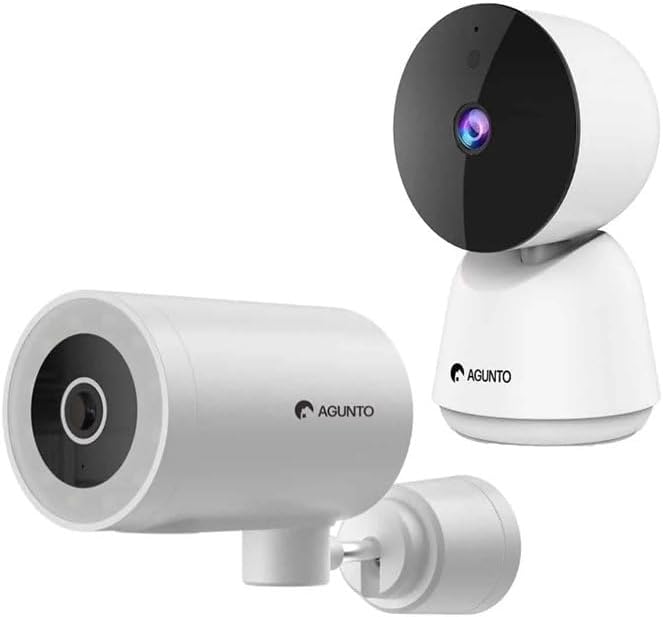
Image: The Agunto AGU-OC1 outdoor camera (left) and AGU-IC1 indoor camera (right), forming the complete security camera set.
2. Produto rematadoview
The Agunto Security Camera Set includes two primary components: the AGU-OC1 outdoor camera and the AGU-IC1 indoor camera. This system is designed to provide comprehensive surveillance for both indoor and outdoor environments.
2.1. AGU-OC1 Outdoor Camera
- Resolución: 1080p
- Lente: 180-degree rotatable lens
- Resistencia á intemperie: IP66 impermeable e a proba de po
- Visión nocturna: Infrared night vision and color night vision (due to built-in lamp)
- Detección: Detección de movemento e son
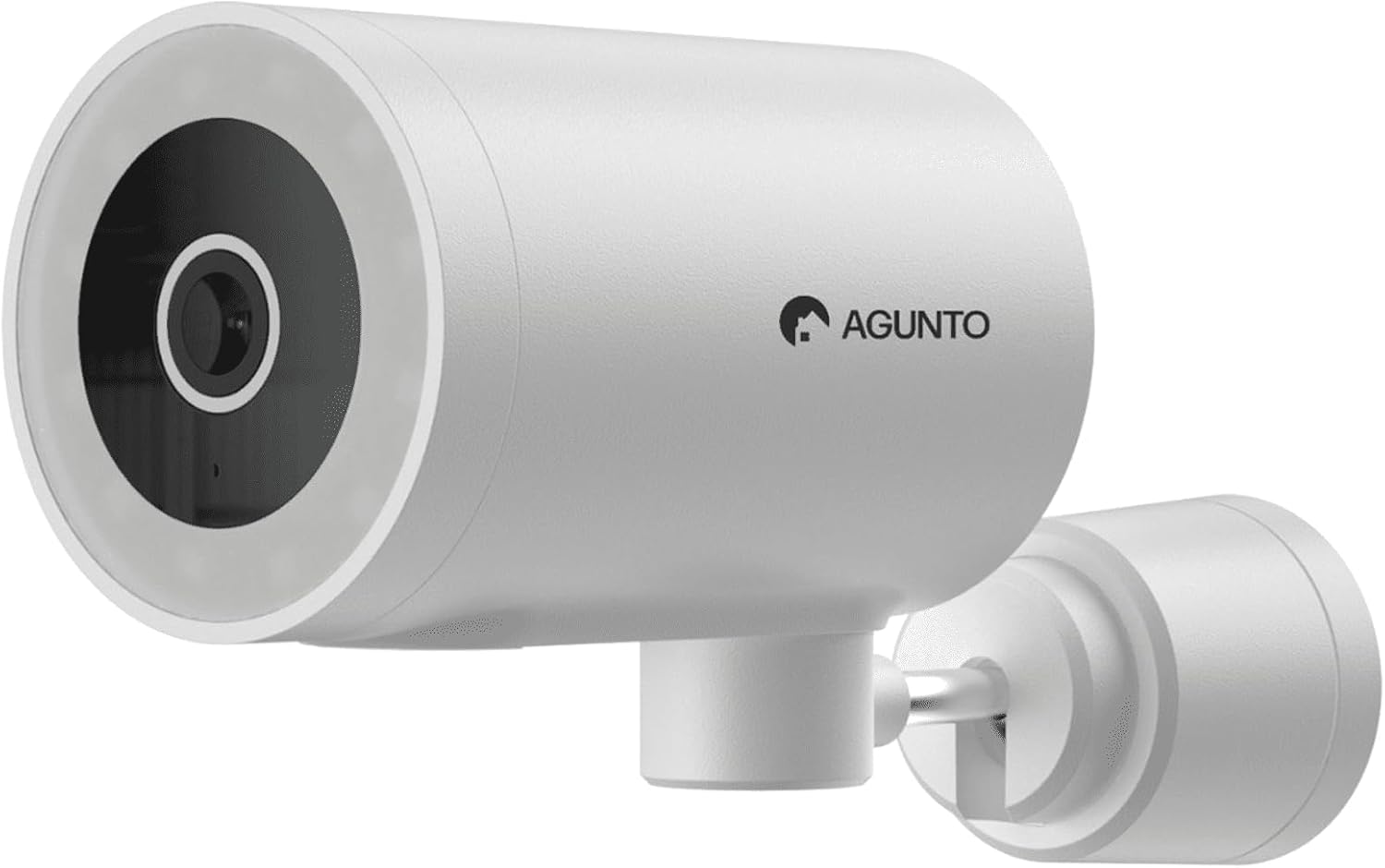
Imaxe: Unha detallada view of the Agunto AGU-OC1 outdoor camera, highlighting its robust design and lens.
2.2. AGU-IC1 Indoor Camera
- Resolución: 1080p
- Lente: 359-degree rotatable lens
- Visión nocturna: Visión nocturna por infravermellos
- Detección: Detección de movemento e son

Image: The Agunto AGU-IC1 indoor camera, shown with its product packaging, indicating Wi-Fi connectivity and Google Assistant compatibility.
3. Configuración e instalación
3.1. Antes de comezar
- Ensure you have a stable Wi-Fi connection.
- Download the free Agunto app from the App Store (iOS) or Google Play Store (Android).
- Unpack all components and verify contents against the packing list.

Image: A screenshot of the Agunto mobile application interface, demonstrating remote control capabilities and links to download the app from the App Store and Google Play.
3.2. Instalación da aplicación e creación de conta
- Busca "Agunto" in your device's app store and install the application.
- Open the Agunto app and follow the on-screen prompts to create a new account or log in if you already have one.
3.3. Camera Placement and Mounting
AGU-OC1 Outdoor Camera:
- Escolla unha localización cun claro view da zona que desexa controlar.
- Asegúrate de que a cámara estea dentro do alcance da túa rede wifi.
- Mount the camera securely to a wall using the provided mounting hardware. The camera supports wall mounting.
AGU-IC1 Indoor Camera:
- Place the camera on a flat surface or mount it to a wall/ceiling in a central location for optimal coverage.
- Ensure it is within Wi-Fi range.
3.4. Connecting Cameras to the App
- Open the Agunto app.
- Toca a icona "+" para engadir un novo dispositivo.
- Select the appropriate camera model (AGU-OC1 or AGU-IC1).
- Follow the in-app instructions to connect each camera to your Wi-Fi network. This typically involves scanning a QR code displayed on your phone with the camera's lens or entering Wi-Fi credentials.
- Once connected, you can name each camera for easy identification.
4. Instrucións de funcionamento
4.1. En directo View e Control Remoto
- Open the Agunto app.
- Select the desired camera from the device list to view a súa transmisión en directo.
- For AGU-OC1, use the app to rotate the 180-degree lens.
- For AGU-IC1, use the app to control the 359-degree pan/tilt function.
4.2. Gravación e almacenamento
The camera set supports two storage options:
- Tarxeta Micro SD: Insert a Micro SD card (not included) into the designated slot on each camera for local storage of recordings.
- Almacenamento na nube: Utilize the cloud storage options provided through the Agunto app (subscription may be required).
4.3. Visión nocturna
- Both cameras feature infrared night vision for clear images in low-light conditions.
- The AGU-OC1 outdoor camera also has a built-in lamp for color night vision, providing enhanced visibility at night.
4.4. Detección de movemento e son
- Enable motion and sound detection in the Agunto app settings for each camera.
- Receive real-time alerts on your smartphone when motion or sound is detected.
- Adjust sensitivity settings to minimize false alarms.
5. Mantemento
- Limpeza: Gently wipe the camera lenses and body with a soft, dry cloth. Do not use harsh chemicals or abrasive cleaners.
- Actualizacións de firmware: Regularly check the Agunto app for available firmware updates to ensure optimal performance and security.
- Estabilidade da rede: Ensure your Wi-Fi network remains stable for uninterrupted camera operation.
6 Solución de problemas
6.1. A cámara non se conecta á wifi
- Ensure your Wi-Fi password is entered correctly.
- Achega a cámara ao teu enrutador Wi-Fi.
- Reinicia o teu enrutador e a cámara.
- Verify that your Wi-Fi network is 2.4GHz, as these cameras may not support 5GHz networks.
6.2. No Live View / Offline Camera
- Comproba a túa conexión a internet.
- Asegúrate de que a cámara estea acendida.
- Restart the camera from its power source.
- Se o problema persiste, tenta volver emparellar a cámara coa aplicación.
6.3. Motion Detection Not Working
- Verifica que a detección de movemento estea activada na configuración da aplicación.
- Adjust the sensitivity level.
- Asegúrate de que non haxa obstáculos que bloqueen a cámara view.
6.4. Mala calidade de imaxe
- Limpar a lente da cámara.
- Asegurar unha iluminación axeitada na zona vixiada.
- Check your internet speed, as low bandwidth can affect streaming quality.
7. Especificacións
| Característica | Detalle |
|---|---|
| Marca | Agunto |
| Nome do modelo | AGU-OC1IC1 |
| Protocolo de conectividade | Wi-Fi |
| Dispositivos compatibles | Teléfono intelixente |
| Tipo de montaxe | Soporte de parede |
| Material | Plástico |
| Product Dimensions (L x B x H) | 10 x 4.4 x 7.3 cm |
| Peso do elemento | 78 gramos |
| Pilas necesarias | Non |
| Outdoor Camera (AGU-OC1) Features | 1080P, 180-degree rotatable lens, IP66 waterproof/dustproof, Infrared & Color Night Vision |
| Indoor Camera (AGU-IC1) Features | 1080P, 359-degree rotatable lens, Infrared Night Vision |
| Opcións de almacenamento | Micro SD card (local), Cloud storage |
8. Garantía e soporte
For warranty information and technical support, please refer to the official Agunto website or contact their customer service. The product is designed for long-term use with proper care and maintenance.
Política de devolución: The buybox winner indicates a 30-day return policy for refund/replacement.
Fabricante: Agunto
Vendedor: Homevitaal (via Amazon.nl)
Para obter máis axuda, pode visitar o Agunto Store on Amazon.
Ask a question about this manual
Ask about setup, troubleshooting, compatibility, parts, safety, or missing instructions. Manuals+ will review the question and use this page’s manual context to help answer it.