
1. Introdución
The Nonstop NSO2-BK is a versatile hotel alarm clock designed for convenience and functionality. It features a clear digital display, multiple charging options including USB-C, and an intuitive interface for setting time and alarms. This manual provides detailed instructions for setting up and operating your alarm clock.
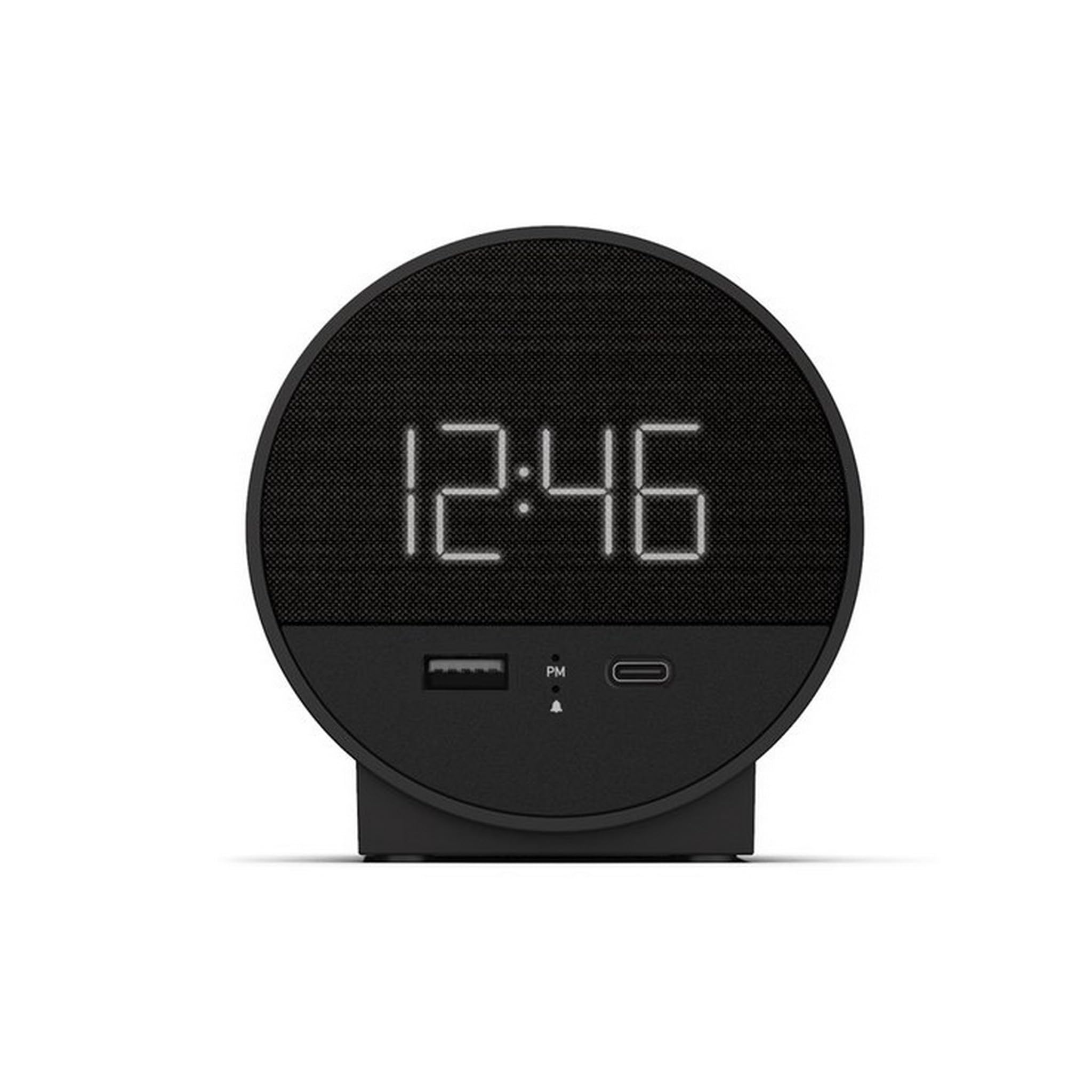
Figura 1: Fronte view of the Nonstop NSO2-BK USB-C Hotel Alarm Clock.
2. Características do produto
- Digital Time Display: Clear and easy-to-read time.
- Dual Alarm Function: Set two independent alarms.
- Snooze Function: Temporarily silence the alarm.
- Display Dimmer: Adjust screen brightness for comfort.
- USB-C Charging Port: Modern charging for compatible devices.
- USB-A Charging Port: Standard USB charging for various devices.
- Bluetooth Speaker: Connect your smartphone or other devices to play audio.
- Relaxation Sounds: Built-in sound machine for sleep or relaxation.

Figure 2: Close-up of the USB-A and USB-C charging ports on the alarm clock.
3. Configuración
3.1 Conexión de alimentación
- Unpack the alarm clock and all accessories.
- Conecta o adaptador de corrente ao porto de entrada de CC na parte traseira do reloxo despertador.
- Conecta o adaptador de corrente a unha toma de corrente estándar. A pantalla iluminarase.
3.2 Backup Battery (Not included)
For continuous timekeeping during power outages, insert 2 AAA batteries (not included) into the battery compartment on the bottom of the unit. The backup battery maintains time settings but does not power the display or alarm functions.
4. Instrucións de funcionamento
4.1 Axustar a hora
- Manteña premido o HORARIO button (often labeled 'M' or a clock icon) for 3 seconds until the hour digits flash.
- Usa o HR (Hora) e MIN (Minute) buttons to adjust the time.
- Preme HORARIO de novo para confirmar e saír do modo de axuste da hora.
4.2 Axustar a alarma
The NSO2-BK supports two independent alarms (Alarm 1 and Alarm 2).
- Manteña premido o ALARMA 1 or ALARMA 2 button (bell icon) for 3 seconds until the hour digits flash.
- Usa o HR e MIN botóns para axustar a hora de alarma desexada.
- Prema o botón correspondente ALARMA botón de novo para confirmar a hora da alarma.
- To activate/deactivate an alarm, short press the corresponding ALARMA button. An indicator light will appear/disappear on the display.
4.3 Función Snooze
Cando soe a alarma, prema o botón grande AMORTAR button on top of the unit to temporarily silence the alarm for 9 minutes. The alarm will sound again after the snooze period.
4.4 Display Brightness Control
Preme o SNOOZE / DIMMER button (or a dedicated dimmer button if available) repeatedly to cycle through different brightness levels for the display. Select the level that is most comfortable for you.
4.5 Dispositivos de carga
The NSO2-BK provides convenient charging for your electronic devices:
- Porto USB-C: Located on the front, plug in your USB-C compatible device for fast charging.
- Porto USB-A: Located on the front, plug in your standard USB-A compatible device for charging.
Altavoz Bluetooth 4.6
To use the alarm clock as a Bluetooth speaker:
- Preme o MODO button (labeled 'M') until 'BT' appears on the display.
- No teu dispositivo móbil, activa o Bluetooth e busca os dispositivos dispoñibles.
- Select 'A21-B' (or similar model name) from the list to pair.
- Once paired, you can play audio from your device through the alarm clock's speaker.
Video 1: Demonstrates various functions including time setting, alarm setting, snooze, brightness, and charging on a similar multifunctional alarm clock. Note: Specific button labels may vary slightly from your model.
5. Mantemento
- Limpa a unidade cun pano suave e seco. Non empregues produtos de limpeza líquidos nin materiais abrasivos.
- Manteña a unidade lonxe da luz solar directa, de fontes de calor e de humidade.
- Non intente desmontar nin reparar a unidade vostede mesmo. Póñase en contacto co servizo de atención ao cliente para obter axuda.
6 Solución de problemas
- Sen alimentación/Pantalla apagada: Ensure the power adapter is securely plugged into both the alarm clock and a working electrical outlet. Check if the power outlet is functional.
- A alarma non soa: Verify that the alarm is activated (indicator light on) and the alarm time is correctly set. Check the alarm volume settings.
- A carga non funciona: Ensure your device is compatible with USB-C or USB-A charging. Check the charging cable for damage.
- Problemas de sincronización Bluetooth: Ensure the alarm clock is in Bluetooth pairing mode ('BT' displayed). Turn off and on Bluetooth on your mobile device and try pairing again.
7. Especificacións
| Especificación | Detalle |
|---|---|
| Modelo | NSO2-BK |
| Peso do elemento | 2 libras |
| ASIN | B0CKCNX688 |
| Data de primeira dispoñibilidade | 29 de xullo de 2024 |
8. Garantía e soporte
This Nonstop NSO2-BK USB-C Hotel Alarm Clock comes with a 365-Day Warranty from the date of purchase. For any product-related inquiries, technical support, or warranty claims, please contact our customer service team.
- Política de devolución: 30-day refund/replacement period.
- Período de garantía: 365 días desde a compra.
- Correo electrónico de asistencia: Andoservice@outlook.com