
1. Introdución
This manual provides detailed instructions for the MEETION MT-M915 USB Gaming Mouse with Backlight. Please read this guide thoroughly before using the product to ensure correct installation, optimal performance, and to understand its features. This mouse is designed for gaming and general computer use, offering reliable performance and a comfortable design.
2. Contido do paquete
- MEETION MT-M915 USB Gaming Mouse
- Manual de instrucións (este documento)
3. Requisitos do sistema
- Operating System: Windows XP, Linux
- Compatible Devices: Personal Computer, Laptop
- Porto USB dispoñible
4. Configuración
4.1 Conexión do rato
- Localiza un porto USB dispoñible no teu ordenador ou portátil.
- Plug the USB connector of the MEETION MT-M915 mouse into the USB port.
- The operating system will automatically detect and install the necessary drivers. This is a plug-and-play device, so no additional software installation is typically required.
- The mouse backlight will illuminate upon successful connection.
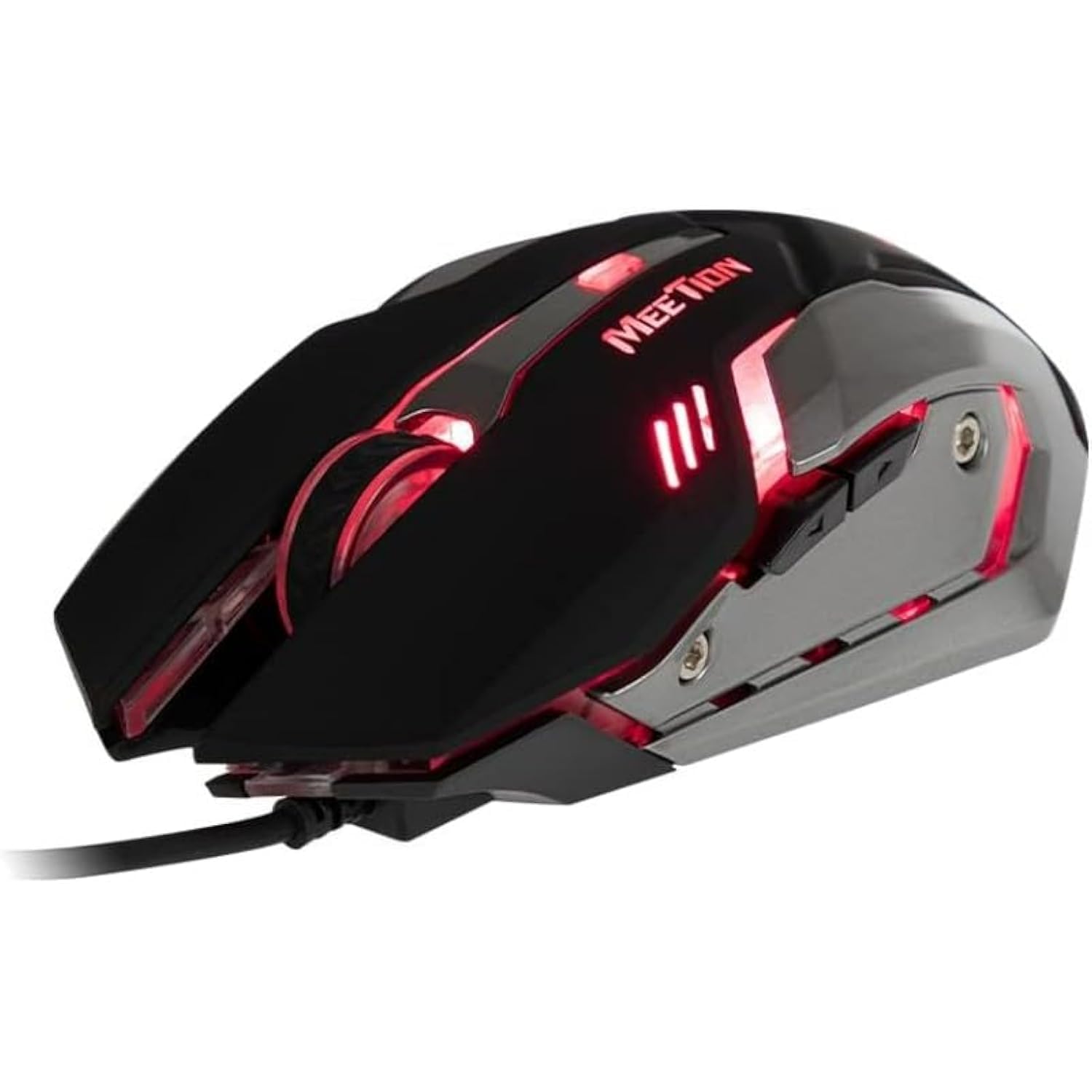
Figura 1: Lateral view of the MEETION MT-M915 mouse with red backlight.
5. Uso do rato
5.1 Funcións básicas
- Clic esquerdo: Primary action button, typically used for selecting items, opening files, or interacting with software.
- Clic dereito: Secondary action button, typically used for opening context menus or accessing additional options.
- Roda de desprazamento: Úsase para percorrer documentos e web páxinas. Tamén pode funcionar como un botón central para premer.
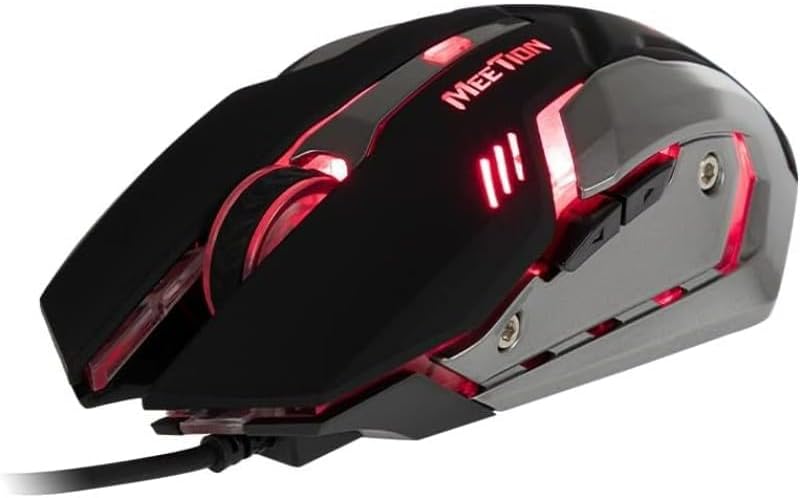
Figura 2: De arriba abaixo view of the MEETION MT-M915 mouse, showing button layout.
5.2 Funcionamento da luz de fondo
The MEETION MT-M915 mouse features an integrated backlight. The backlight activates automatically when the mouse is connected to a powered USB port. The color of the backlight may vary or cycle through different colors, as shown in Figure 3.

Figura 3: Lateral view of the MEETION MT-M915 mouse with purple backlight.
5.3 Ambidextrous Design
The mouse is designed for ambidextrous use, meaning it can be comfortably used by both left-handed and right-handed individuals.
6. Mantemento
6.1 Limpeza
- Desconecte o rato do ordenador antes de limpalo.
- Use un pano suave e seco para limpar a superficie do rato.
- Para a sucidade persistente, d lixeiramenteampEnxágüe o pano con auga ou unha solución de limpeza suave. Evite produtos químicos agresivos.
- Non permita que entren líquidos no rato.asing.
6.2 Almacenamento
Store the mouse in a cool, dry place away from direct sunlight and extreme temperatures when not in use for extended periods.
7 Solución de problemas
7.1 O rato non responde
- Asegúrate de que o cable USB estea conectado correctamente a un porto USB que funcione no teu ordenador.
- Tenta conectar o rato a un porto USB diferente.
- Reinicia o teu ordenador.
- Test the mouse on another computer to determine if the issue is with the mouse or your computer's USB ports.
7.2 A retroiluminación non funciona
- Verify the mouse is properly connected to a powered USB port.
- If the mouse functions but the backlight does not, there might be an internal issue. Contact customer support if the mouse is still under warranty.
7.3 Movemento errático do cursor
- Ensure the optical sensor on the bottom of the mouse is clean and free from dust or debris.
- Usa o rato sobre unha superficie limpa e uniforme. Evita superficies moi reflectantes ou transparentes.
- Proba a reiniciar o teu ordenador.
8. Especificacións
| Característica | Detalle |
|---|---|
| Marca | REUNIÓN |
| Nome do modelo | MT-M915 |
| Número de modelo do fabricante | CE ELECTRON-559 |
| Tecnoloxía de conectividade | USB |
| Tecnoloxía de detección de movemento | Óptica |
| Orientación das mans | Ambidiestro |
| Características especiais | Lixeiro |
| Usos recomendados para o produto | Xogos |
| Dispositivos compatibles | Computadora persoal, portátil |
| Sistema Operativo | Linux, Windows XP |
| Peso do elemento | 50 gramos |
| Dimensións do paquete | 20.7 x 14.3 x 6.1 cm |
| Pilas incluídas | Non |
9. Garantía e soporte
9.1 Información da garantía
This product is covered by a standard manufacturer's warranty. Please refer to the warranty card included with your purchase or contact your retailer for specific warranty terms and conditions.
9.2 Atención ao cliente
For technical assistance, troubleshooting, or warranty claims, please contact the retailer where you purchased the product or visit the official MEETION websitio para recursos de apoio.