
1. Introdución
Thank you for choosing the CASCHO 33 Bluetooth 5.3 Wireless Headset. This manual provides detailed instructions for setting up, operating, and maintaining your headset to ensure optimal performance and longevity. Please read this manual thoroughly before using the product.
2. Produto rematadoview
2.1 Características principais
- Tecnoloxía Bluetooth 5.3: Garante unha conectividade sen fíos estable e eficiente.
- Cancelación de ruído ambiental (ENC): Mellora a claridade das chamadas ao reducir o ruído de fondo.
- Tempo de reprodución ampliado: Ata 20 horas cunha soa carga e ata 100 horas coa caixa de carga.
- Caixa de carga con pantalla LED: Provides clear battery status indication.
- Comfortable Hook Design: Secure and adjustable fit for both left and right ears.
- Conectividade dobre dispositivo: Connects to two Bluetooth-enabled devices simultaneously.
- Controis integrados: Combination of physical buttons and touch controls for easy operation.
2.2 Compoñentes dos auriculares
The CASCHO 33 headset features an ergonomic design with an ear hook for secure placement and an in-ear earpiece for audio delivery. It includes integrated control buttons and a touch-sensitive area for various functions.
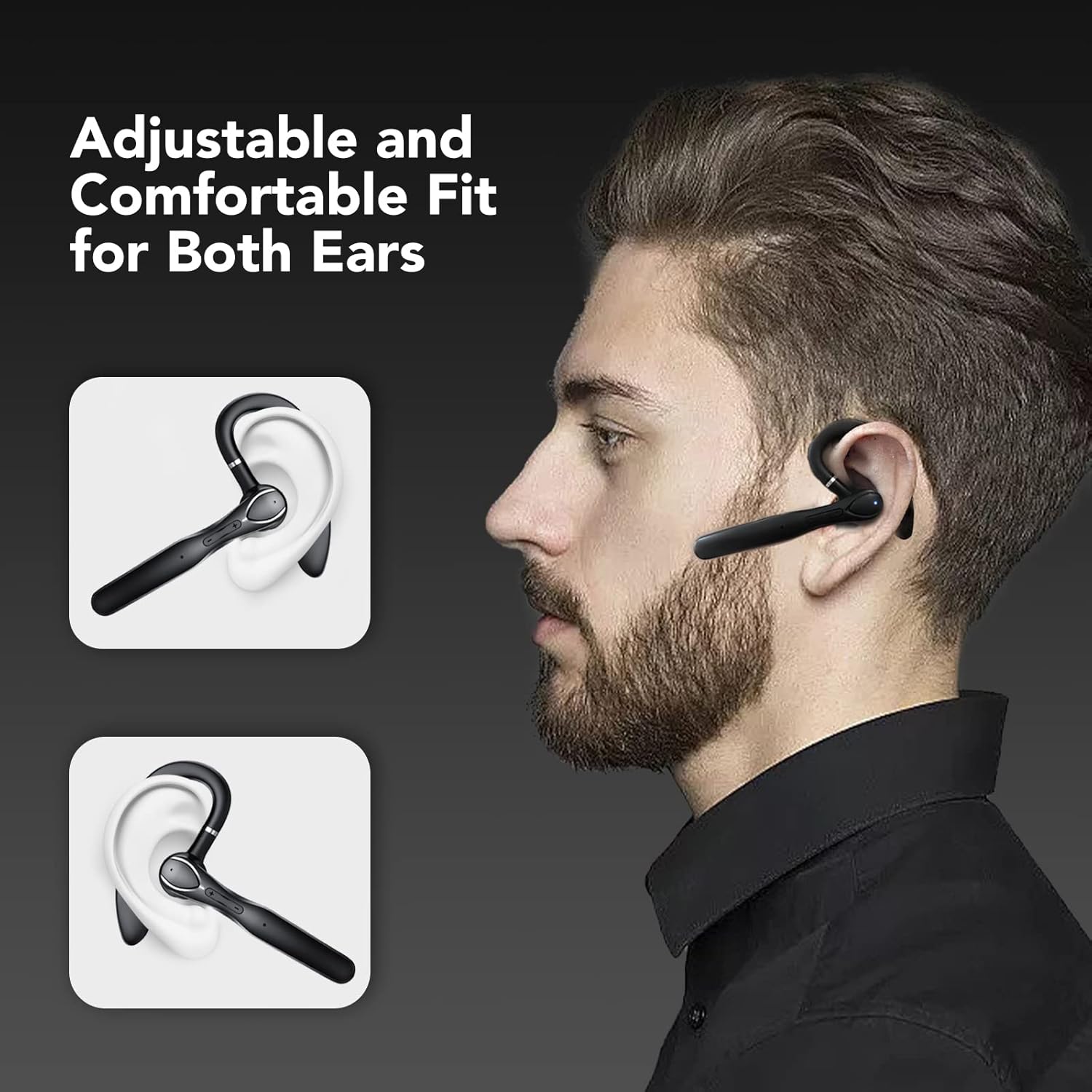
Figure 1: The CASCHO 33 headset is designed for an adjustable and comfortable fit, suitable for both the left and right ear. The ear hook ensures stability during use.
3. Configuración
3.1 Carga dos auriculares e da funda
Before first use, fully charge the headset and its charging case. The charging case features an LED display to show the current battery level.
- Place the headset into the charging case.
- Conecte a caixa de carga a unha fonte de alimentación mediante o cable USB proporcionado.
- The LED display on the case will indicate charging status and battery percentage.
- A full charge for the headset takes approximately 1.5 hours. The charging case provides multiple charges, extending total playtime up to 100 hours.

Figure 2: The charging case provides up to 80 hours of additional playtime, with the headset offering 20 hours on its own. Total playtime can reach 100 hours.
3.2 Emparejamento cun dispositivo
The CASCHO 33 headset supports Bluetooth 5.3 for quick and stable pairing. It also features dual device connectivity, allowing it to be connected to two devices simultaneously.
- Asegúrate de que os auriculares estean cargados e acendidos.
- Open the Bluetooth settings on your smartphone, tablet, or computer.
- Busca available devices. The headset will appear as "CASCHO 33" or similar.
- Select "CASCHO 33" to initiate pairing. A voice prompt will confirm successful connection.
- To connect a second device, disable Bluetooth on the first device temporarily, pair with the second device, then re-enable Bluetooth on the first device. The headset should automatically connect to both.

Figure 3: The CASCHO 33 headset can connect to two devices simultaneously, such as a laptop and a smartphone, allowing seamless switching between calls and media.
4. Instrucións de funcionamento
4.1 Encendido/apagado
- Encendido: Remove the headset from the charging case. It will automatically power on.
- Apagado: Place the headset back into the charging case. It will automatically power off and begin charging.
4.2 Xestión de chamadas
The headset is optimized for clear communication, featuring Environmental Noise Cancellation (ENC) to minimize background distractions during calls.
- Responder/Finalizar chamada: Preme o botón multifunción unha vez.
- Rexeitar a chamada: Manteña premido o botón multifunción durante 2 segundos.
- Control de volume: Usa os botóns para subir o volume (+) e baixar o volume (-).

Figure 4: The headset provides clear call quality with Environmental Noise Cancellation (ENC) to reduce ambient noise, making it ideal for business, office, or commuting use.
4.3 Reprodución de música
- Reproducir/Pausa: Preme o botón multifunción unha vez.
- Próxima pista: Press and hold the volume up (+) button.
- Pista anterior: Press and hold the volume down (-) button.
4.4 Asistente de voz
Activate your device's voice assistant (Siri, Google Assistant, etc.) directly from the headset.
- Activar o asistente de voz: Double-tap the touch-sensitive area on the headset.
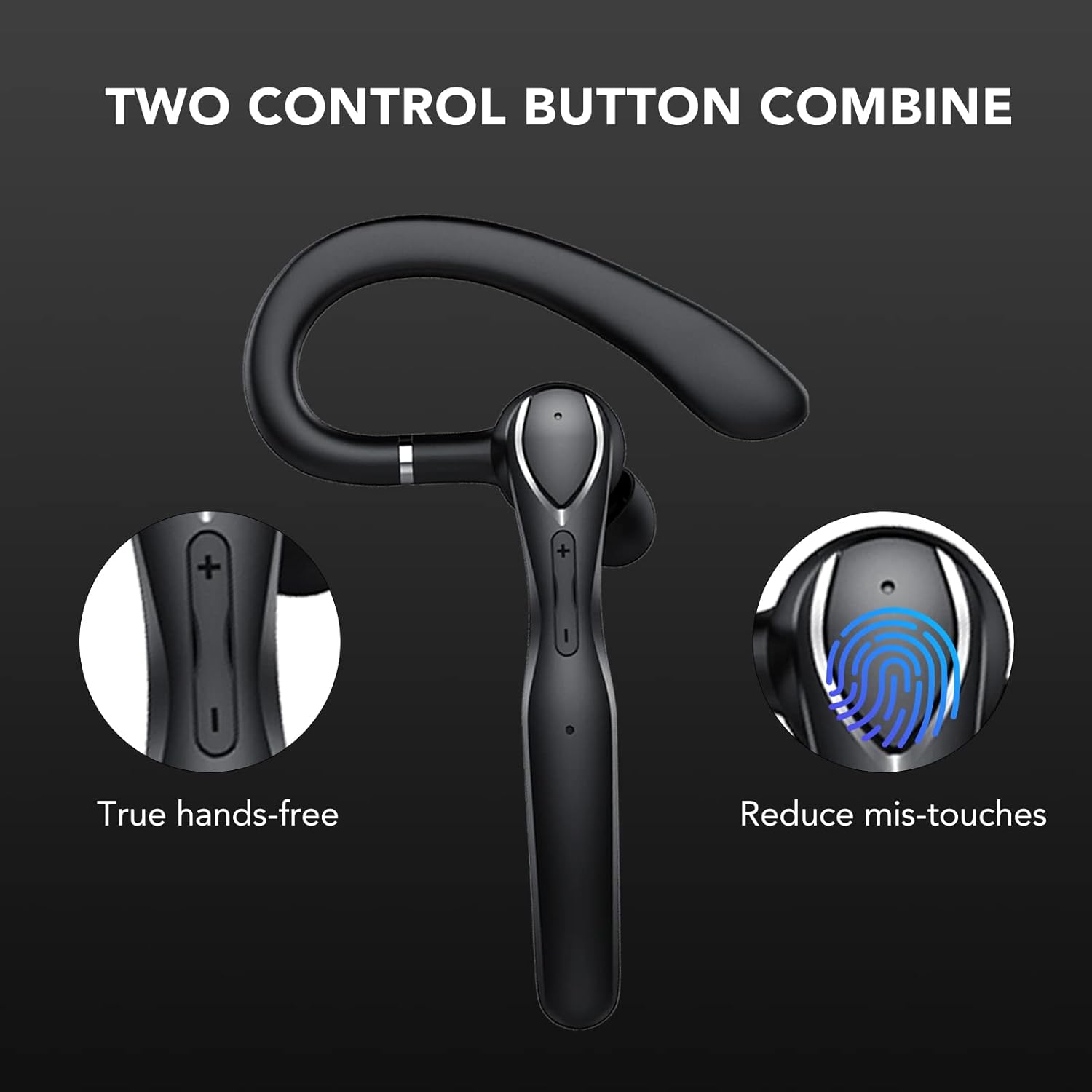
Figure 5: The headset features a combination of physical buttons for precise control and a touch-sensitive area to reduce accidental touches, enabling true hands-free operation.
5. Mantemento
- Limpeza: Use a soft, dry cloth to clean the headset and charging case. Avoid using harsh chemicals or abrasive materials.
- Almacenamento: Cando non estea en uso, garde os auriculares na súa funda de carga para protexelos do po e dos danos. Garde nun lugar fresco e seco.
- Coidado da batería: Para prolongar a duración da batería, evite descargar completamente os auriculares con frecuencia. Cárgueos regularmente, mesmo se non os usa de forma constante.
6 Solución de problemas
- Os auriculares non se acenderon: Ensure the headset is charged. Place it in the charging case and connect the case to a power source.
- Non se pode emparellar co dispositivo:
- Ensure Bluetooth is enabled on your device and the headset is in pairing mode (usually indicated by a flashing LED).
- Make sure the headset is not already connected to another device.
- Achega os auriculares ao dispositivo (a menos de 10 metros).
- Restart both the headset (by placing it in the case and taking it out) and your device.
- Sen son ou mala calidade de son:
- Comprobe os niveis de volume tanto nos auriculares como no dispositivo conectado.
- Ensure the headset is properly seated in your ear.
- If connected to a computer, ensure the CASCHO 33 is selected as the audio output and input device in your system settings.
- Afástese de fontes de fortes interferencias electromagnéticas.
- Headset does not turn off without charging case: The CASCHO 33 is designed to power off automatically when placed back into its charging case. To disconnect without powering off, simply disable Bluetooth on your connected device.
7. Especificacións
| Nome do modelo | 33 |
| Marca | CASCHO |
| Tecnoloxía de conectividade | Bluetooth 5.3 |
| Comunicación sen fíos | Bluetooth |
| Forma do auricular | Gancho |
| Colocación do oído | In Ear (with over-ear hook) |
| Control de ruído | Cancelación de ruído ambiental (ENC) |
| Método de control | Touch and Physical Buttons |
| Alcance Bluetooth | Ata 10 metros (33 pés) |
| Battery Life (Headset) | Ata 20 horas |
| Duración da batería (co estoxo de carga) | Ata 100 horas |
| Tempo de carga (auriculares) | Aprox. 1.5 horas |
| Material | Plástico |
| Cor | Negro |
| Peso do elemento | 4.6 onzas |
| Dispositivos compatibles | Dispositivos habilitados para Bluetooth |
8. Garantía e soporte
For warranty information and customer support, please refer to the product packaging or contact CASCHO customer service directly. Keep your purchase receipt for any warranty claims.
For further assistance, please visit the official CASCHO website or contact their support team through the contact information provided with your purchase.