
1. Introdución
Thank you for choosing the EMANER Smart Security Light Motion Sensor. This device combines advanced motion detection with smart control features, offering adjustable brightness, color temperature, and seamless integration with smart home systems like Alexa and Google Home. This manual provides detailed instructions for safe installation, configuration, and operation of your new security light.

Image 1.1: EMANER Smart Security Lights with smart home integration.
2. Información de seguridade
WARNING: Risk of electric shock. Installation should be performed by a qualified electrician or a person with electrical knowledge. Disconnect power at the fuse box or circuit breaker before installation or servicing.
- Asegúrese de que a fonte de alimentación estea desactivada antes da instalación.
- Siga todos os códigos e ordenanzas eléctricas locais.
- Non intente modificar o produto.
- Manter o produto lonxe de materiais inflamables.
- This product is designed for outdoor use and is water-resistant. However, do not submerge it in water.
3. Contido do paquete
Comprobe que todos os compoñentes estean presentes antes de comezar a instalación:
- EMANER Smart Security Light (2 units for 2-Pack)
- Ferraxes de montaxe (parafusos, porcas para cables, placa de montaxe)
- Manual de instrucións (este documento)
4. Especificacións
| Característica | Detalle |
|---|---|
| Marca | EMANER |
| Nome do modelo | EMR-8030 |
| Saída de luz | 2800 lúmenes (máx.) |
| Temperatura da cor | 2700K-6500K (Tunable) |
| Regulable | 1% to 100% via App |
| Fonte de enerxía | Eléctrico con cable (120 voltios) |
| Conectividade | Wi-Fi de 2.4 GHz |
| Métodos de control | App (Smart Life/Tuya Smart), Voice (Alexa, Google Assistant) |
| Rango do sensor de movemento | Ata 26 pés (axustable) |
| Duración da luz | 5 segundos a 60 minutos (axustable) |
| Material | Plástico |
| Dimensións | 12 cm de longo x 6 cm de ancho x 6.7 cm de alto |
| Resistencia á auga | Water Resistant (Weatherproof) |

Image 4.1: Product dimensions and adjustable light heads.
5. Configuración
5.1. Instalación
- Apagar a enerxía: Before starting, ensure the power to the junction box is turned off at the circuit breaker.
- Preparación da montaxe: Attach the mounting plate to your outdoor junction box using the provided screws.
- Conexións de cable: Connect the light's wires to your household wiring:
- Black wire (Live) to Black wire (Live)
- White wire (Neutral) to White wire (Neutral)
- Green/Bare Copper wire (Ground) to Green/Bare Copper wire (Ground)
- Fixación de montaxe: Carefully tuck the wires into the junction box and secure the light fixture to the mounting plate.
- Axustar os cabezales das luces: The three light heads and the motion sensor are rotatable. Adjust them to cover your desired area.
- Restaurar enerxía: Volve a conectar o interruptor.
5.2. App Connection (Smart Life / Tuya Smart)
The EMANER Smart Security Light connects via 2.4GHz Wi-Fi to the Smart Life or Tuya Smart app.
- Descarga a aplicación: Descarga a aplicación "Smart Life" ou "Tuya Smart" desde a tenda de aplicacións do teu teléfono intelixente (iOS ou Android).
- Rexistrarse/Iniciar sesión: Abre a aplicación e rexistra unha nova conta ou inicia sesión se xa tes unha.
- Engadir dispositivo:
- Asegúrate de que o teu teléfono estea conectado a unha rede wifi de 2.4 GHz.
- Na aplicación, toca a icona "+" na esquina superior dereita para engadir un dispositivo.
- Select "Lighting" or "Security & Sensor" and then "Light Source (Wi-Fi)" or "Floodlight (Wi-Fi)".
- Follow the in-app instructions to put the light into pairing mode. This usually involves turning the light off and on a few times until it blinks rapidly.
- Enter your Wi-Fi network password when prompted.
- Wait for the app to discover and connect to the device. Once connected, you can rename the light.
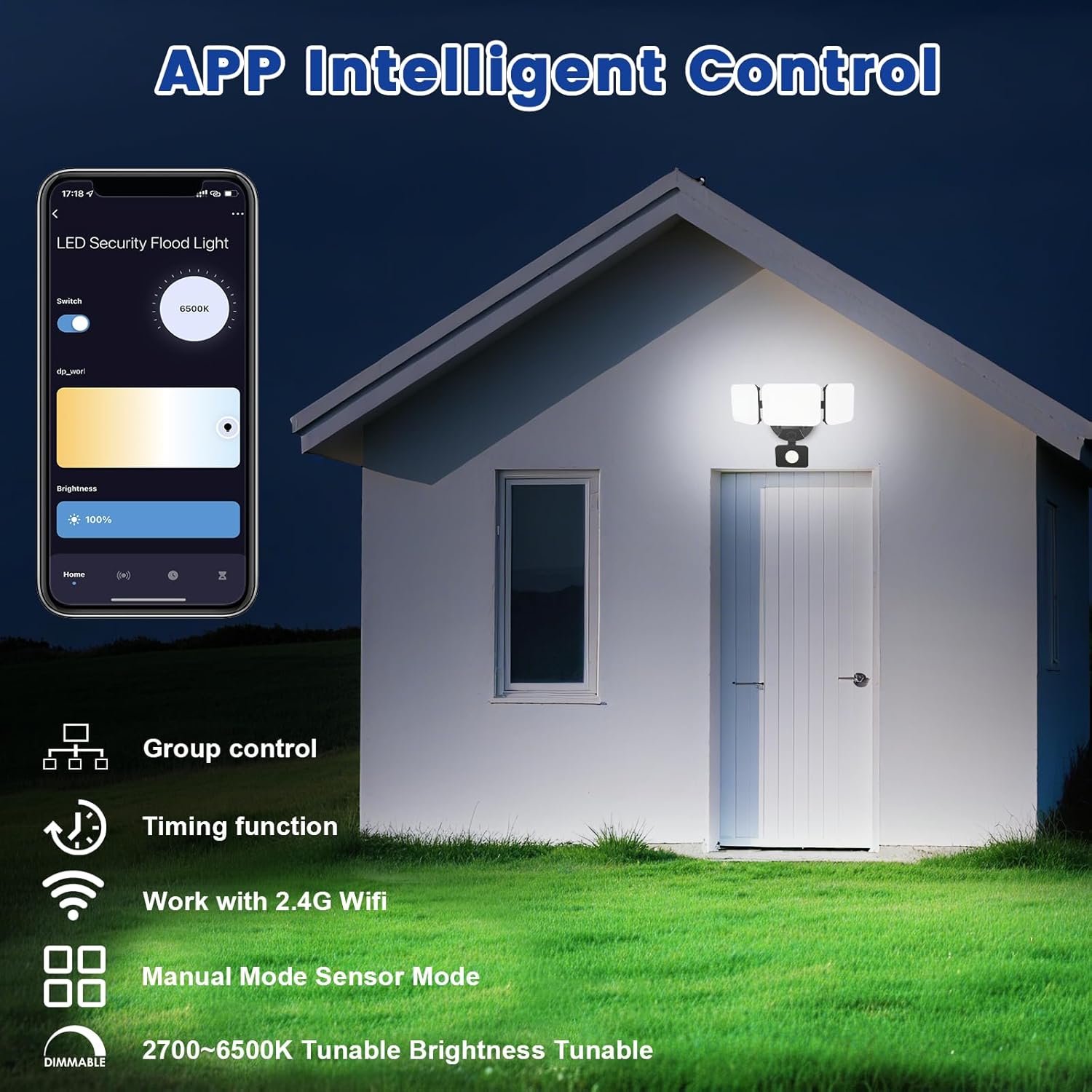
Image 5.1: App interface for intelligent control.
6. Instrucións de funcionamento
6.1. Control de aplicacións
Once connected, use the Smart Life/Tuya Smart app to control your security light:
- Axuste de brillo: Axusta a intensidade da luz do 1 % ao 100 %.
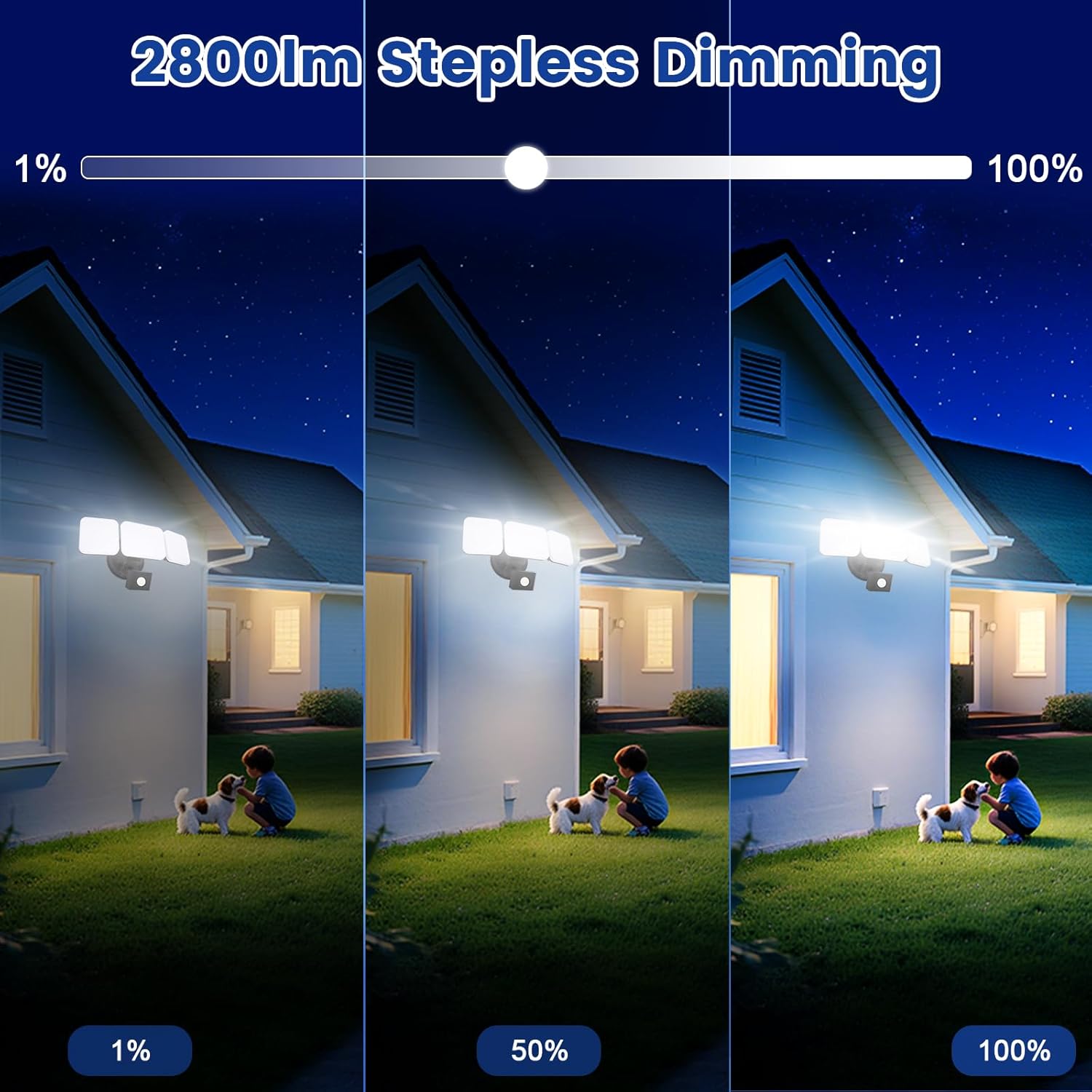
Image 6.1: Stepless dimming from 1% to 100% brightness.
- Axuste da temperatura da cor: Change the light color from warm white (2700K) to daylight white (6500K).
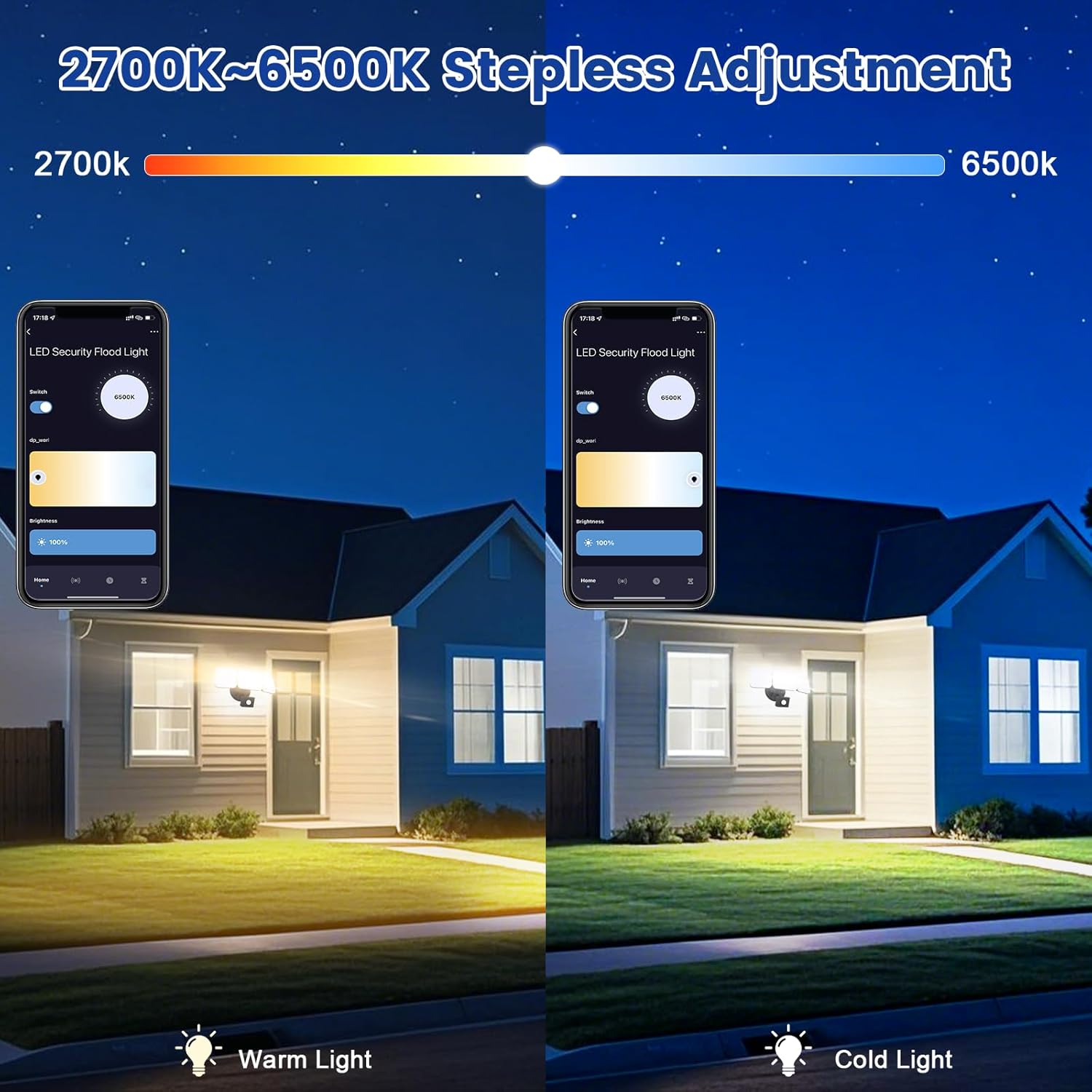
Image 6.2: Tunable white from 2700K (Warm) to 6500K (Daylight).
- Modos de funcionamento:
- Modo manual: Functions as a regular light. You can set it to turn on/off at specific times and adjust brightness/color temperature.
- Modo sensor: Activates the motion sensor. Customize sensor settings like sensitivity and light duration.
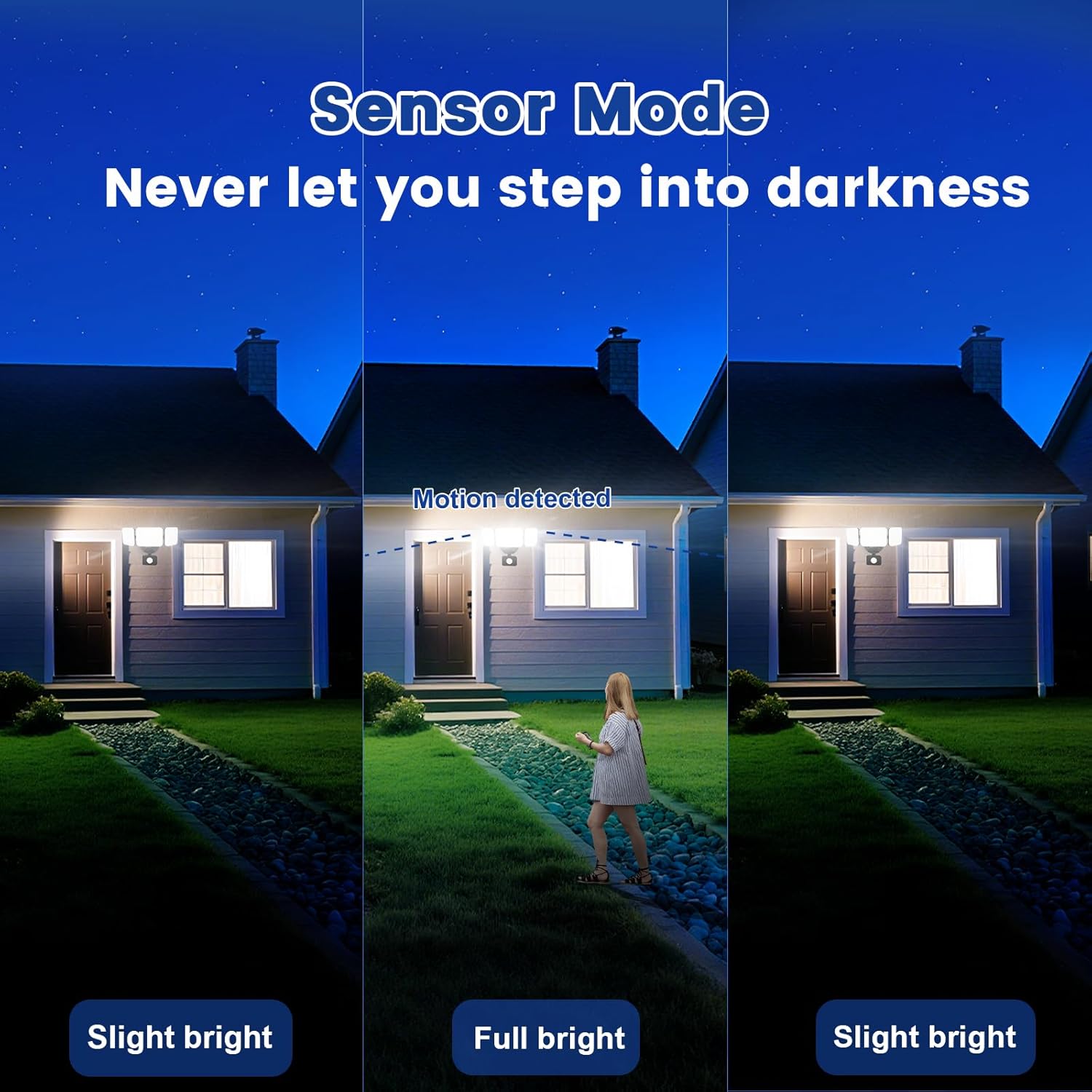
Image 6.3: Sensor Mode operation, detecting motion and adjusting brightness.
- Configuración do sensor de movemento: Adjust the detection range (up to 26ft) and the duration the light stays on after motion is detected (5 seconds to 60 minutes).

Image 6.4: Adjustable full light duration time.
- Programación: Set schedules for the light to turn on or off at specific times.

Image 6.5: Time scheduling and delay settings.
- Control de grupo: Group multiple EMANER smart lights together for simultaneous control.
6.2. Control por voz (Alexa / Asistente de Google)
Integrate your EMANER Smart Security Light with Amazon Alexa or Google Assistant for convenient voice commands.
- Vincular conta: Na aplicación Alexa ou Google Home, activa a habilidade/servizo "Smart Life" ou "Tuya Smart" e vincula a túa conta.
- Descubra dispositivos: Ask Alexa or Google Assistant to "Discover devices."
- Comandos de voz: Usa comandos como:
- "Alexa, turn on the security light."
- "Hey Google, set the security light to 50% brightness."
- "Alexa, change the security light to warm white."
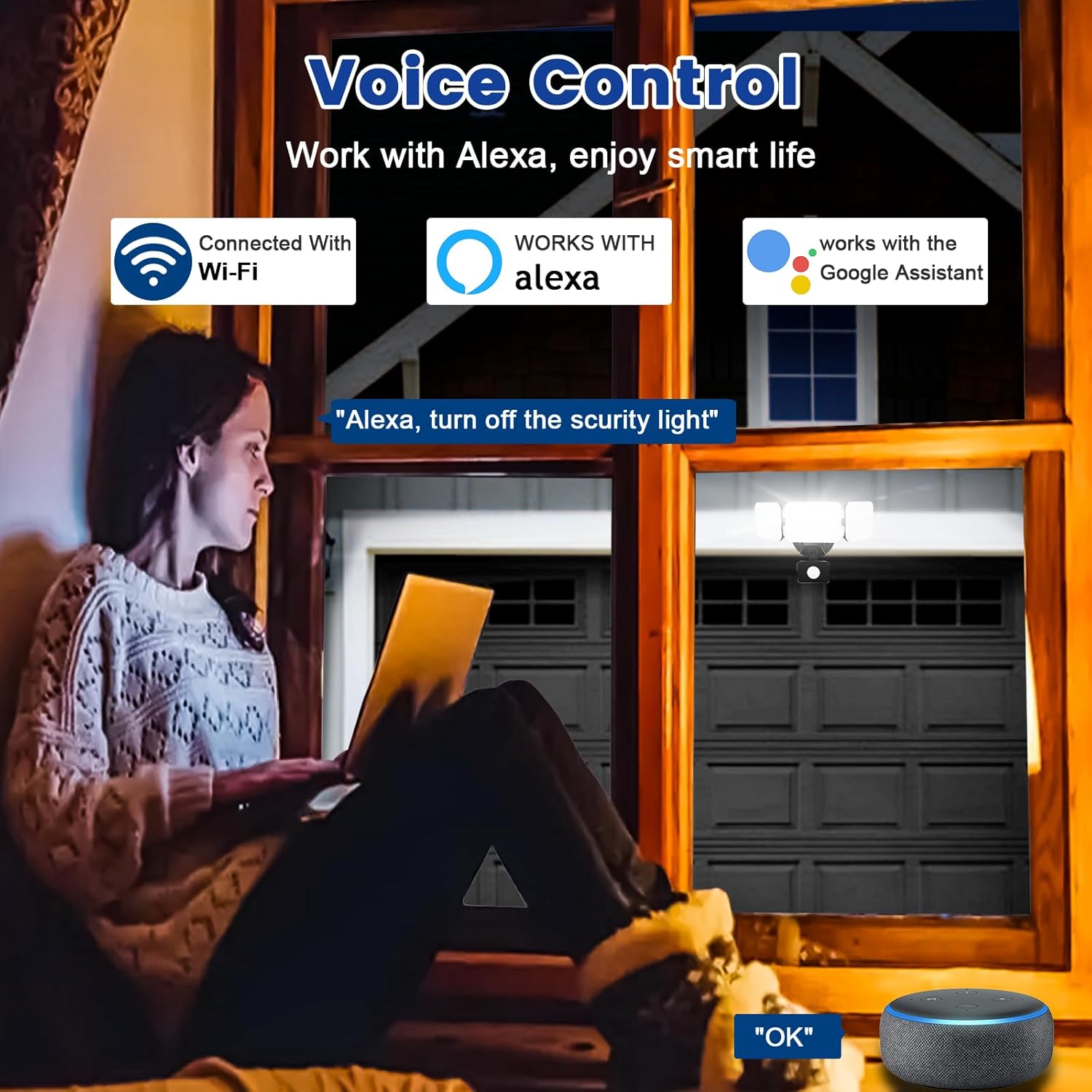
Image 6.6: Voice control integration with Alexa and Google Assistant.
7. Mantemento
- Limpeza: Limpar periodicamente a lámpada cun pano suave eamp pano. Non use produtos de limpeza ou disolventes abrasivos.
- Inspección: Regularly check for any loose wiring or damage to the fixture.
- Actualizacións de firmware: Keep the Smart Life/Tuya Smart app updated to ensure your device receives the latest firmware for optimal performance and security.
8 Solución de problemas
| Problema | Causa posible | Solución |
|---|---|---|
| A luz non acende. | No power, loose wiring, faulty fixture. | Check circuit breaker. Ensure all wiring connections are secure. Contact support if issue persists. |
| Non se pode conectar á wifi. | Incorrect Wi-Fi band (not 2.4GHz), wrong password, light not in pairing mode, weak signal. | Ensure your router is broadcasting 2.4GHz Wi-Fi. Verify password. Put light into pairing mode (turn off/on several times). Move router closer or use a Wi-Fi extender. |
| Motion sensor not working or too sensitive. | Incorrect settings in app, obstruction, environmental factors. | Adjust sensitivity and detection range in the Smart Life/Tuya Smart app. Ensure sensor is not obstructed. Avoid aiming at heat sources or reflective surfaces. |
| O control por voz non responde. | App account not linked, device not discovered, incorrect commands. | Ensure Smart Life/Tuya Smart skill is enabled and linked in Alexa/Google Home app. Ask to "Discover devices." Use correct voice commands. |
9. Garantía e soporte
EMANER provides a Lifetime Warranty for this product, ensuring quality and customer satisfaction. For technical support, warranty claims, or any questions regarding your EMANER Smart Security Light, please contact EMANER customer service through the retailer's platform or visit the official EMANER websitio para información de contacto.
Recursos en liña:
- For app-related issues, refer to the help section within the Smart Life or Tuya Smart application.
- Visita o EMANER Store on Amazon para obter información e asistencia sobre o produto.