
AIXZGLOBAL AIC45
AIXZ AIC45 45A Plasma Cutter Instruction Manual
Model: AIC45 | Brand: AIXZGLOBAL
1. Introdución
This manual provides essential information for the safe and effective operation, setup, and maintenance of your AIXZ AIC45 45A Plasma Cutter. Please read this manual thoroughly before using the equipment to ensure proper function and to prevent injury or damage.
The AIXZ AIC45 is a robust 45A plasma cutting machine designed for precise and efficient metal cutting. It incorporates advanced IGBT inverter technology and a non-HF pilot arc for reliable performance across various metal types.

Image 1.1: AIXZ AIC45 Plasma Cutter in operation.
2. Información de seguridade
ADVERTENCIA: O corte por plasma pode ser perigoso. Siga sempre as precaucións de seguridade para evitar lesións graves ou a morte.
- Seguridade eléctrica: Asegúrese de que a máquina estea correctamente conectada á terra. Non a faga funcionar en condicións de humidade. Desconecte sempre a alimentación antes de realizar mantemento ou cambiar consumibles.
- Protección ocular e facial: Always wear a welding helmet with appropriate shade settings to protect your eyes and face from intense light and sparks.
- Protección corporal: Wear flame-resistant clothing, heavy-duty gloves, and protective footwear. Avoid loose clothing.
- Ventilación: Operate in a well-ventilated area to avoid inhaling fumes and gases produced during cutting.
- Riscos de incendio: Keep flammable materials away from the cutting area. Have a fire extinguisher readily available. Sparks and hot metal can cause fires.
- Área de traballo: Manteña a área de traballo limpa e libre de desorde. Asegúrese de ter unha base estable.
- Nenos e espectadores: Manteña os nenos e o persoal non autorizado lonxe da zona de operación.
- Machine Overload: Do not exceed the machine's rated duty cycle to prevent overheating and damage.
3. Contido do paquete
Verify that all items listed below are included in your package. If any items are missing or damaged, please contact AIXZGLOBAL customer service.
- AIXZ AIC45 Plasma Cutter Machine
- XT45 Non-HF Cutting Torch
- Cl Claseamp
- Air Filter and Pressure Regulator Assembly
- Mangueira de aire
- XT45 Consumables (Nozzles, Electrodes, etc.)

Image 3.1: Included plasma cutter equipment components.
4. Características do produto
- Tecnoloxía de inversores IGBT: The AIC45 utilizes stable and mature IGBT inverter technology, providing a DC output current of 20-30A at 50/60Hz. It features a 60% duty cycle and an LCD digital display for easy monitoring and control of voltage e configuracións actuais.
- Non-High Frequency (Non-HF) Start: This plasma cutter employs a low-frequency start mechanism, which results in reduced electromagnetic interference. This design facilitates easier arc initiation, improves cutting success rates, and minimizes interference with other electrical equipment, contributing to a safer working environment.
- Arco piloto sen contacto: The non-touch pilot arc technology allows for cutting without direct contact between the torch and the metal workpiece. This feature is particularly effective for cutting rough, painted, or rusty surfaces, producing cleaner cuts with minimal slag and extending the lifespan of consumables.
- Optimized Cutting Capability: The AIC45 is capable of achieving a clean cut thickness of 10mm and a maximum separation cut thickness of 16mm. It is suitable for cutting various metallic materials, including stainless steel, carbon steel, aluminum, copper, and titanium, offering fast cutting speeds and smooth cut surfaces.
- Integrated Air Filter Regulator: The machine includes an air filter and pressure regulator to ensure a clean and consistent air supply to the torch, which is crucial for optimal cutting performance and consumable longevity.
- Deseño lixeiro e portátil: Weighing approximately 5 kg (11.24 lbs) and with compact dimensions, the AIC45 is designed for easy transport and storage, making it suitable for various work environments.
- High Heat Dissipation: Equipped with efficient fan cooling, the machine ensures high heat dissipation, contributing to stable operation and extended component life.
- 2T/4T Switch: The control panel includes a 2T/4T switch. In 2T (Two-Touch) mode, the arc starts when the trigger is pressed and stops when released. In 4T (Four-Touch) mode, the arc starts with a brief press and release, and stops with another brief press and release, allowing for longer cuts without continuously holding the trigger.

Image 4.1: Non-HF technology benefits.
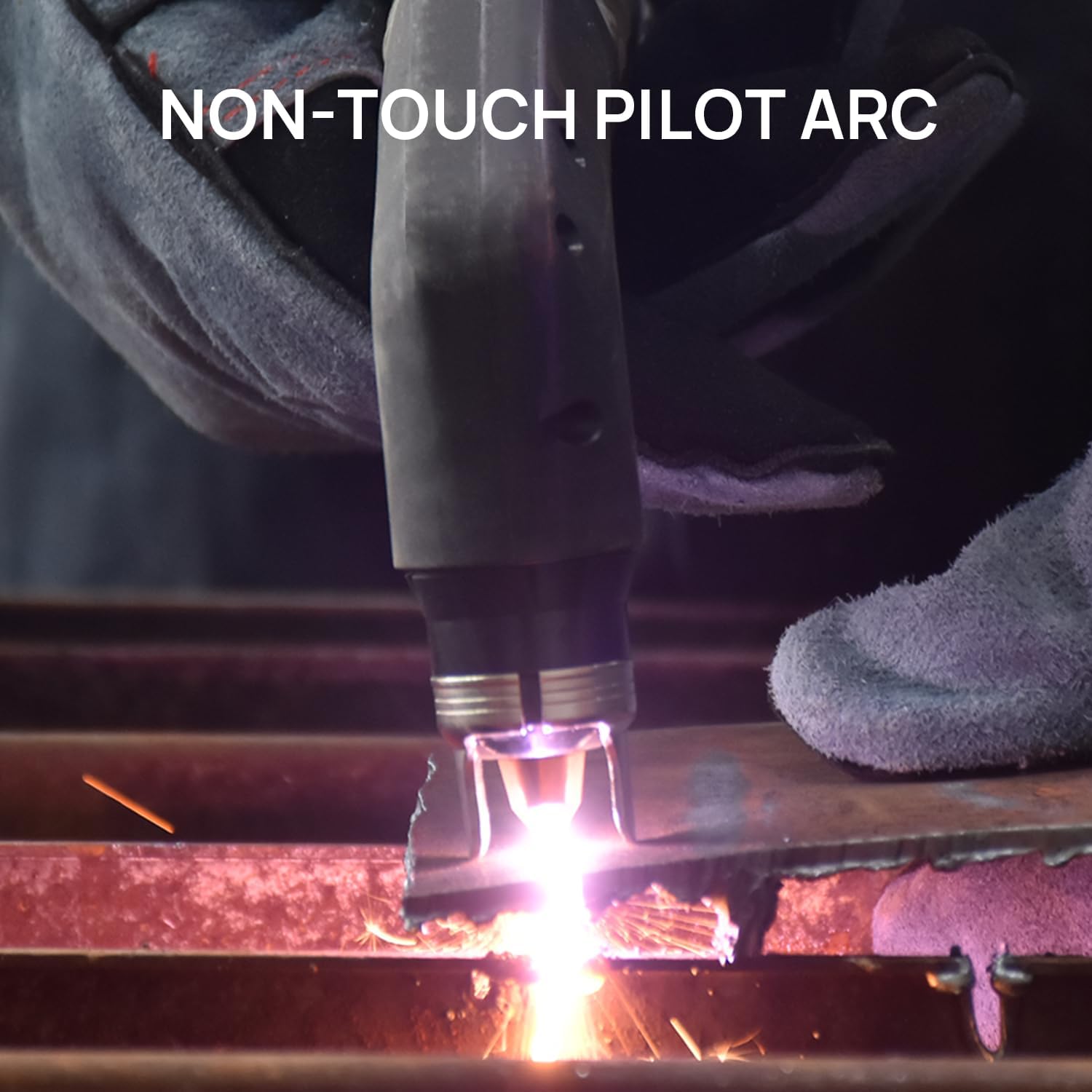
Image 4.2: Non-touch pilot arc in action.

Image 4.3: Cutting thickness capabilities.

Image 4.4: Air filter regulator detail.

Image 4.5: Dimensions and weight for portability.

Image 4.6: High heat dissipation system.
5. Instrucións de configuración
Before beginning, ensure the machine is powered off and disconnected from the main power supply.
- Desembalaxe: Carefully remove all components from the packaging and inspect for any shipping damage.
- Connect Air Filter Regulator: Attach the air filter and pressure regulator assembly to the designated 'AIR IN' port on the rear of the plasma cutter. Ensure a secure, airtight connection.
- Conectar a subministración de aire: Connect your air compressor hose to the inlet of the air filter regulator. The air compressor should be capable of providing sufficient airflow and pressure for plasma cutting (refer to specifications).
- Conectar a terra Clamp: Fixar firmemente o conector de terraamp cable to the positive (+) terminal on the front panel of the plasma cutter. Connect the clamp to the workpiece or a clean, bare metal section of the work table, ensuring good electrical contact.
- Connect Cutting Torch: Plug the XT45 cutting torch cable into the negative (-) terminal on the front panel. Twist to lock it in place.
- Conexión de alimentación: Connect the plasma cutter's power cord to a suitable 230V power outlet. Ensure the outlet is properly grounded and can handle the machine's current requirements.
- Initial Air Pressure Adjustment: Turn on your air compressor. Adjust the air filter regulator to the recommended operating pressure (typically 4.5-5.5 bar or 65-80 PSI for plasma cutting, consult specific torch recommendations if available).

Image 5.1: Front and rear panel connections and controls.
6. Instrucións de funcionamento
Always wear appropriate Personal Protective Equipment (PPE) including a welding helmet, gloves, and protective clothing before operating the plasma cutter.
- Encendido: Flip the main power switch on the rear of the machine to the 'ON' position. The LCD display will illuminate.
- Axustar a corrente: Use the current adjustment knob on the front panel to set the desired cutting amperage. The LCD display will show the selected current. Refer to cutting charts for recommended settings based on material type and thickness.
- Seleccionar o modo 2T/4T: Choose between 2T (Two-Touch) or 4T (Four-Touch) mode using the switch on the control panel, depending on your cutting preference and duration.
- Preparar a peza de traballo: Ensure the workpiece is clean, dry, and free of rust or paint for optimal cutting. Secure the ground clamp firmly to the workpiece or work table.
- Initiate Pilot Arc: Position the torch nozzle approximately 1-2mm above the starting point of the cut. Press the torch trigger. The pilot arc will ignite without touching the workpiece.
- Comezar a cortar: Once the pilot arc is established, slowly move the torch across the workpiece, maintaining a consistent standoff distance. The plasma jet will cut through the metal. Adjust cutting speed as needed to achieve a clean cut.
- Corte de monitor: Observe the molten metal and sparks. A proper cut will show sparks exiting from the bottom of the workpiece. If sparks are spraying upwards, the cutting speed may be too fast or the current too low.
- End Cut: Release the torch trigger to extinguish the arc. Allow the workpiece to cool before handling.
- Apagado: After completing your work, turn off the plasma cutter and disconnect it from the power supply.
7. Mantemento
Un mantemento regular garante a lonxevidade e o rendemento óptimo do seu cortador de plasma.
- Consumable Inspection: Regularly inspect the torch consumables (nozzle, electrode, shield cup) for wear. Replace them when they show signs of pitting, excessive wear, or damage to maintain cut quality and arc stability.
- Regulador do filtro de aire: Periodically check the water trap on the air filter regulator. Drain any accumulated moisture by opening the drain valve at the bottom. Ensure the filter element is clean; replace if heavily contaminated.
- Limpeza: Keep the machine and torch clean. Wipe down the exterior with a dry cloth. Ensure cooling vents are free from dust and debris to prevent overheating.
- Inspección de cables: Inspect all cables (power, torch, ground) for cuts, abrasions, or damage. Replace any damaged cables immediately.
- Almacenamento: Store the plasma cutter in a clean, dry environment when not in use.

Image 7.1: XT45 Plasma Cutter Torch components.
8 Solución de problemas
This section addresses common issues you might encounter with your AIXZ AIC45 plasma cutter.
| Problema | Causa posible | Solución |
|---|---|---|
| Arc does not start or is unstable |
|
|
| Poor cut quality (rough, excessive slag) |
|
|
| A máquina sobrequéntase e apágase |
|
|
| Fugas de aire |
|
|
9. Especificacións
| Característica | Especificación |
|---|---|
| Fabricante | AIXZ |
| Número de modelo | AIC45 |
| Vol. De entradatage | 230 V |
| Corrente de saída | 20-30 A DC |
| Frecuencia | 50/60 Hz |
| Ciclo de traballo | 60 % |
| Max Clean Cut Thickness | 10 mm |
| Max Separation Cut Thickness | 16 mm |
| Dimensións do produto (L x W x H) | 27.94 x 11.94 x 24.89 cm (11 x 4.7 x 9.8 polgadas) |
| Peso do produto | 5 kg (11.24 lb) |
10. Garantía e soporte
AIXZGLOBAL is committed to providing quality products and customer satisfaction. While specific warranty details are not provided in this manual, if you encounter any issues with your AIC45 plasma cutter during operation, or if the machine does not function as expected, please contact our professional customer service team immediately. We are available to assist you with troubleshooting and support.
Garde o comprobante de compra para calquera reclamación de garantía ou consulta de soporte.
Ask a question about this manual
Ask about setup, troubleshooting, compatibility, parts, safety, or missing instructions. Manuals+ will review the question and use this page’s manual context to help answer it.