
DUODUOGO T30
DUODUOGO 10.1 inch Android Tablet User Manual
Modelo: T30
1. Introdución
Welcome to the user manual for your new DUODUOGO 10.1 inch Android Tablet. This device is designed to provide a seamless and powerful experience for all your digital needs, from entertainment to productivity. Please read this manual carefully to ensure proper use and to maximize the performance and longevity of your tablet.

Figure 1.1: DUODUOGO 10.1 inch Android Tablet and accessories.
2. Que hai na caixa
Ao abrir o paquete, comproba que inclúa todos os seguintes elementos:
- 1 x DUODUOGO 10.1 inch Android Tablet
- 1 x funda para tableta
- 1 x cable USB tipo C
- 1 x cargador
- 1 x Manual de usuario
3. Produto rematadoview
The DUODUOGO T30 tablet is engineered for high performance and user convenience. Below are key features and components:
3.1. Rendemento e almacenamento
Equipped with a powerful octa-core processor and 8GB RAM (4GB physical + 4GB virtual memory), the tablet ensures smooth multitasking and fast application loading. The 64GB internal storage is expandable up to 1TB via a TF card, providing ampespazo para todos os teus files.

Figure 3.1: Performance and Storage Capabilities.

Figure 3.2: Octa-Core Processor for Enhanced Performance.
3.2. Display and Audiovisual
Experience vibrant visuals on the 10.1-inch IPS HD display with a resolution of 1920x1200 pixels. The tablet features dual speakers for an immersive audio experience and supports Widevine L1 DRM for high-quality streaming content.
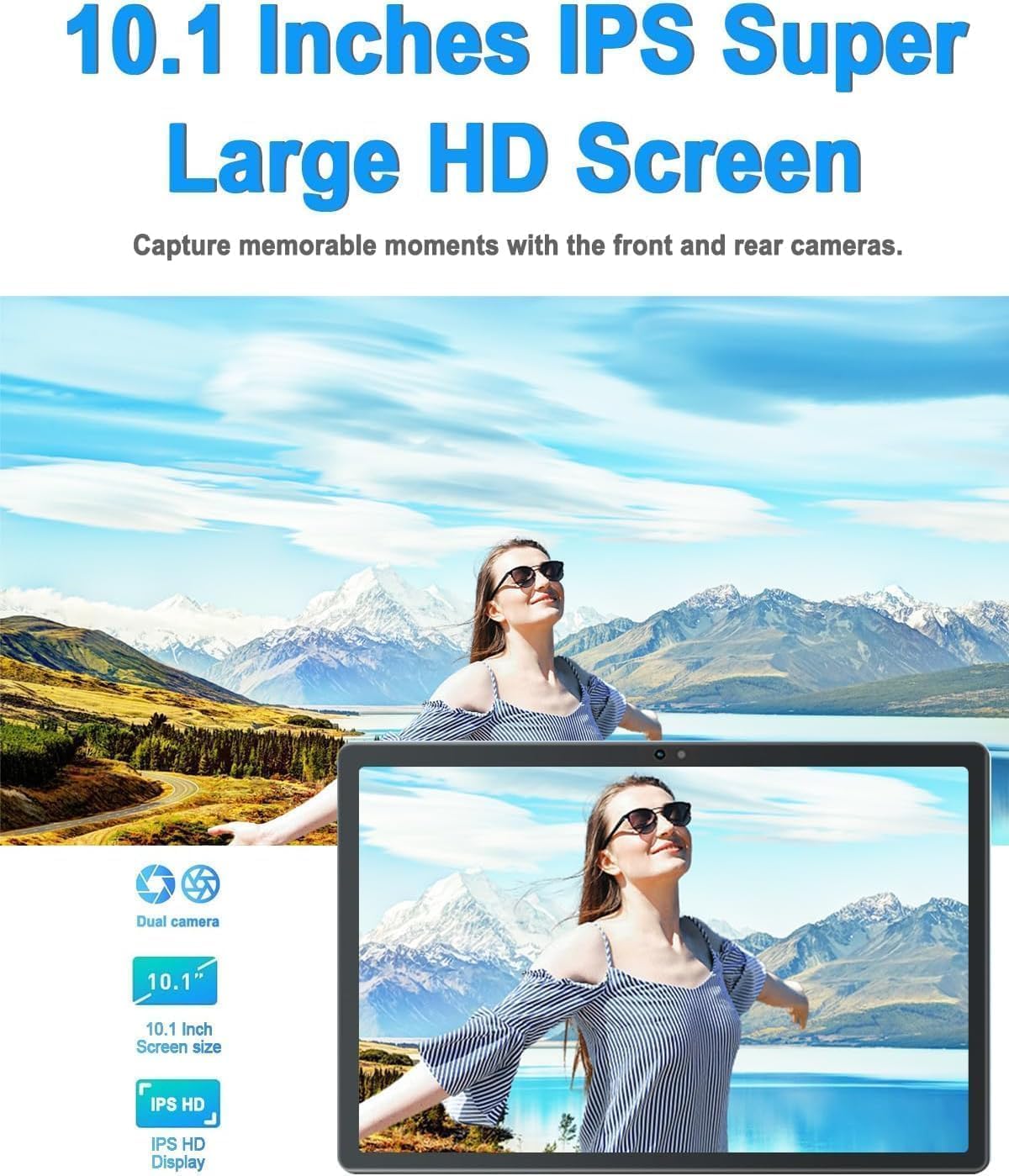
Figure 3.3: 10.1-inch IPS HD Display and Dual Cameras.

Figure 3.4: Immersive Audiovisual Experience.
3.3. Cameras and Connectivity
Capture moments with the 8MP rear camera and 5MP front camera. The tablet supports stable Wi-Fi (802.11ac) and Bluetooth 4.3 for seamless connectivity. It also includes GPS navigation capabilities.

Figure 3.5: Key Features and Connectivity Options.
3.4. Software and Battery
The tablet runs on the latest Android system and is GMS certified, ensuring full access to the Google Play Store and all its applications. A 6000 mAh battery provides extended usage time for various activities.

Figure 3.6: Google GMS Certification and App Access.
Vídeo 3.1: Rematadoview of the 10.1 inch Android Tablet's features and capabilities.
4. Guía de configuración
4.1. Carga inicial
Before first use, fully charge your tablet. Connect the Type-C USB cable to the tablet's charging port and the other end to the provided charger. Plug the charger into a power outlet. The battery indicator on the screen will show charging progress.
4.2. Acendido/apagado
- Para acender: Press and hold the Power button (usually located on the side or top edge) until the DUODUOGO logo appears.
- Para apagar: Mantén premido o botón de acendido/apagado ata que apareza o menú de opcións de acendido/apagado. Selecciona "Apagar" e confirma.
4.3. Asistente de configuración inicial
The first time you power on the tablet, you will be guided through a setup wizard. Follow the on-screen prompts to:
- Seleccione o seu idioma.
- Conéctate a unha rede wifi.
- Inicia sesión coa túa conta de Google ou crea unha nova.
- Configurar o bloqueo de pantalla (PIN, patrón, contrasinal).
- Review e aceptar os termos e condicións.
5. Instrucións de funcionamento
5.1. Navegación pola interface
- Toca: Toca unha icona ou unha opción para seleccionala.
- Mantén premido: Press and hold an item to access more options.
- Pasar o dedo: Arrastra o dedo pola pantalla para desprazarte ou navegar entre pantallas.
- Beliscar: Usa dous dedos para ampliar ou reducir as fotos e web páxinas.
5.2. Funcións básicas
- Pantalla de inicio: Tap the Home button (circle icon) to return to the main screen.
- Aplicacións recentes: Tap the Recent Apps button (square icon) to view e cambiar entre as aplicacións usadas recentemente.
- Volver: Tap the Back button (triangle icon) to go back to the previous screen.
- Notificacións: Desliza o dedo cara abaixo desde a parte superior da pantalla para acceder ao panel de notificacións e á configuración rápida.
- Control de volume: Use the physical Volume Up/Down buttons on the side of the tablet.
5.3. Conectando a wifi
- Ir a Configuración > Rede e internet > Wi-Fi.
- Activar/desactivar Wi-Fi On.
- Seleccione a rede desexada da lista.
- Introduza o contrasinal se lle solicita e toque Conectar.
5.4. Uso de cámaras
Open the Camera app from your home screen or app drawer. You can switch between the front and rear cameras using the camera switch icon. Tap the shutter button to take a photo or start/stop video recording.

Figure 5.1: HD Large Screen Display for optimal viewing.
6. Mantemento e coidados
To ensure the longevity and optimal performance of your DUODUOGO tablet, follow these maintenance guidelines:
- Limpeza: Use a soft, lint-free cloth to clean the screen and body. For stubborn smudges, slightly dampEnxágüe o pano con auga ou un limpador de pantallas. Evite produtos químicos agresivos.
- Temperatura: Non expoña o comprimido a temperaturas extremas (calor ou frío) nin á luz solar directa durante períodos prolongados.
- Exposición á auga: This tablet is not waterproof. Avoid contact with liquids.
- Almacenamento: Cando non se use durante períodos prolongados, garde a tableta nun lugar fresco e seco.
- Actualizacións de software: Regularly check for and install system updates to ensure your tablet has the latest features and security patches. Go to Configuración > Sistema > Actualización do sistema.
7 Solución de problemas
Se tes problemas coa túa tableta, consulta os seguintes problemas e solucións comúns:
- A tableta non se acende:
- Ensure the battery is charged. Connect the charger and wait a few minutes before attempting to power on.
- Press and hold the Power button for at least 10-15 seconds to force a restart. - A pantalla non responde:
- Restart the tablet.
- Ensure your hands are clean and dry. - Problemas de conexión wifi:
- Ensure Wi-Fi is enabled in Settings.
- Reinicia o teu enrutador Wi-Fi.
- Forget the network in tablet settings and reconnect.
- Ensure you are within range of the Wi-Fi signal. - Apps are crashing or freezing:
- Close and reopen the app.
- Clear the app's cache (Settings > Apps > [App Name] > Storage & cache > Clear cache).
- Update the app from Google Play Store.
- Uninstall and reinstall the app. - Rendemento lento:
- Close unused apps running in the background.
- Clear cache and temporary files.
- Ensure sufficient storage space is available.
- Restart the tablet regularly. - A batería esgótase rapidamente:
- Reduce screen brightness.
- Turn off Wi-Fi, Bluetooth, and GPS when not in use.
- Close background apps.
- Limit notifications.
- Check battery usage in Settings to identify power-hungry apps.
If the problem persists, please contact DUODUOGO customer support for further assistance.
8. Especificacións
| Característica | Especificación |
|---|---|
| Marca | DUODUOGO |
| Número de modelo | T30 |
| Sistema Operativo | Android |
| Tamaño da pantalla | 10.1 polgadas |
| Resolución de pantalla | 1920 x 1200 pixels IPS |
| Procesador | Octa-Core, 2 GHz (MediaTek) |
| RAM | 8 GB (4 GB + 4 GB virtuais) |
| Almacenamento interno | 64 GB |
| Almacenamento ampliable | Ata 1 TB (tarxeta TF) |
| Cámara traseira | 8 MP |
| Cámara frontal | 5 MP |
| Capacidade da batería | 6000 mAh |
| Tipo sen fíos | Wi-Fi 802.11ac |
| Bluetooth | Bluetooth 4.3 |
| Conectividade | Type-C USB, 3.5mm Headphone Jack |
| Peso do elemento | 1.04 libras |
| Dimensións do produto | 9.6 x 6.4 x 0.32 polgadas |
9. Garantía e soporte
Your DUODUOGO tablet comes with a standard manufacturer's warranty. Please refer to the warranty card included in your product packaging for specific terms and conditions, including warranty period and coverage details.
For technical support, troubleshooting assistance, or warranty claims, please contact DUODUOGO customer service through the contact information provided on the product packaging or the official DUODUOGO websitio.
Conserve o comprobante de compra para efectos da garantía.
Ask a question about this manual
Ask about setup, troubleshooting, compatibility, parts, safety, or missing instructions. Manuals+ will review the question and use this page’s manual context to help answer it.