
1. Introdución
The TESmart HDMI Matrix Switch 16x16 is designed to manage up to 16 HDMI source devices and distribute their signals to up to 16 HDMI display devices. This versatile switch supports Ultra HD 4K@30Hz and 1080P@60Hz resolutions, 3D, and Deep Color. It offers multiple control methods including front panel buttons, IR remote control, RS232 serial port, and LAN (TCP/IP protocol). The device is HDCP 1.4 compliant and features smart EDID management for optimal display compatibility. It supports various audio formats including PCM, Dolby AC3, DTS5.1, DTS7.1, and DSD.
2. Características clave
- HDMI Matrix Switcher 16 IN 16 OUT: Supports matrix, splitter, and hybrid modes for flexible device management.
- Smart EDID Management: Ensures compatibility with most display devices by outputting the best possible resolution up to 3840x2160@30Hz.
- 8 Configurable User Preset Connections: Allows saving and recalling frequently used connection statuses for quick setup.
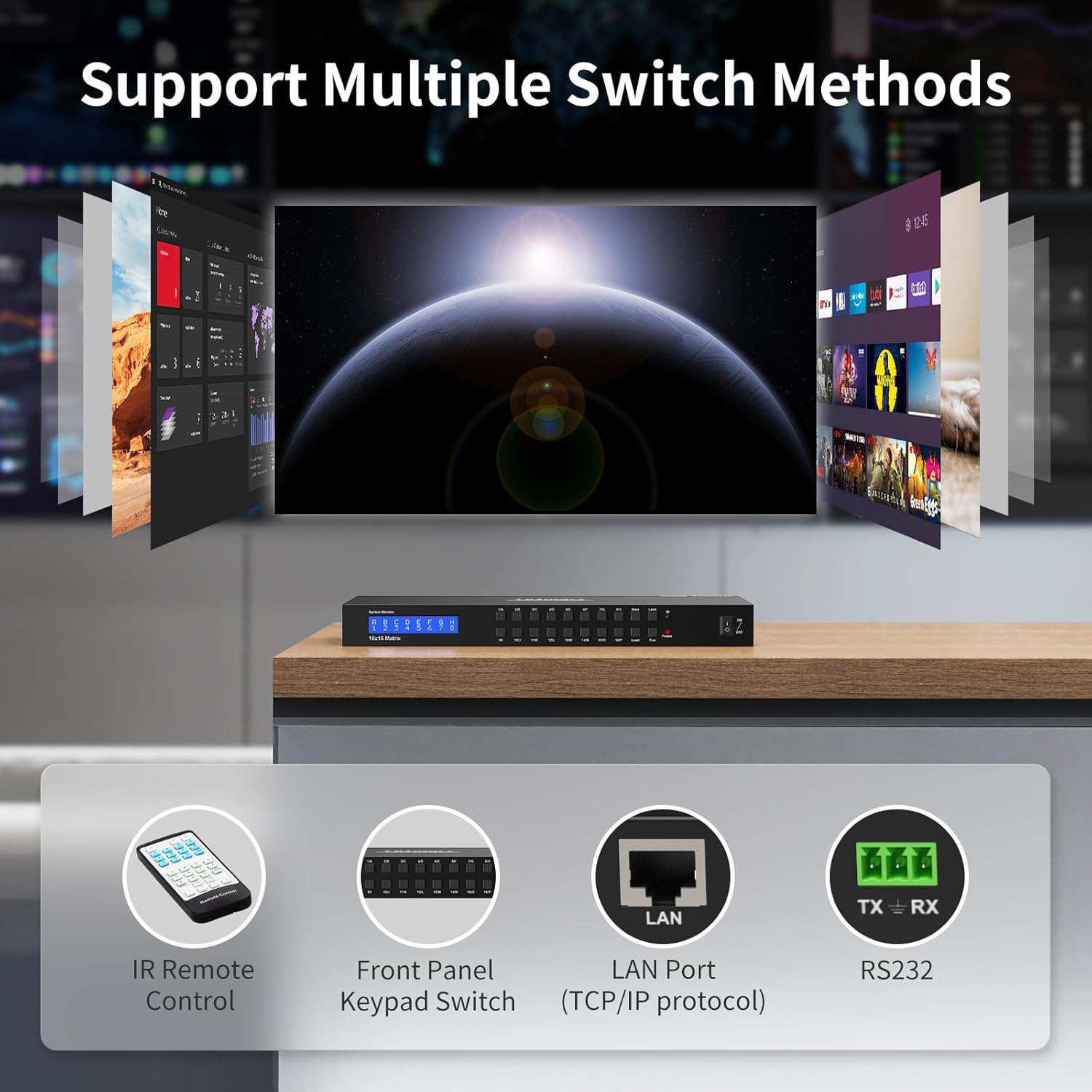
- Múltiples métodos de control: Switch inputs via front panel buttons, IR remote control, LAN port (TCP/IP protocol), or RS232 serial cable.
- Soporte de audio: Compatible with PCM, Dolby AC3, DTS5.1, DTS7.1, and DSD audio formats.
- HDCP 1.4 Compliant: Ensures secure transmission of high-definition signals.
- Power Interruption Memory: Restores the last known configuration after power loss.
3. Contido do paquete
Comprobe o contido do paquete ao recibilo. Se falta algún artigo ou está danado, póñase en contacto co servizo de atención ao cliente.
- 1 x TESmart HDMI Matrix 16x16
- 1 x IR Remote Control (CR2025 batteries not included)
- 1 x IR Extension Cable
- 1 x adaptador de alimentación DC 24 V
- 2 x Rack-ears (for standard 1U 19-inch cabinet/rack)
- 1 x 3 Pins Connector (For RS232)
- 1 x Manual de usuario

Image: TESmart HDMI Matrix 16x16 and its included accessories.
4. Produto rematadoview
4.1 Panel frontal
The front panel features an LCD display for real-time status, input/output selection buttons, and control buttons for menu navigation and settings. An IR receiver window is also present for remote control signals.

Imaxe: Fronte view of the TESmart HDMI Matrix 16x16, showing the LCD display and control buttons.
4.2 Panel posterior
The rear panel provides 16 HDMI input ports, 16 HDMI output ports, a DC 24V power input, an IR In port for the extension cable, an RS232 serial port, and a LAN port for network control.
Imaxe: Traseira view of the TESmart HDMI Matrix 16x16, showing all input and output ports, power, and control interfaces.
5. Configuración e conexión
Follow these steps to set up your TESmart HDMI Matrix Switch:
- Connect your HDMI source devices (e.g., game consoles, streaming boxes, PCs) to the HDMI Input ports (Input 1-16) on the rear panel of the matrix switch using high-quality HDMI cables.
- Connect your HDMI display devices (e.g., monitors, projectors) to the HDMI Output ports (Output 1-16) on the rear panel of the matrix switch using high-quality HDMI cables.
- If using IR remote control and the unit is in an enclosed space, connect the IR Extension Cable to the 'IR In' port on the rear panel and position the receiver end in a location where it can receive signals from the remote.
- For RS232 or LAN control, connect the appropriate cables to the respective ports on the rear panel.
- Connect the DC 24V Power Adapter to the power input port on the rear panel, then plug the adapter into a power outlet. The unit will power on automatically.

Image: Diagram illustrating the connection of various input and output devices to the TESmart HDMI Matrix 16x16.
6. Operating Modes and Control
The TESmart HDMI Matrix Switch supports various operating modes and control methods to suit your needs.
6.1 Modos de visualización
- Modo de matriz: Allows any input to be routed to any output independently.
- Modo divisor: Allows one input to be displayed on multiple outputs simultaneously.
- Modo híbrido: A combination of matrix and splitter modes, offering maximum flexibility.

Image: Visual representation of Matrix Mode, Splitter Mode, and Hybrid Mode.
6.2 Métodos de control
You can control the HDMI Matrix Switch using the following methods:
- Botóns do panel frontal: Directly select inputs and outputs using the buttons on the device.
- Control remoto IR: Use the included IR remote to switch inputs. (Ensure CR2025 batteries are installed).
- LAN Port (TCP/IP): Connect to a computer on the local network and use the provided software or web interface para o control.
- Porto serie RS232: Connect to a computer via RS232 serial cable for command-line control.

Image: Depiction of various control methods: IR Remote, Front Panel Keypad, LAN Port, and RS232.
6.3 Automatic Detection Switch Mode
In this mode, the HDMI switch automatically detects and switches to active input sources:
- When attaching a new input device, the switch automatically selects it.
- When removing a connected input source, the switch automatically selects the first valid input source.
- If connected to a non-signal input port, the switch automatically moves to the next valid port in a few seconds.
Video: Demonstration of automatic detection switch mode, showing how the HDMI switch reacts to new and removed input devices.
6.4 Modo de cambio manual
In this mode, you manually select input ports using the front panel buttons or the IR remote control. To switch to manual mode, press the 'M' button on the IR remote control (ensure CR2025 batteries are installed).
Video: Demonstration of manual switch mode, showing how to select inputs using the front panel buttons and IR remote.
6.5 Auto Scan Mode
The Auto Scan feature automatically toggles the HDMI Switch focus between connected, powered-on input units at regular intervals. This allows monitoring of multiple input devices without user intervention. The default interval is 5 seconds. To activate, press the 'Scan' button on the front panel or 'P' button on the IR remote. You can set the scan interval (minutes/seconds) using the 'MIN' and 'SEC' buttons, then press 'Set' to confirm.
Video: Demonstration of auto scan mode, showing how the switch cycles through active inputs and how to configure scan intervals.
6.6 Custom Preset Scenarios
The device allows you to save up to 8 user-defined preset connection scenarios. This eliminates the need to manually reconfigure inputs and outputs each time. Refer to the user manual for detailed instructions on how to set and recall these presets.

Image: Illustration of setting and saving custom preset scenarios for quick recall.
7. Xestión EDID
The HDMI Matrix Switch features smart EDID management. This function ensures that the HDMI source player outputs the best possible resolution compatible with all connected display devices. In 1-to-many display mode, the matrix outputs the smallest resolution supported by the multiple displays to ensure compatibility.
8. Power Interruption Memory
The TESmart HDMI Matrix Switch is equipped with a power interruption memory function. This means that in the event of a power outage, the device will automatically restore its previous input/output configuration once power is re-established, ensuring seamless operation.

Image: Diagram showing the power interruption memory feature, where the device restores its state after power cycling.
9. Especificacións
- Dimensións do produto: 17.32 x 8.66 x 1.77 polgadas
- Peso do artigo: 6.5 libras
- Número de modelo do artigo: HMA1616-L23
- Cor: Negro
- Tipo de conector: HDMI
- Marca: TESmart
- Dispositivos compatibles: Camera, Gaming Console, Laptop, Projector, VCR
- Tipo de cable: HDMI
- Resolución máxima: 3840x2160@30Hz (4K@30Hz)
- Conformidade HDCP: HDCP 1.4
- Soporte con formato de audio: PCM, Dolby AC3, DTS5.1, DTS7.1, DSD
10 Solución de problemas
If you encounter issues with your TESmart HDMI Matrix Switch, consider the following common solutions:
- Sen sinal/pantalla: Ensure all HDMI cables are securely connected and are of high quality. Verify that input sources are powered on and output displays are set to the correct HDMI input. Check EDID settings.
- Retrasos de conmutación: Some switching operations may have a slight delay (e.g., 1-3 seconds) depending on the resolution and device. This is normal.
- Son do zumbador: The device may emit a buzzer sound during operation. Refer to the user manual for instructions on how to enable/disable the buzzer.
- O control remoto non funciona: Ensure CR2025 batteries are correctly installed in the IR remote. Point the remote directly at the IR receiver window or use the IR Extension Cable if the unit is out of line-of-sight.
- Cambio incoherente: If the switch does not respond as expected, try power cycling the unit (unplug and re-plug the power adapter).
- Problemas de resolución: Utilize the Smart EDID management feature. If using 1-to-many display mode, the output resolution will adapt to the lowest common resolution of the connected displays.
11. Garantía e soporte
The TESmart HDMI Matrix Switch comes with a 1-year warranty. For any questions or concerns regarding the product, please reach out to our customer experience design team. Contact information can be found in the included User Manual or on the TESmart official websitio.