
Introdución
This manual provides essential information for the proper use and maintenance of your Infinix Smart 8 X6525 mobile phone. Please read it carefully to ensure optimal performance and longevity of your device.
The Infinix Smart 8 features a 6.6-inch HD+ display, 13MP AI dual rear camera, 8MP front camera, 5000 mAh battery, and runs on Android 13. It supports dual nano SIM cards and Type-C charging.
Configuración
1. Instalación da tarxeta SIM e da tarxeta de memoria
To install your SIM card(s) and an optional microSD card:
- Localiza a bandexa da tarxeta SIM no lateral do dispositivo.
- Insira a ferramenta de expulsión da tarxeta SIM no pequeno orificio que hai xunto á bandexa e empurre suavemente ata que esta saia.
- Place your Nano-SIM card(s) and/or microSD card into the tray with the gold contacts facing down, ensuring they are correctly oriented as indicated on the tray.
- Empurre con coidado a bandexa de volta na ranura ata que quede ao mesmo nivel que a carrocería do teléfono.
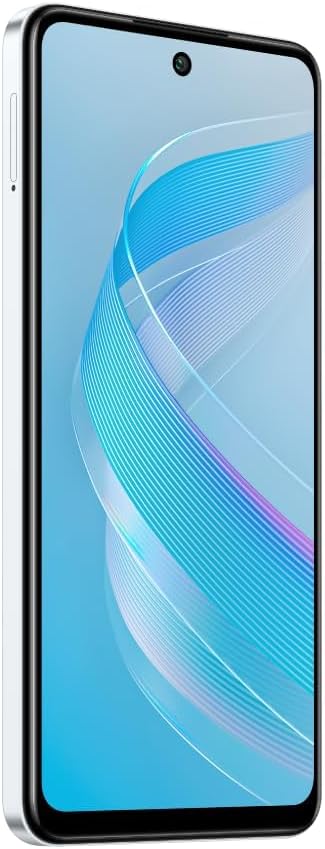
Imaxe: Lateral view of the Infinix Smart 8 X6525, illustrating the location of the SIM card tray.
2. Acendido inicial
Press and hold the Power button (located on the right side of the device) until the Infinix logo appears. Follow the on-screen instructions to complete the initial setup, including language selection, Wi-Fi connection, and Google account setup.
3. Cargando o dispositivo
Connect the USB Type-C cable to the phone's charging port and the other end to the power adapter. Plug the power adapter into a wall outlet. The battery indicator on the screen will show the charging status. For optimal battery life, use the provided charger and cable.
Operando o seu dispositivo
1. Navegación básica
Your Infinix Smart 8 X6525 uses a touchscreen for navigation. Swipe up, down, left, or right to move between screens and menus. Tap icons to open applications. Use gestures or the navigation bar at the bottom of the screen for Home, Back, and Recent Apps functions.

Imaxe: Fronte view of the Infinix Smart 8 X6525, showing the display and front camera.
2. Uso da cámara
To open the camera, tap the Camera icon on your home screen or lock screen. The device features a 13MP AI dual rear camera and an 8MP front camera. Switch between modes like Photo, Video, Portrait, and Panorama. Tap the shutter button to capture images or start/stop video recording. The AI features automatically optimize settings for various scenes.
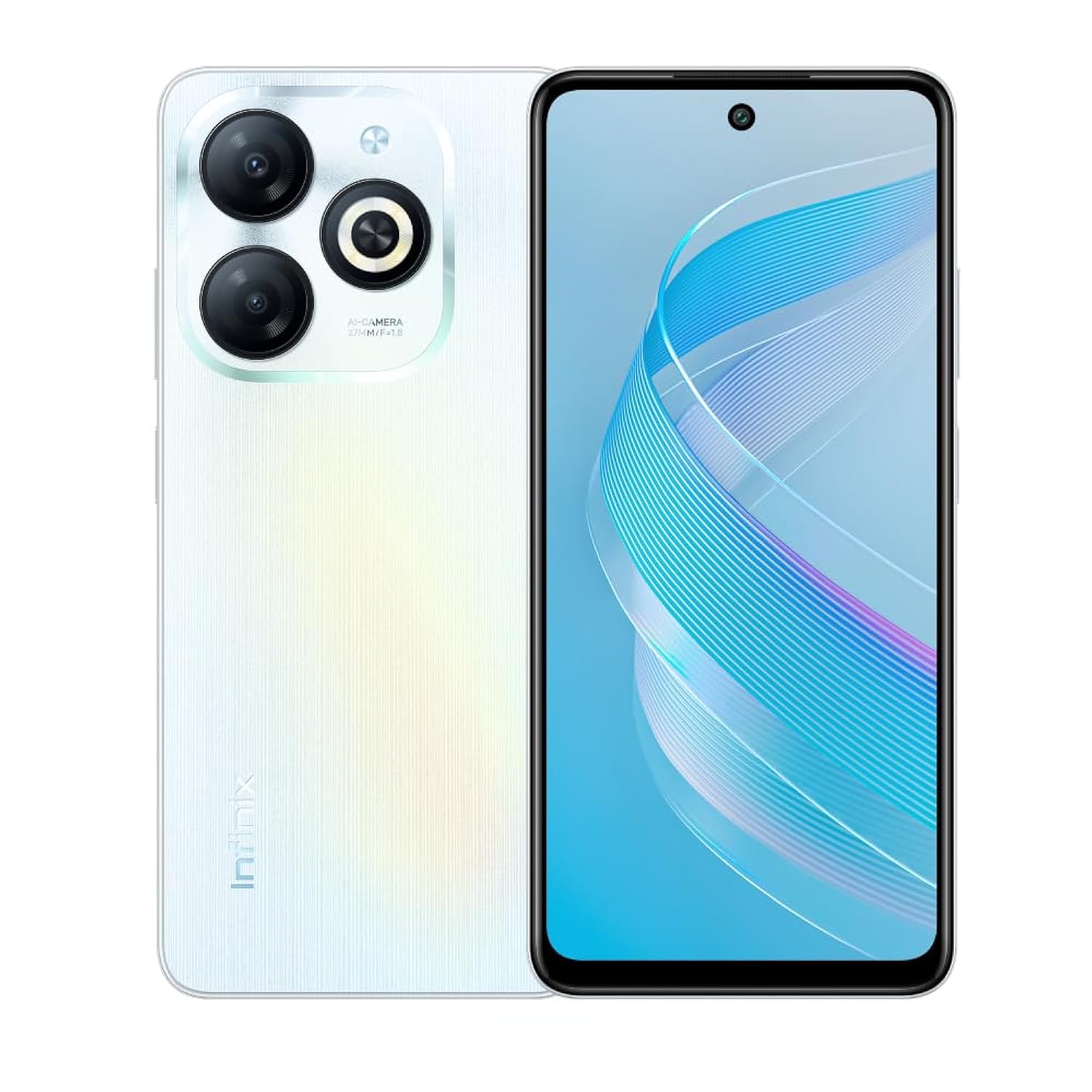
Imaxe: Traseira view of the Infinix Smart 8 X6525, highlighting the dual camera module and ring flashlight.
3. Conectividade
- Wi-Fi: Vaia a Configuración > Rede e internet > Wi-Fi para conectarse ás redes sen fíos dispoñibles.
- Bluetooth: Go to Settings > Connected devices > Connection preferences > Bluetooth to pair with Bluetooth devices.
- Datos móbiles: Ensure your SIM card is active and go to Settings > Network & internet > Mobile network to enable or disable mobile data.
4. Características de seguridade
The device supports a side-mounted fingerprint sensor and face unlock for enhanced security. To set them up, go to Settings > Security > Fingerprint Unlock or Face Unlock and follow the on-screen instructions.
Mantemento
1. Coidado da batería
- Evite expoñer o dispositivo a temperaturas extremas.
- Non descargues completamente a batería con regularidade.
- Empregue só cargadores e cables orixinais ou certificados.
- Se non se vai usar o dispositivo durante un período prolongado, cárgueo ao 50 % aproximadamente antes de gardalo.
2. Actualizacións de software
Regularly check for and install software updates to ensure your device has the latest features, security patches, and performance improvements. Go to Settings > System > System update to check for updates.
3. Limpeza do dispositivo
Usa un pano suave e sen pelusa para limpar a pantalla e a carcasa do teléfono. Evita o uso de produtos químicos agresivos ou materiais abrasivos. Para manchas difíciles, lixeiramenteampEnxágüe o pano con auga ou cun limpador de pantallas deseñado para dispositivos electrónicos.
Resolución de problemas
Problemas comúns e solucións
- O dispositivo non se acende: Asegúrate de que a batería estea cargada. Conecta o cargador e agarda uns minutos antes de tentar acender de novo.
- As aplicacións fallan ou conxélanse: Close and restart the app. If the issue persists, clear the app's cache (Settings > Apps > [App Name] > Storage & cache > Clear cache).
- Escasa duración da batería: Reduce screen brightness, close unused apps, disable unnecessary connectivity features (Wi-Fi, Bluetooth, GPS) when not in use.
- Problemas de conectividade de rede: Check if your SIM card is properly inserted. Try restarting the device. Ensure mobile data or Wi-Fi is enabled.
- O dispositivo non responde: Mantén premido o botón de acendido/apagado durante uns 10-15 segundos para forzar un reinicio.
Especificacións
| Característica | Detalle |
|---|---|
| Nome da marca | Infinix |
| Nome do modelo | Intelixente 8 |
| Sistema Operativo | Android 13.0 |
| RAM instalada | 4 GB |
| Capacidade de almacenamento da memoria | 128 GB |
| Tamaño da pantalla | 6.6 polgadas |
| Resolución | 720 x 1612 píxeles |
| Taxa de actualización | 90 Hz |
| Cor | Branco |
| Número de ranuras para tarxetas SIM | SIM dual |
| Tipo de conector | Porto USB tipo C |
| Función de seguridade biométrica | Recoñecemento de pegadas dixitais |
| Resolución do sensor fotoeléctrico frontal | 8 megapíxeles |
| Rear Camera Photo Sensor Resolution | 13 megapíxeles |
| Descrición da cámara | 13MP rear camera, AI dual camera with ring flashlight |
| Resolución de captura de vídeo | 1080 p |
| Tipo de visualización | LCD |
| Tecnoloxía Celular | 4G |
| Tecnoloxía de conectividade | Bluetooth, WiFi |
| Capacidade da batería | 5000 mAh |
| Peso do elemento | 184 gramos |
| Dimensións do elemento | 16.4 x 0.8 x 7.6 cm |
| Compoñentes incluídos | Headset, Phone Cover, USB Cable, Power Adapter, Screen Protector |
Información de seguridade
- Non desmonte nin intente reparar o dispositivo vostede mesmo.
- Manteña o dispositivo lonxe da auga e da humidade.
- Evite expoñer o dispositivo á luz solar directa ou a altas temperaturas.
- Use only accessories approved by Infinix.
- Desfágase do dispositivo e da súa batería de forma responsable segundo a normativa local.
Garantía e Soporte
Your Infinix Smart 8 X6525 comes with a standard manufacturer's warranty. Please refer to the warranty card included in the product packaging for specific terms and conditions, including warranty period and coverage details.
For technical support, service, or further inquiries, please visit the official Infinix websitio web ou póñase en contacto co servizo de atención ao cliente. Garde o comprobante de compra para reclamacións de garantía.